
Buffer
longerPlaying is a high-performance utility for Fabric 1.21.x designed to eliminate "session decay". It ensures a stable, stutter-free experience for 12+ hour sessions without restarting your launcher
Screenshots
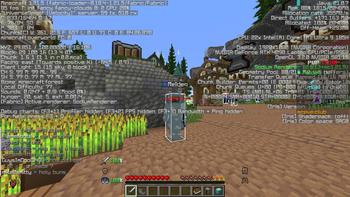
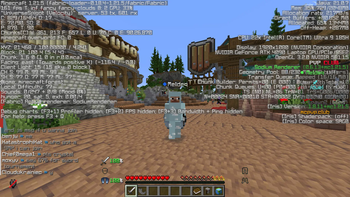
About this Mod
🕒 LongerPlaying
The "Zero-Reset" Performance Utility.
LongerPlaying is a lightweight, engine-level optimization mod for Fabric 1.21.1 – 1.21.11. It is specifically designed to solve "Session Decay"—the gradual accumulation of lag and stuttering that occurs when Minecraft is left running for several hours.
While most performance mods focus on raw FPS, LongerPlaying focuses on stability over time, allowing you to keep your client open for 12+ hours without the need for a restart.
🚀 Key Features
Silent Cache Purging: Unlike other tools, LongerPlaying clears out old textures and model data in the background. No loading screens, no "Mojang logo" interruptions—just a smooth experience.
Native Buffer De-allocation: Explicitly clears Vertex Buffers from your system and GPU memory as you move between chunks, preventing the "invisible" RAM bloat that slows down your PC.
Dimension-Hop Flush: Automatically performs a deep memory sweep when switching dimensions (e.g., entering the Nether), ensuring the game feels as fresh as when you first launched it.
Ghost Entity Cleanup: Scans and removes tracking data for entities that have already been unloaded, freeing up CPU cycles for your immediate surroundings.
📈 Why Use LongerPlaying?
Vanilla Minecraft is prone to "Memory Fragmentation." Over many hours of play, your RAM becomes disorganized, forcing the Java Garbage Collector to work harder, which causes micro-stutters. LongerPlaying acts as a silent janitor, organizing and clearing memory before it becomes a problem.
🛠️ Compatibility
Optimized for Sodium: Works perfectly alongside Sodium, Lithium, and Iris.
Client-Side: This mod is 100% client-side. You can use it on any server to improve your own personal performance.
Zero-Config: Works out of the box with "Safe-Default" settings.
How to Install
Ensure you are on Fabric 1.21.1 – 1.21.11.
Download the latest .jar and place it in your mods folder.
(Recommended) For best results, use the ZGC Garbage Collector in your launcher settings.
Available Versions
How to Install Buffer on Your Client
Install the Mod Loader Locally
Install fabric for your local Minecraft version.
Download the Matching File
Choose the Buffer file for fabric and Minecraft 1.21.11.
Install Mod
Place the .jar file in your local .minecraft/mods folder and restart Minecraft. No server-side installation is required.
Compatibility
Mod Loaders
Minecraft Versions
1.21.11, 1.21.10, 1.21.9 (+8 more)
Server-side
✗ UnsupportedRecommended RAM
4 GB(min. 3 GB)Frequently Asked Questions
Does Buffer need to be installed on the Minecraft server?
No. Modrinth marks Buffer as unsupported on the server side. Install it only in your local Minecraft mods folder. Your server can remain unchanged unless the mod page lists an additional dependency.
Which version and loader does Buffer require?
Use a file for fabric and your exact Minecraft version. Supported versions include 1.21.11, 1.21.10, 1.21.9. Files for different loaders are not interchangeable.
Buffer is not working – what should I check?
First check the Minecraft version, loader version and required dependencies. Put the .jar file in your local .minecraft/mods folder and remove older duplicates. Because this mod is client-side, adding server RAM will not fix it.
Similar Mods






Minecraft Server for Your Group
Buffer stays on your client. Host a compatible world for your group.