
Modrinth · Fabric · Client mod
No Invalid Session ID
No Invalid Session ID is a client-side mod. Install it on your computer; the server does not need it.
Silently refreshes your Session ID so you don't get that pesky warning. Like ReAuth.
- Downloads
- 1.8K
- Author
- Corrupt3r
- Loader
- Fabric
- Minecraft
- 26.1 – 26.3
- Updated
- –
Screenshots
What No Invalid Session ID looks like
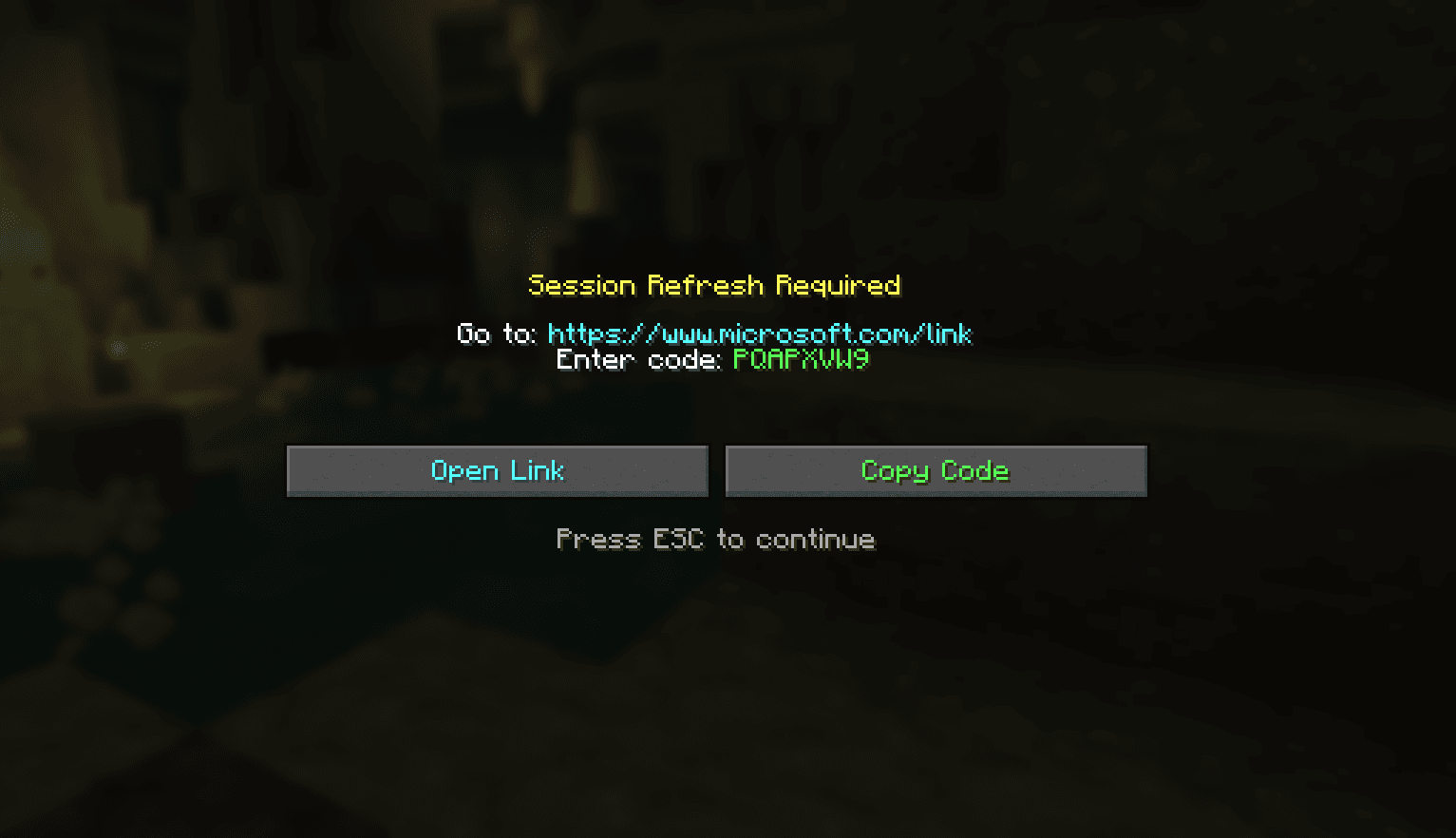
 Step 1, This is what you should see.
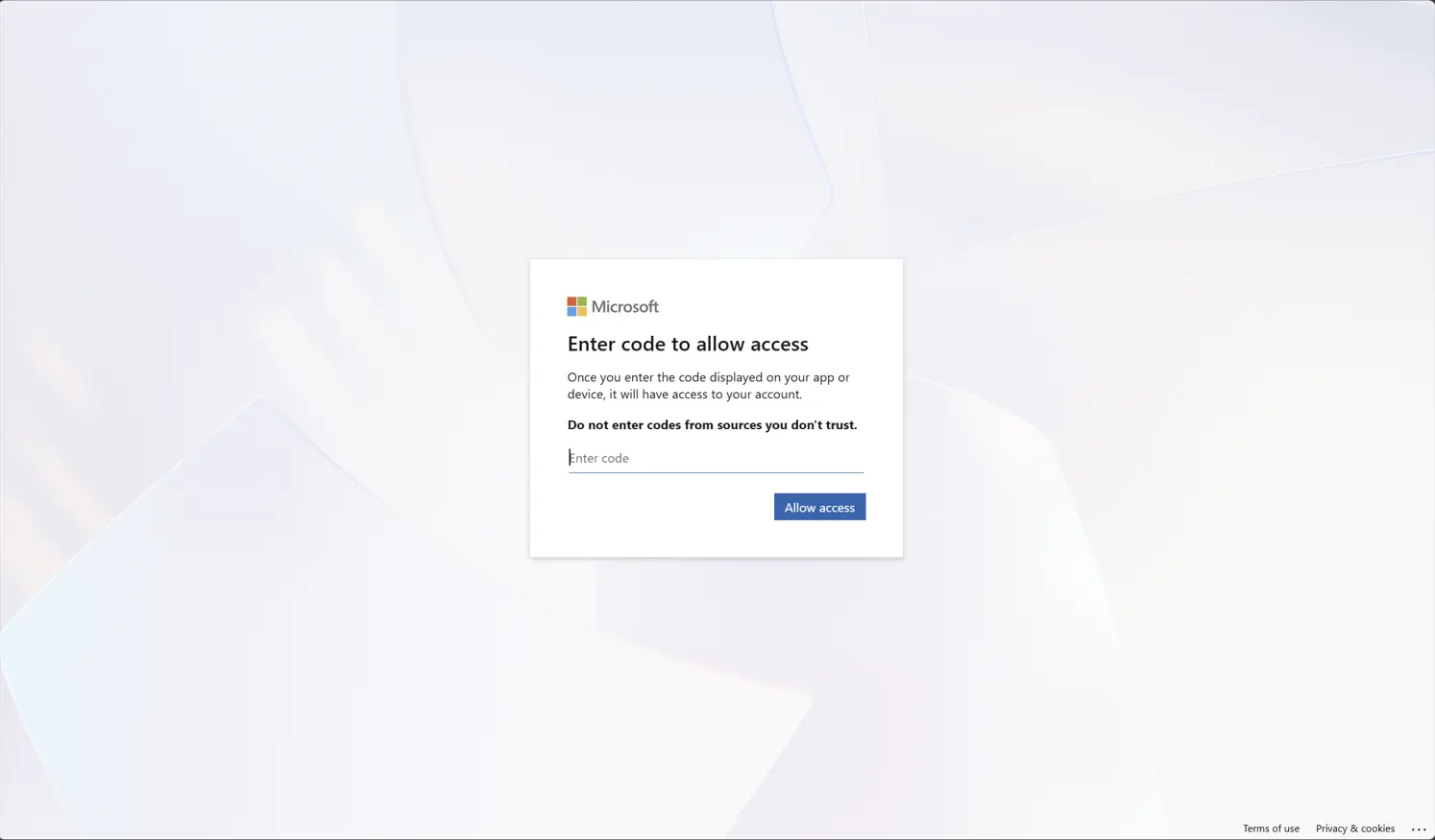
 Step 2, input your code into the official MIcrosoft website.
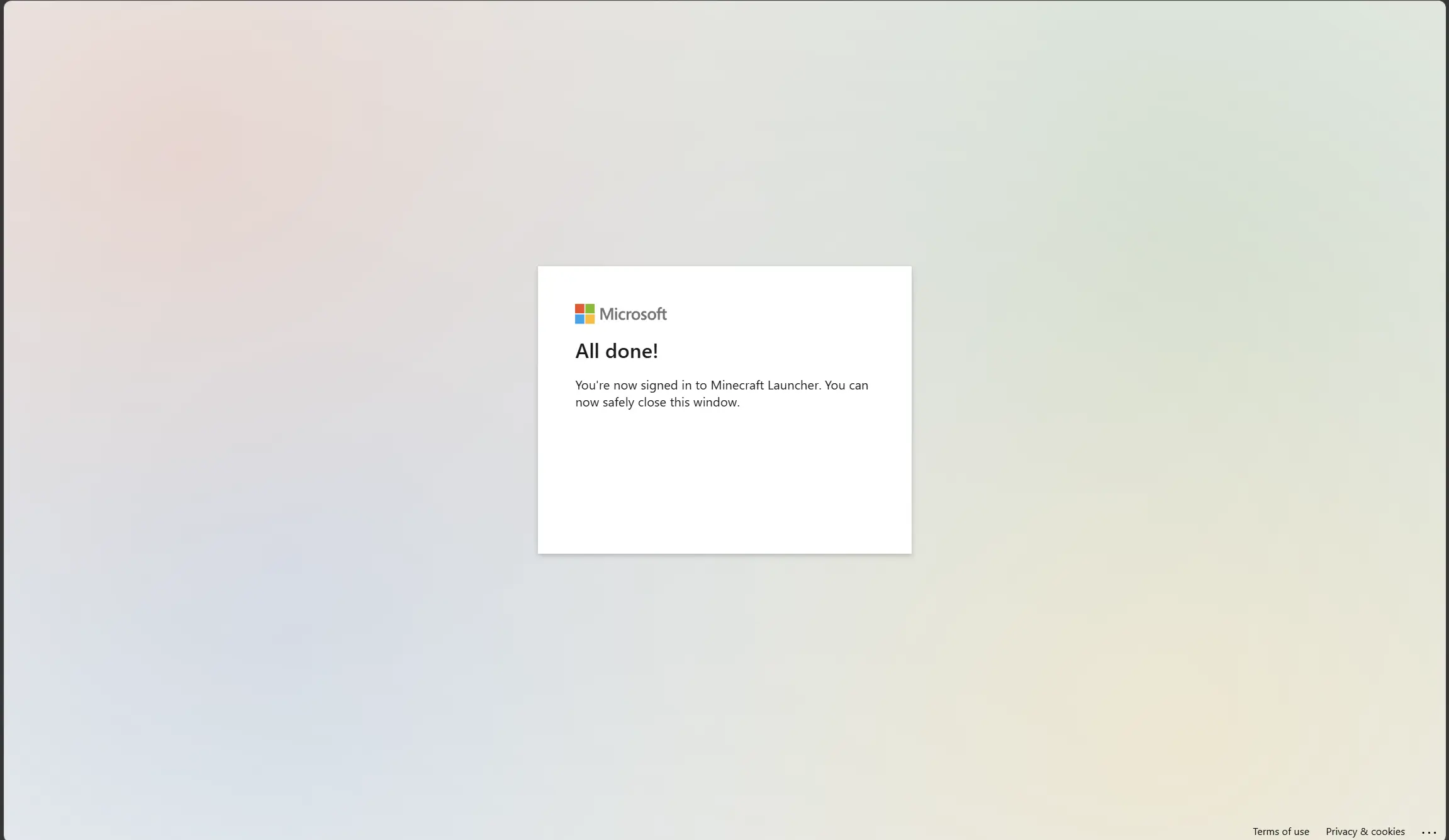
 Step 3, good to go! Delete the tab, go back to the game!
Images: No Invalid Session ID on Modrinth, published by the project team.
Setup
Install No Invalid Session ID on your client
Client-side mods only run on your computer. More server RAM does not change their performance.
- 01
Install the loader locally
Install Fabric for your Minecraft version in your launcher.
- 02
Download the file
Download the No Invalid Session ID file for your loader and your exact Minecraft version, for example 26.3.
- 03
Add it to the mods folder
Put the .jar file in your local .minecraft/mods folder and remove older duplicates.
- 04
Launch
Launch Minecraft with the loader profile. Nothing needs to change on the server.
- On the server
- Not needed
- On the client
- Required
- Loader
- Fabric
- Minecraft
- 26.3, 26.2, 26.1.2 +2 more
- License
- Apache License 2.0
Releases
Published releases
Pick the file that matches your server’s loader and Minecraft version. The server and players need the same release.
No Invalid Session ID · Modrinth- updated to 26.3September 19, 2026Minecraft 26.3 · Fabric
- Updated authentication to AES-256-GCMMay 5, 2026Minecraft 26.1, 26.1.1, 26.1.2 · Fabric
Original description by the project author
Welcome to NoInvalidSessionID!
This mod removes the pesky "Invalid Session" so you never have to relaunch your game to start a new session ever again!
When you first launch with this mod, you will get a message on your multiplayer screen saying to go to an official Microsoft site to put in a code that the mod will generate. All that this does is tell Microsoft, "This is my Session ID token currently, please allow access so every time I go to the multiplayer screen, I refresh this token".
After you put in the ID ONCE, it should work forever, no additional login required after that point. This mod is designed to work forever, thouh if you unlikely experience problems after 90 days, it's recommended to log in again. The code will expire after 90 days of inactivity, so in that case, follow the on screen instructions to put the code in again. However, that is only in the case of inactivity, so if you play at any point in that time frame, your session ID will never expire.
In the Gallery tab, all screens that you should see are shown, so you know if it's right or not.
3 easy steps (once a month, or never again)
1. Open the multiplayer menu
You're gonna want to click the Green button, then the Blue button (step 2)
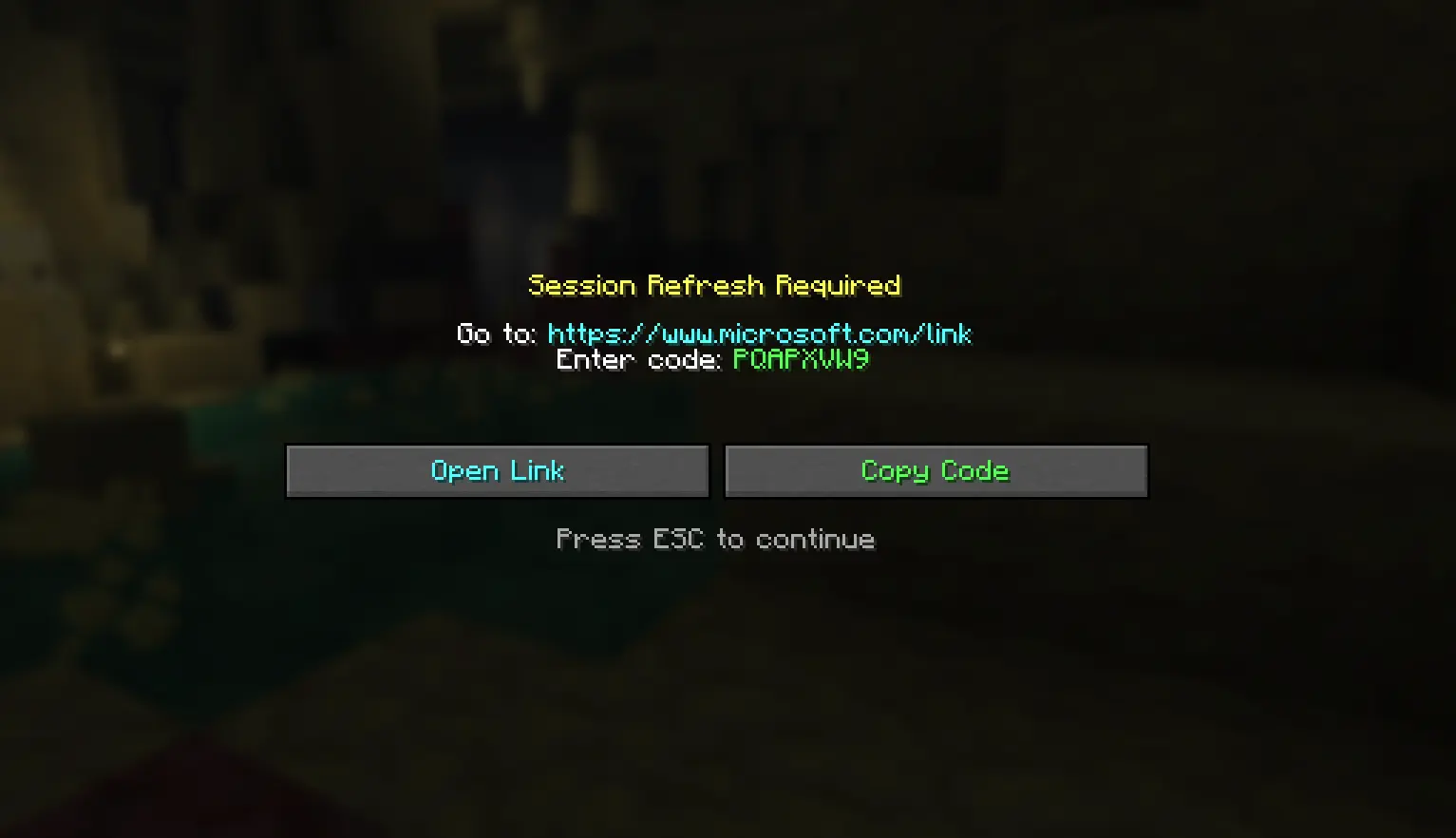
2. After clicking the Blue button, you'll be taken to an offical Microsoft website.
Paste the code you copied in step 1, and then hit enter.
3. Once you hit enter, you'll be taken to this screen.
you're done!, you can close it now :D
Multi-Account support (beta)
This mod now supports multi-account functionality on the same device (yay!). It just uses a simple fix: different token.enc files for each account.
Special thanks to @-------- for discovering this functionality! :D
Security & Privacy
This mod performs a Microsoft OAuth 2.0 login to refresh your session. Here is exactly what it does and does not do:
What it stores: A Microsoft refresh token, AES-256-GCM encrypted, saved to (on windows) C:/ Users/ [your username] /.noinvalidsessionid/token.enc outside your Minecraft folder. On Mac and Linux the file is additionally restricted to your OS user account only (permissions set to 600).
What it never does: The mod never stores your Microsoft password, never sends your credentials anywhere except official Microsoft and Minecraft servers, and never communicates with any third-party server.
Endpoints used:
- login.live.com — Microsoft authentication
- user.auth.xboxlive.com — Xbox Live token exchange
- xsts.auth.xboxlive.com — Xbox security token
- api.minecraftservices.com — Minecraft session token and profile verification
Open source: The full source code is available on GitHub so you can verify exactly what the mod does.
Revoking access: You can revoke access at any time by going to account.microsoft.com → Security → Connected apps and removing it, or simply deleting ~/.noinvalidsessionid/token.enc.
Small Note: It's recommended to restart your game every once in a while, not due to the mod, but because Minecraft can become a power user of your system RAM and CPU over time.
Q: Artificial Intelligence disclosure
A: This mod's core design, icon, description, and gallery images are not ai. However, I am a primitive coder, and I do use ai for tasks I do not know how to do. It simply cannot be helped (well it can, and I'm learning java, don't get me wrong, but not that fast.) I am also actively learning from ai, not plainly using it to build mods. It's taught me a lot, but not enough. The secure token storage method (the moderators wanted it) is accomplished using ai. On the other hand, all logs are human made. AI is also used for help with naming, blocking (my term for creating the blocks of code) and other parts of the code. All testing is completed extensively with human brain cells and knowledge, and so are all ideas of modification and changes.
Does No Invalid Session ID need to be installed on the Minecraft server?
No. Modrinth marks No Invalid Session ID as unsupported on the server side. Install it only in your local mods folder. Your server can stay unchanged unless the project page lists an additional dependency.
Which version and loader does No Invalid Session ID require?
Use a file for Fabric and your exact Minecraft version. Supported versions include 26.3, 26.2, 26.1.2. Files for different loaders are not interchangeable.
No Invalid Session ID is not working – what should I check?
First check the Minecraft version, loader version and required dependencies. Because the mod is client-side, more server RAM will not fix it.
Similar mods
Popular mods in the same category
 Server-ready

YetAnotherConfigLib (YACL)
by isxander
A builder-based configuration library for Minecraft!
 Server-ready

Text Placeholder API
by Patbox
Placeholder and Text manipulation library for your Minecraft mods.
 Client only

Dynamic FPS
by juliand665
Reduce resource usage while Minecraft is in the background, idle, or on battery.
 Server-ready

No Chat Reports
by Aizistral
Makes chat unreportable (where possible)
Looking for mods for your own server?
The catalog lists mods that run on Minecraft servers.