Orbital Railgun
Destroy your enemies with an orbital strike!
Screenshots
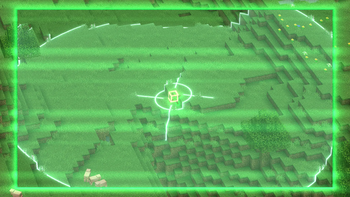
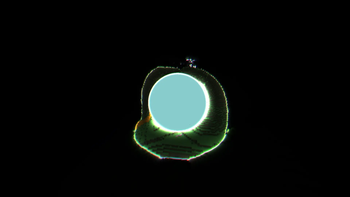
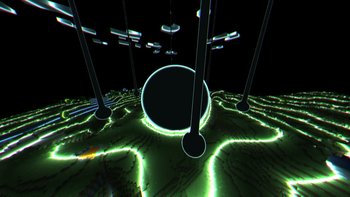
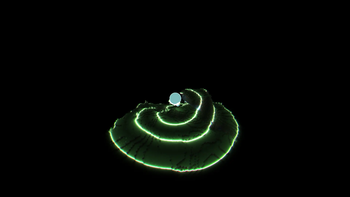
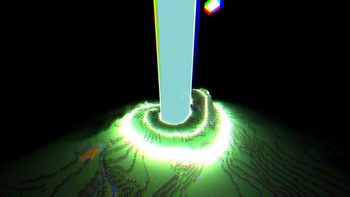
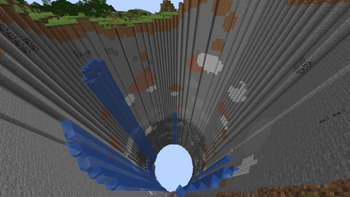
About this Mod
Photosensitivity Warning: This mod uses a lot of shader effects, fast-moving lights, and chromatic aberration. Viewer discretion is advised.
This mod requires geckolib to run.
An unoffical forge version can be found here.
An unoffical sound effect addon can be found here.
Description
If you've ever wanted to destroy large swathes of land in an instant while having no regard for the local fauna and wildlife present, then our new invention of the Orbital Railgun may interest you. By harnessing the power of a star, you are able to communicate directly to our rapid-response railgun satalite, allowing for quick and easy access to absolute destruction. Simply aim your Orbital Railgun and fire, and within half a minute you will have caused an ecological disaster, but at least the area is clear now!
Note: it WILL destroy bedrock.
Usage
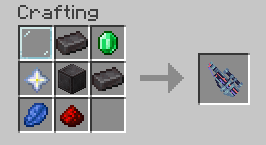
Once you've crafted the Orbital Railgun, hold right click to aim and then left click to fire.
Note: This mod uses the Satin API for shaders, yet you shouldn't have to install it as it's included as a jar-in-jar dependency.
Available Versions
How to Install Orbital Railgun on Your Server
Order Server
Order a Minecraft Java server with at least 3 GB RAM (4 GB recommended).
Set fabric Loader
In the panel under "Egg", select the fabric loader and matching Minecraft version (1.20.1).
Install Mod
Open the mod browser in the dashboard and search for "Orbital Railgun". Click "Install" – done! Alternatively, upload the .jar via SFTP to the /mods folder.
Compatibility
Mod Loaders
Minecraft Versions
1.20.1
Server-side
✓ RequiredRecommended RAM
4 GB(min. 3 GB)Frequently Asked Questions
Orbital Railgun server crashes on startup – what to do?
Most common cause: wrong fabric version or insufficient RAM. Check the server log (latest.log) for "OutOfMemoryError" or "Mixin" errors. With Mado Hosting: ensure at least 3 GB RAM is allocated and the loader matches the mod version (1.20.1). You can switch loaders with one click in the panel.
Is Orbital Railgun compatible with fabric?
Orbital Railgun officially supports fabric for Minecraft 1.20.1. The Mado dashboard automatically detects incompatible loader combinations.
Server lagging with Orbital Railgun – how to optimize performance?
Recommended RAM: 4 GB (per 8 players). Use /spark profiler to check if Orbital Railgun consumes the most tick time. Common fixes: reduce server view-distance to 8-10, install "performant" or "starlight" as supplementary mods on Forge. With Mado Hosting, your server runs on NVMe SSDs with dedicated CPU cores for minimal latency.
Similar Mods





Rent Modded Server
Install Orbital Railgun with just one click on your server.