

Modrinth · Fabric, Forge, NeoForge
Put A Plug In it! (PAPI) on your Minecraft server
Put A Plug In it! (PAPI) runs on Minecraft servers with Fabric or Forge or NeoForge. Order your server, set the loader in the panel and install the mod with one click in the mod browser.
A small mod that fixes Memory Leak issues, optimizes Memory Usage, and increases version/loader support for features of other Memory Leak Fix/Memory Optimization mods
- Downloads
- 157.1K
- Author
- lyftos
- Loader
- Fabric, Forge, NeoForge
- Minecraft
- 1.15.2 – 26.3
- Updated
- –
Setup
Install Put A Plug In it! (PAPI) on your server
The server and players need the same loader and Minecraft version. Back up the world before adding or updating mods.
- 01
Configure
4 GB of RAM is preselected. You choose the term and add-ons and pay by credit card or PayPal.
- 02
Set the loader
In the panel, set the server software to Fabric or Forge or NeoForge and choose the matching Minecraft version, for example 26.3.
- 03
Install the mod
Search the mod browser for “Put A Plug In it! (PAPI)” and install the release for your loader. Alternatively, upload the .jar to the mods folder via SFTP. Required dependencies are listed on the project page.
- 04
Connect
Every player installs the same Put A Plug In it! (PAPI) release locally and connects using the server address from the panel.
- On the server
- Optional
- On the client
- Required
- Loader
- Fabric, Forge, NeoForge
- Minecraft
- 26.3, 26.2, 26.1.2 +34 more
- License
- MIT License
The panel
Install mods, find errors.
Real screenshots from the Mado panel. Both come with every Minecraft server.
Mod browser
Modrinth and CurseForge, right in the panel.
The browser filters by your Minecraft version. Install mods with one click, without uploading .jar files.

AI crash analysis
When a mod crashes, the analyzer reads the log.
Mods often fail on a wrong loader version, Java version or missing dependency. The analyzer names a likely cause and suggests a fix.

Releases
Published releases
Pick the file that matches your server’s loader and Minecraft version. The server and players need the same release.
Put A Plug In it! (PAPI) · Modrinth- Put A Plug In it! (PAPI) forge-1.18.2-1.3.0October 7, 2026Minecraft 1.18.2 · Forge
- Put A Plug In it! (PAPI) fabric-1.19.2-1.3.0October 7, 2026Minecraft 1.18.2, 1.19, 1.19.1, 1.19.2 · Fabric
- Put A Plug In it! (PAPI) forge-1.19.2-1.3.0October 7, 2026Minecraft 1.19, 1.19.1, 1.19.2, 1.19.3, 1.19.4 · Forge
- Put A Plug In it! (PAPI) fabric-1.19.4-1.3.0October 7, 2026Minecraft 1.19.3, 1.19.4 · Fabric
- Put A Plug In it! (PAPI) fabric-1.20.1-1.3.0October 7, 2026Minecraft 1.20, 1.20.1 · Fabric
Original description by the project author
Put A Plug In it! (PAPI) initially solved a Memory Leak I found with Sophisitacted Core while playing the "NightfallCraft - The Casket of Reveries" Modpack by P1nero
Sophisticated Core natively fixed the Memory Leak in their 1.20.1+ Forge & NeoForge versions, but the pre-1.20.1 and Fabric versions of the mod still have the glitch, which PAPI can be used to fix.
PAPI now also aims to find and solve as many Memory Leaks as possible, and integrate features and compatability for and from other mods, to make an all-in-one Memory Leak Fix and Memory Optimization mod, and to increase version and loader support for features of other Memory Leak Fix and Memory Optimization Mods.
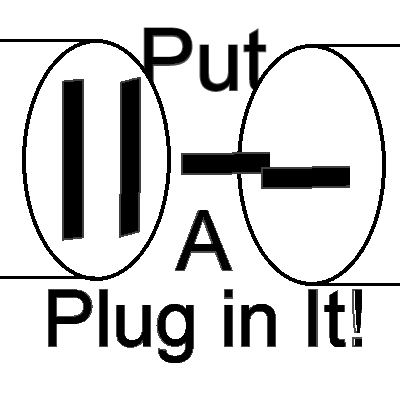
Icon and Name by lyftos, inspired by Plug & Play by Morio von Rickenbach, and Michael Frei (Playables)
Core Features
- Sophisticated Core ItemStackKey leak mitigation
- ModelManager cache cleanup when the client leaves a world
/papi leak reportdiagnostics- heap, GC, watched-object sizes and client model-cache counts written to a file
- an opt-in
/papi leak dumpHeapfor the full heap dump
- Prevent known crashes between RaphiMC's ImmediatelyFast and FX (FX_PR0CESS)'s Memory Leak Fix (MemoryLeakFix)
- Prevent Screen-Freeze Glitch caused by RaphiMC's ImmediatelyFast on Intel IGP's and GPU's
Features Derrived or Adapted From Other Mods
- Biome Temperature cache sharing
- LivingEntity brain-memory clear on unload
- TagKey weak intern pool
- Drowned navigation cleanup
- Crosshair target / hit result reset
- Huge screenshot buffer free-on-failure
- Texture read-buffer free-on-failure
pietro-lopes' AllTheLeaks
- Vanilla
EntityTickListpassive-map clear - per-mod client leak fixes for:
- EMI — clear recipe history on respawn
- JEI — clear RecipeTransferManager and the Grindstone menu
- Jade — clear ObjectDataCenter and the hideModName cache
- Iceberg — clear EntityCollector and CustomItemRenderer caches
- Sophisticated Core — invalidate StorageWrapperRepository on world unload
- Supplementaries — run its cache clearers on server stop
- Entity Texture Features — release player-texture state on respawn
- Entity Model Features / ETF — drop renderer state after each render
I intend to add more Memory Leak fixes in the future so if you know of any mods or modpacks that you suspect of having Memory Leak issues, let me know in the comments!
Put A Plug In it! (PAPI) server crashes on startup – what to do?
Common causes: the loader or Minecraft version does not match the mod file, a dependency is missing, or RAM is too low. Check the log (latest.log) for “OutOfMemoryError”, “Mixin” or missing mods. At Mado, the AI crash analysis reads the log and suggests a cause. You can change the loader and version in the panel.
Which loader does Put A Plug In it! (PAPI) run on?
According to Modrinth, Put A Plug In it! (PAPI) supports Fabric, Forge, NeoForge for Minecraft 26.3, 26.2, 26.1.2. Forge and Fabric files are not interchangeable: pick one loader for the server and clients.
How much RAM does a server with Put A Plug In it! (PAPI) need?
As guidance, 3–4 GB for a server with this mod. This is an estimate, not a measured minimum. More mods, many players and long view distances need more. The spark profiler shows whether a mod is costing tick time.
Similar mods
Popular mods in the same category
 Client only

Sodium
by jellysquid3
A high-performance rendering engine replacement for Minecraft, which greatly improves frame rates and reduces micro-stutter.
 Client only

Iris Shaders
by coderbot
A modern shader pack loader for Minecraft intended to be compatible with existing OptiFine shader packs
 Client only

Entity Culling
by tr7zw
Using async path-tracing to hide Block-/Entities that are not visible
 Server-ready

FerriteCore
by malte0811
Memory usage optimizations
Ready for your server with Put A Plug In it! (PAPI)?
4 GB of RAM from €8.00 per month. 35% off your first month with MADO35.