
Selfexpression
A mod with which you can create a lot of clothes!
Screenshots
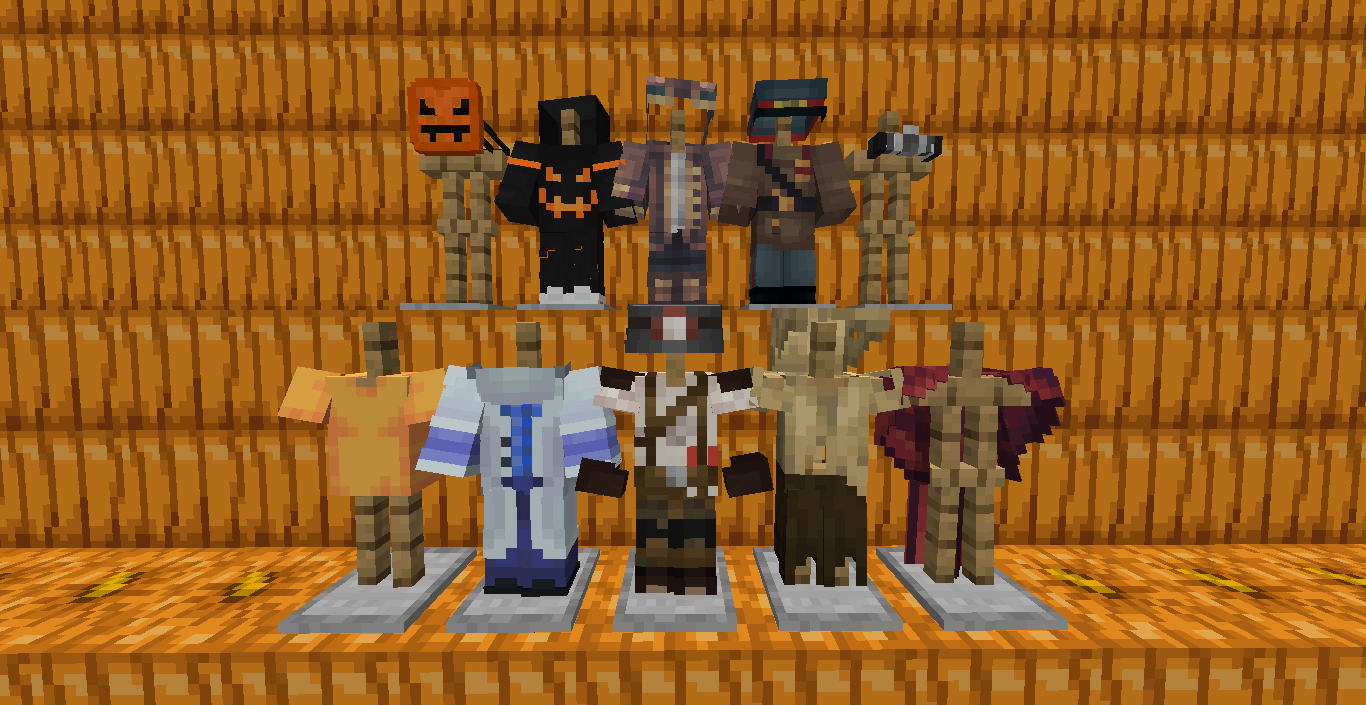
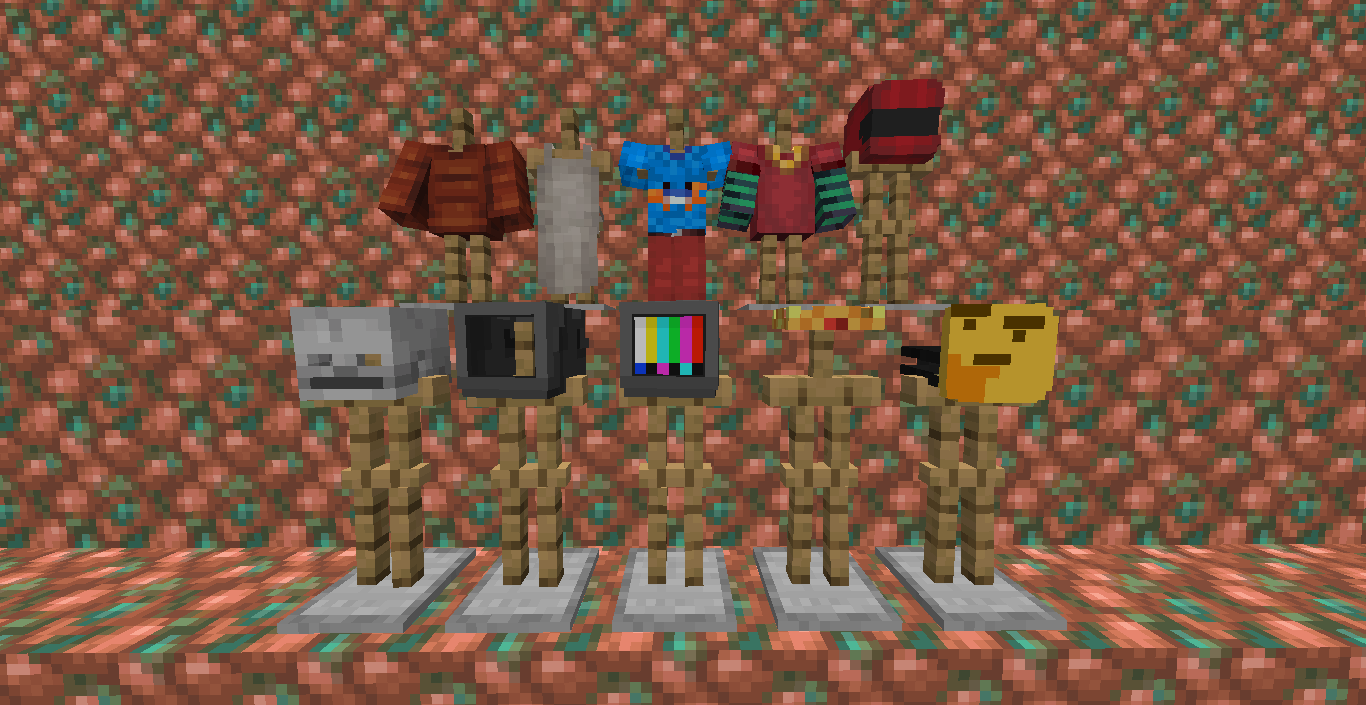
About this Mod
Create clothes and change your skin
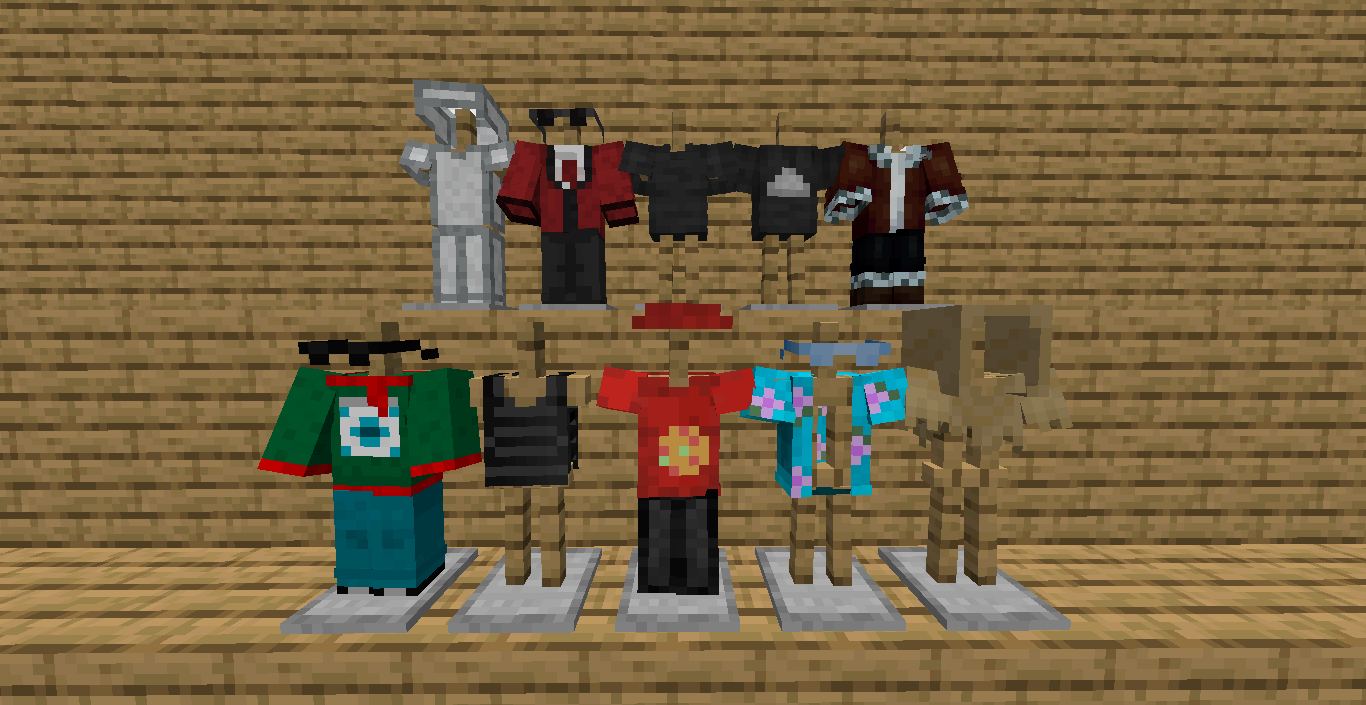
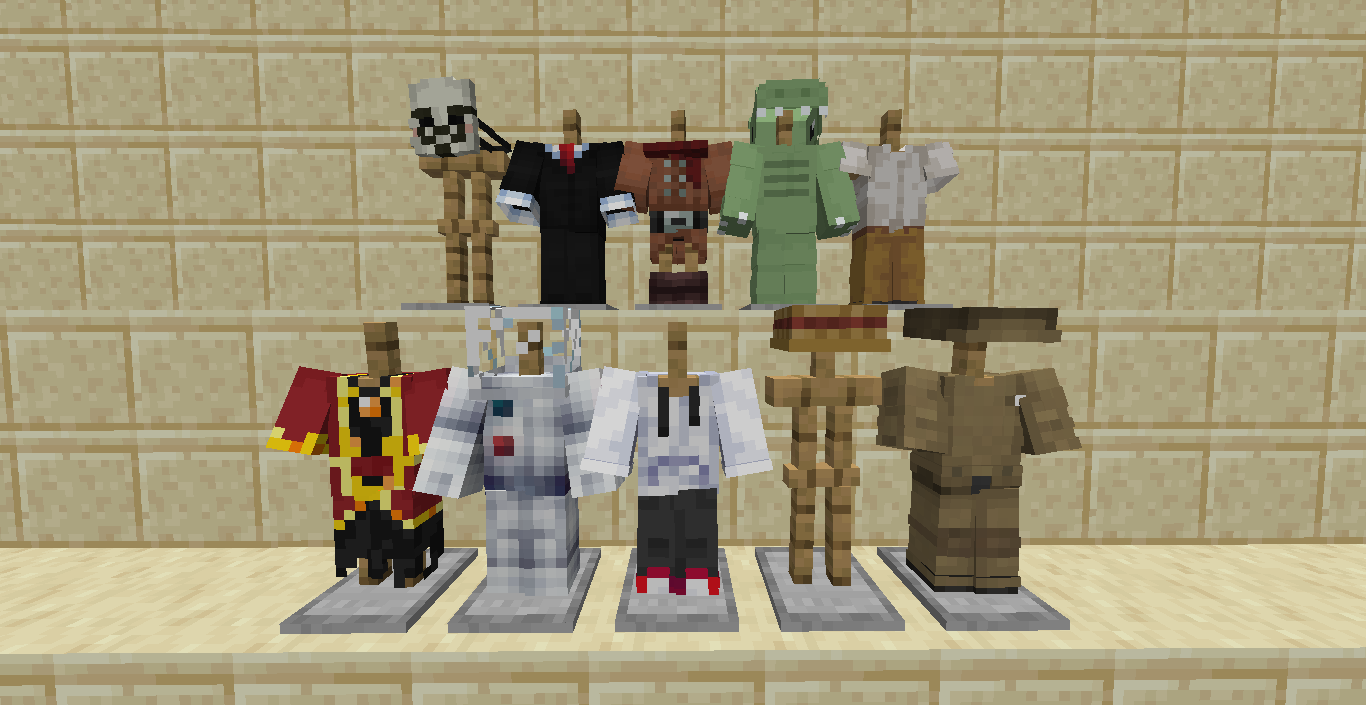
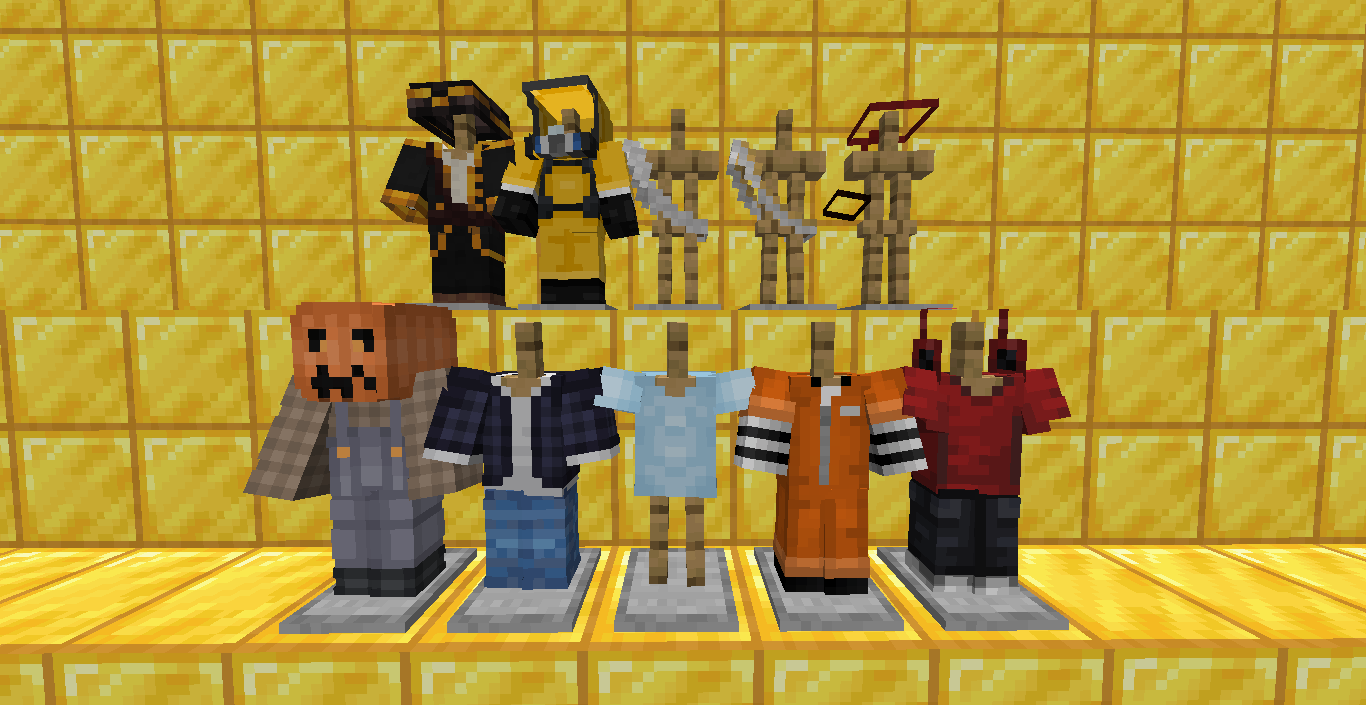
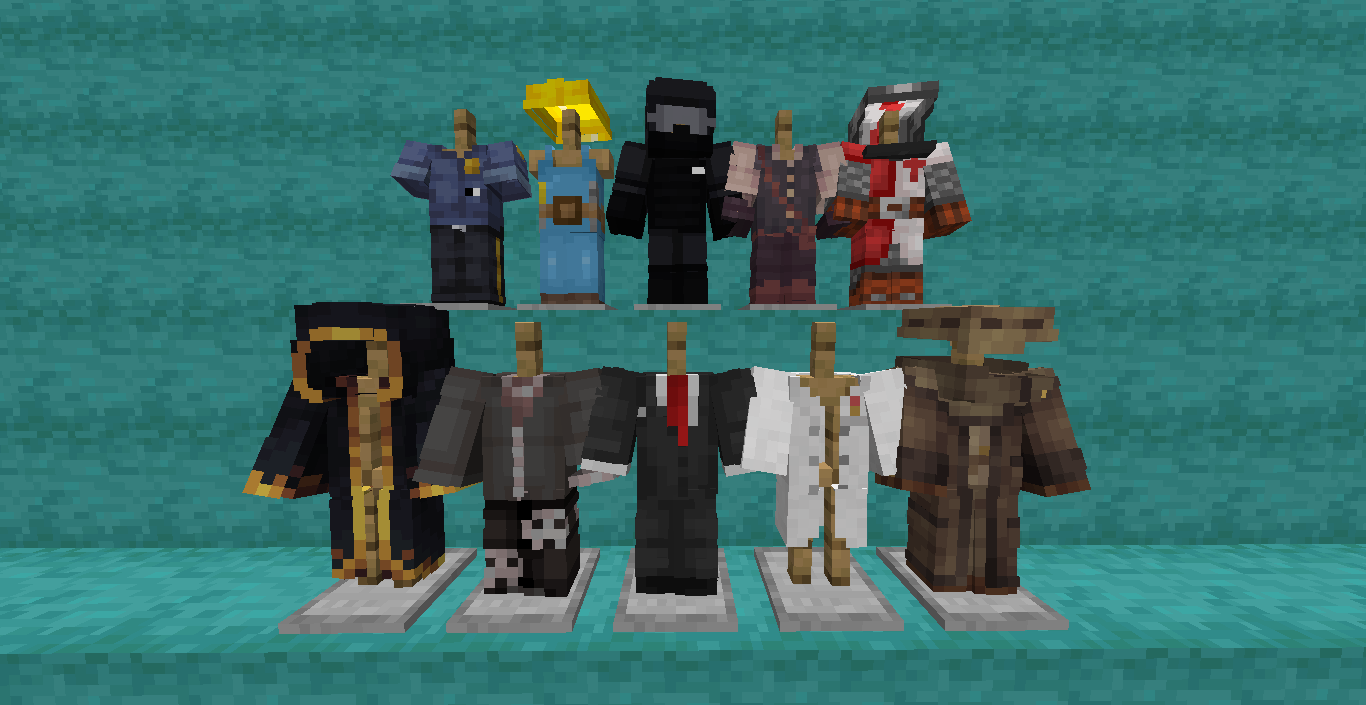
Selfexpression will add a huge amount of decorative clothing to Minecraft, namely more than 310 types!
Creating clothes
To start making clothes, you need to make cloth. You can create basic clothes from the fabric, from which, in turn, you can create all the other sets of clothes
The Selfexpression mod now has addons
Selfexpression: Slim  - This addon adds clothes that are suitable for the alex player model
Selfexpression: New Edge - This addon adds 3D clothes.
Adding your clothes
If you want the clothes from your skin to be in mod, or you just found interesting clothes that you would like to see in fashion, then you can go to my discord server and send the skin with the author's name (required)
Using
You can ise this mod and all addons for free in your modpacks
My discord server
If you speak Russian, then you can join my discord server, where you can find news on my projects, chat with me and my team, or just find friends. However, if you do not speak Russian, this does not mean that you are not allowed on my discord server. You can also join, I will be glad to see everyone. In addition, all important news is duplicated into English, so you do not need to translate the text.
Создавай одежду и меняй внешний вид!
Selfexpression добавит в Minecraft огромное количество декоративной одежды — более 310 видов!
Создание одежды
Чтобы начать шить одежду, сначала сделай ткань (cloth). Из неё можно создать базовую одежду, а уже из неё — все остальные наборы.
У мода Selfexpression теперь есть аддоны!
Selfexpression: Slim - Selfexpression: Slim - Этот аддон добавляет одежду, подходящую для модели игрока Алекс (Alex).
Selfexpression: New Edge - Этот аддон добавляет 3Д одежду.
Добавление своей одежды
Хочешь, чтобы одежда с твоего скина попала в мод? Или нашёл интересный наряд, который хотел бы видеть в игре?
Тогда заходи на мой Discord-сервер и отправь скин вместе с именем автора (это обязательно!).
Использование
Ты можешь свободно использовать этот мод и все аддоны в своих сборках.
Мой Discord-сервер
Приглашаю тебя на мой Discord-сервер! Там ты сможешь узнать новости о моих проектах, пообщаться со мной и моей командой, или просто найти друзей.
Available Versions
How to Install Selfexpression on Your Server
Order Server
Order a Minecraft Java server with at least 3 GB RAM (4 GB recommended).
Set forge Loader
In the panel under "Egg", select the forge loader and matching Minecraft version (1.21.5).
Install Mod
Open the mod browser in the dashboard and search for "Selfexpression". Click "Install" – done! Alternatively, upload the .jar via SFTP to the /mods folder.
Compatibility
Mod Loaders
Minecraft Versions
1.21.5, 1.21.4, 1.21.3 (+9 more)
Server-side
✓ RequiredRecommended RAM
4 GB(min. 3 GB)Frequently Asked Questions
Selfexpression server crashes on startup – what to do?
Most common cause: wrong forge version or insufficient RAM. Check the server log (latest.log) for "OutOfMemoryError" or "Mixin" errors. With Mado Hosting: ensure at least 3 GB RAM is allocated and the loader matches the mod version (1.21.5). You can switch loaders with one click in the panel.
Is Selfexpression compatible with forge and neoforge?
Selfexpression officially supports forge, neoforge for Minecraft 1.21.5, 1.21.4, 1.21.3. The Mado dashboard automatically detects incompatible loader combinations.
Server lagging with Selfexpression – how to optimize performance?
Recommended RAM: 4 GB (per 8 players). Use /spark profiler to check if Selfexpression consumes the most tick time. Common fixes: reduce server view-distance to 8-10, install "performant" or "starlight" as supplementary mods on Forge. With Mado Hosting, your server runs on NVMe SSDs with dedicated CPU cores for minimal latency.
Similar Mods

![[ETF] Entity Texture Features](https://cdn.modrinth.com/data/BVzZfTc1/af683d206d50b05258d865b0d6e4aa2f2cee12f2_96.webp)
![[EMF] Entity Model Features](https://cdn.modrinth.com/data/4I1XuqiY/6e5bbd0d06b1741bfdab6c0cfab6de8fdaf0064c_96.webp)



Rent Modded Server
Install Selfexpression with just one click on your server.