
Modrinth · Fabric, Forge, NeoForge
Starfield Pastoral on your Minecraft server
Starfield Pastoral runs on Minecraft servers with Fabric or Forge or NeoForge. Order your server, set the loader in the panel and install the mod with one click in the mod browser.
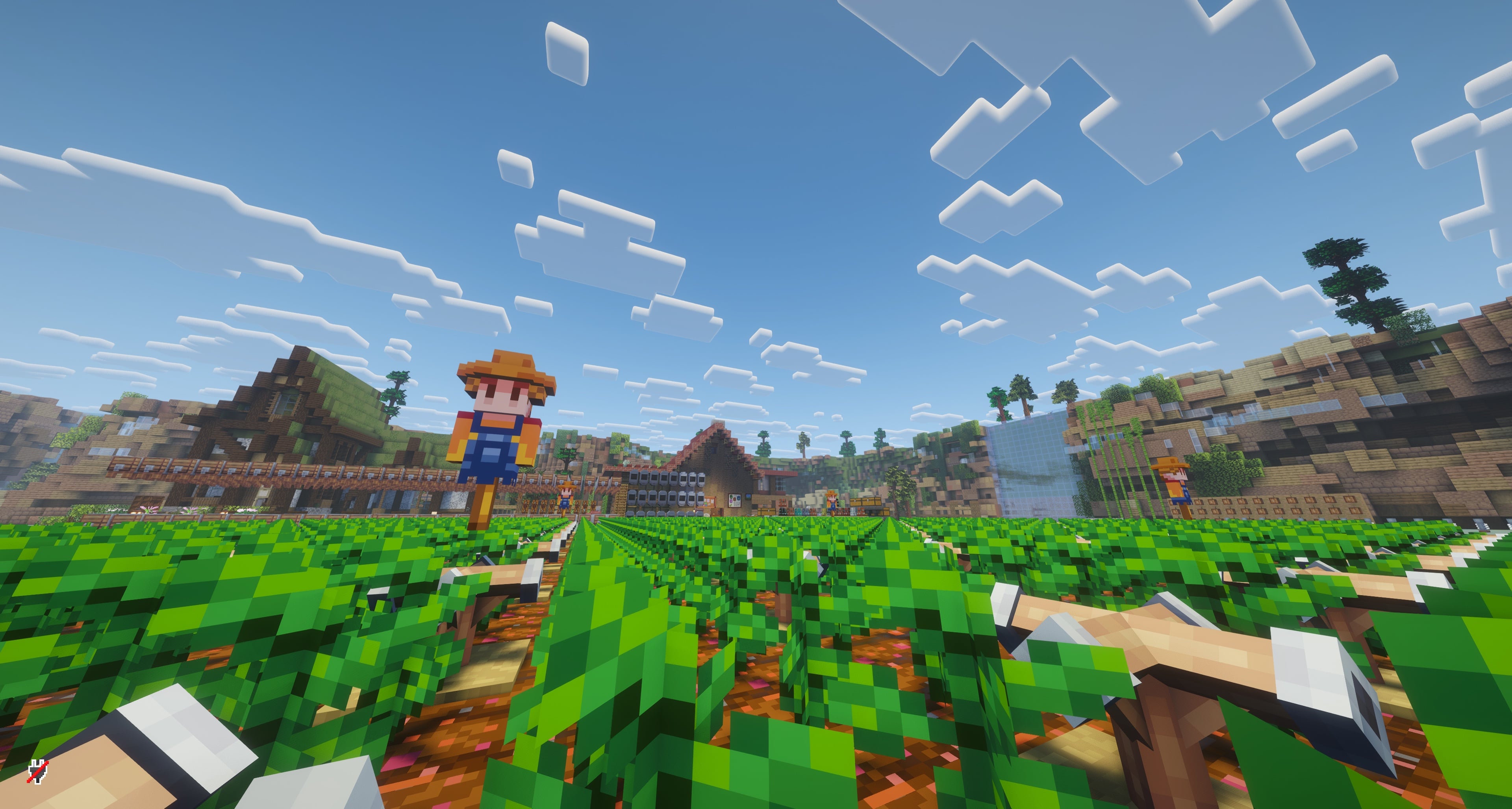
This mod brings a near full-scale Stardew-style life sim experience into Minecraft. Find the Wizard’s Tower in the overworld, travel to the Stardew dimension, inherit your grandfather’s farm, and begin a long, relaxing life.
- Downloads
- 43.9K
- Author
- Elysium233
- Loader
- Fabric, Forge, NeoForge
- Minecraft
- 1.20.1 – 1.21.1
- Updated
- –
Screenshots
What Starfield Pastoral looks like


Images: Starfield Pastoral on Modrinth, published by the project team.
Setup
Install Starfield Pastoral on your server
The server and players need the same loader and Minecraft version. Back up the world before adding or updating mods.
- 01
Configure
4 GB of RAM is preselected. You choose the term and add-ons and pay by credit card or PayPal.
- 02
Set the loader
In the panel, set the server software to Fabric or Forge or NeoForge and choose the matching Minecraft version, for example 1.21.1.
- 03
Install the mod
Search the mod browser for “Starfield Pastoral” and install the release for your loader. Alternatively, upload the .jar to the mods folder via SFTP. Required dependencies are listed on the project page.
- 04
Connect
Every player installs the same Starfield Pastoral release locally and connects using the server address from the panel.
- On the server
- Required
- On the client
- Required
- Loader
- Fabric, Forge, NeoForge
- Minecraft
- 1.21.1, 1.20.1
- License
- LicenseRef-StardewCraft-Custom-Non-Commercial-Fan-Project-License
The panel
Install mods, find errors.
Real screenshots from the Mado panel. Both come with every Minecraft server.
Mod browser
Modrinth and CurseForge, right in the panel.
The browser filters by your Minecraft version. Install mods with one click, without uploading .jar files.

AI crash analysis
When a mod crashes, the analyzer reads the log.
Mods often fail on a wrong loader version, Java version or missing dependency. The analyzer names a likely cause and suggests a fix.

Releases
Published releases
Pick the file that matches your server’s loader and Minecraft version. The server and players need the same release.
Starfield Pastoral · Modrinth- Starfield Pastoral 0.6.3fix2October 23, 2026Minecraft 1.20.1 · Forge
- Starfield Pastoral 0.6.3fix2October 23, 2026Minecraft 1.21.1 · NeoForge
- Starfield Pastoral 0.6.3fix2October 23, 2026Minecraft 1.21.1 · Fabric
Original description by the project author

Starfield Pastoral · 星野牧歌
Farm, fish, raise animals, meet the villagers, and explore the mines in Minecraft 1.21.1.
A non-commercial NeoForge fan project based on the farming, town life, and progression of Stardew Valley.





Download on CurseForge · Download on Modrinth · Join Discord · MCMod.cn (Chinese) · Share feedback · Report a bug
About
Starfield Pastoral is a NeoForge mod for Minecraft 1.21.1. A new game begins in the Overworld. Find the Wizard's Tower, complete the Wizard's request, enter the Stardew Valley dimension, and take over your grandfather's farm.
Current builds include farming, animals, fishing, NPC schedules, dialogue, mail, shops, mines, time progression, and overnight settlement.
[!WARNING]
Starfield Pastoral is in alpha. Updates may change systems and world data. Back up your world before installing a new version.
Features
- 🌱 Farming: Grow seasonal crops, use fertilizer and sprinklers, and process harvests in kegs, preserves jars, and other machines.
- 🐄 Animals: Build coops and barns, manage hay and feed, care for animals, and collect eggs, milk, wool, and other produce.
- 🎣 Fishing: Catch fish based on location, season, and weather. Fishing includes a minigame, bait, tackle, and treasure.
- 🏘️ Villagers: Follow NPC schedules, talk to residents, receive mail, build friendships, visit shops, and trigger events.
- ⛏️ Exploration: Fight and gather ore in the mines, restore the Community Center, and unlock minecarts, warps, and new areas.
- 🤝 Multiplayer: Run a farm together in a shared Stardew Valley world.
Getting started
- Use the Wizard Tower Compass in the Overworld to find the nearest Wizard's Tower.
- Talk to the Wizard and accept his opening quest.
- Give the Wizard an Eye of Ender to stabilize the dimensional route.
- Enter the Stardew Valley dimension and travel to the farm.
Download and requirements
| Requirement | Version |
|---|---|
| Minecraft | 1.21.1 |
| Mod loader | NeoForge 21.1.217 or a compatible newer build |
| Java | 21 |
| Environment | Client and server |
| Source version | 0.5.4fix1 |
| Official downloads | CurseForge · Modrinth |
JEI is optional and adds information for fishing and other content. Read the release notes before updating an existing world.
Community
- Discord: Join the official server
- QQ group:
961767762 - Ideas and player feedback: GitHub Discussions
- Bug reports: GitHub Issues
Add-ons and development
Data packs and NeoForge add-ons can use the 0.5 API to extend supported farm layouts, buildings, locations, and other content.
- Read the 0.5 add-on and data-pack API guide.
- Review the example data pack and example NeoForge add-on.
- Check player-facing changes in the changelog.
Common local validation commands:
./gradlew classes
./gradlew build
Prebuilt world data for development
The Stardew Valley dimension loads prebuilt region data. Development checkouts need the following files:
src/main/resources/data/stardewcraft/structures/stardew_valley/main.schem
src/main/resources/data/stardewcraft/structures/mine/main.schem
src/main/resources/pregen/stardew_valley/region_manifest.txt
src/main/resources/pregen/stardew_valley/region/*.mca
The mod blocks entry to the Stardew Valley dimension when these files are missing or fail validation.
Credits and license
Russian localization includes work by Annelo and contributors to annel0/Starfield-Pastoral. Existing official localization text takes priority.
Starfield Pastoral uses a custom non-commercial fan project license. Original project code and content belong to the project team and contributors. Third-party and game-derived materials remain the property of their respective rightsholders. The project license does not cover those materials.
Starfield Pastoral has no affiliation with ConcernedApe, Mojang, or Microsoft.
简体中文简介
星野牧歌是适用于 Minecraft 1.21.1 的 NeoForge 非商业同人模组。玩家从主世界出发,找到法师塔,完成任务后进入星露谷维度,并在爷爷留下的农场开始生活。
目前可体验种植、养殖、钓鱼、居民互动、矿洞、商店、社区中心和多人联机等内容。项目仍处于 Alpha 开发阶段,更新前请备份存档。
- 前往 CurseForge 下载 · 前往 Modrinth 下载
- 加入 Discord
- QQ 群:
961767762
Starfield Pastoral server crashes on startup – what to do?
Common causes: the loader or Minecraft version does not match the mod file, a dependency is missing, or RAM is too low. Check the log (latest.log) for “OutOfMemoryError”, “Mixin” or missing mods. At Mado, the AI crash analysis reads the log and suggests a cause. You can change the loader and version in the panel.
Which loader does Starfield Pastoral run on?
According to Modrinth, Starfield Pastoral supports Fabric, Forge, NeoForge for Minecraft 1.21.1, 1.20.1. Forge and Fabric files are not interchangeable: pick one loader for the server and clients.
How much RAM does a server with Starfield Pastoral need?
As guidance, 3–4 GB for a server with this mod. This is an estimate, not a measured minimum. More mods, many players and long view distances need more. The spark profiler shows whether a mod is costing tick time.
Similar mods
Popular mods in the same category
 Client only

Iris Shaders
by coderbot
A modern shader pack loader for Minecraft intended to be compatible with existing OptiFine shader packs
 Client only

[ETF] Entity Texture Features
by Traben
Emissive, Random & Custom texture support for entities in resourcepacks just like Optifine but for Fabric
 Client only

[EMF] Entity Model Features
by Traben
EMF is an, OptiFine format, Custom Entity Model replacement mod available for Fabric and Forge.
 Client only

Not Enough Animations
by tr7zw
Bringing first-person animations to the third-person
Ready for your server with Starfield Pastoral?
4 GB of RAM from €8.00 per month. 35% off your first month with MADO35.