
Modrinth · Fabric, Forge, NeoForge, Quilt
Structurify - Structure Control on your Minecraft server
Structurify - Structure Control runs on Minecraft servers with Fabric or Forge or NeoForge or Quilt. Order your server, set the loader in the panel and install the mod with one click in the mod browser.
A structure configuration mod that eliminates the need for datapacks. Spread out structures, prevent overlap, enforce flat terrain, customize size and biomes.
- Downloads
- 3.4M
- Author
- faboslav
- Loader
- Fabric, Forge, NeoForge, Quilt
- Minecraft
- 1.20 – 26.3
- Updated
- –
Screenshots
What Structurify - Structure Control looks like
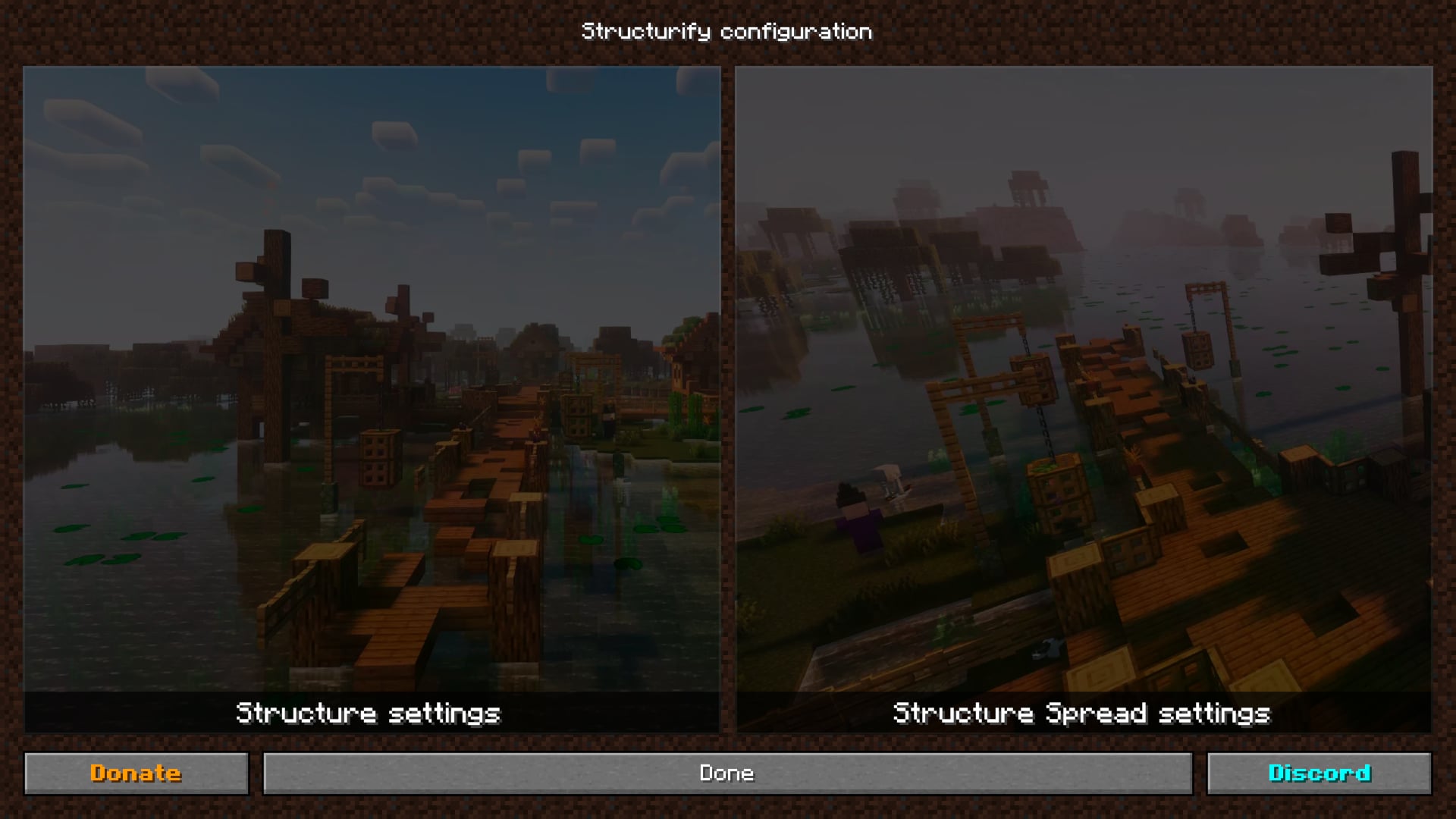
 Structurify configuration
 Structure settings
 Structure search
 Structure settings
 Structure Spread settings
Images: Structurify - Structure Control on Modrinth, published by the project team.
Setup
Install Structurify - Structure Control on your server
The server and players need the same loader and Minecraft version. Back up the world before adding or updating mods.
- 01
Configure
6 GB of RAM is preselected. You choose the term and add-ons and pay by credit card or PayPal.
- 02
Set the loader
In the panel, set the server software to Fabric or Forge or NeoForge or Quilt and choose the matching Minecraft version, for example 26.3.
- 03
Install the mod
Search the mod browser for “Structurify - Structure Control” and install the release for your loader. Alternatively, upload the .jar to the mods folder via SFTP. Required dependencies are listed on the project page.
- 04
Connect
Every player installs the same Structurify - Structure Control release locally and connects using the server address from the panel.
- On the server
- Required
- On the client
- Required
- Loader
- Fabric, Forge, NeoForge, Quilt
- Minecraft
- 26.3, 26.2, 26.1.2 +16 more
- License
- LicenseRef-CC-BY-NC-ND-4.0
The panel
Install mods, find errors.
Real screenshots from the Mado panel. Both come with every Minecraft server.
Mod browser
Modrinth and CurseForge, right in the panel.
The browser filters by your Minecraft version. Install mods with one click, without uploading .jar files.

AI crash analysis
When a mod crashes, the analyzer reads the log.
Mods often fail on a wrong loader version, Java version or missing dependency. The analyzer names a likely cause and suggests a fix.

Releases
Published releases
Pick the file that matches your server’s loader and Minecraft version. The server and players need the same release.
Structurify - Structure Control · Modrinth- Structurify 2.0.43October 12, 2026Minecraft 1.20, 1.20.1 · Forge
- Structurify 2.0.43October 12, 2026Minecraft 26.3 · NeoForge
- Structurify 2.0.43October 12, 2026Minecraft 26.1, 26.1.1, 26.1.2 · NeoForge
- Structurify 2.0.43October 12, 2026Minecraft 1.21.11 · NeoForge
- Structurify 2.0.43October 12, 2026Minecraft 26.2 · NeoForge
Original description by the project author


Structurify is a configuration mod that makes configuring everything related to structures very easy and accessible,
eliminating the hassle of creating multiple datapacks.

Core Features:
- Globally disable all structures: Easily disable all structures across your world with a single setting,
simplifying your world generation process. - Disable individual structures: Disable specific structures individually, giving you precise control over which
ones generate in your world. - Manage biomes for specific structures: Customize the list of biomes for individual structures, ensuring they only
generate in selected biomes. - Globally set structure spread for all structures: Set global spacing and separation modifiers for all structure
sets, enabling consistent structure spread throughout your world. - Individually set structure spread: Adjust spacing and separation values for specific structure sets, allowing for
customized generation distances between them.
Other Features:
- Set Salt and Frequency: Customize salt and frequency values for individual structure sets, allowing for consistent yet varied generation on the same world seed.
- Flatness check: The structure will only generate if the terrain within the specified distance is flat enough based on the specified threshold.
- Biome check: Limit structure generation to areas where all nearby biomes fall within a defined list, useful for avoiding cases like villages spawning across rivers.
Available Commands:
- /structurify dump: Dumps complete config file with default settings to the file.
Future plans:
- Exclusion Zones
- Disable individual structure pieces
- Change weight of individual structure pieces
- Utility commands related to the structures
- Presets for specific settings
💡 How to use the mod
This mod is designed for in-game configuration, so it requires the YACL (YetAnotherConfigLib) mod.
Fabric/Quilt
If you’re using Fabric or Quilt, you’ll also need the Mod Menu
mod or another mod that provides access to mod configs.
NeoForge/Forge
No extra mods are needed.
🖥️ In-Game configuration
Structure settings
Structures are organized into categories based on the mods and datapacks in use (namespaces), making them easier to
manage.
It is possible to disable the generation of structures and manage a list of biomes where specific structures should
generate.

Specific structures can also be easily searched for across these categories.

Biome managment for specific structures
Each structure has its own configuration, allowing specific biomes to be added and/or removed to adjust structure
generation.

Structure Sets (Structure Spread) settings
Custom structure spread can be configured via global spacing and separation modifiers or through per-structure specific
spacing and separation values.
- Spacing is the average distance in chunks between structures within the same structure set (group of structures).
- Separation is the minimum distance in chunks between structures within the same structure set (group of structures).
The separation value cannot be greater than the spacing value.
Additionally both salt and frequency can be configured for each specific structure set.

📝 JSON file configuration
All configurations mentioned in the In-Game section of this guide are mirrored and saved in a JSON file located atconfig/structurify.json.
This file is particularly useful for managing configurations on the server side. For that case it is recommended to
configure everything based on the In-Game section of this guide.
⚙️ Compatibility
Structurify is designed to be fully compatible with most of the world/structure generation mods and datapacks, and it currently
offers enhanced compatibility with the following:
Global datapack loaders:
Mods:
Since structure generation is a complex system, things can occasionally break, especially with mods that implement their own custom structure generation logic or heavily alter vanilla generation behavior.
💬 Community
Feel free to join our community at the discord server to chat, share your
creations, ask any question or to simply be updated about the latest development of the mod and notified when the new
release is out. Also don't hesitate to report any crash or bug
via GitHub issues.
👋 Support
I will continue developing my mods as a hobby because I truly enjoy it. If you'd like to support me, you can do so
on Patreon or Ko-fi. Your support is greatly
appreciated.
📜 License
The mod is licensed with CC BY-NC-ND 4.0
license.
Please feel free to explore my code for examples of how I've tackled and solved various challenges while developing this
mod. You're welcome to incorporate code snippets into your own projects. Also feel free to use this mod in any modpack (
although credit/link back to this page will be greatly appreciated).
Structurify - Structure Control server crashes on startup – what to do?
Common causes: the loader or Minecraft version does not match the mod file, a dependency is missing, or RAM is too low. Check the log (latest.log) for “OutOfMemoryError”, “Mixin” or missing mods. At Mado, the AI crash analysis reads the log and suggests a cause. You can change the loader and version in the panel.
Which loader does Structurify - Structure Control run on?
According to Modrinth, Structurify - Structure Control supports Fabric, Forge, NeoForge, Quilt for Minecraft 26.3, 26.2, 26.1.2. Forge and Fabric files are not interchangeable: pick one loader for the server and clients.
How much RAM does a server with Structurify - Structure Control need?
As guidance, 4–6 GB for a server with this mod. This is an estimate, not a measured minimum. More mods, many players and long view distances need more. The spark profiler shows whether a mod is costing tick time.
Similar mods
Popular mods in the same category
 Server-ready

YetAnotherConfigLib (YACL)
by isxander
A builder-based configuration library for Minecraft!
 Server-ready

Text Placeholder API
by Patbox
Placeholder and Text manipulation library for your Minecraft mods.
 Client only

Dynamic FPS
by juliand665
Reduce resource usage while Minecraft is in the background, idle, or on battery.
 Server-ready

No Chat Reports
by Aizistral
Makes chat unreportable (where possible)
Ready for your server with Structurify - Structure Control?
6 GB of RAM from €12.00 per month. 35% off your first month with MADO35.