
JoJo Stands
SVM JoJo is a addition to vanilla Minecraft that adds stands and items from JoJos Bizarre Adventure to the game
Screenshots


About this Mod
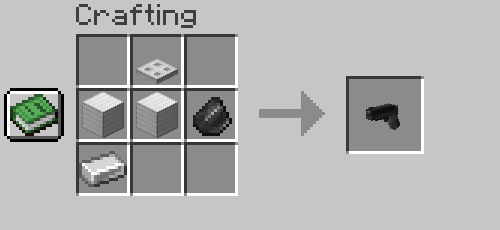
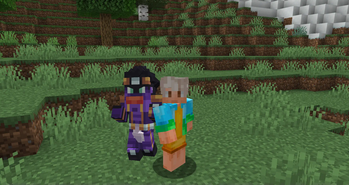
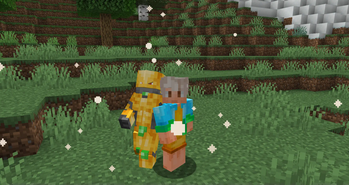
SVM JoJo is a datapack that aims to bring accurate experience of gameplay with stand abilities as well as fighting against bosses, the datapacks also adds cosmetics, progression and custom advancements!
FAQ
Q - How to get stands? - Craft and use stand arrow or use a disc of a stand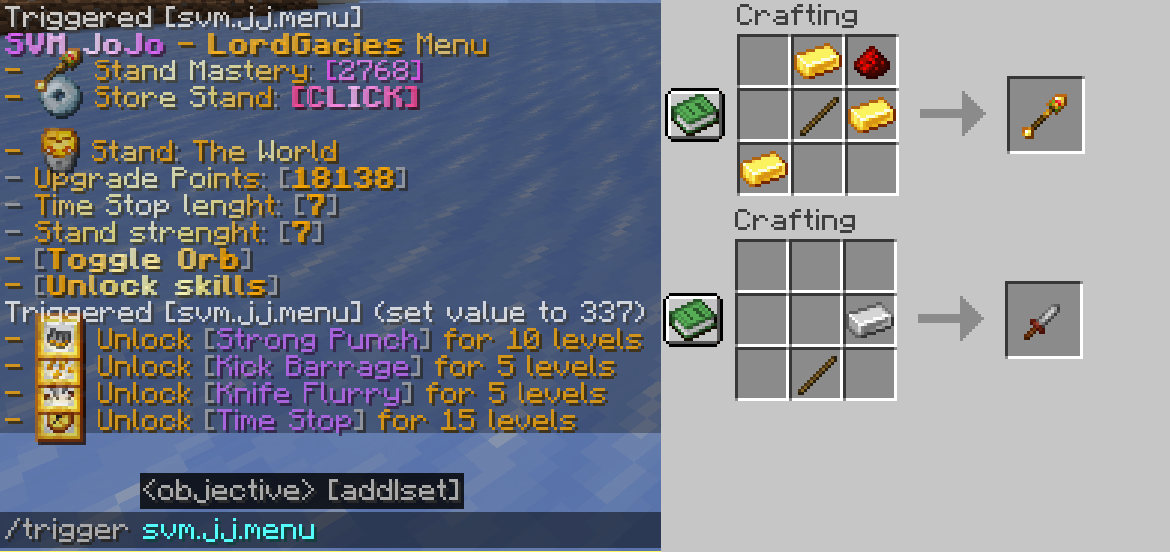
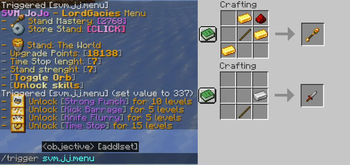
Q - How do I use abilities? - Use /trigger svm.jj.menu command and click "Unlock Moves" then unlock your moves, to check the activation, check out advancements tab of the stand
Q - How do I get Stand Points? - Complete new advancements and kill mobs
Q - How do I get rid of a stand? - Use /trigger svm.jj.menu command and click "Store Stand [CLICK]"
Q - Is this multiplayer friendly? - Yes, you can bash your friends head with Star Platinum :)
Q - What stands are there? - 6 as for now, Star Platinum, The World, King Crimson, Killer Queen and Weather Report and Whitesnake, however Killer Queen can obtain Stray Cat and Bites The Dust
Latest update video
Installation
Datapack
Download newest full version of the datapack
For new world
In "Singleplayer", click "Create New World", then go into ""More" and click "Data Packs", then click "Open Pack Folder" and datapack folder will open, then just drag/copy-paste the downloaded file to the opened folder, then click on the datapack in-game so it's in "Selected" instead of "Available".
For existing world
In "Singleplayer", select your world where you want to install the pack, click "Edit" and then "Open World Folder", then go into "datapacks" folder and drag/copy-paste the downloaded file to the opened folder.
Resourcepack
In "Options", click "Resource Packs..." and click "Open Pack Folder", now just drag-drop the datapack, go back to Minecraft and go to "Options", then "Resource Packs", click the SVM JoJo Pack and click "Done" and that should load your resources
(In short, assets are inside of the Datapack file, so just copy-paste it in the resourcepack folder)
Mod
Mod version doesn't require anything besides putting the downloaded file to .minecraft/mods folder
How to install mods & datapacks with the Modrinth App
Available Versions
How to Install JoJo Stands on Your Server
Order Server
Order a Minecraft Java server with at least 3 GB RAM (4 GB recommended).
Set datapack Loader
In the panel under "Egg", select the datapack loader and matching Minecraft version (1.21.1).
Install Mod
Open the mod browser in the dashboard and search for "JoJo Stands". Click "Install" – done! Alternatively, upload the .jar via SFTP to the /mods folder.
Compatibility
Mod Loaders
Minecraft Versions
1.21.1, 1.21, 1.20.2 (+2 more)
Server-side
✓ RequiredRecommended RAM
4 GB(min. 3 GB)Frequently Asked Questions
JoJo Stands server crashes on startup – what to do?
Most common cause: wrong datapack version or insufficient RAM. Check the server log (latest.log) for "OutOfMemoryError" or "Mixin" errors. With Mado Hosting: ensure at least 3 GB RAM is allocated and the loader matches the mod version (1.21.1). You can switch loaders with one click in the panel.
Is JoJo Stands compatible with datapack and fabric and forge and neoforge and quilt?
JoJo Stands officially supports datapack, fabric, forge, neoforge, quilt for Minecraft 1.21.1, 1.21, 1.20.2. Note: Forge and Fabric mods are NOT cross-compatible – pick one loader and stick with it. The Mado dashboard automatically detects incompatible loader combinations.
Server lagging with JoJo Stands – how to optimize performance?
Recommended RAM: 4 GB (per 8 players). Use /spark profiler to check if JoJo Stands consumes the most tick time. Common fixes: reduce server view-distance to 8-10, install "performant" or "starlight" as supplementary mods on Forge. With Mado Hosting, your server runs on NVMe SSDs with dedicated CPU cores for minimal latency.
Similar Mods




Rent Modded Server
Install JoJo Stands with just one click on your server.