
Telepistons
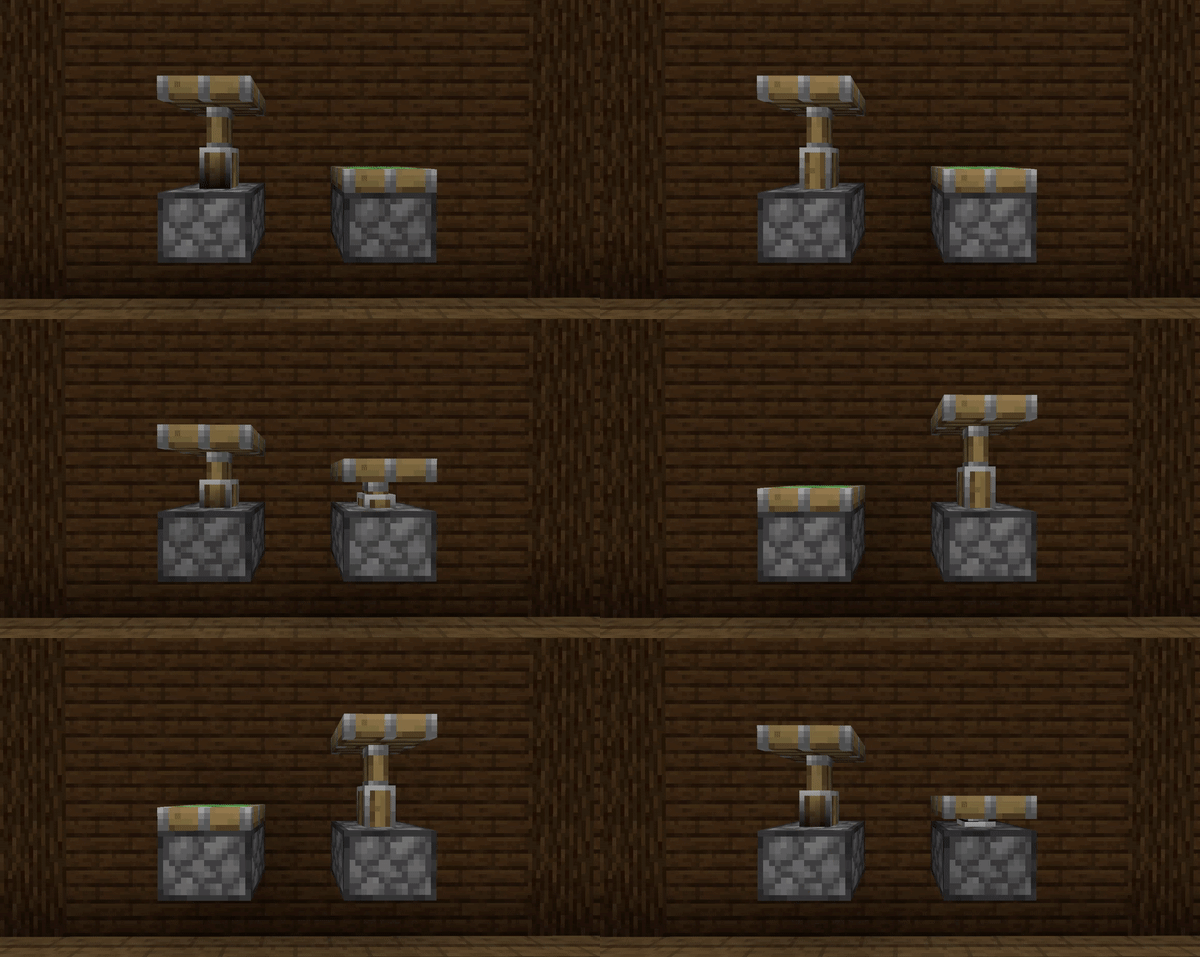
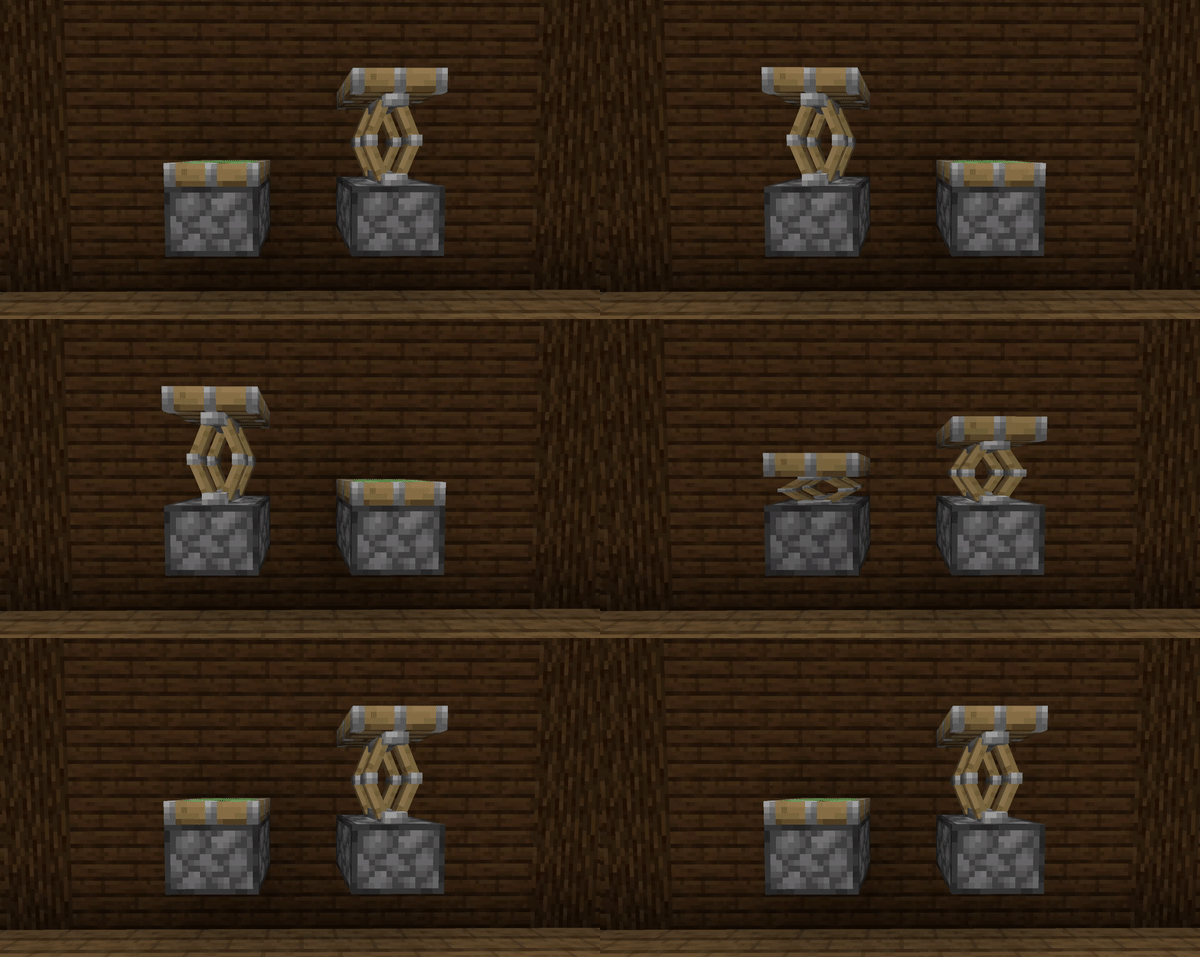
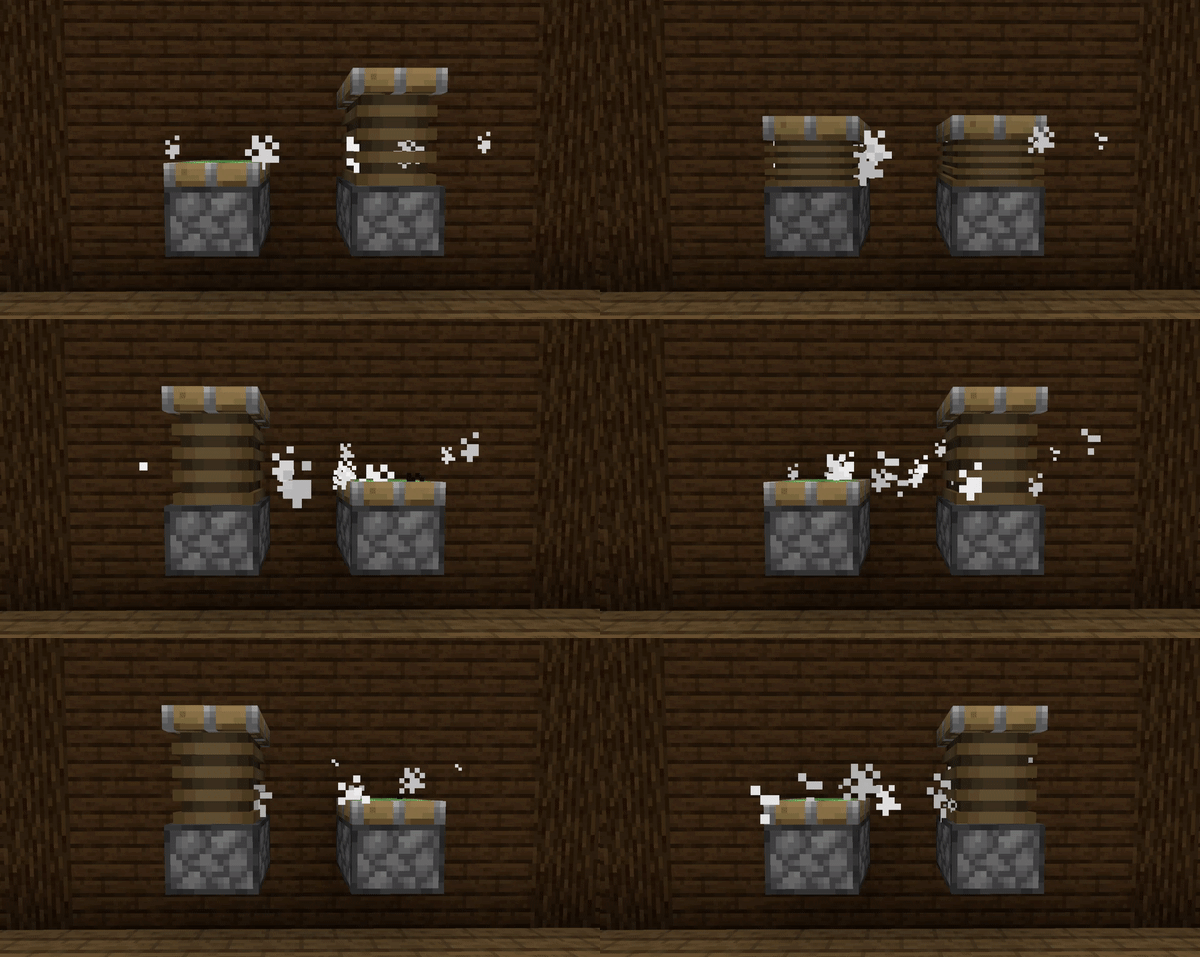
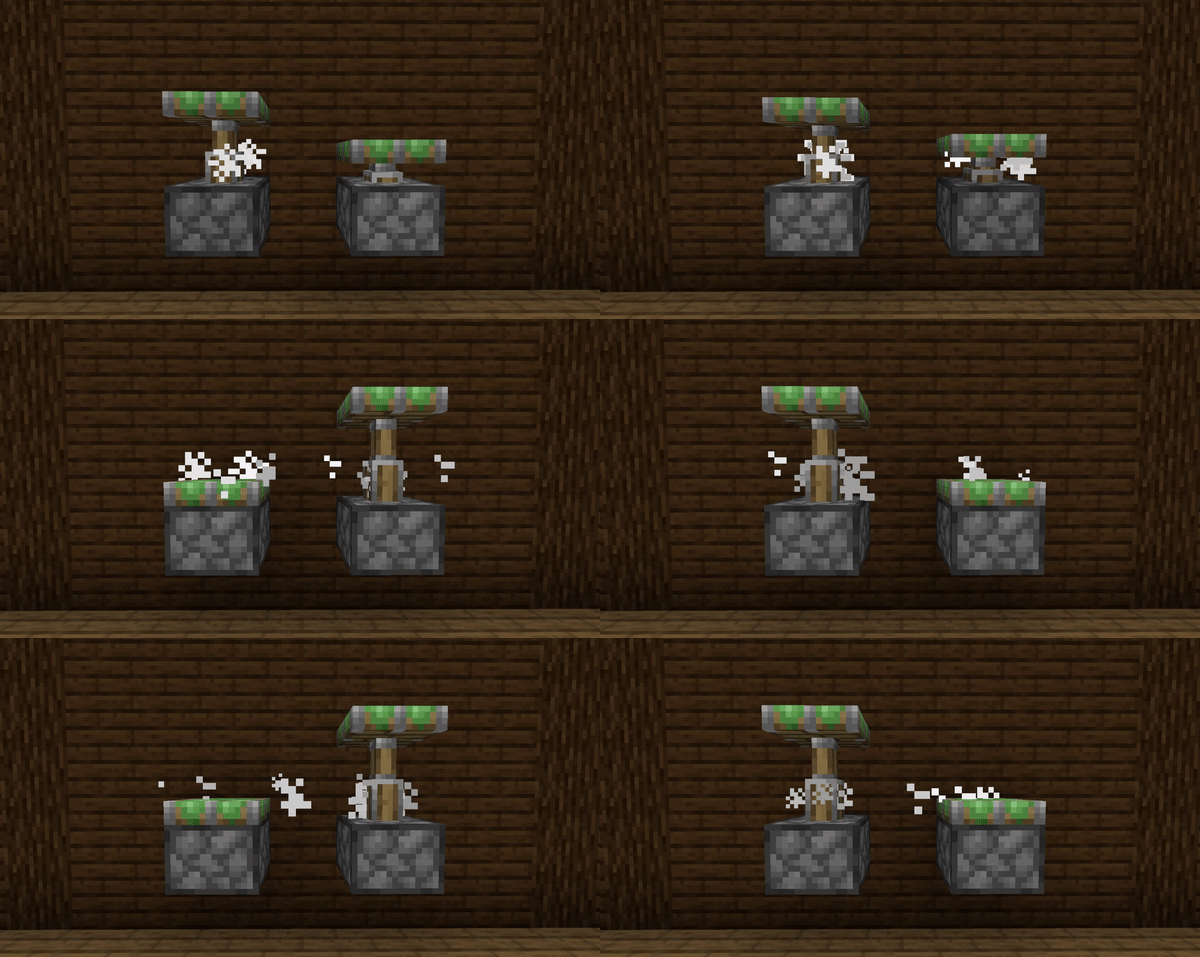
Telescopic and Squishy animations for pistons
Screenshots
About this Mod
This tiny mod adds the telescopic piston arm animation seen in Bedrock Edition to Java, as well as the option for a squishier alternative animation and particle emission.
It's also compatible with the G4mespeed mod for smoother piston animations over all.
This mod requires the Fabric API to run!
Included are a few add-on Resource Packs which offer:
- Sticky Piston sides
- Squishing Bellows
- Scissors/Springs
(all of these support PBR)
Quick guide for Resource Pack developers:
- Model the piston arm around the vanilla piston_head models and put those in your pack as normal
- Split those models such that everything you want to not squish and to move at regular speed is in the piston_head_short models, and the arm parts are in a piston_arm model in the assets/telepistons/models/block/ directory
- Add the following to your piston_arm.json:
    "telepistons": {
    	"squish":"false",
    	"particles":"4",
    	"squishedScale": [ 1, 1, 0 ]
        }
- "squish" and "particles" determine whether the arm model gets squished and whether pistons emit steam particles respectively
- "squishedScale" determines the scale of the arm model once fully squished, i.e. the piston has fully retracted. Z points forward, so a vector of [1, 1, 0] will squish the arm just in that direction, while a vector of [2,2,0] will also make it get twice as wide and tall as it is squished.
Found a bug or want to suggest a feature? Let me know on Discord!
Available Versions
How to Install Telepistons on Your Client
Install the Mod Loader Locally
Install fabric for your local Minecraft version.
Download the Matching File
Choose the Telepistons file for fabric and Minecraft 26.3.
Install Mod
Place the .jar file in your local .minecraft/mods folder and restart Minecraft. No server-side installation is required.
Compatibility
Mod Loaders
Minecraft Versions
26.3, 26.2, 26.1.1 (+23 more)
Server-side
✗ UnsupportedRecommended RAM
4 GB(min. 3 GB)Frequently Asked Questions
Does Telepistons need to be installed on the Minecraft server?
No. Modrinth marks Telepistons as unsupported on the server side. Install it only in your local Minecraft mods folder. Your server can remain unchanged unless the mod page lists an additional dependency.
Which version and loader does Telepistons require?
Use a file for fabric, quilt and your exact Minecraft version. Supported versions include 26.3, 26.2, 26.1.1. Files for different loaders are not interchangeable.
Telepistons is not working – what should I check?
First check the Minecraft version, loader version and required dependencies. Put the .jar file in your local .minecraft/mods folder and remove older duplicates. Because this mod is client-side, adding server RAM will not fix it.
Similar Mods

![[ETF] Entity Texture Features](https://cdn.modrinth.com/data/BVzZfTc1/af683d206d50b05258d865b0d6e4aa2f2cee12f2_96.webp)
![[EMF] Entity Model Features](https://cdn.modrinth.com/data/4I1XuqiY/6e5bbd0d06b1741bfdab6c0cfab6de8fdaf0064c_96.webp)



Minecraft Server for Your Group
Telepistons stays on your client. Host a compatible world for your group.