Tool Trims Mod
Fabric port of JoeFly's Tool Trims
Screenshots
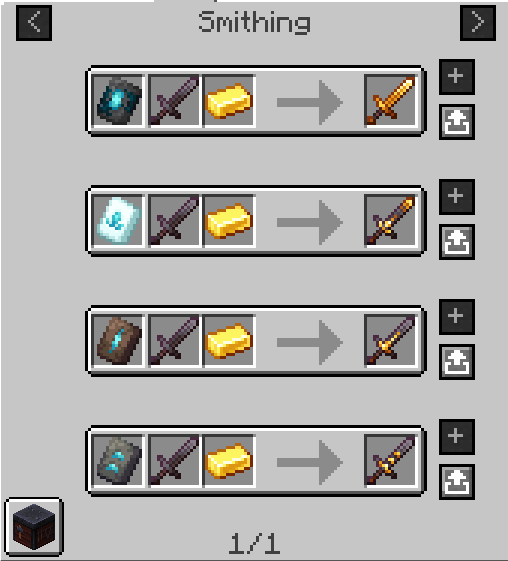
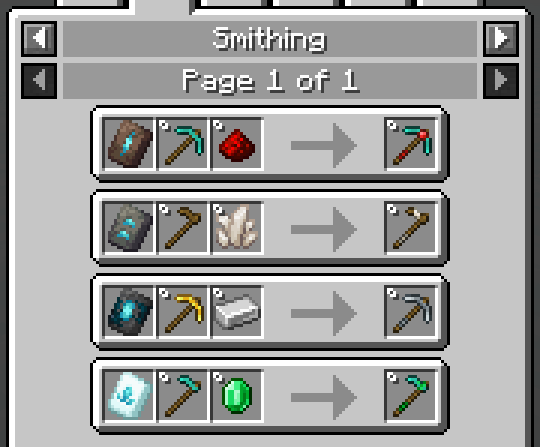
About this Mod
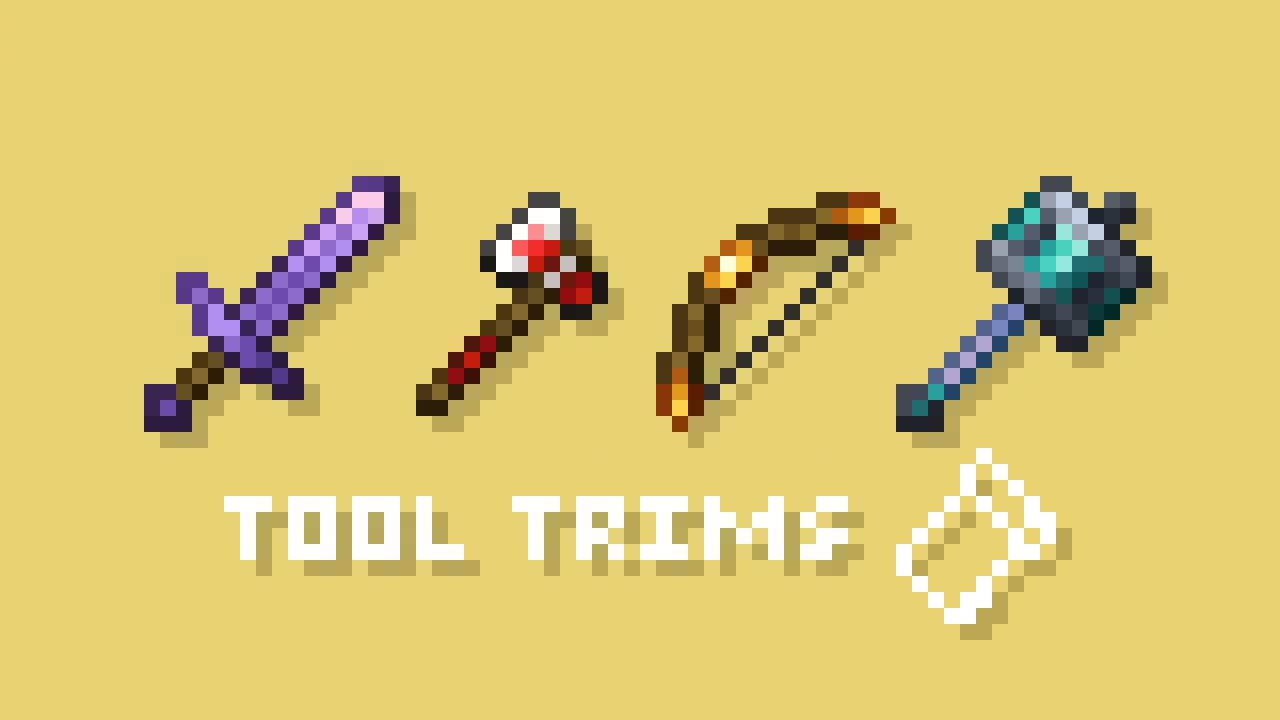
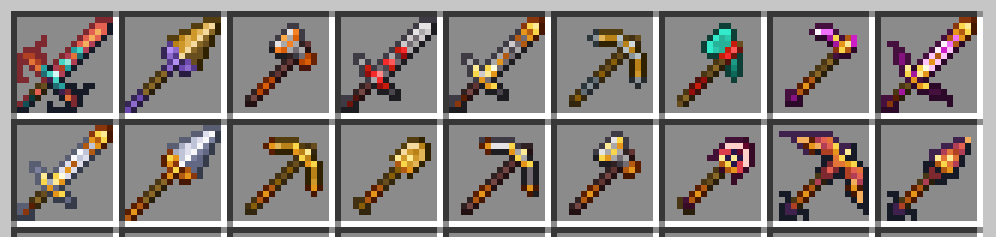
A fabric port of JoeFly's Tool Trims datapack. Check the project page for more details.
Making it a mod allows a few improvements:
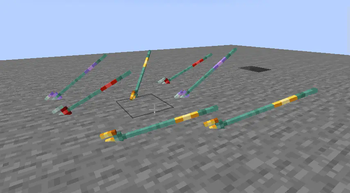
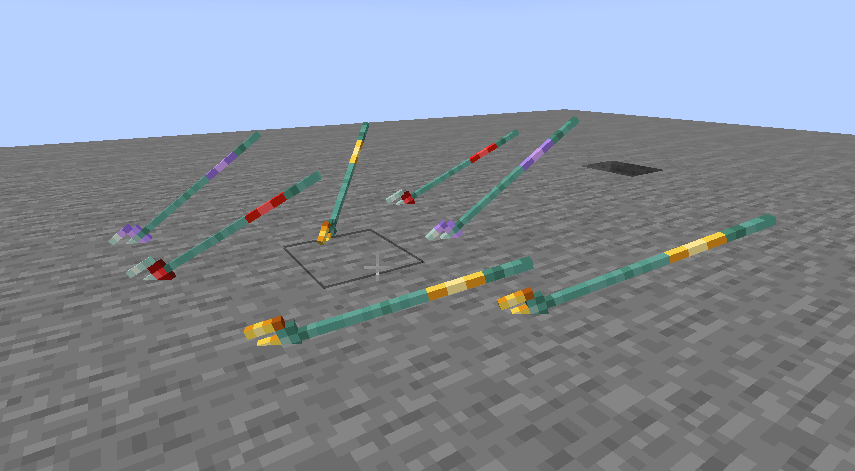
- Trident trims display on thrown tridents
- Trims can be applied to modded tools
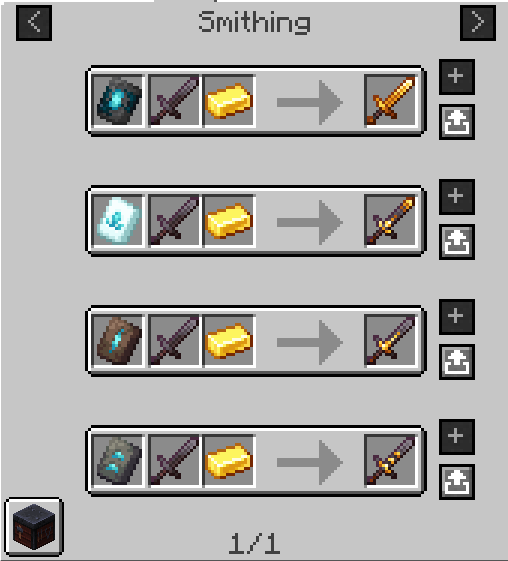
- The trim templates show up in the proper location in the creative inventory and are displayed correctly in recipe viewers like RRV
- Loot tables are injected into instead of overwritten
⚠️ Note this page only applies to mod version 2.x.x. Open the dropdown at the bottom for the old description that applies to mod version 1.x.x.
Migrating from the Datapack
The mod contains backwards compatability mechanics for the datapack. Trimmed tools do not need to be migrated, as they both use the same vanilla trimming system. Templates, however, require migration and cannot be used in the smithing table until migrated.
- Make a backup. It's always good practice to make a backup.
- If you are coming from datapack 2.x.x, you must use datapack 3.x.x to migrate your trimmed tools and templates first. The items must be in your inventory or picked up by your cursor to be migrated.
- Next, you should install the mod and then remove the datapack. (Make sure you don't run the world with neither installed.)
- Use the command
/tooltrims migrateto migrate the template you are holding.
Demigrating from the mod
If you want to revert back to using the datapack, install the datapack at the same time as the mod (ignoring the warning message) and use the command /tooltrims demigrate to demigrate all your templates. Once you have demigrated all your items, uninstall the mod and install the normal tool trims resourcepack.
Compatibility
Currently incompatible with the Dynamic Resources optimization from ModernFix, which is enabled by default in certain modpacks such as Adrenaline.
To request compat with a modded trim material, add a comment to this issue. Most modded tools that do not match a vanilla tool shape will not receive official compat, but they can be added through resourcepack.
Compatibility with modded trim patterns, trim materials, and trim shapes can now be added via resourcepack, see the wiki for details.
Note this only applies to 2.0.0 and above, which is only available on Minecraft 26.1+ and above.
Credits
All textures are created or otherwise owned by JoeFly and used with permission.
Support
For now I support 26.1.2, the latest version of Minecraft (currently 26.2) and their corresponding hotfix versions (26.1, 26.1.1). All other versions are unsupported. All issues pertaining to unsupported versions will likely not be addressed.
Please report issues on my repository and not to JoeFly.
1.x.x Description
Migrating from the Datapack
The mod contains backwards compatability mechanics for the datapack.
First, you should remove the datapack, as the mod and datapack are not intended to be used in tandem (It doesn't matter if you remove the datapack before or after installing the mod).
If it detects the datapack was previously used, it will enable the tooltrims_deleteToolsmithingTable gamerule, which destroys smithing tables within 6 blocks of players and drops its ingredients (2 copper and 4 planks). This can be reversed using /gamerule tooltrims_deleteToolsmithingTable false. You can also enable the legacy resource pack, which makes templates and toolsmithing tables look right before they are upgraded or deleted.
You can use the command /tooltrims migrate to migrate the tool or template you are holding so it uses the modded trim system instead of the datapack trim system. Templates from the datapack cannot be used in the smithing table until you upgrade them. For tools, the difference is only noticeable if you look at the NBT/component data or if you try to re-trim the tool, in which case both the old and new trims will show up in the tooltip.
Demigrating from the mod
If you want to revert back to using the datapack, install the datapack at the same time as the mod (ignoring the warning message), enable the legacy resource pack, and use the command /tooltrims demigrate to demigrate your tool or template. Once you have demigrated all your items, uninstall the mod and install the normal tool trims resourcepack.
Compatability
Compatible with EMI (trimming recipes show up) and Enchancement (crossbow texture works correctly). Currently incompatible with Trimmable Tools.
Credits
The Enchancement compat textures were created by doctor4t and cybercat5555 for the mod Enchancement, and were edited and used with permission.
All other textures were created or otherwise owned by JoeFly and used with permission.
Available Versions
How to Install Tool Trims Mod on Your Server
Order Server
Order a Minecraft Java server with at least 3 GB RAM (4 GB recommended).
Set fabric Loader
In the panel under "Egg", select the fabric loader and matching Minecraft version (26.3).
Install Mod
Open the mod browser in the dashboard and search for "Tool Trims Mod". Click "Install" – done! Alternatively, upload the .jar via SFTP to the /mods folder.
Compatibility
Mod Loaders
Minecraft Versions
26.3, 26.3-pre-3, 26.2 (+33 more)
Server-side
✓ RequiredRecommended RAM
4 GB(min. 3 GB)Frequently Asked Questions
Tool Trims Mod server crashes on startup – what to do?
Most common cause: wrong fabric version or insufficient RAM. Check the server log (latest.log) for "OutOfMemoryError" or "Mixin" errors. With Mado Hosting: ensure at least 3 GB RAM is allocated and the loader matches the mod version (26.3). You can switch loaders with one click in the panel.
Is Tool Trims Mod compatible with fabric and quilt?
Tool Trims Mod officially supports fabric, quilt for Minecraft 26.3, 26.3-pre-3, 26.2. The Mado dashboard automatically detects incompatible loader combinations.
Server lagging with Tool Trims Mod – how to optimize performance?
Recommended RAM: 4 GB (per 8 players). Use /spark profiler to check if Tool Trims Mod consumes the most tick time. Common fixes: reduce server view-distance to 8-10, install "performant" or "starlight" as supplementary mods on Forge. With Mado Hosting, your server runs on NVMe SSDs with dedicated CPU cores for minimal latency.
Similar Mods

![[ETF] Entity Texture Features](https://cdn.modrinth.com/data/BVzZfTc1/af683d206d50b05258d865b0d6e4aa2f2cee12f2_96.webp)
![[EMF] Entity Model Features](https://cdn.modrinth.com/data/4I1XuqiY/6e5bbd0d06b1741bfdab6c0cfab6de8fdaf0064c_96.webp)



Rent Modded Server
Install Tool Trims Mod with just one click on your server.