
Modrinth · Fabric, Forge, NeoForge, Quilt
Fast Noise on your Minecraft server
Fast Noise runs on Minecraft servers with Fabric or Forge or NeoForge or Quilt. Order your server, set the loader in the panel and install the mod with one click in the mod browser.
Vanilla Worldgen optimization mod
- Downloads
- 9.8M
- Author
- ZenXArch
- Loader
- Fabric, Forge, NeoForge, Quilt
- Minecraft
- 1.19 – 26.3
- Updated
- –
Screenshots
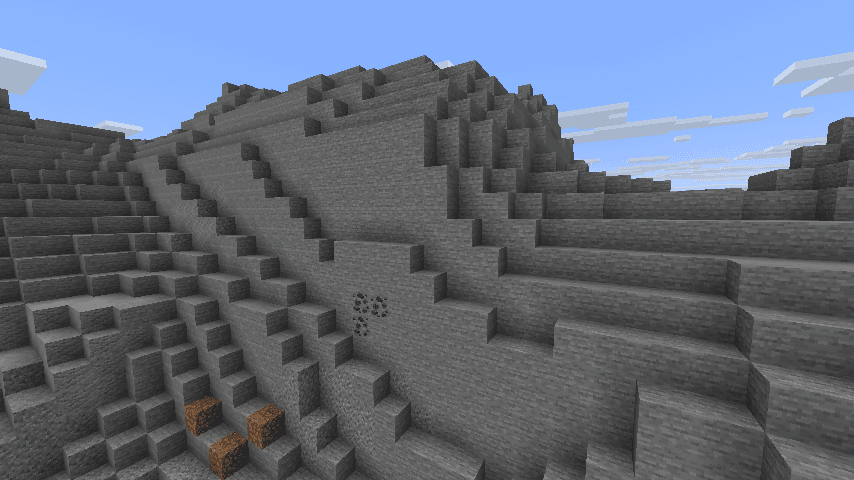
What Fast Noise looks like


Images: Fast Noise on Modrinth, published by the project team.
Setup
Install Fast Noise on your server
The server and players need the same loader and Minecraft version. Back up the world before adding or updating mods.
- 01
Configure
6 GB of RAM is preselected. You choose the term and add-ons and pay by credit card or PayPal.
- 02
Set the loader
In the panel, set the server software to Fabric or Forge or NeoForge or Quilt and choose the matching Minecraft version, for example 26w14a.
- 03
Install the mod
Search the mod browser for “Fast Noise” and install the release for your loader. Alternatively, upload the .jar to the mods folder via SFTP. Required dependencies are listed on the project page.
- 04
Connect
Fast Noise is not needed on the client. Players connect using the server address from the panel.
- On the server
- Required
- On the client
- Not needed
- Loader
- Fabric, Forge, NeoForge, Quilt
- Minecraft
- 26w14a, 26.3-snapshot-9, 26.3-snapshot-8 +132 more
- License
- Mozilla Public License 2.0
The panel
Install mods, find errors.
Real screenshots from the Mado panel. Both come with every Minecraft server.
Mod browser
Modrinth and CurseForge, right in the panel.
The browser filters by your Minecraft version. Install mods with one click, without uploading .jar files.

AI crash analysis
When a mod crashes, the analyzer reads the log.
Mods often fail on a wrong loader version, Java version or missing dependency. The analyzer names a likely cause and suggests a fix.

Releases
Published releases
Pick the file that matches your server’s loader and Minecraft version. The server and players need the same release.
Fast Noise · Modrinth- Fast Noise 1.1.3+26.3November 13, 2026Minecraft 26.3 · Fabric, Quilt
- Fast Noise 1.1.2+1.21.9October 20, 2026Minecraft 1.21.10, 1.21.10-rc1, 1.21.9 · Fabric, Quilt
- Fast Noise 1.1.2+1.21.11October 20, 2026Minecraft 1.21.11 · Fabric, Quilt
- Fast Noise 1.1.1+26.1October 10, 2026Minecraft 26.1, 26.1.1, 26.1.1-rc-1, 26.1.2, 26.1.2-rc-1, 26.2-snapshot-1, 26w14a · Fabric, Quilt
- Fast Noise 1.1.1+26.2October 1, 2026Minecraft 26.2 · Fabric, Quilt
Original description by the project author
Keep Android Open | Contact Regulators to stop Google's lockdown of Android
Fast Noise is a modern optimization mod to improve world generation times. I regularly update the mod to latest minecraft versions, bring improvements to the mod, and provide stable releases.
Does the mod change world generation? The mod maintains vanilla parity, including with any datapacks. Do keep in mind, Vanilla non-determinism.
Can I use custom worldgen mods with this? Yes, I try my best to maintain mod compatibility, and only modify safe code. Specific optimizations that may affect mod compatibility are disabled by default.
FastNoise is part of Reverie Projects, check out our other mods as well.


How does this mod work?
Fast noise optimizes storing block and biome data into chunks for the duration of worldgen.
Technical Details
Fast noise replaces populateNoise,populateBiomes in NoiseChunkGenerator and surfaceBuilder in SurfaceBuilder.
Fast noise optimizes world generation by making several strong assumptions about how world generation works. By replacing vanilla's generic and debug code for world storage with faster, more packed calculations, fast noise achieves faster throughput.
Some key methods used to achieve that are, reducing allocations, avoiding palette resizing, delaying/packing block counting, precalculating data,
caching block state information and more.
How fast is it?
About 10-18% improvement to overall worldgen in overworld in 1.21.11 on latest versions.
Much higher improvement in nether, end
Here is a Jmh Benchmark Software.
Chunky benchmark
12 threads w/ mod
[12:39:32] [Server thread/INFO]: [Chunky] Task finished for minecraft:overworld. Processed: 16641 chunks (100.00%), Total time: 0:01:37
W/o mod
[12:43:08] [Server thread/INFO]: [Chunky] Task finished for minecraft:overworld. Processed: 16641 chunks (100.00%), Total time: 0:01:47
4 threads w/ mod
[12:56:23] [Server thread/INFO]: [Chunky] Task finished for minecraft:overworld. Processed: 9409 chunks (100.00%), Total time: 0:01:10
W/o mod
[13:01:11] [Server thread/INFO]: [Chunky] Task finished for minecraft:overworld. Processed: 9409 chunks (100.00%), Total time: 0:01:23
With higher distance
W/o mod
[13:11:01] [Server thread/INFO]: [Chunky] Task finished for minecraft:overworld. Processed: 19881 chunks (100.00%), Total time: 0:02:43
W/ mod
[13:16:03] [Server thread/INFO]: [Chunky] Task finished for minecraft:overworld. Processed: 19881 chunks (100.00%), Total time: 0:02:21
Jmh benchmark
Mods used: FastNoise 1.0.37+26.2 on 26.2
ChunkPos: -16,-16 -> 16,16
End ChunkPos: 112,112 -> 144,144
Chunks: 1089
Mods used: c2me-fabric-mc26.2-0.4.2-alpha.0.9.jar

Benchmark                 (worldName)  Mode  Cnt      Score     Error  Units
BiomesBenchmark.biomegen    overworld  avgt    5   3058.005 ± 256.587  ms/op
BiomesBenchmark.biomegen       nether  avgt    5    188.188 ±   3.156  ms/op
BiomesBenchmark.biomegen          end  avgt    5     31.560 ±   4.200  ms/op
NoiseBenchmark.noisegen     overworld  avgt    5  12332.480 ± 364.223  ms/op
NoiseBenchmark.noisegen        nether  avgt    5   2447.385 ±  20.773  ms/op
NoiseBenchmark.noisegen           end  avgt    5   6420.598 ± 195.649  ms/op
SurfaceBenchmark.surface    overworld  avgt    5  14948.653 ± 333.900  ms/op
SurfaceBenchmark.surface       nether  avgt    5   9330.611 ± 243.701  ms/op
SurfaceBenchmark.surface          end  avgt    5   3485.872 ±   8.225  ms/op

Benchmark                 (worldName)  Mode  Cnt      Score     Error  Units
BiomesBenchmark.biomegen    overworld  avgt    5   2980.699 ±  98.824  ms/op
BiomesBenchmark.biomegen       nether  avgt    5    177.827 ±   2.815  ms/op
BiomesBenchmark.biomegen          end  avgt    5     14.990 ±   0.575  ms/op
NoiseBenchmark.noisegen     overworld  avgt    5   9419.623 ± 317.746  ms/op
NoiseBenchmark.noisegen        nether  avgt    5   1253.599 ±  15.977  ms/op
NoiseBenchmark.noisegen           end  avgt    5   5424.879 ±  81.860  ms/op
SurfaceBenchmark.surface    overworld  avgt    5  10490.488 ± 901.258  ms/op
SurfaceBenchmark.surface       nether  avgt    5   3361.448 ±  53.809  ms/op
SurfaceBenchmark.surface          end  avgt    5      1.723 ±   0.289  ms/op
Speedup:
| Stage/Dimension | Overworld | Nether | The End |
|---|---|---|---|
| Biome | 1.025x | 1.058x | 2.105x |
| Noise | 1.309x | 1.952x | 1.183x |
| Surface | 1.424x | 2.775x | 2023.14x |
Old Jmh Benchmark
Mods used: Fast Noise 1.0.15+26.1 on 26.1 snapshot-6
ChunkPos: -16,-16 -> 16,16
End ChunkPos: 112,112 -> 144,144
Chunks: 1089
Mods used: (c2me)

With mod:
Benchmark                 (worldName)  Mode  Cnt     Score    Error  Units
BiomesBenchmark.biomegen          end  avgt    5    11.786 ±  0.168  ms/op
BiomesBenchmark.biomegen       nether  avgt    5   174.833 ±  1.166  ms/op
BiomesBenchmark.biomegen    overworld  avgt    5  2401.797 ± 31.629  ms/op
NoiseBenchmark.noisegen           end  avgt    5  3052.242 ± 12.358  ms/op
NoiseBenchmark.noisegen        nether  avgt    5  1039.086 ±  6.467  ms/op
NoiseBenchmark.noisegen     overworld  avgt    5  8441.811 ± 41.396  ms/op

With only c2me:
Benchmark                 (worldName)  Mode  Cnt      Score    Error  Units
BiomesBenchmark.biomegen          end  avgt    5     26.058 ±  0.245  ms/op
BiomesBenchmark.biomegen       nether  avgt    5    185.957 ±  2.203  ms/op
BiomesBenchmark.biomegen    overworld  avgt    5   2464.937 ± 29.007  ms/op
NoiseBenchmark.noisegen           end  avgt    5   3925.059 ± 14.292  ms/op
NoiseBenchmark.noisegen        nether  avgt    5   1920.705 ±  9.864  ms/op
NoiseBenchmark.noisegen     overworld  avgt    5  11552.674 ± 54.112  ms/op

Vanilla:
Benchmark                 (worldName)  Mode  Cnt      Score    Error  Units
BiomesBenchmark.biomegen          end  avgt    5     27.051 ±  0.118  ms/op
BiomesBenchmark.biomegen       nether  avgt    5    239.634 ±  1.702  ms/op
BiomesBenchmark.biomegen    overworld  avgt    5   4589.322 ± 80.331  ms/op
NoiseBenchmark.noisegen           end  avgt    5   4477.113 ± 36.133  ms/op
NoiseBenchmark.noisegen        nether  avgt    5   1951.438 ±  5.748  ms/op
NoiseBenchmark.noisegen     overworld  avgt    5  14249.612 ± 57.388  ms/op

Vanilla:
Benchmark                 (worldName)  Mode  Cnt     Score    Error  Units
SurfaceBenchmark.surface    overworld  avgt    5  5982.828 ± 17.992  ms/op
SurfaceBenchmark.surface       nether  avgt    5  2677.115 ±  9.293  ms/op
SurfaceBenchmark.surface          end  avgt    5   924.604 ±  5.376  ms/op

With Mod:
Benchmark                 (worldName)  Mode  Cnt     Score     Error  Units
SurfaceBenchmark.surface    overworld  avgt    5  4820.672 ±  24.669  ms/op
SurfaceBenchmark.surface       nether  avgt    5  1914.289 ± 644.099  ms/op
SurfaceBenchmark.surface          end  avgt    5     0.014 ±   0.003  ms/op

Speedup
Overworld: Biome: 1.026x Noise: 1.368x Surface: 1.241x
Nether: Biome: 1.063x Noise: 1.847x Surface: 1.398x
End: Biome: 2.21x Noise: 1.285x Surface: 66357x
The benchmarks may have some inaccuracies.
Socials


FAQ and Help
FAQ
Q- What Minecraft versions will the mod be supporting?
A- I'll try to support the latest minecraft version.
Q- Are backports planned?
A- No backports are planned, current backports were a one time thing.
Q- What other mods/dependencies do I need?
A- No dependencies are required.
Q- Will there be a forge backports for 1.19.x 1.20.x?
A- Not planned.
Q- XYZ mod crashes, or generates incorrectly with Fast Noise?
A- Report the issue on codeberg or my socials.
Incompatible mods
Moonrise is incompatible, as It changes minecraft internals drastically
Noisium is incompatible, as Fast Noise is intended as a replacement for noisium.
Anti-Xray is incompatible for now, as it needs to put extra data in minecraft block storage, which breaks fastnoise
Credits
- Stevenplays, for developing noisium mod, I started developing fast noise while trying to port noisium to latest minecraft.
- Ishland, for helping with mod, and modern-yarn and neo-loom
Reverie Projects
Consider joining the Reverie Projects for sneak peeks and updates on development! By joining, you can:
- Get installation help and technical support for alot of awesome projects
- Get the latest updates about development
- Talk with and collaborate with our team
- And just hang out with the rest of our community!
Fast Noise server crashes on startup – what to do?
Common causes: the loader or Minecraft version does not match the mod file, a dependency is missing, or RAM is too low. Check the log (latest.log) for “OutOfMemoryError”, “Mixin” or missing mods. At Mado, the AI crash analysis reads the log and suggests a cause. You can change the loader and version in the panel.
Which loader does Fast Noise run on?
According to Modrinth, Fast Noise supports Fabric, Forge, NeoForge, Quilt for Minecraft 26w14a, 26.3-snapshot-9, 26.3-snapshot-8. Forge and Fabric files are not interchangeable: pick one loader for the server and clients.
How much RAM does a server with Fast Noise need?
As guidance, 4–6 GB for a server with this mod. This is an estimate, not a measured minimum. More mods, many players and long view distances need more. The spark profiler shows whether a mod is costing tick time.
Similar mods
Popular mods in the same category
 Client only

Sodium
by jellysquid3
A high-performance rendering engine replacement for Minecraft, which greatly improves frame rates and reduces micro-stutter.
 Client only

Iris Shaders
by coderbot
A modern shader pack loader for Minecraft intended to be compatible with existing OptiFine shader packs
 Client only

Entity Culling
by tr7zw
Using async path-tracing to hide Block-/Entities that are not visible
 Server-ready

FerriteCore
by malte0811
Memory usage optimizations
Ready for your server with Fast Noise?
6 GB of RAM from €12.00 per month. 35% off your first month with MADO35.