
Cottage World
Welcome to a cozy modpack filled with tons of explorable beautiful lands and building blocks for your tiny cottage. I hope you enjoy this pack, i'm open for feedback on the pack!
Screenshots
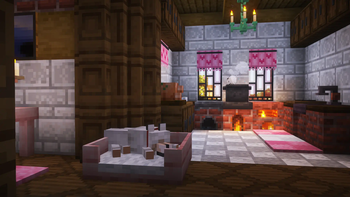
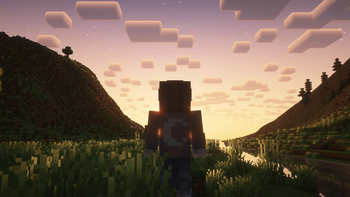
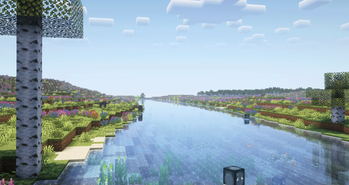
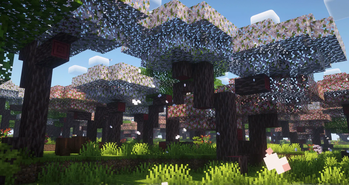
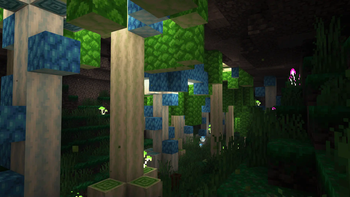
About this Modpack
🏡 Welcome to Cottage World!
Immerse yourself in a cozy, relaxing Minecraft experience designed for players who love to build, farm, and explore at their own pace. Cottage World transforms your Minecraft world into a charming, atmospheric countryside filled with lush landscapes, adorable animals, and warm, homely aesthetics.
🌿 Features
- 🌱Cozy Aesthetic - Beautiful biomes, soft lighting, and rustic building options create a warm and welcoming atmosphere.
- 🌾Enhanced Farming & Cooking - A variety of crops, cooking mechanics, and decorative elements make for a richer homestead experience.
- ⚙️Create Mod Support - Automate your world with intuitive mechanical systems while keeping the cozy theme alive.
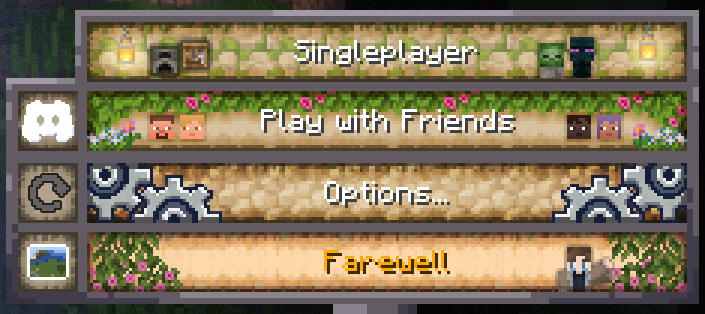
- 🎵Custom Music & Menu - Includes Sunlit Meadows and a fully customized Menu so you can start the pack with a calm cozy feel.
- 🗳️Exploration & Discovery - Discover vibrant villages, custom structures, and hidden secrets across the world.
- 🌟Low-Stress Gameplay - Designed for casual play, whether solo or with friends.
Experience the simple joys of Cottage World. Whether you're farming under the sunset, designing the perfect rustic home, or just taking in the scenery, this modpack is perfect for a stress-free Minecraft adventure. 🌾✨
Coziest Modpack Trailer!
New VR Support!
- Finally added working and optimized support for VR, creating extra fun moments with friends or a brand new experience in the Cottage World modpack!
🔗 Community & Support
- Report Bugs here!
- Feedback & Bug Reports - Let us know about any issues or suggestions!
With 240+ mods to explore, Cottage World transforms your Minecraft world into a lush, vibrant haven of adventure. Plus, we’re always improving! Join the community to share feedback and suggestions.
Remember to allocate at least 4GB = 4096MB Ram!
Available Versions
How to Set Up a Cottage World Server
Order Server
Choose at least 6 GB RAM (8 GB recommended for Cottage World). Based on player count: per 5 players.
Install Modpack in Dashboard
Open the modpack browser in the dashboard, search for "Cottage World" and click "Install". The fabric loader and Minecraft 1.20.1 are configured automatically.
Start Server & Play
Start the server – all mods are loaded automatically. Share the server IP with friends and play together!
Frequently Asked Questions
Cottage World server crashes or won't start – what to do?
Most common causes: insufficient RAM or wrong fabric loader. Check latest.log for "OutOfMemoryError" → increase RAM to at least 8 GB. For "Mixin" or "ClassNotFoundException" errors: modpack version and loader don't match. With Mado Hosting, loader and Minecraft version are auto-configured on modpack install – preventing most startup issues.
How much RAM does a Cottage World server really need?
Minimum 6 GB, recommended 8 GB for stable performance. per 5 players. Important: Minecraft modpacks need more RAM than vanilla – plan extra per additional player. With Mado Hosting, you can scale RAM up live at any time without data loss (from €7.800000000000001/month).
Can I add custom mods to Cottage World without conflicts?
Yes, but check compatibility: only use mods for the same loader (fabric) and same Minecraft version (1.20.1). Common issues: ID conflicts with recipe mods and incompatible coremod versions. The Mado dashboard mod browser only shows compatible mods and warns about known conflicts.
Cottage World server lagging – performance tips
1) Increase RAM to 8 GB+. 2) Reduce server view-distance to 8 (server.properties). 3) Pre-generate chunks with the "Chunky" plugin. 4) Use /spark profiler to check which mods consume the most tick time. With Mado Hosting, all servers run on NVMe SSDs with dedicated CPU cores – eliminating hardware as a bottleneck.
Similar Modpacks
![Cobblemon Official Modpack [Fabric]](https://cdn.modrinth.com/data/5FFgwNNP/e7f9ee2e9d361623847853fe2ddce42f519ee64f.png)
![COBBLEVERSE - Pokemon Adventure [Cobblemon]](https://cdn.modrinth.com/data/Jkb29YJU/581ecf54530972afb18a04660afd820f2f24f6c7.png)
![Better MC [FABRIC] - BMC2](https://cdn.modrinth.com/data/shFhR8Vx/a19c2bcb51d38f32f138d3607e91cb2b7b8e387f_96.webp)


![Better MC [FORGE] - BMC4](https://cdn.modrinth.com/data/4BV47HRn/7f5ef7cc61b2593609aabef3ed07a866a4f11b73_96.webp)
Rent Cottage World Server
Start your own server with automatic modpack installation.
Supported Versions
Start your Cottage World Server now
From €7.80/month; 8 GB RAM is recommended for best performance.
Configure Server →