
Modrinth · Forge
Create Colony server hosting
Your own Create Colony server on AMD Ryzen 9 without a thread limit. The server is ready usually under 60 seconds; then install the pack with one click in the modpack browser.
Create + Minecolonies Modpack
- Downloads
- 6.9K
- Followers
- 0
- Loader
- Forge
- Minecraft
- 1.20.1
- Updated
- –
Screenshots
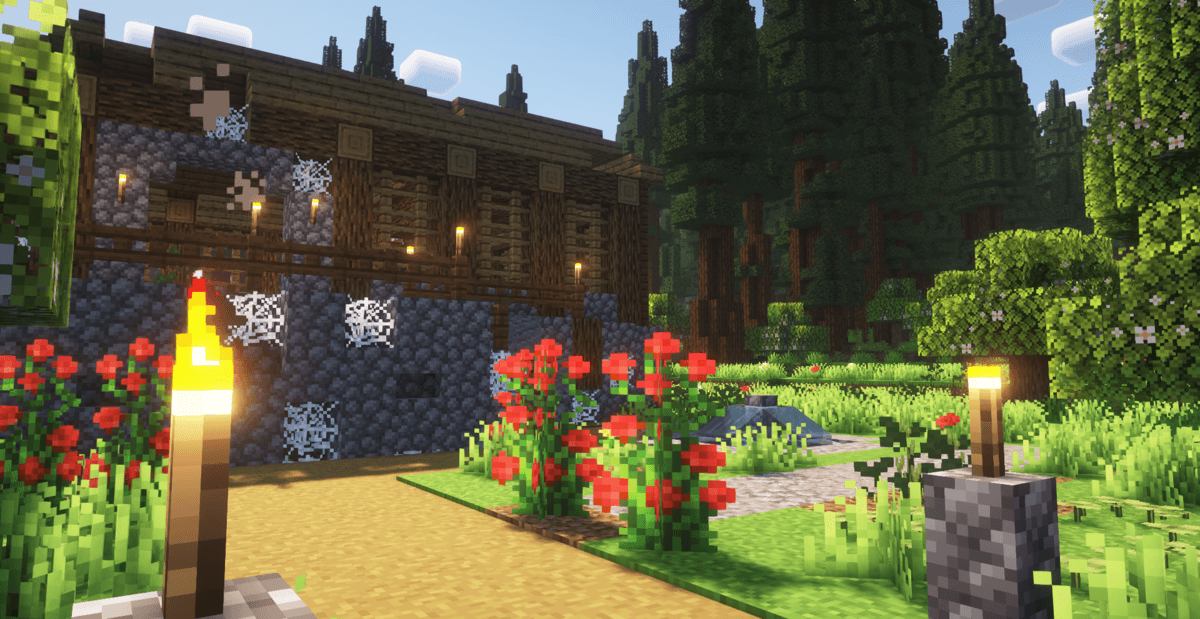
What Create Colony looks like


Images: Create Colony on Modrinth, published by the project team.
Setup
Your Create Colony server in four steps
For errors, check startup logs, Java version, loader and dependencies first. Increase RAM when there is evidence of memory pressure. Keep a copy of the working installation before updates.
- 01
Configure
8 GB of RAM is preselected and Create Colony is noted in the configurator. You choose the term and add-ons.
- 02
Pay
By credit card or PayPal. Your server is ready usually under 60 seconds.
- 03
Install the pack
Open the modpack browser in the panel, choose Modrinth, verify the project ID and install your chosen pack release. Back up an existing world first.
- 04
Connect
Every player installs the same pack release in a compatible launcher and connects using the server address from the panel.
Modrinth project ID: byYPiovQ
The panel
Install the pack, find errors.
Real screenshots from the Mado panel. Both come with every Minecraft server.
Modpack browser
Modrinth and CurseForge, right in the panel.
Search the pack, choose a release, install. You do not have to upload the loader or server files by hand.

AI crash analysis
When a mod crashes, the analyzer reads the log.
Large modpacks often fail on a single mod, Java version or missing dependency. The analyzer names a likely cause and suggests a fix.

Releases
Published pack releases
The server and players need the same pack release. Pick it in the modpack browser to match your group’s clients.
Create Colony · ModrinthOriginal description by the project author

📃 About This Modpack:
Create Colony is a modpack that combines the powerful automation of Create with the immersive colony-building of MineColonies. This modpack offers a gameplay experience where you can automate production, manage a growing population, and explore a world full of life and detail. With popular addons for both Create and MineColonies, Alex’s Mobs, Biomes o' Plenty and several performance mods included.📁 Modpack Contents:
Main Mods:
- Create - Aesthetic Technology that empowers the Player.
- Create: Steam 'n' Rails - Adding depth to Create's rail network & steam system.
- Create Crafts & Additions - Create Crafts & Additions extends Create and acts as a bridge between electricity and kinetic energy.
- Create: Copycats+ - All the copycats you've ever wanted, combined into a single mod.
- Create Slice & Dice - Making automation for Farmers Delight more sensible.
- Create Deco - Industrial decoration themed around the aesthetics of the Create mod.
- Create: Structures - Add-on for Create that implements naturally generating structures containing early-game Create contraptions and items. - Create Big Cannons - A Minecraft mod for building large cannons with the Create mod. - Create: New Age - An addon for the Create mod that adds integration with electricity. - Create Goggles - Adds Goggle Helmets and Armored Backtanks for Create Mod. - Create: Bells & Whistles - Additions and adornments for the modern Create engineer. - Create: Interiors - A complement to the Create mod that adds new furniture. - Create: Enchantment Industry - Automatic Enchanting, with Create. - And many more Create Addons. - Alex's Mobs - 85+ New mobs with stylistic quality above the default game. - Biomes O' Plenty - Adds 50+ unique biomes to enhance your world, with new trees, flowers, and more. - MineColonies and some Addons. - AppleSkin - Food/hunger-related HUD improvements. - Carry On - Carry On allows you to pick up Tile Entities and Mobs and carry them around. - Comforts - Adds sleeping bags and hammocks for, respectively, portability and turning day to night, without setting new spawns. - Corpse - Never lose your items again. - Chipped - Every block deserves a friend. - Lootr - All loot chests are instanced per player and visually unique. - Rechiseled - Allows you to chisel blocks into various decorative blocks with connected textures. - Rechiseled: Create - Adds new decorative variants of blocks in Create. - Quark - This mod is a collection of small things. - Nature's Compass - Allows you to locate biomes anywhere in the world. - Explorer's Compass - Allows you to locate structures anywhere in the world. - More Mob Variants - Adds new variants to existing mobs. - Sophisticated Backpacks - Yet another backpack mod this time with backpack you can place in world, color in different color combinations, upgrade with more inventory, etc. - Simple Voice Chat - A working voice chat in Minecraft. - Xaero's Minimap - Displays a map of the nearby world terrain, players, mobs, entities in the corner of your screen. - Xenon - A Forge port of the Sodium performance mod. - FerriteCore - Memory usage optimizations. - Entity Culling - Using async path-tracing to hide Block-/Entities that are not visible. - And many more Perfomance Mods.
Main Resourcepacks:
- Tom's Create Storage (not enabled by default) - Create Styled Tom's Simple Storage. (More Immersive)
- Create Style Sophisticated Backpacks (not enabled by default) - Sophisticated Backpacks but Creatified. (More Immersive)
Shaderpacks:
- Aurora's Shaders (not enabled by default) - Recommended shaderpack.
- Complementary Shaders - Reimagined (not enabled by default) - Recommended shaderpack.
💻 System Requirements
- Minimum RAM: It is recommended that you have 4GB allocated
Mods that need to be in the description
- Cosmetic Armor Reworked: https://www.curseforge.com/minecraft/mc-mods/cosmetic-armor-reworked
- Create Compact Exp: https://www.curseforge.com/minecraft/mc-mods/create-compact-exp
- Create Recycle Everything: https://www.curseforge.com/minecraft/mc-mods/create-recycle-everything
Similar packs
More server-ready modpacks
 Server-ready

Cobblemon Official Modpack [Fabric]
by CobbledStudios
The official modpack of the Cobblemon mod, for Fabric!
 Server-ready

COBBLEVERSE - Pokemon Adventure [Cobblemon]
by LUMYVERSE
Start a true Pokémon adventure in Minecraft: Cobblemon 1.8.4 | ALL 1025 Pokémon! | Mega Evolutions | Gyms & Badges | Starter Kit | Unique Structures | Custom Music | Shaders | Optimized | So much more! [1.21.1]
 Server-ready

Better MC [FABRIC] - BMC2
by SHXRKIE
Version 1.20 | A Proper Vanilla+ Modpack | Don't play Vanilla play this!
 Server-ready

Vanilla Perfected
by demonjoeTV
A compilation of Vanilla Plus mods & packs to perfect the Minecraft experience without drifting too far from the feel of the base game!
Ready for your Create Colony server?
8 GB of RAM from €16.00 per month. 35% off your first month with MADO35.