
Create Aeronautics +
Build anything from airships to planes and cars!
Screenshots
About this Modpack
About
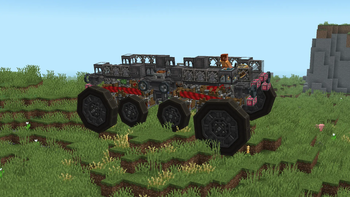
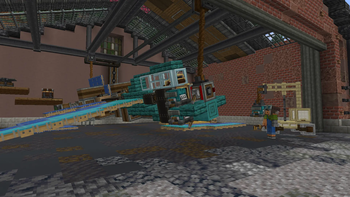
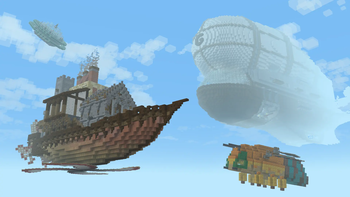
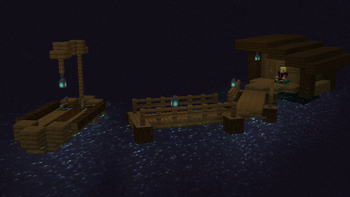
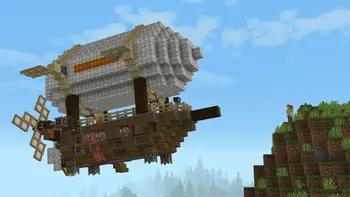
Create Aeronautics expands on the systems of Create to enable players to build all types of vehicles and physics contraptions using Sable. It features content and blocks for building anything from planes, drones, and hot-air balloons, to cars, trucks, and whimsical gizmos.
It contains 3 "sections" of content:
Simulated is the core of the project. It provides assembly, redstone components, and all tools necessary for interacting with simulated contraptions.
Aeronautics enables all manner of flying contraptions with hot air, propellers, and magic floating rocks.
Offroad allows you to put almost anything that looks like a wheel to use in making land vehicles.
Aeronautics is out, and an alpha release of Create+ is out with it! Remember though, it is an alpha. The summary is that some mods, like Tetra, are missing due to not being updated to the latest version, and as of right now, there is no server pack. However, a beta version is getting closer and closer over time.
Create+ is built around a simple concept: A simple Vanilla+ modpack, but with one exception that the pack revolves around: Create.
You can expect Vanilla+ mods like Supplementaries as well as Create addons such as Create: Aeronautics. It will also have mods to have players focus on the Create way of doing things - that is, the build it yourself way - such as Aileron. With it, in order to venture vast distances or travel quickly, players can't just make a bunch of firework rockets. They'll have to actually build planes, trains, helicopters, or whatever else floats their boat to do so. And don't forget about the infrastructure they'll need to build to do so.
Create Aeronautics also:
Is Performant and lightweight. See the:
List of performance mods
Is Built for survival multiplayer with friends.
Voicechat is already included, and it also has e4mc if you don't want to pay for a server or host one yourself. Although, if you want your friends to be able to play while you aren't on, Kinetic is pretty cheap... $7/month? For 8GB RAM? In this economy!?!
Has the visual upgrades your used to, like EMF+ETF for Fresh Animations and Fresh Player Extension, Polytone to support Visual Effects+, Continuity for connected textures, etc.. There are also smaller niceties like smooth swapping and eating animations.
Has a truly Vanilla+ base. No unbalanced, bloated, unnecessary mods. For example, Farmer's Delight and some addons for it, Quark (with some modules disabled), Amendments, etc. as well as smaller tweaks like potions stacking to 16 and Lootr.
And plenty more. I hope you like it! If you have any suggestions or encounter any issues, just visit the report issues link of the side of this description.
Available Versions
How to Set Up a Create Aeronautics + Server
Order Server
Choose at least 6 GB RAM (8 GB recommended for Create Aeronautics +). Based on player count: per 5 players.
Install Modpack in Dashboard
Open the modpack browser in the dashboard, search for "Create Aeronautics +" and click "Install". The neoforge loader and Minecraft 1.21.1 are configured automatically.
Start Server & Play
Start the server – all mods are loaded automatically. Share the server IP with friends and play together!
Frequently Asked Questions
Create Aeronautics + server crashes or won't start – what to do?
Most common causes: insufficient RAM or wrong neoforge loader. Check latest.log for "OutOfMemoryError" → increase RAM to at least 8 GB. For "Mixin" or "ClassNotFoundException" errors: modpack version and loader don't match. With Mado Hosting, loader and Minecraft version are auto-configured on modpack install – preventing most startup issues.
How much RAM does a Create Aeronautics + server really need?
Minimum 6 GB, recommended 8 GB for stable performance. per 5 players. Important: Minecraft modpacks need more RAM than vanilla – plan extra per additional player. With Mado Hosting, you can scale RAM up live at any time without data loss (from €7.800000000000001/month).
Can I add custom mods to Create Aeronautics + without conflicts?
Yes, but check compatibility: only use mods for the same loader (neoforge) and same Minecraft version (1.21.1). Common issues: ID conflicts with recipe mods and incompatible coremod versions. The Mado dashboard mod browser only shows compatible mods and warns about known conflicts.
Create Aeronautics + server lagging – performance tips
1) Increase RAM to 8 GB+. 2) Reduce server view-distance to 8 (server.properties). 3) Pre-generate chunks with the "Chunky" plugin. 4) Use /spark profiler to check which mods consume the most tick time. With Mado Hosting, all servers run on NVMe SSDs with dedicated CPU cores – eliminating hardware as a bottleneck.
Similar Modpacks
![Cobblemon Official Modpack [Fabric]](https://cdn.modrinth.com/data/5FFgwNNP/e7f9ee2e9d361623847853fe2ddce42f519ee64f.png)
![COBBLEVERSE - Pokemon Adventure [Cobblemon]](https://cdn.modrinth.com/data/Jkb29YJU/581ecf54530972afb18a04660afd820f2f24f6c7.png)
![Better MC [FABRIC] - BMC2](https://cdn.modrinth.com/data/shFhR8Vx/a19c2bcb51d38f32f138d3607e91cb2b7b8e387f_96.webp)


![Better MC [FORGE] - BMC4](https://cdn.modrinth.com/data/4BV47HRn/7f5ef7cc61b2593609aabef3ed07a866a4f11b73_96.webp)
Rent Create Aeronautics + Server
Start your own server with automatic modpack installation.
Supported Versions
Start your Create Aeronautics + Server now
From €7.80/month; 8 GB RAM is recommended for best performance.
Configure Server →