
Animated Doors
Animate & connect doors, trapdoors & fence gates opening/closing. Make your world more alive! Fully customizable.
Screenshots
About this Mod
✨ Animated & Connected Doors*
*Actually doors, trapdoors and fence gates! But that would be too long of a name, right?
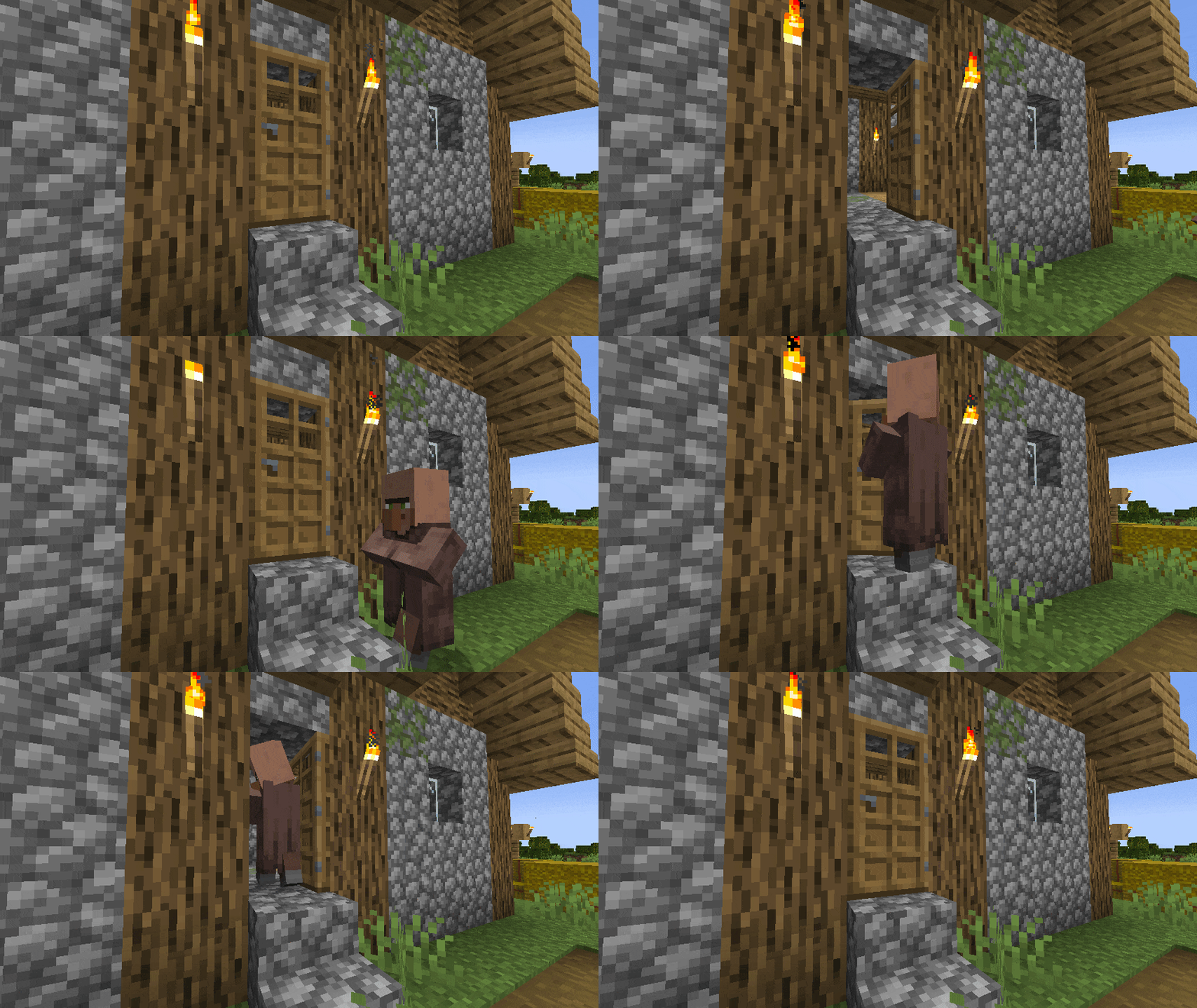
Add a fancy opening and closing animation to your doors, trapdoors & fence gates.
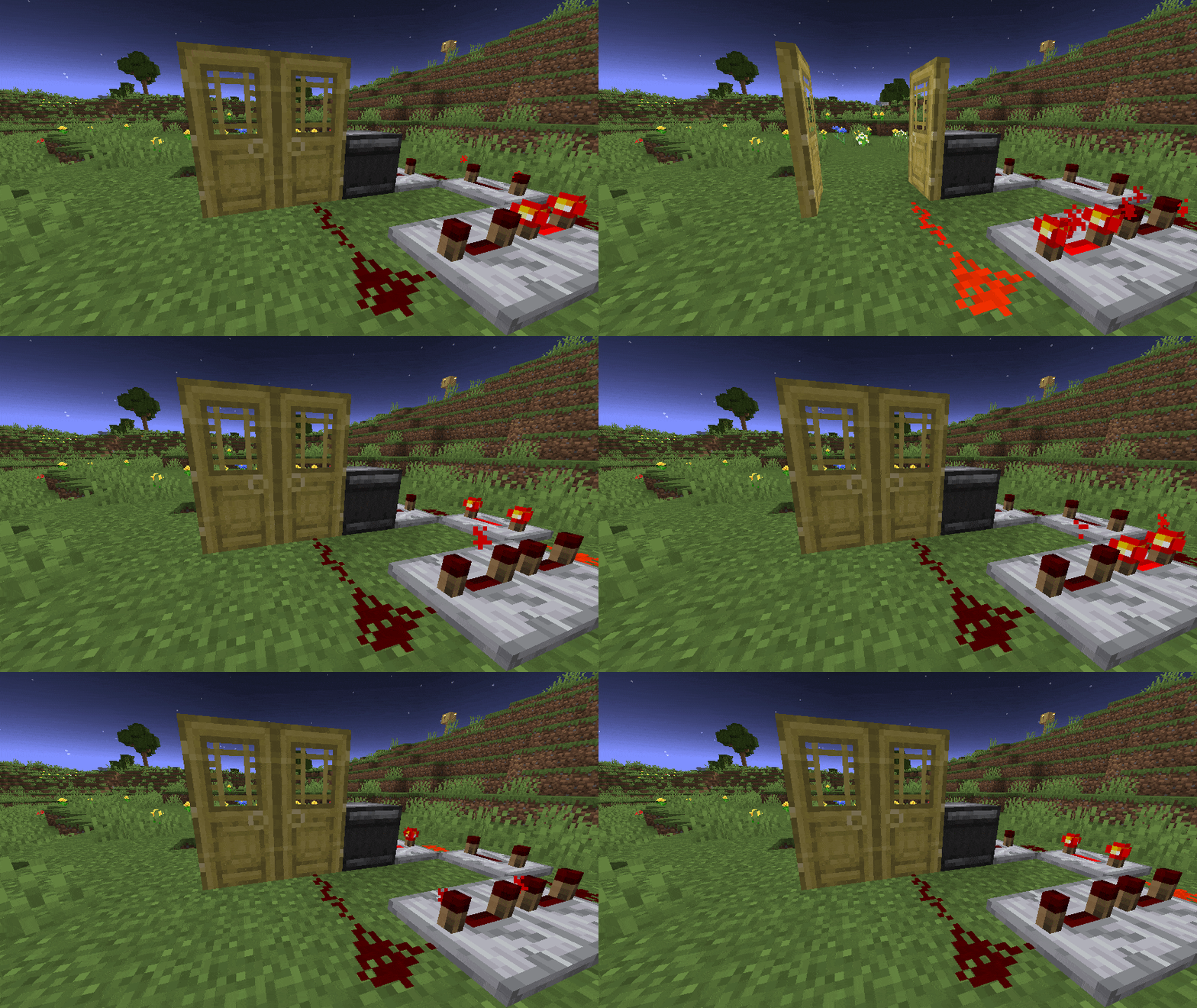

Two connecting doors/trapdoors/gates will open together if only one side is opened (and closed).
All animations & connections are fully client-sided.
To make connections work with redstone or similar, install this mod on your server too!
Compatible with Sodium/Iris (Shaders may show invalid shadows on doors), custom models & other mods.
View the Galery for more previews
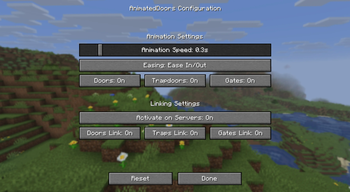
⚙️ Configuration
The settings menu is accessible via the Mod Menu (Fabric - requires ModMenu).
| Setting | Description | Default |
|---|---|---|
| Animation Speed | Adjust the speed of the opening and closing animation. | 0.3 |
| Easing | Change how the animation is smoothed. Linear removes smoothing | Ease In/Out |
| Block Toggle | Enable/disable animation for doors, trapdoors or fence gates | All enabled |
| Server Linking | Enable/disable client-side linking on servers. This can help avoiding anti-cheat false positives | Enabled |
| Linking Toggle | Enable/disable linking for doors, trapdoors or fence gates | All enabled |
Tip: Making animations very slow can look epic on edits or story videos!
This pack also overrides vanilla door/trapdoor/gate models to make the UV consistent and avoiding jumping pixels.
Resource packs/mods that add custom models may reintroduce those UV inconsistencies, you can ask them to fix that too! (examples)
DataPack Version
There are also DataPack versions available for vanilla environments (all <2.0.0).
Those are lite versions and only support vanilla doors and require this ResourcePack to work!
Note: The DataPack uses entities to fake the animation to players, this is not intended for large scale use!
DataPack Troubleshooting
This datapack was originally started by Scommander and discontinued
I picked it up and optimized a few things and also ported it into the newer versions to support all doors again.
If you want to use this pack in your adventure map, please credit it by adding the modrinth link and name somewhere visible!
Q: My doors are invisible!
A: On first installation, all previous placed doors needs to update once before they are visible. Just look at them once.
Q: There are floating iron ingots now! / My doors are not animated!
A: If you see floating iron ingots at doors or your doors simply are not animated you need to activate the resource pack.
Q: How do i uninstall Animated Doors?
A: To uninstall Animated Doors you need to enter /function anim-doors:uninstall in every region where doors exist or simply remove the datapack and enter /kill @e[tag=_betdor_marker] everytime you find a region that was not loaded yet.
Q: How do i add custom/modded doors?
A: While you could edit the datapack to add custom doors, it's not advised and very tedious. Please use the mod version instead
👀 In search of the cake™

Available Versions
How to Install Animated Doors on Your Server
Order Server
Order a Minecraft Java server with at least 3 GB RAM (4 GB recommended).
Set datapack Loader
In the panel under "Egg", select the datapack loader and matching Minecraft version (26.3).
Install Mod
Open the mod browser in the dashboard and search for "Animated Doors". Click "Install" – done! Alternatively, upload the .jar via SFTP to the /mods folder.
Compatibility
Mod Loaders
Minecraft Versions
26.3, 26.2, 26.1.2 (+22 more)
Server-side
✓ RequiredRecommended RAM
4 GB(min. 3 GB)Frequently Asked Questions
Animated Doors server crashes on startup – what to do?
Most common cause: wrong datapack version or insufficient RAM. Check the server log (latest.log) for "OutOfMemoryError" or "Mixin" errors. With Mado Hosting: ensure at least 3 GB RAM is allocated and the loader matches the mod version (26.3). You can switch loaders with one click in the panel.
Is Animated Doors compatible with datapack and fabric and forge and neoforge and quilt?
Animated Doors officially supports datapack, fabric, forge, neoforge, quilt for Minecraft 26.3, 26.2, 26.1.2. Note: Forge and Fabric mods are NOT cross-compatible – pick one loader and stick with it. The Mado dashboard automatically detects incompatible loader combinations.
Server lagging with Animated Doors – how to optimize performance?
Recommended RAM: 4 GB (per 8 players). Use /spark profiler to check if Animated Doors consumes the most tick time. Common fixes: reduce server view-distance to 8-10, install "performant" or "starlight" as supplementary mods on Forge. With Mado Hosting, your server runs on NVMe SSDs with dedicated CPU cores for minimal latency.
Similar Mods

![[ETF] Entity Texture Features](https://cdn.modrinth.com/data/BVzZfTc1/af683d206d50b05258d865b0d6e4aa2f2cee12f2_96.webp)
![[EMF] Entity Model Features](https://cdn.modrinth.com/data/4I1XuqiY/6e5bbd0d06b1741bfdab6c0cfab6de8fdaf0064c_96.webp)



Rent Modded Server
Install Animated Doors with just one click on your server.