
Better Invisibility
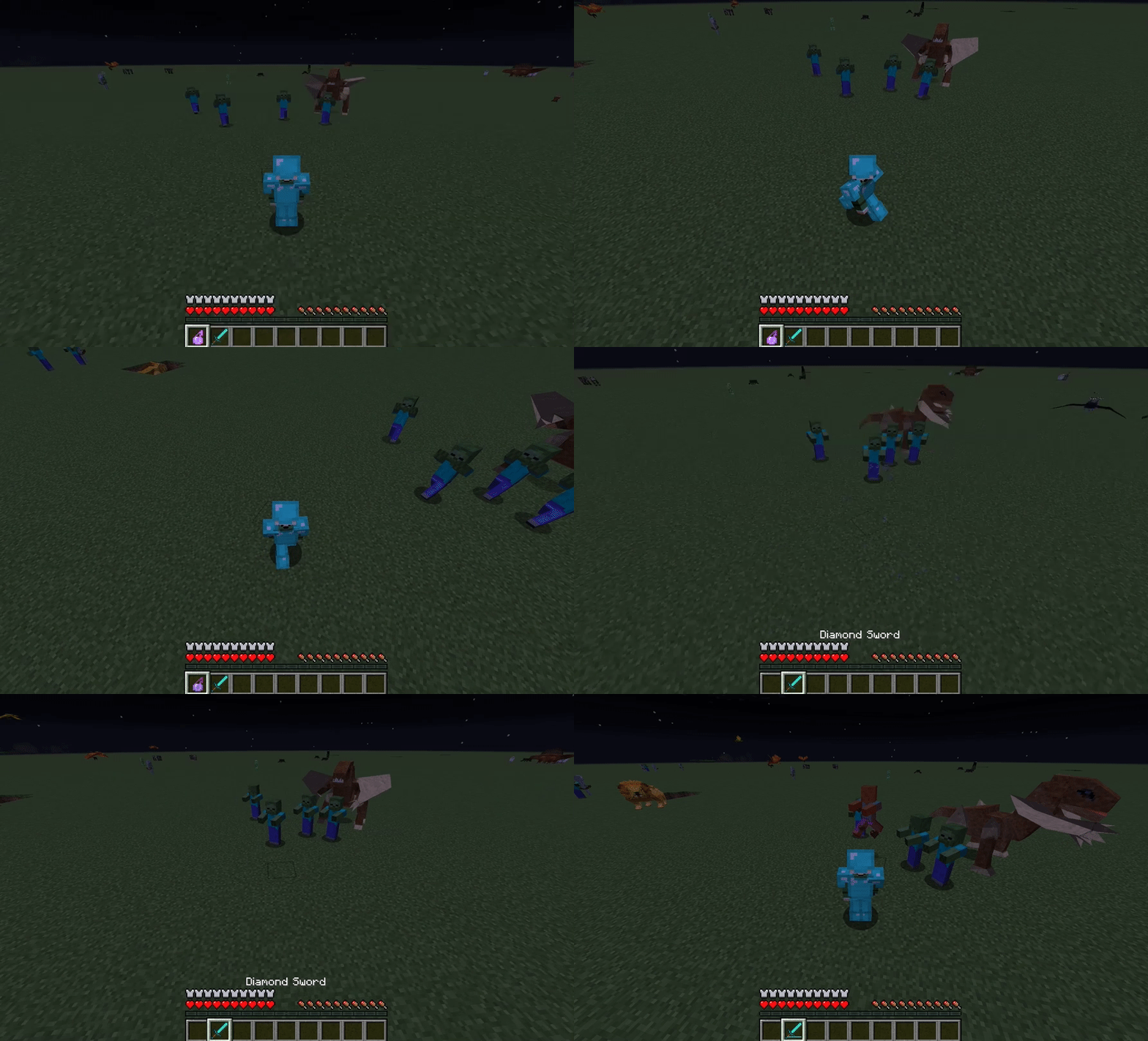
Ever wondered if Invisibility in Minecraft made you truly invisible, and behaved a bit more like traditional video game stealth?
About this Mod
Better Invisibility
Every wondered if Invisibility in Minecraft made you truly invisible, and behaved a bit more like traditional video game stealth?
- No particle effects
- No weapons or armor showing
- Mob AI and other players can’t see you at all
Well, you’ve come to the right mod. Better Invisibility does all this and more, including a proximity sensor that removes the effect if you get too close, or if you attack, the ability to remove particle effects from Mobs, to add a blindness effect to the invisible player to provide additional difficulty, and a powerful Config that allows you to control all of these features and more.
To use:
- Simply use an Invisibility Potion
- You can go near mobs, but must Sneak if you are very close
- If you run into a mob or attack, they may detect you and remove the effect
Please note:
- Hiding from mobs should work with most custom mobs.
- Yes, you can include this mod in modpacks (as long as you don’t charge money, and give credit back to Purplicious_Cow).
This mod is great for PVP and multiplayer, and works well with other mods (if it doesn't let me know in the comments).
To enable the in-game GUI, from the main menu, go Mod Options (or Mods), select Better Invisibility and press Config. Only available on 1.21.1 on NeoForge and 1.12.2 on Forge versions.

© Purplicious_Cow 2015-2025 This mod (plugin, patch to Minecraft source, henceforth "Mod" or "The Mod"), by the terms of http://minecraft.net/terms are sole property of the Mod author (Purplicious_Cow, henceforth "Owner" or "The Owner"). By default it may only be distributed on Curseforge or Modrinth by the Owner. They may not be mirrored or reposted with advance written permission of the Owner. URL shorteners or other attempts to make money off The Owner's Mods are strictly forbidden without advance written permission. This mod is not open source.
Available Versions
How to Install Better Invisibility on Your Server
Order Server
Order a Minecraft Java server with at least 3 GB RAM (4 GB recommended).
Set forge Loader
In the panel under "Egg", select the forge loader and matching Minecraft version (1.21.11).
Install Mod
Open the mod browser in the dashboard and search for "Better Invisibility". Click "Install" – done! Alternatively, upload the .jar via SFTP to the /mods folder.
Compatibility
Mod Loaders
Minecraft Versions
1.21.11, 1.21.1, 1.20.1 (+3 more)
Server-side
✓ RequiredRecommended RAM
4 GB(min. 3 GB)Frequently Asked Questions
Better Invisibility server crashes on startup – what to do?
Most common cause: wrong forge version or insufficient RAM. Check the server log (latest.log) for "OutOfMemoryError" or "Mixin" errors. With Mado Hosting: ensure at least 3 GB RAM is allocated and the loader matches the mod version (1.21.11). You can switch loaders with one click in the panel.
Is Better Invisibility compatible with forge and neoforge?
Better Invisibility officially supports forge, neoforge for Minecraft 1.21.11, 1.21.1, 1.20.1. The Mado dashboard automatically detects incompatible loader combinations.
Server lagging with Better Invisibility – how to optimize performance?
Recommended RAM: 4 GB (per 8 players). Use /spark profiler to check if Better Invisibility consumes the most tick time. Common fixes: reduce server view-distance to 8-10, install "performant" or "starlight" as supplementary mods on Forge. With Mado Hosting, your server runs on NVMe SSDs with dedicated CPU cores for minimal latency.
Similar Mods






Rent Modded Server
Install Better Invisibility with just one click on your server.