
Custom Entity Attributes (CEA)
Change entity attributes globally, per dimension, biome, difficulty, or time. With % chances too!
About this Mod
What's CEA?
Custom Entity Attributes allows you to add attribute modifiers to entities, either globally or based on various conditions, such as the dimension the entity is in, the biome, world's difficulty, time, and more. It even includes a percentile chance of the attribute applying, making randomness possible.
Want this but for items? Check out Custom Item Attributes (CIA)
With this mod, you can:
- Make any mob or boss stronger, or weaker.
- Make entities have different attributes in a specific dimension or biome.
- Make entities have a small chance of having extra attributes, giving some variation to all entities.
- Make baby versions of mobs be faster and stronger but have less health.
...and more! It's all up to your creativity, as attributes are really powerful!
Requires Necronomicon 1.6.0+
Also requires Connector in Forge
⭐ Features ⭐
Basic & Advanced Config.
You can either use the basic config, or go all in with the advanced features!Regex Support.
Want to edit the attributes of multiple entities at once, or even ALL entities? You can!Apply Chances.
Apply each attribute modifier with a chance, for example, add 20% chance of mobs having 10% more max HP!Time Based Config.
Want to make mobs stronger at night? Slower during the day? It’s up to you!Per Dimension Config.
With CEA, you can make all mobs from a specific dimension stronger or weaker.Per Biome Config.
Feel like a specific biome needs something extra? Why not make monsters stronger there?Per Difficulty Config.
Spice things up further by adding attributes depending on the difficulty, allowing you to nerf or buff and adjust stats to your liking!Default Health entity spawns with.
Some entities might spawn with less health than their max, but CEA can change that!
🧾 Configs 🧾
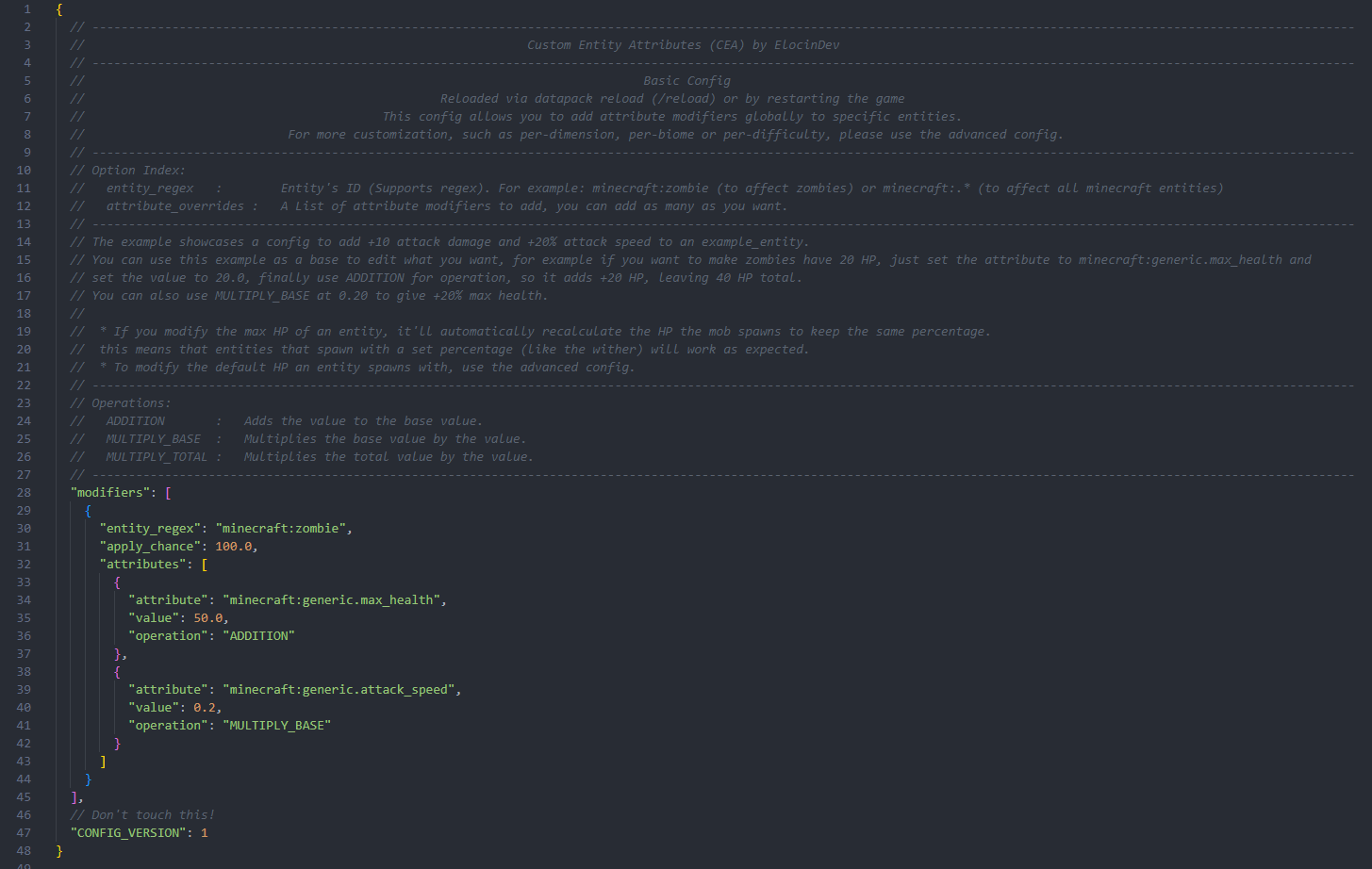
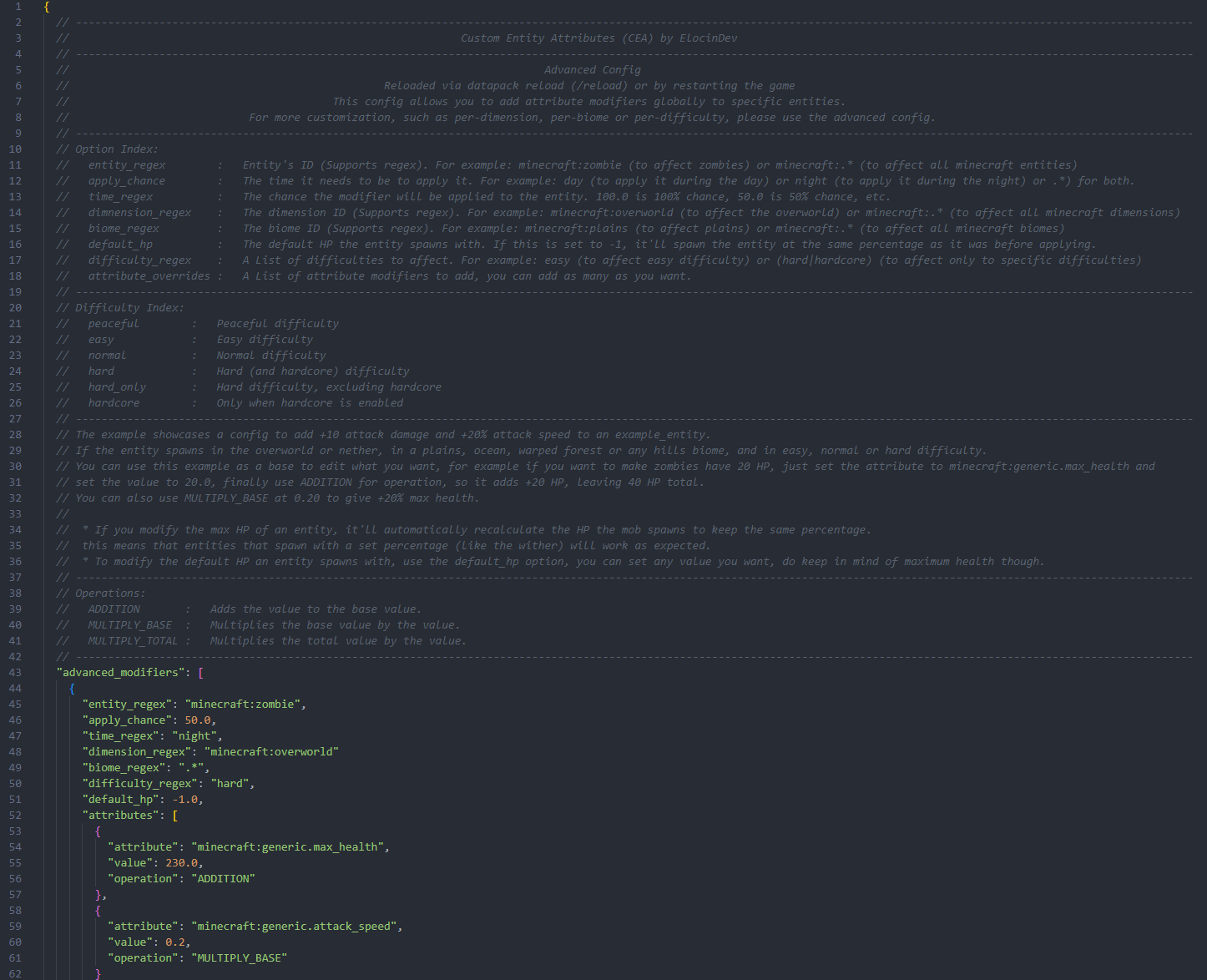
Both configs are fully documented and provide examples for you to base them on!
Basic
Advanced
Available Versions
How to Install Custom Entity Attributes (CEA) on Your Server
Order Server
Order a Minecraft Java server with at least 3 GB RAM (4 GB recommended).
Set fabric Loader
In the panel under "Egg", select the fabric loader and matching Minecraft version (1.20.5).
Install Mod
Open the mod browser in the dashboard and search for "Custom Entity Attributes (CEA)". Click "Install" – done! Alternatively, upload the .jar via SFTP to the /mods folder.
Compatibility
Mod Loaders
Minecraft Versions
1.20.5, 1.20.4, 1.20.3 (+2 more)
Server-side
✓ RequiredRecommended RAM
4 GB(min. 3 GB)Frequently Asked Questions
Custom Entity Attributes (CEA) server crashes on startup – what to do?
Most common cause: wrong fabric version or insufficient RAM. Check the server log (latest.log) for "OutOfMemoryError" or "Mixin" errors. With Mado Hosting: ensure at least 3 GB RAM is allocated and the loader matches the mod version (1.20.5). You can switch loaders with one click in the panel.
Is Custom Entity Attributes (CEA) compatible with fabric and forge?
Custom Entity Attributes (CEA) officially supports fabric, forge for Minecraft 1.20.5, 1.20.4, 1.20.3. Note: Forge and Fabric mods are NOT cross-compatible – pick one loader and stick with it. The Mado dashboard automatically detects incompatible loader combinations.
Server lagging with Custom Entity Attributes (CEA) – how to optimize performance?
Recommended RAM: 4 GB (per 8 players). Use /spark profiler to check if Custom Entity Attributes (CEA) consumes the most tick time. Common fixes: reduce server view-distance to 8-10, install "performant" or "starlight" as supplementary mods on Forge. With Mado Hosting, your server runs on NVMe SSDs with dedicated CPU cores for minimal latency.
Similar Mods






Rent Modded Server
Install Custom Entity Attributes (CEA) with just one click on your server.