
Modrinth · Fabric, Forge
Chunk Schedudeler on your Minecraft server
Chunk Schedudeler runs on Minecraft servers with Fabric or Forge. Order your server, set the loader in the panel and install the mod with one click in the mod browser.
Efficient and controlled chunk loading (server friendly).
- Downloads
- 3.9K
- Author
- hd42
- Loader
- Fabric, Forge
- Minecraft
- 1.18.2 – 1.20.4
- Updated
- –

Setup
Install Chunk Schedudeler on your server
The server and players need the same loader and Minecraft version. Back up the world before adding or updating mods.
- 01
Configure
4 GB of RAM is preselected. You choose the term and add-ons and pay by credit card or PayPal.
- 02
Set the loader
In the panel, set the server software to Fabric or Forge and choose the matching Minecraft version, for example 1.20.4.
- 03
Install the mod
Search the mod browser for “Chunk Schedudeler” and install the release for your loader. Alternatively, upload the .jar to the mods folder via SFTP. Required dependencies are listed on the project page.
- 04
Connect
Every player installs the same Chunk Schedudeler release locally and connects using the server address from the panel.
- On the server
- Required
- On the client
- Required
- Loader
- Fabric, Forge
- Minecraft
- 1.20.4, 1.20.1, 1.19.4 +2 more
- License
- GNU Lesser General Public License v3.0 or later
The panel
Install mods, find errors.
Real screenshots from the Mado panel. Both come with every Minecraft server.
Mod browser
Modrinth and CurseForge, right in the panel.
The browser filters by your Minecraft version. Install mods with one click, without uploading .jar files.

AI crash analysis
When a mod crashes, the analyzer reads the log.
Mods often fail on a wrong loader version, Java version or missing dependency. The analyzer names a likely cause and suggests a fix.

Releases
Published releases
Pick the file that matches your server’s loader and Minecraft version. The server and players need the same release.
Chunk Schedudeler · Modrinth- Version 0.9.1-betabetaDecember 17, 2024Minecraft 1.20.4 · Fabric
- Version 0.9.1-betabetaDecember 17, 2024Minecraft 1.20.4 · Forge
- Version 0.9.1-betabetaDecember 17, 2024Minecraft 1.20.1 · Fabric
- Version 0.9.1-betabetaDecember 17, 2024Minecraft 1.20.1 · Forge
- Version 0.9.1-betabetaDecember 17, 2024Minecraft 1.19.4 · Fabric
Original description by the project author
Chunk Schedudeler
Efficient and controlled chunk loading (server friendly).
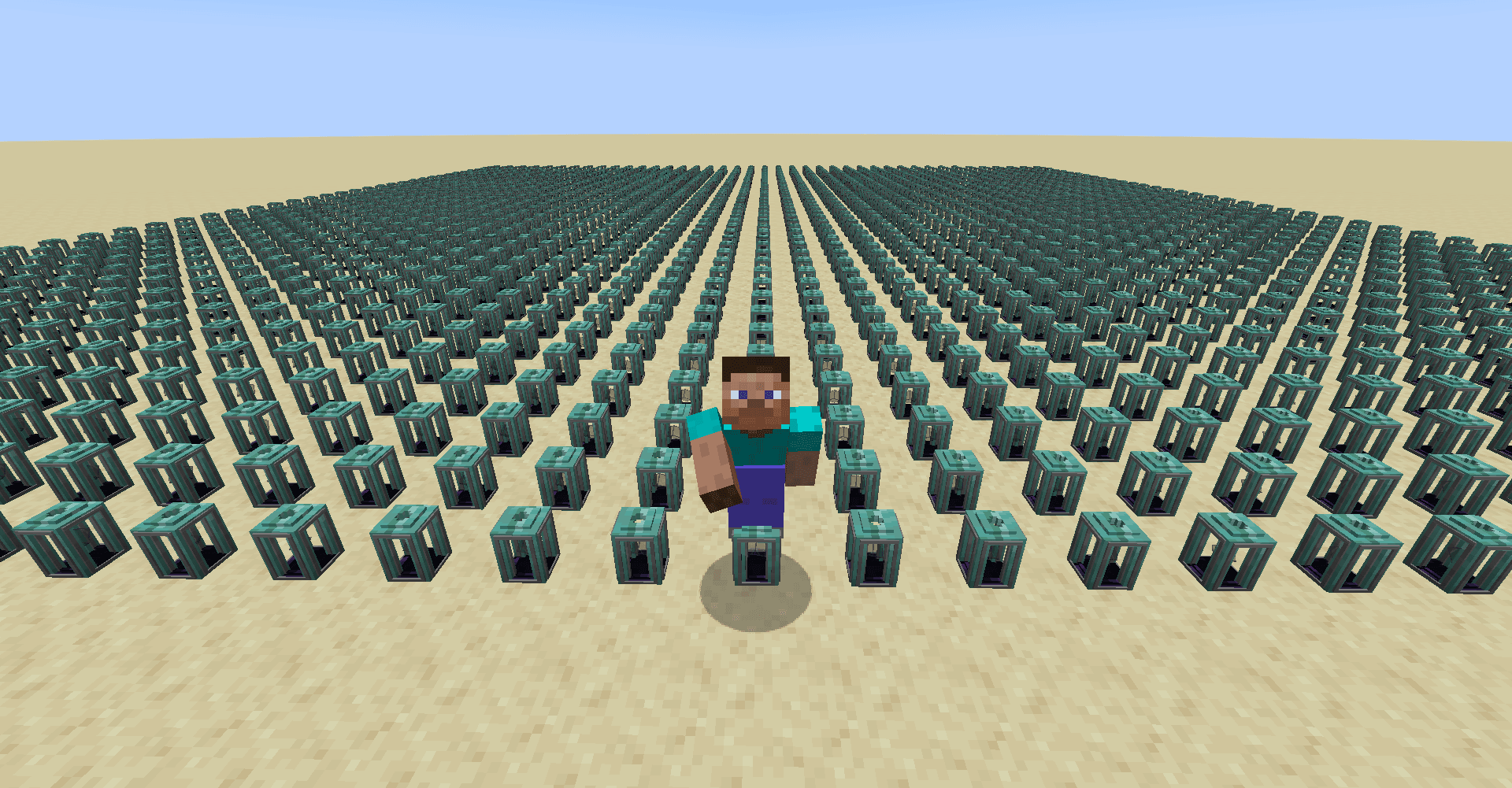
Chunk Loader Block ("Schedudeler")
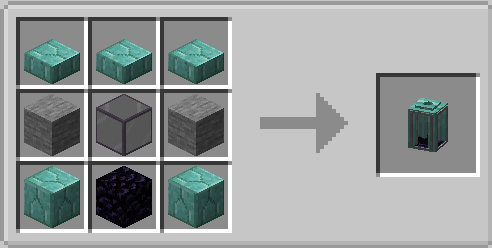
The Schedudeler is the only block added by this mod. It is capable to load chunks in an area around it but will slowly loose charge over time.
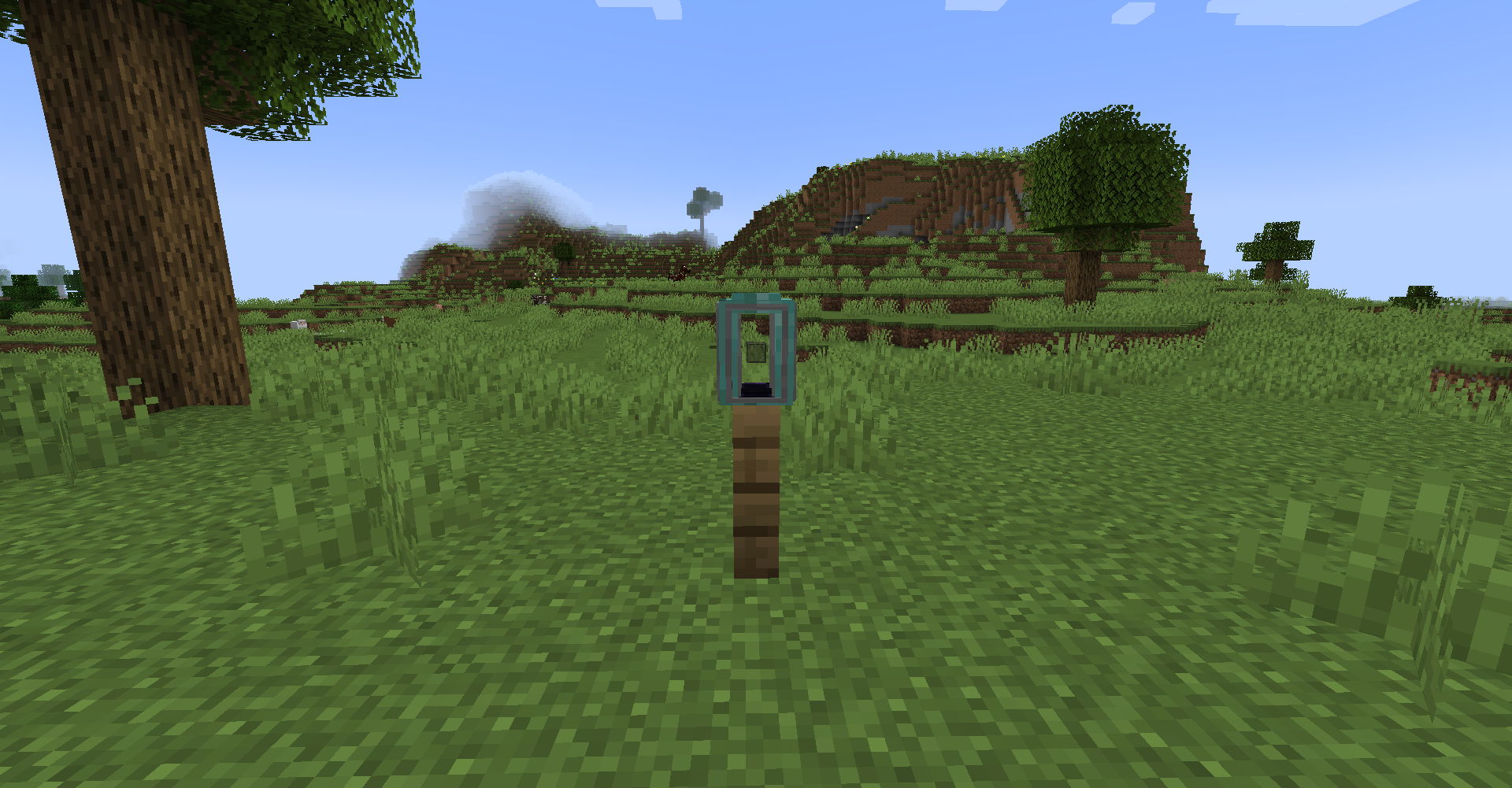
A Schedudeler will be empty once placed but it can be recharged by right clicking it. It will also recharge as long as any player is nearby (within a 24 block radius) or its owner is online (more to that later). The default capacity of a Schedudeler is 576000 ticks (8 hrs).
In its default state the Schedudeler isn't owned by anyone (public) and has a chunk radius of 0 i.e. it will only load the chunk it was placed in.
A Schedudeler will only loose charge while it is actively loading its chunks.
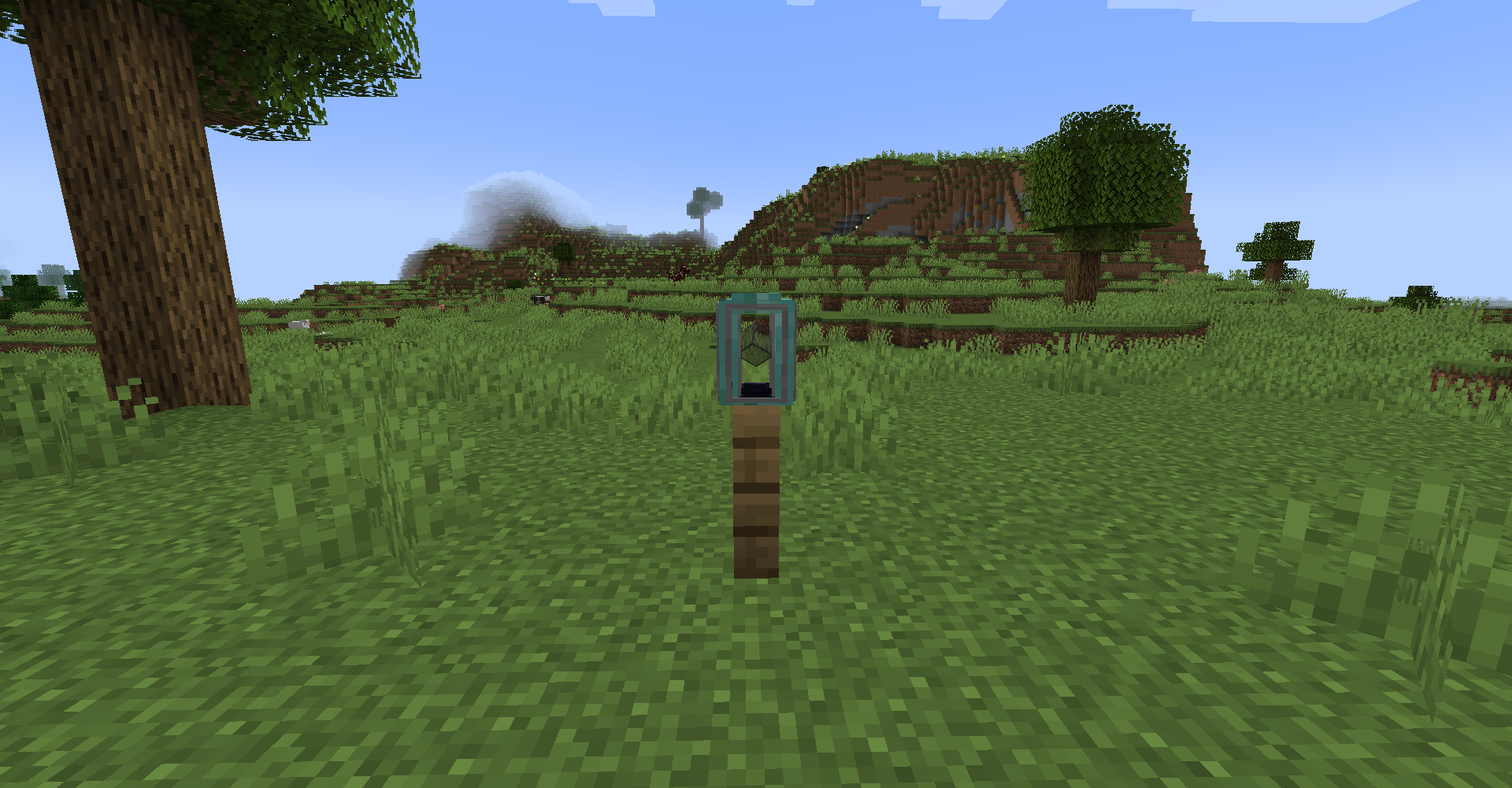
The Tinted Glass Block in the center of a Schedudeler will turn on its corner and slowly pulsate while the Schedudeler is charged/active.
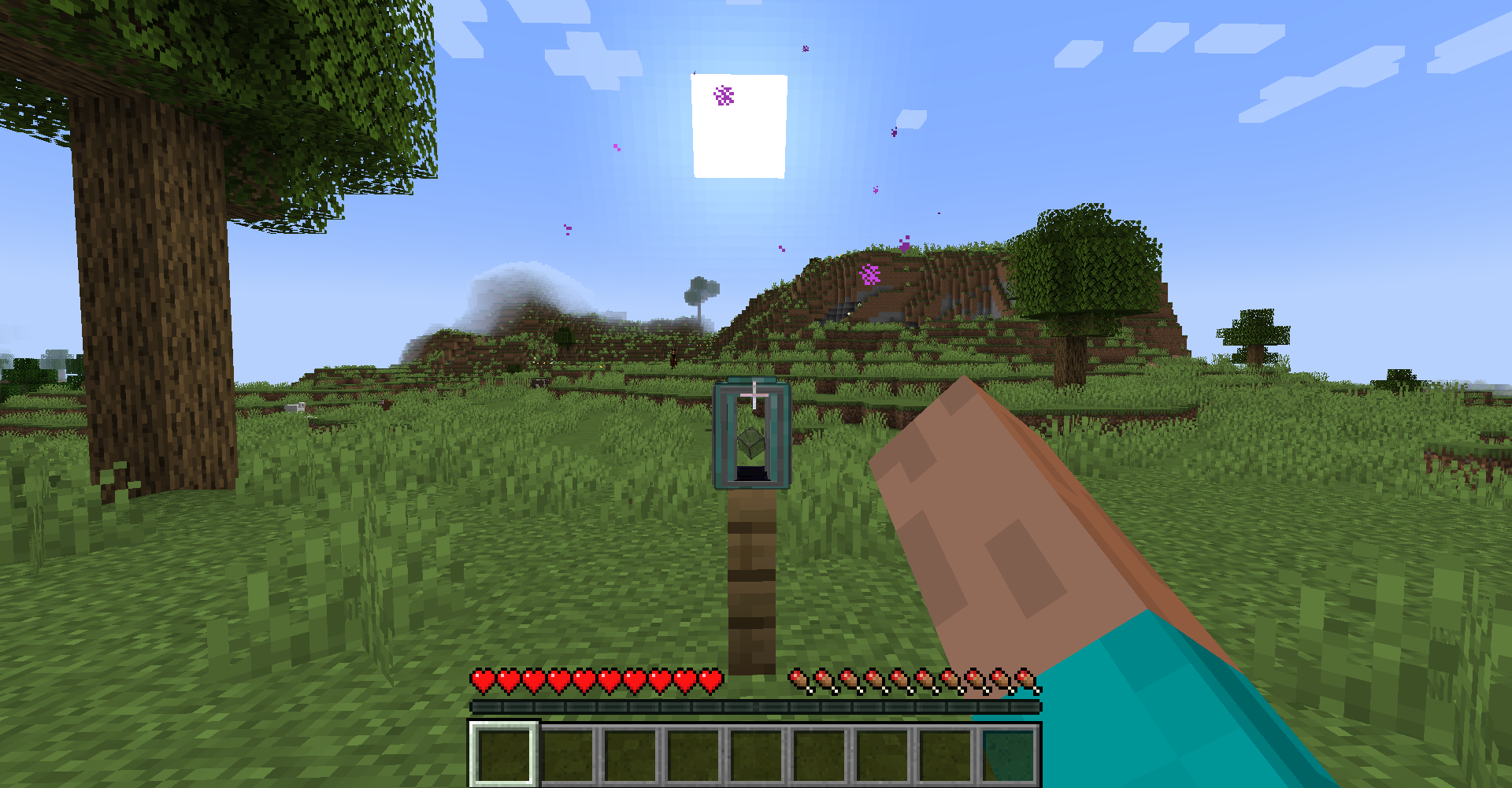
When attempting to manually recharge a Schedudeler that is already full it will emit particles.
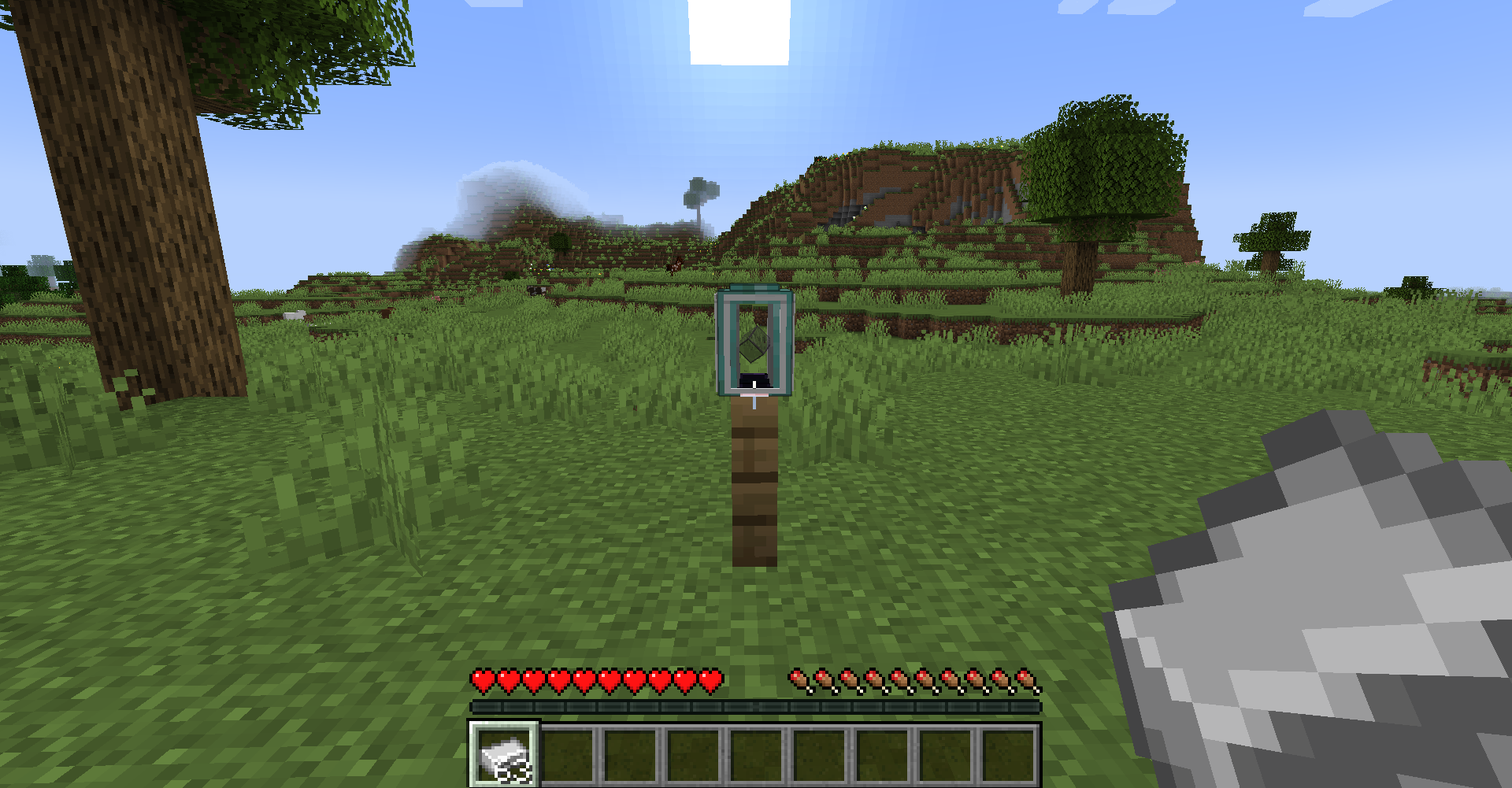
A Schedudeler can be upgraded by applying the Iron Upgrade to it (right click with Iron Ingot). This will increase the max charge of a Schedudeler to a total of 1728000 ticks (24 hrs).
Upgrades can be applied independent of each other.
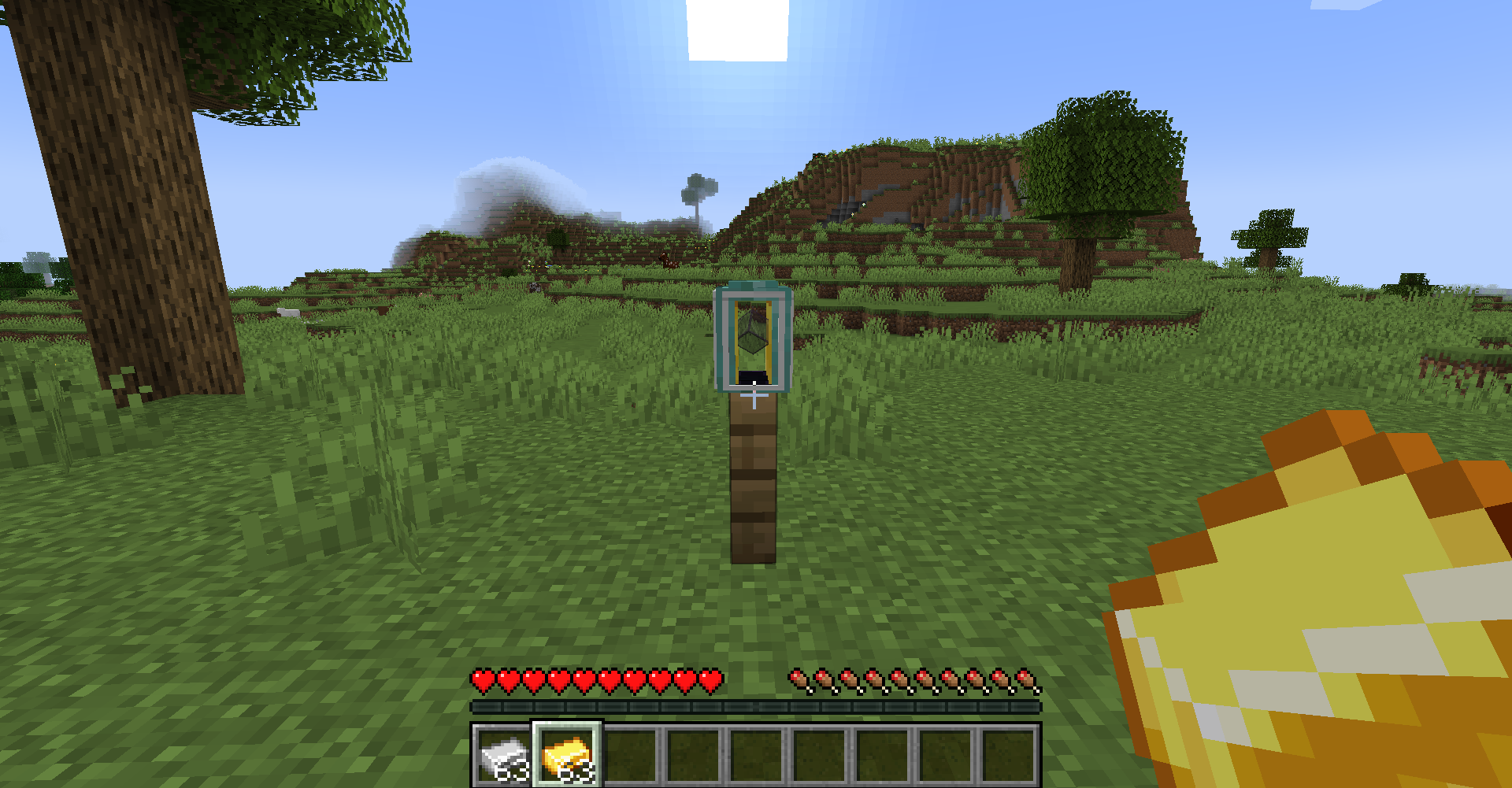
The Gold Upgrade (right click with Gold Ingot) will increase the chunk radius of a Schedudeler to a total of 1 (3x3 chunk area).
The largest radius of
1is this low to incentivise players to use more small chunk loaders (rather than single big ones), which helps the scheduling algorithm to fairly distribute chunk loaders among multiple players (see Chunk Scheduling section). The benefits provided by the Iron- and Gold upgrade can be configured.
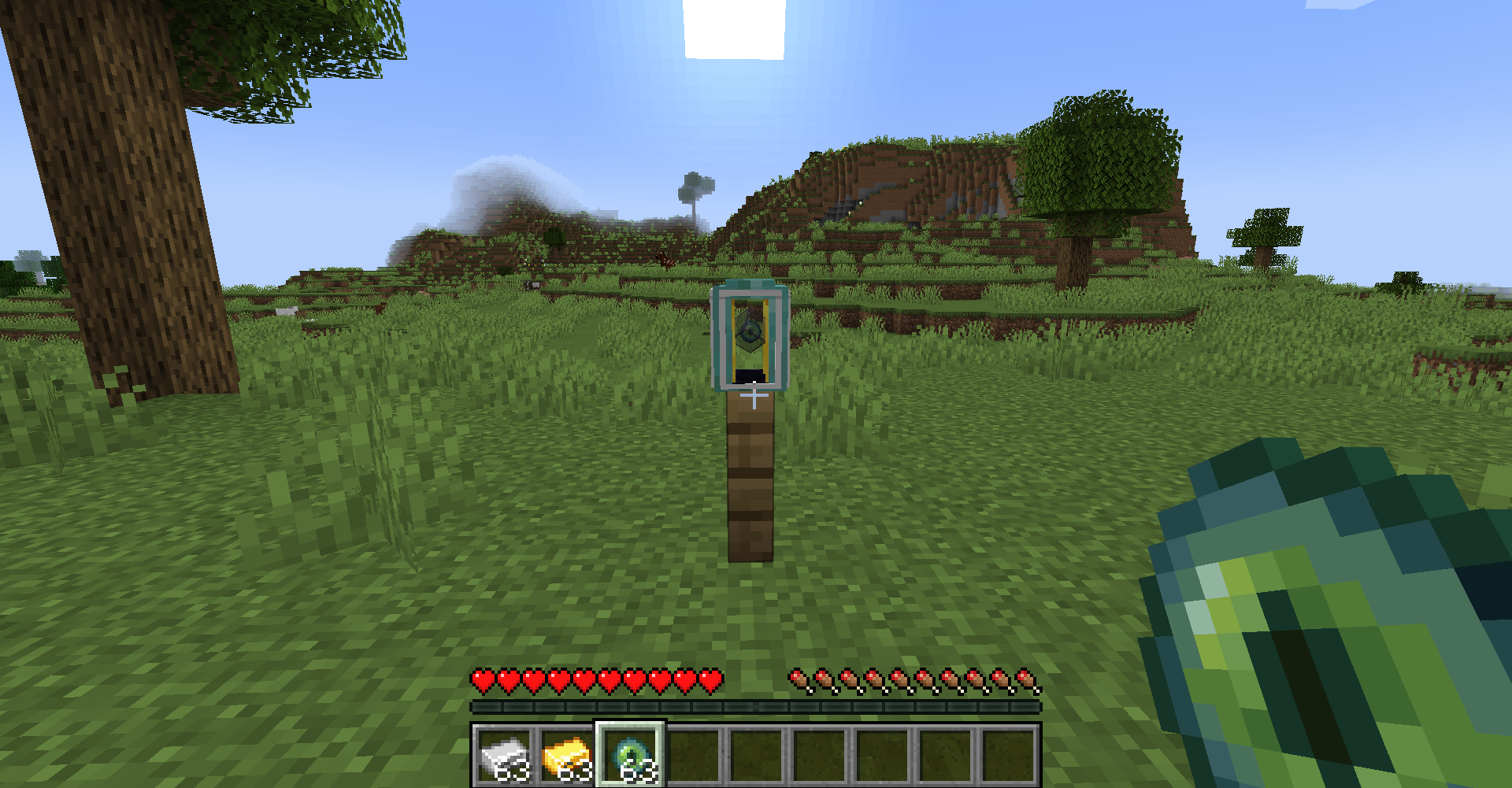
Players can claim ownage of Schedudelers by applying the Ender Upgrade (right click with Ender Eye). This has several advantages:
- The Schedudeler will recharge whenever the owner is online (regardless of how far away).
- The scheduling of chunk loaders will account for the amount of chunk loaders a player owns in relation to other players and public chunk loaders (not owned by any player). For more info make sure to check the Chunk Scheduling section.
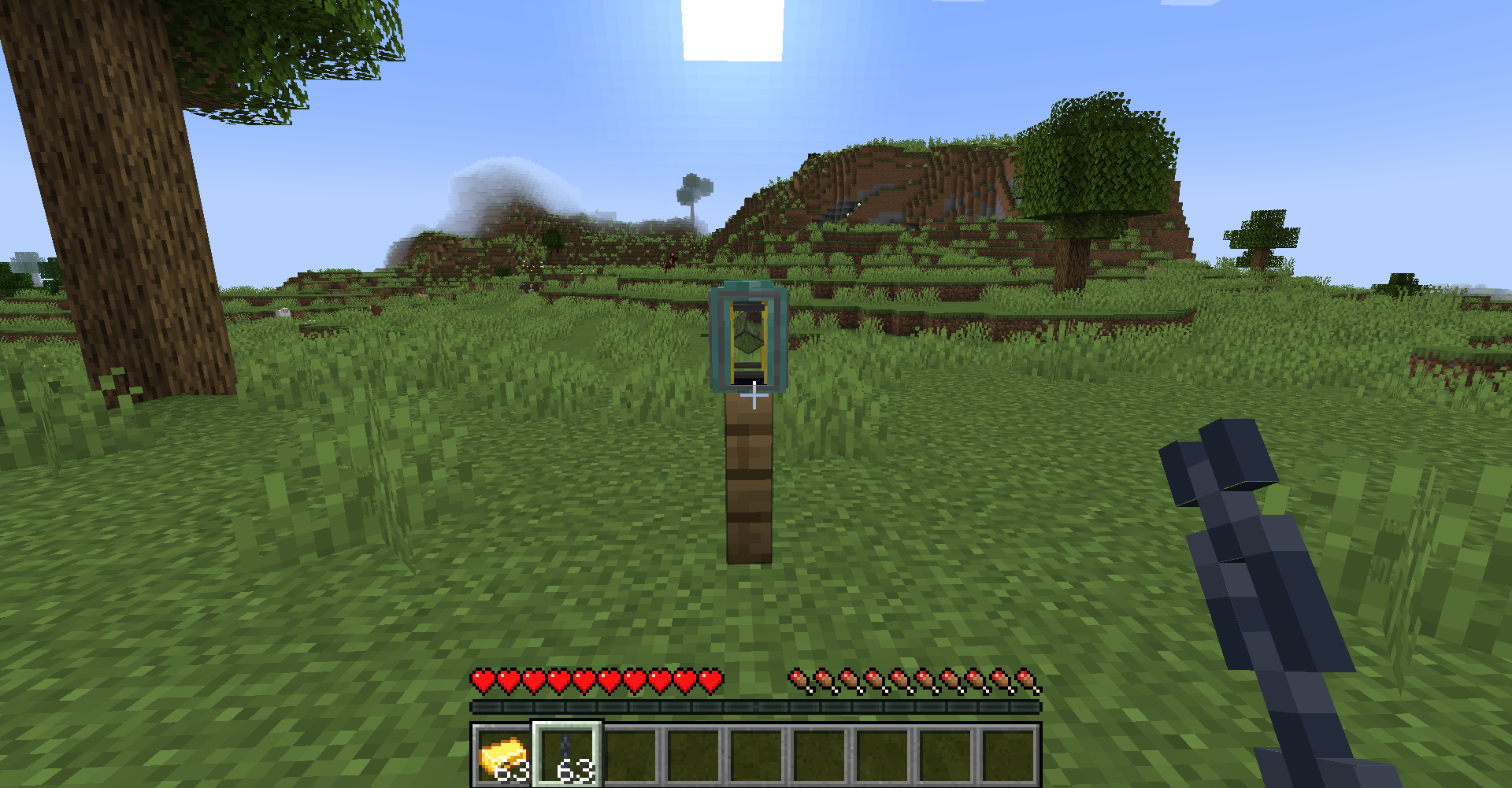
The Chain Upgrade (right click with Chain) locks a Schedudeler, which will prevent players from (mistakenly) applying any further upgrades.
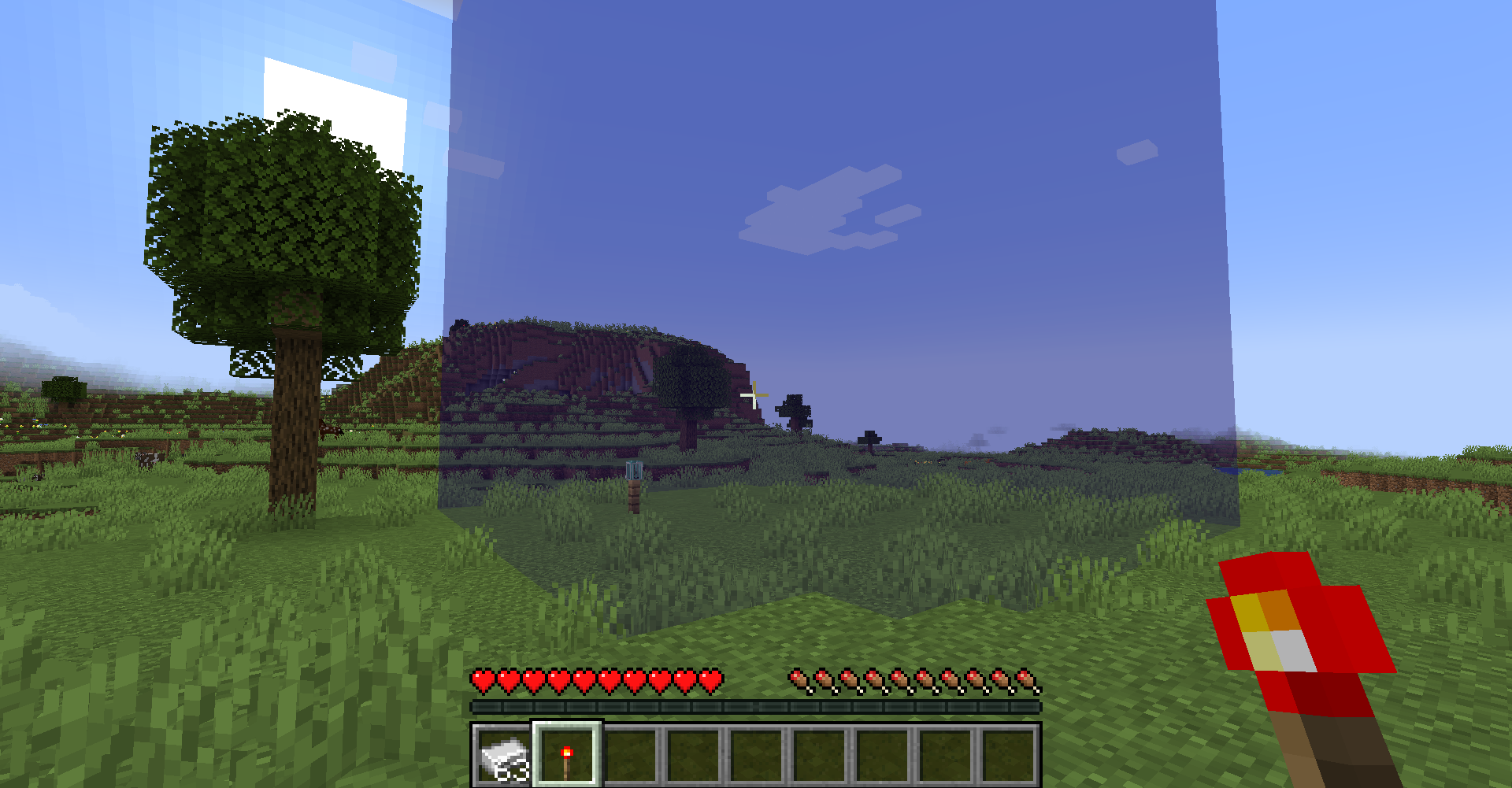
A player may right click any Schedudeler with a Redstone Torch to display a preview of the loaded area (chunk boundaries) only visible to that player for a short amount of time. The Redstone Torch is not used up.

Once destroyed all previously applied upgrades will be dropped as well.
Chunk Scheduling
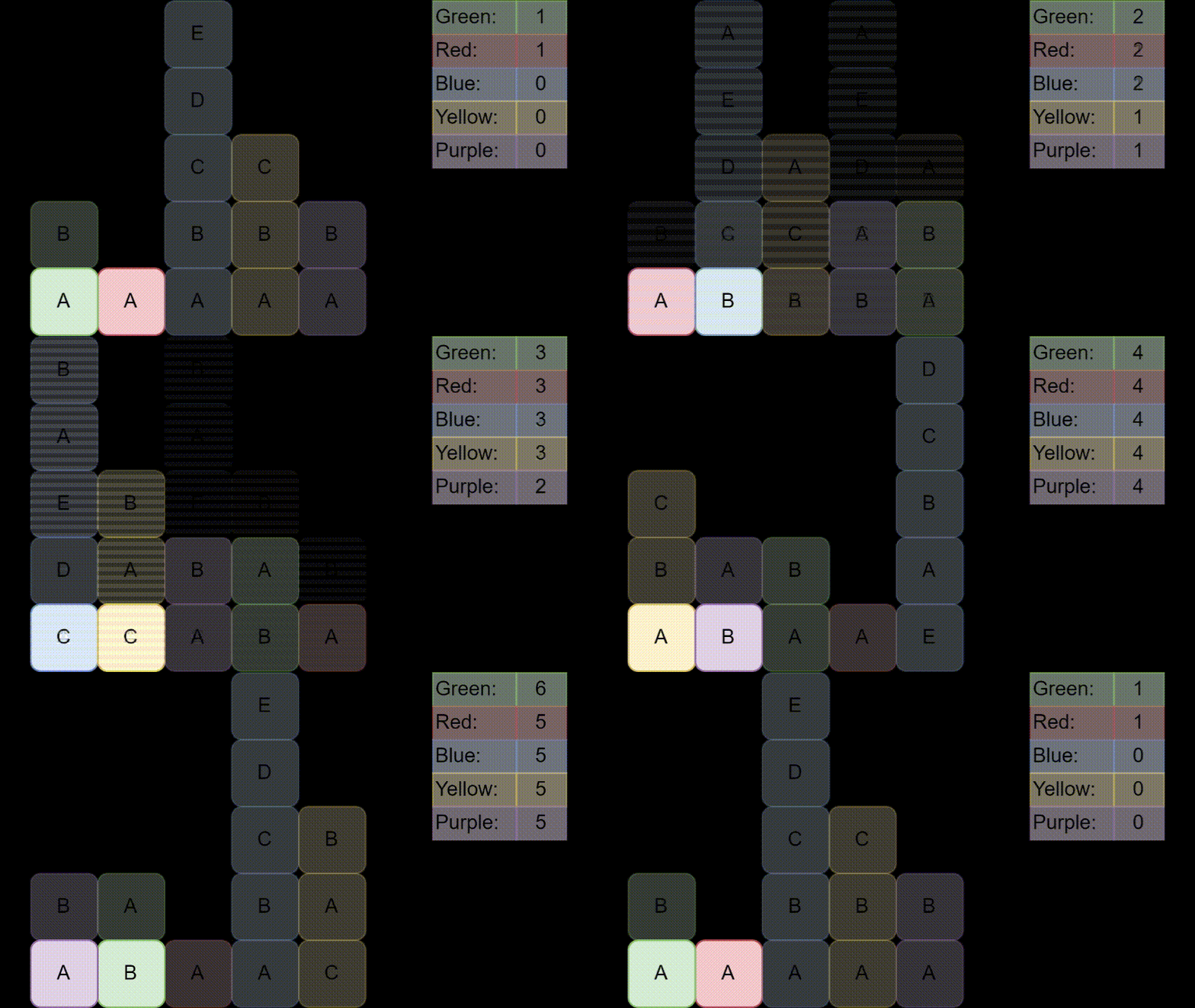
A core feature of this mod is the scheduling algorithm. This means there will always only be a configurable amount of chunk loaders active at the same time, per dimension (8 by default). To achieve this the chunk loaders are queued and each set of 8 chunk loaders will be activated for a short period of time (80 ticks by default).
In addition the algorithm takes the number of chunk loaders per owner (and number of public chunk loaders) into account and ensures that each party will receive the same amount of time to activate its chunk loaders.
To give an example: Lets assume for simplicity sake there will only always be 2 chunk loaders active at the same time. If player Red has placed a single chunk loader and player Blue has placed 100 chunk loaders, during each schedule the single chunk loader from player Red along the next chunk loader from player Blue will be activated. It will take a total of 100 schedules (8000 ticks) to activate each of player Blues chunk loaders exactly once. At the same time the chunk loader of player Red will be activated 100 times.
Following animation illustrates the algorithm at work (on a little more complex but compact example). You may check out this repo for more information on the topic.
Configuration
Available config options and their default values:
| Name | Description | Default |
|---|---|---|
maxActiveChunkLoaders |
Defines the maximum number of chunk loaders that can be active at the same time. | 8 |
maxChunkLoaderCharge |
Defines the max number of ticks chunk loaders can be active in total. | 576000 |
ticksOfActiveChunkLoading |
Defines the number of ticks every set of queued chunk loaders stay active. Note: If this value is to low some (block) entity updates may get skipped (e.g. the 'Daylight Sensor' updates on every 20th world tick). | 80 |
rechargeFactorRightClick |
Defines the percentage amount a chunk loader recharges per right click. | 0.1 |
rechargeFactorPlayersNearby |
Defines the percentage amount a chunk loader recharges per tick while players are nearby. | 0.05 |
rechargeFactorOwnerOnline |
Defines the percentage amount a chunk loader recharges per activation cycle while its owner is online. | 0.1 |
rechargeRadiusPlayersNearby |
Defines the radius around a chunk loader it will scan for nearby players to determine if it should recharge. | 24 |
ironUpgradeBonusCharge |
Defines the additional max charge that is added to the charge of chunk loaders with an iron upgrade. | 1152000 |
ironUpgradeBonusRadius |
Defines the additional chunk radius that is added to the radius of chunk loaders with an iron upgrade. | 0 |
goldUpgradeBonusCharge |
Defines the additional chunk radius that is added to the radius of chunk loaders with a gold upgrade. | 0 |
goldUpgradeBonusRadius |
Defines the additional chunk radius that is added to the radius of chunk loaders with a gold upgrade. | 1 |
logChunkStateChange |
If enabled any change of the 'forced' state from chunks will be logged. | false |
logChunkLoaderUpdates |
If enabled updates of chunk loader block entities will be logged. | false |
logChunkLoaderRegistration |
If enabled the (un)registration of chunk loaders will be logged. | false |
Commands
All commands require a permission level of atleast 1:
chunkschedudeler get <blockPos> [charge|radius|owner|locked]: Retrieves information about the Schedudeler at the given position.
FAQ
Are chunk loaders limited per player?
No.
How is the performance if there can be unlimited chunk loaders?
Always the same as there will never be more than the configured amount of chunk loaders active at the same time (8 by default).
Is it possible that chunk loaders never activate?
No. As long as they are charged it will eventually be their turn.
Can players 'cheat' the system by placing many chunk loaders in the same area?
No. As it would be in their interest to claim those chunk loaders the number of total chunk loaders the player owns will go up, which will result in every single chunk loader owned by that player getting activated less often (see Chunk Scheduling for more info).
Disclaimer
I noticed in my testings that the chunks right next to chunks that are forcefully loaded by chunk loaders will be loaded as well. I also noticed this behaviour with chunk loaders from other mods. In conclusion this means a chunk loader with a radius of 0 (i.e 1x1 chunk area) will in reality load a 3x3 area, a chunk loader with a radius of 1 (i.e. 3x3 chunk area) will load a 5x5 chunk area and so on. Since I am not 100% certain the additional chunks are realiably loaded those are disregarded as overhead.
Chunk Schedudeler server crashes on startup – what to do?
Common causes: the loader or Minecraft version does not match the mod file, a dependency is missing, or RAM is too low. Check the log (latest.log) for “OutOfMemoryError”, “Mixin” or missing mods. At Mado, the AI crash analysis reads the log and suggests a cause. You can change the loader and version in the panel.
Which loader does Chunk Schedudeler run on?
According to Modrinth, Chunk Schedudeler supports Fabric, Forge for Minecraft 1.20.4, 1.20.1, 1.19.4. Forge and Fabric files are not interchangeable: pick one loader for the server and clients.
How much RAM does a server with Chunk Schedudeler need?
As guidance, 3–4 GB for a server with this mod. This is an estimate, not a measured minimum. More mods, many players and long view distances need more. The spark profiler shows whether a mod is costing tick time.
Similar mods
Popular mods in the same category
 Server-ready

VeinMiner
by Miraculixx
Mine the whole vein on mining a single ore/block. Make the tedious mining experience to something satisfying and fun! FTB Ultimine alternative
 Server-ready

Geckolib
by Gecko
A 3D animation library for entities, blocks, items, armor, and more!
 Client only

VeinMiner Hotkey
by Miraculixx
Veinminer Addon - Use a hotkey to veinmine with a dynamic crosshair & block highlighting
 Server-ready

Fzzy Config
by fzzyhmstrs
Config API with automatic GUIs, powerful validation options, server-client sync, and more!
Ready for your server with Chunk Schedudeler?
4 GB of RAM from €8.00 per month. 35% off your first month with MADO35.