
Cobblemon Pasture Loot
Want to abandon the hunter-gatherer lifestyle, embrace the farmer life and have your pastured pokémon do the work for you? This mod is for you!
Screenshots
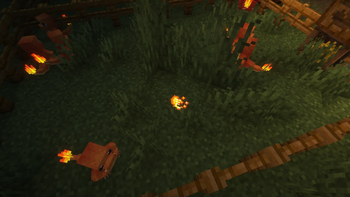
About this Mod
CobblemonPastureLoot
Want to abandon the hunter-gatherer lifestyle, embrace the farmer life and have your pastured pokémon do the work for you? This mod is for you!
Cobblemon mod to make pastured pokémon randomly drop items from their loot table.
The items are dropped at the pokémon's location.
Dependencies
Settings
Edit the config/PastureLoot.json file to change the settings.
tick_per_minute: The number of ticks per minute. Should stay at 1200.drop_chance_per_minute: The chance for each pokémon dropping an item each minute.1.0means 100%, anything above 100% won't work.item_blacklist: A list of items that should not be dropped by the pokémons.legacy_flatten_item_quantity: False (default) for using Cobblemon loot table logic, true to have all items on the loot table have their quantities flattened to one (legacy behavior).
{
  "tick_per_minute": 1200,
  "drop_chance_per_minute": 0.015,
  "item_blacklist": [
    "minecraft:porkchop",
    "minecraft:beef",
    "minecraft:chicken",
    "minecraft:mutton",
    "minecraft:rabbit",
    "minecraft:fish",
    "minecraft:cooked_porkchop",
    "minecraft:cooked_beef",
    "minecraft:cooked_chicken",
    "minecraft:cooked_mutton",
    "minecraft:cooked_rabbit",
    "minecraft:cooked_fish",
    "minecraft:leather",
    "minecraft:bone",
    "minecraft:spider_eye",
    "minecraft:rotten_flesh",
    "minecraft:rabbit_hide",
    "minecraft:rabbit_foot",
    "minecraft:cod",
    "minecraft:pufferfish",
    "minecraft:bone_block",
    "minecraft:bone_meal",
    "cobblemon:sharp_beak",
    "minecraft:honey_bottle",
    "minecraft:salmon",
    "minecraft:white_wool"
  ],
  "legacy_flatten_item_quantity": false
}
My other mods

| Project | Description |
|---|---|
|
Cobblemon Pasture Loot Want to abandon the hunter-gatherer lifestyle, embrace the farmer life and have your pastured pokémon do the work for you? This mod is for you! |
 |
Community Leaders A mod designed to help server admins delegate community management to trusted "community leaders". Server admins can grant invitation permissions to streamers, content creators, or community managers… |
 |
Leon Le Robot Let the french Twitch streamer robot Leon Le Robot land in your Minecraft server. |
 |
Server Rules Mod designed to enforce server rules by displaying a mandatory rules screen to new players. Players must read and accept the rules before they can join the game, ensuring a friendly and respectful community environment. |
Streams and other creations
I stream on Twitch, in French. You can find my other creations on GitHub and my personal website.
Available Versions
How to Install Cobblemon Pasture Loot on Your Server
Order Server
Order a Minecraft Java server with at least 3 GB RAM (4 GB recommended).
Set fabric Loader
In the panel under "Egg", select the fabric loader and matching Minecraft version (1.21.1).
Install Mod
Open the mod browser in the dashboard and search for "Cobblemon Pasture Loot". Click "Install" – done! Alternatively, upload the .jar via SFTP to the /mods folder.
Compatibility
Mod Loaders
Minecraft Versions
1.21.1, 1.20.1
Server-side
✓ RequiredRecommended RAM
4 GB(min. 3 GB)Frequently Asked Questions
Cobblemon Pasture Loot server crashes on startup – what to do?
Most common cause: wrong fabric version or insufficient RAM. Check the server log (latest.log) for "OutOfMemoryError" or "Mixin" errors. With Mado Hosting: ensure at least 3 GB RAM is allocated and the loader matches the mod version (1.21.1). You can switch loaders with one click in the panel.
Is Cobblemon Pasture Loot compatible with fabric?
Cobblemon Pasture Loot officially supports fabric for Minecraft 1.21.1, 1.20.1. The Mado dashboard automatically detects incompatible loader combinations.
Server lagging with Cobblemon Pasture Loot – how to optimize performance?
Recommended RAM: 4 GB (per 8 players). Use /spark profiler to check if Cobblemon Pasture Loot consumes the most tick time. Common fixes: reduce server view-distance to 8-10, install "performant" or "starlight" as supplementary mods on Forge. With Mado Hosting, your server runs on NVMe SSDs with dedicated CPU cores for minimal latency.
Similar Mods






Rent Modded Server
Install Cobblemon Pasture Loot with just one click on your server.