
Create: EntityControl
A simple Create add-on that allows for customizable block entity configurations!
Screenshots
About this Mod
Create: Entity Control ⚙️
—A simple Create add-on that allows for customizable block entity configurations!
—It also fixes many block entity bugs in Create and it's addons.
Allows for highly customizable whitelists and blacklists ✅
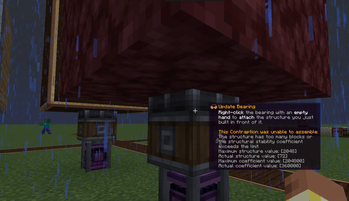
You can decide for yourself what can be materialized and what can't, which prevents almost all copying bugs or crashes related to moving entities with the Create Bodies and their addons.
Allows for highly customizable compression feedback 🔄
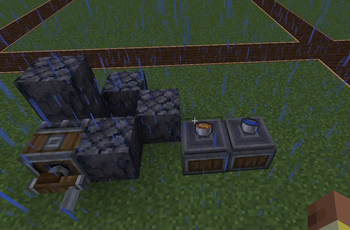
Choosing to keep or destroy blocks. This can prevent almost all compression miners (this may be controversial, as compression miners lag servers but are more efficient than drills, considered a bug, yet beloved by players).
Entity length detection 📏
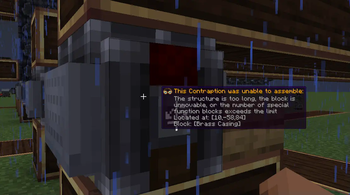
Allows configuring the maximum entity length, which can prevent excessively long structures that lag the server.
Customizable maximum entity limit for blocks ⚠️
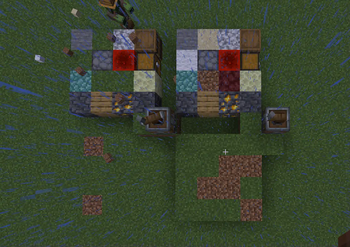
Preventing most structures that only consist of certain blocks (e.g., 2048 drill panels (causing crashes), 2048 storage units (exploding when put in inventory), 2048 mechanical arms (do you enjoy lagging the server with my interaction functions?)).
Experimental feature 🔬
This mod adds an additional parameter, the stability coefficient, with a default value of 100 for each block. Different values can be set for each type of block to achieve interesting configurations (e.g., configuring the stability coefficient of each storage container based on grid count to prevent most NBT overflow or interaction lag. Additionally, this number can be negative; when set to a negative value, it can reduce the stability coefficient, allowing structures to accommodate more blocks. This can be integrated into packs to implement features like spaceship stability cores and spaceship walls that increase entity stability, allowing for larger structures).
Note 🛑
Experimental feature may slightly increase the computational load of entity updates, but the lag caused by mischievous players often far exceeds it, so whether to enable it is up to the server owner.
Note!
For save miner,EntityControl after v0.27 will give player a chance for miner. And they will ignore at first time.
Available Versions
How to Install Create: EntityControl on Your Server
Order Server
Order a Minecraft Java server with at least 4 GB RAM (6 GB recommended).
Set fabric Loader
In the panel under "Egg", select the fabric loader and matching Minecraft version (1.21.1).
Install Mod
Open the mod browser in the dashboard and search for "Create: EntityControl". Click "Install" – done! Alternatively, upload the .jar via SFTP to the /mods folder.
Compatibility
Mod Loaders
Minecraft Versions
1.21.1, 1.20.6, 1.20.5 (+6 more)
Server-side
✓ RequiredRecommended RAM
6 GB(min. 4 GB)Frequently Asked Questions
Create: EntityControl server crashes on startup – what to do?
Most common cause: wrong fabric version or insufficient RAM. Check the server log (latest.log) for "OutOfMemoryError" or "Mixin" errors. With Mado Hosting: ensure at least 4 GB RAM is allocated and the loader matches the mod version (1.21.1). You can switch loaders with one click in the panel.
Is Create: EntityControl compatible with fabric and forge and neoforge?
Create: EntityControl officially supports fabric, forge, neoforge for Minecraft 1.21.1, 1.20.6, 1.20.5. Note: Forge and Fabric mods are NOT cross-compatible – pick one loader and stick with it. The Mado dashboard automatically detects incompatible loader combinations.
Server lagging with Create: EntityControl – how to optimize performance?
Recommended RAM: 6 GB (per 5 players). Use /spark profiler to check if Create: EntityControl consumes the most tick time. Common fixes: reduce server view-distance to 8-10, install "performant" or "starlight" as supplementary mods on Forge. With Mado Hosting, your server runs on NVMe SSDs with dedicated CPU cores for minimal latency.
Similar Mods






Rent Modded Server
Install Create: EntityControl with just one click on your server.