
Modrinth · Forge, NeoForge
Create: Harmonics on your Minecraft server
Create: Harmonics runs on Minecraft servers with Forge or NeoForge. Order your server, set the loader in the panel and install the mod with one click in the mod browser.
Reproduce audio in a Create manner!
- Downloads
- 401.9K
- Author
- mochibit
- Loader
- Forge, NeoForge
- Minecraft
- 1.20.1 – 1.21.1
- Updated
- –
Screenshots
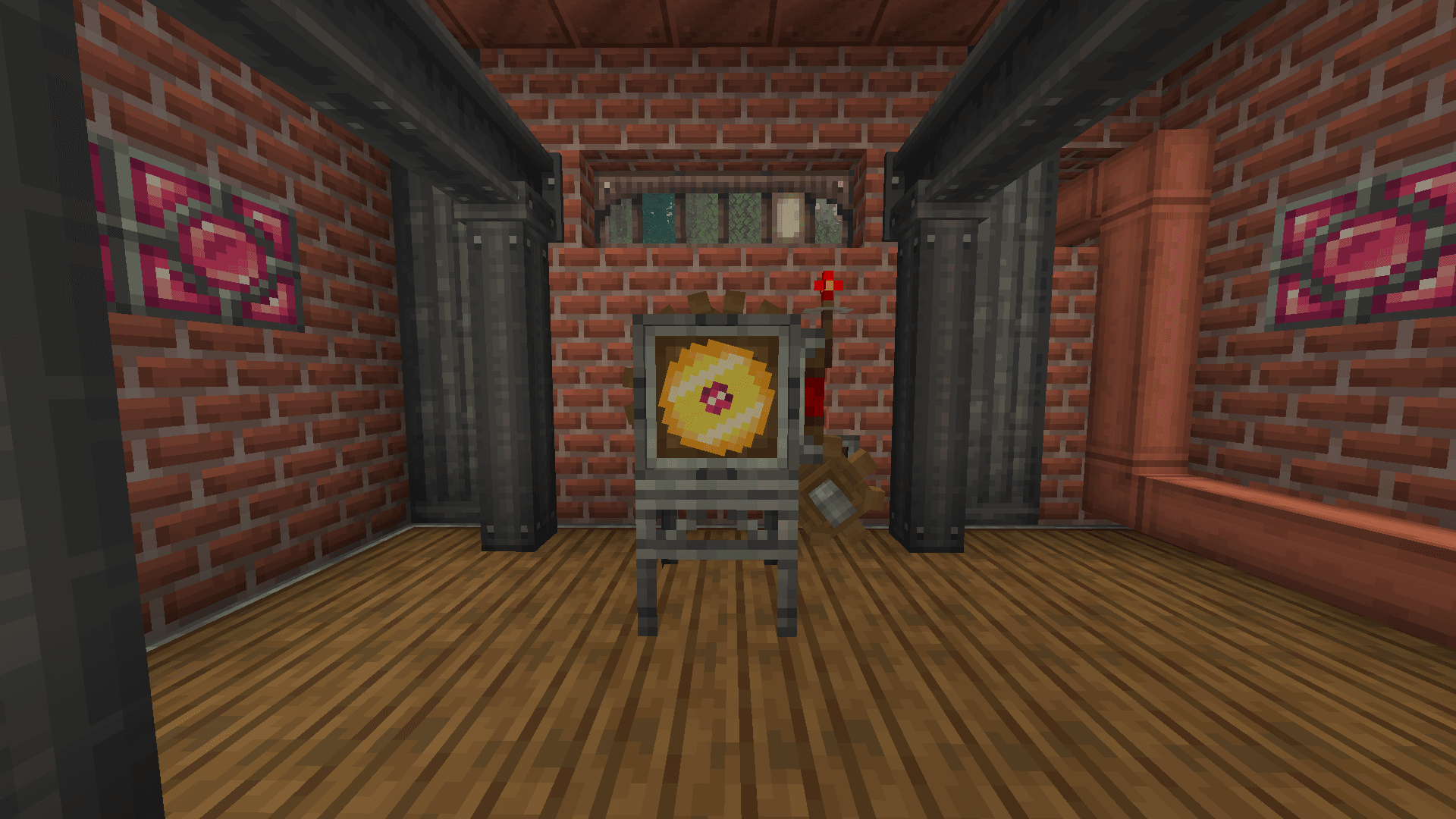
What Create: Harmonics looks like


Images: Create: Harmonics on Modrinth, published by the project team.
Setup
Install Create: Harmonics on your server
The server and players need the same loader and Minecraft version. Back up the world before adding or updating mods.
- 01
Configure
6 GB of RAM is preselected. You choose the term and add-ons and pay by credit card or PayPal.
- 02
Set the loader
In the panel, set the server software to Forge or NeoForge and choose the matching Minecraft version, for example 1.21.1.
- 03
Install the mod
Search the mod browser for “Create: Harmonics” and install the release for your loader. Alternatively, upload the .jar to the mods folder via SFTP. Required dependencies are listed on the project page.
- 04
Connect
Every player installs the same Create: Harmonics release locally and connects using the server address from the panel.
- On the server
- Required
- On the client
- Required
- Loader
- Forge, NeoForge
- Minecraft
- 1.21.1, 1.20.6, 1.20.5 +4 more
- License
- MIT License
The panel
Install mods, find errors.
Real screenshots from the Mado panel. Both come with every Minecraft server.
Mod browser
Modrinth and CurseForge, right in the panel.
The browser filters by your Minecraft version. Install mods with one click, without uploading .jar files.

AI crash analysis
When a mod crashes, the analyzer reads the log.
Mods often fail on a wrong loader version, Java version or missing dependency. The analyzer names a likely cause and suggests a fix.

Releases
Published releases
Pick the file that matches your server’s loader and Minecraft version. The server and players need the same release.
Create: Harmonics · Modrinth- Create: Harmonics 1.1.8 for Minecraft 1.20.1November 12, 2026Minecraft 1.20.1 · Forge
- Create: Harmonics 1.1.8 for Minecraft 1.21.1November 12, 2026Minecraft 1.21.1 · NeoForge
Original description by the project author

Welcome to Create: Harmonics
This mod lets you play sounds from the internet in Minecraft using Create mechanics.
Get Ethereal Records, special records which hold links that can be assigned using a Record press base, and put them in the mod's jukeboxes to have them play whatever you like!
Playback is fully compatible with contraptions, so you can play music on elevators, add ambient sounds to your factories or add cool engine sounds to your trains (working perfectly with speed-based pitch control).
The environment also affects the audio, muffling the sound when the speaker is submerged or reverberating when a special structure is built around it!
You can explore all the features of this addon on this wiki or through Ponder!
Fully compatible with Sable and Valkyrien Skies.
Planned features 🎯
- A lot more record types with unique audio effects
- Programmable Ethereal Record, with custom audio effects
- Brass jukebox, with configurable pitch, range and record collections
- Speakers and audio routing systems
- Support to local files upload
- Mob interactions with sound
How it works 🌐
This mod uses ffprobe and yt-dlp to retrieve metadata from the source, while ffmpeg builds the audio stream directly for Minecraft's sound system.
This addon is natively compatible natively with other audio processing mods, such as Sound Physics Remastered
Note
To remain compliant with the ToS of most online services, the server does not stream the audio; it only synchronizes the playback on each client. This makes the mod both multiplayer-friendly and legally safe.
External Library Notice ⚠️
Since external binaries are required to handle online sources, the mod features an embedded tool that can automatically download them for you from trusted sources. You can easily opt out of this behavior.
For manual installations, a comprehensive markdown guide will be generated with recommended download links and installation steps. Once installed, the tool can verify your setup instantly, without game restarts.
Only TRUST official releases of this mod! This is extremely important. If you have any doubts regarding the authenticity of a release, feel free to contact me directly on Discord.
Credits 💕
Check here all the credits!
Support the development 🤝
If you want to support the development of this mod, you can do it by:
- Sharing the mod with your friends
- Reporting issues and suggesting features on the issue tracker and contributing code
- Contributing financially
Legal stuff 📜
This mod is not affiliated with music platform and does not host any audio content. Please respect the terms of service of the platforms you use to get audio from. I do not condone unauthorized distribution of copyrighted material, nor I am responsible for any misuse of this mod. This mod is provided as-is, without any warranties or guarantees of any kind. By using this mod, you agree to use it responsibly and respect the rights of content creators.
Create: Harmonics server crashes on startup – what to do?
Common causes: the loader or Minecraft version does not match the mod file, a dependency is missing, or RAM is too low. Check the log (latest.log) for “OutOfMemoryError”, “Mixin” or missing mods. At Mado, the AI crash analysis reads the log and suggests a cause. You can change the loader and version in the panel.
Which loader does Create: Harmonics run on?
According to Modrinth, Create: Harmonics supports Forge, NeoForge for Minecraft 1.21.1, 1.20.6, 1.20.5.
How much RAM does a server with Create: Harmonics need?
As guidance, 4–6 GB for a server with this mod. This is an estimate, not a measured minimum. More mods, many players and long view distances need more. The spark profiler shows whether a mod is costing tick time.
Similar mods
Popular mods in the same category
 Server-ready

VeinMiner
by Miraculixx
Mine the whole vein on mining a single ore/block. Make the tedious mining experience to something satisfying and fun! FTB Ultimine alternative
 Server-ready

Geckolib
by Gecko
A 3D animation library for entities, blocks, items, armor, and more!
 Client only

VeinMiner Hotkey
by Miraculixx
Veinminer Addon - Use a hotkey to veinmine with a dynamic crosshair & block highlighting
 Server-ready

Fzzy Config
by fzzyhmstrs
Config API with automatic GUIs, powerful validation options, server-client sync, and more!
Ready for your server with Create: Harmonics?
6 GB of RAM from €12.00 per month. 35% off your first month with MADO35.