
Create: Metallurgy
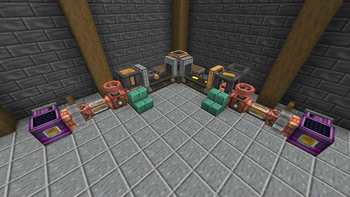
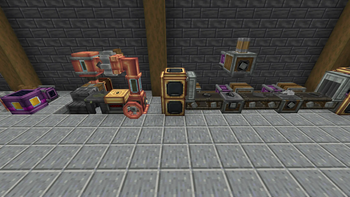
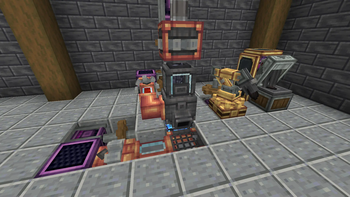
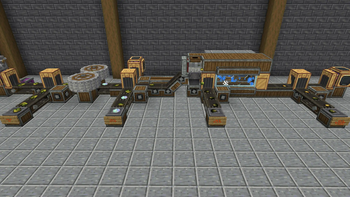
Create Metallurgy is a Create Mod Addon adding new metallurgy processes.
Screenshots
About this Mod
Create Metallurgy

This update consists of two parts in order to gather as much feedback as possible to improve Ladle's features in the next part. So feel free to write your suggestions on Github!
Create Metallurgy is a Create Mod Addon developped by Luc_Creeper74, introducing new way of refining ores or create alloys by melting them using a new raw ore processing system which can duplicate your ores up to x2.33 (removed for now). Enough to make your factory stylish!
Supported Versions: See the wiki page (No Fabric Port planned)
About
⚠️ IMPORTANT ⚠️ : In order to see all recipes and mechanics of this mod, please install JEI.
Note 🐜: This is under developpement, expect to encounter several bugs. Before updating this mod, make backups of your worlds.
Current Content:
 Foundry Basin
 Foundry Mixer
 Foundry Top
 Glassed Alloyer Top
 Casting Table
 Casting Basin
 Light Bulb
 Wolframite / Tungsten
Planned Content:
- More Advanced Ores Processing
- Others Languages Translation
- Configuration File
💡 Feel free to share your ideas in Forum section of the Discord !
Links


Credits
Developers
Luc_Creeper74
Contributors
MrGhastien
Artists
Translation
- Zavdfer / Priklen -> Russian localization
- Tellurium -> Chinese localization
- Albertosaurio65 -> Spanish localization
- TinxLD -> German localization
- restingphantom131 -> Dutch localization
- Janko -> Croatian localization
- CrazyBarkley -> Polish localization
Available Versions
How to Install Create: Metallurgy on Your Server
Order Server
Order a Minecraft Java server with at least 4 GB RAM (6 GB recommended).
Set forge Loader
In the panel under "Egg", select the forge loader and matching Minecraft version (1.21.1).
Install Mod
Open the mod browser in the dashboard and search for "Create: Metallurgy". Click "Install" – done! Alternatively, upload the .jar via SFTP to the /mods folder.
Compatibility
Mod Loaders
Minecraft Versions
1.21.1, 1.20.6, 1.20.5 (+6 more)
Server-side
✓ RequiredRecommended RAM
6 GB(min. 4 GB)Frequently Asked Questions
Create: Metallurgy server crashes on startup – what to do?
Most common cause: wrong forge version or insufficient RAM. Check the server log (latest.log) for "OutOfMemoryError" or "Mixin" errors. With Mado Hosting: ensure at least 4 GB RAM is allocated and the loader matches the mod version (1.21.1). You can switch loaders with one click in the panel.
Is Create: Metallurgy compatible with forge and neoforge?
Create: Metallurgy officially supports forge, neoforge for Minecraft 1.21.1, 1.20.6, 1.20.5. The Mado dashboard automatically detects incompatible loader combinations.
Server lagging with Create: Metallurgy – how to optimize performance?
Recommended RAM: 6 GB (per 5 players). Use /spark profiler to check if Create: Metallurgy consumes the most tick time. Common fixes: reduce server view-distance to 8-10, install "performant" or "starlight" as supplementary mods on Forge. With Mado Hosting, your server runs on NVMe SSDs with dedicated CPU cores for minimal latency.
Similar Mods




Rent Modded Server
Install Create: Metallurgy with just one click on your server.