
Easy Villagers
Never get annoyed by villagers again!
About this Mod
This mod lets you pick up villagers as an item.
There are also blocks that substitute every farm that includes villagers.
The Villager Item
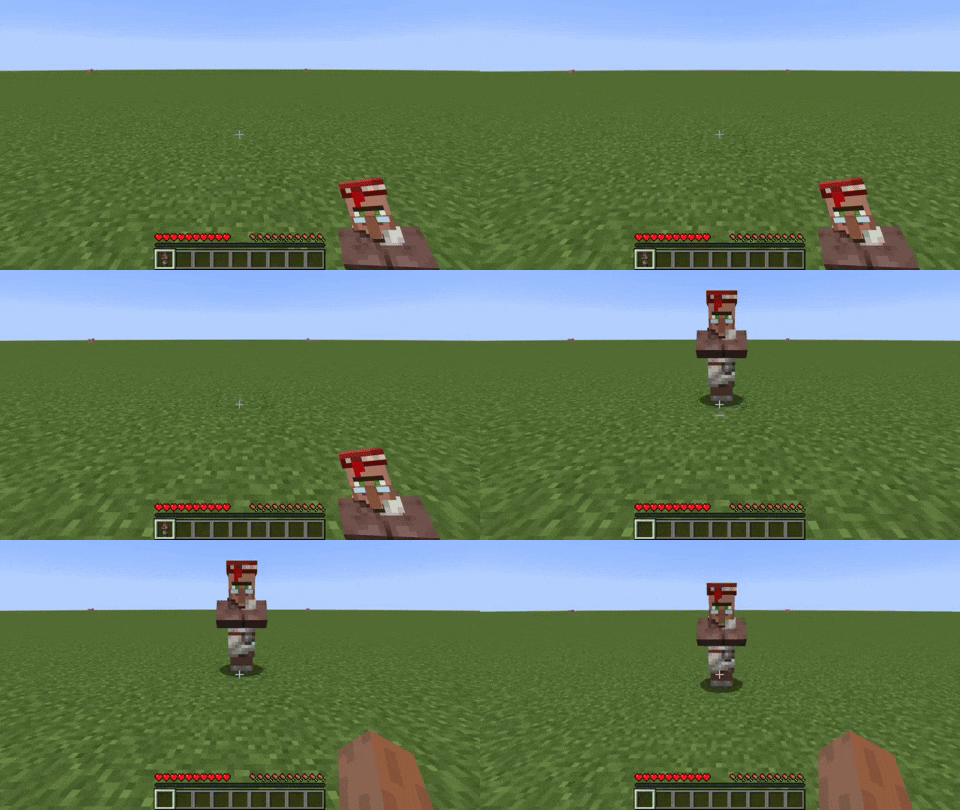
The villager item can be obtained by sneaking and right-clicking a villager or pressing the V key.
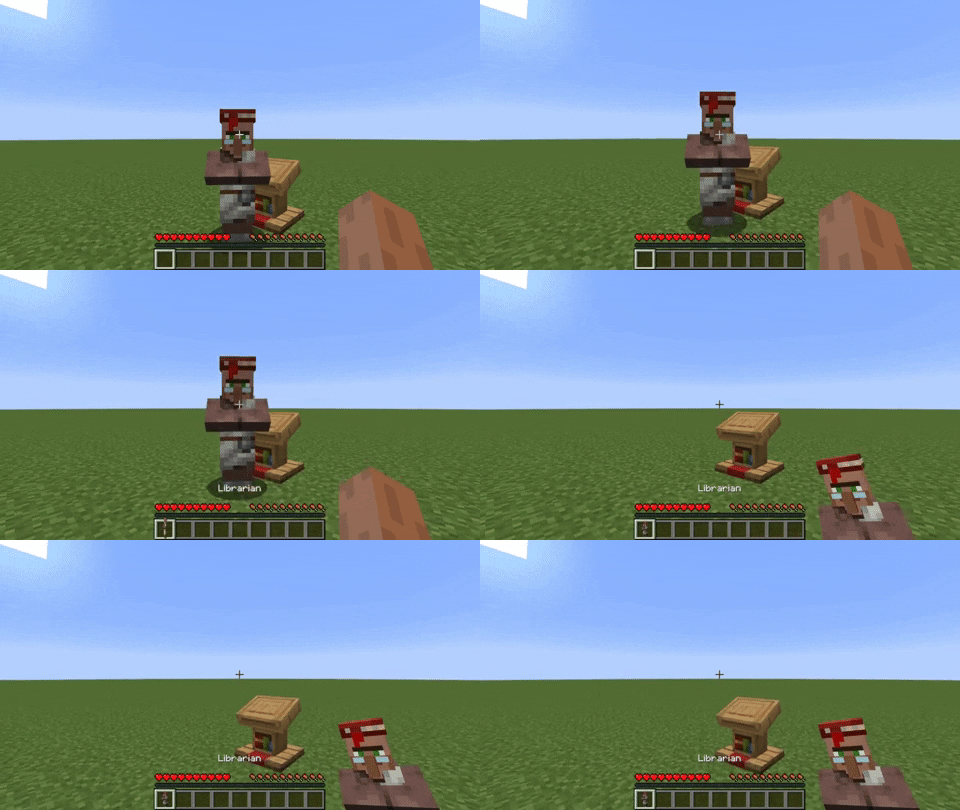
The villager item can be placed by right-clicking on the ground.
The Trader Block
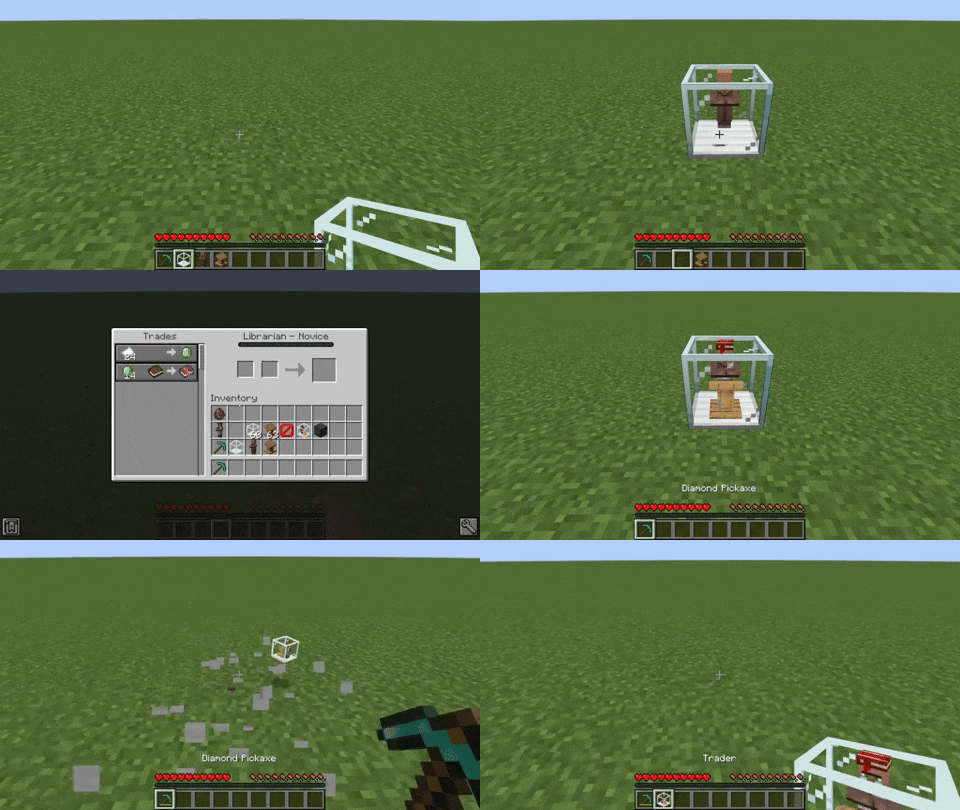
The trader block allows trading with the villager without having to deal with securing the villager.
This block also allows the villager to restock in non-working hours.
The restocking time of the villager is not dependent on any external sources like day/night time or dimension.
You can customize the trading interval in the config.
The Auto Trader Block
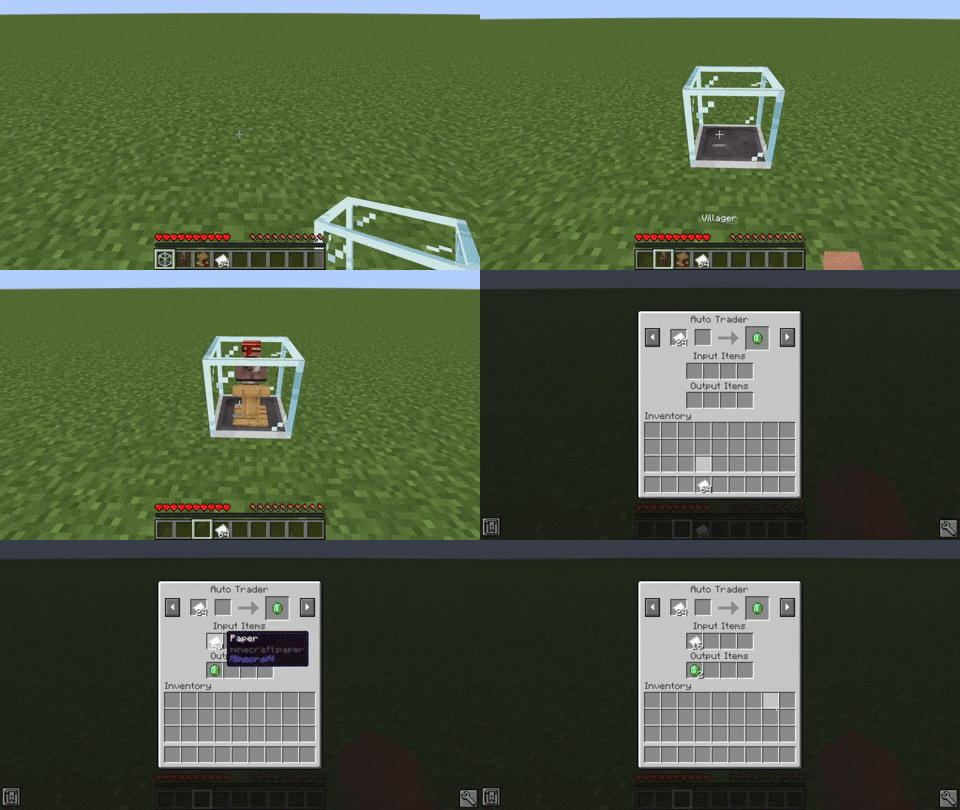
The auto trader works exactly line the trader block, except it automatically trades items for you.
You can also automatically put items in and take items out with a hopper.
The cooldown between trades is fully configurable.
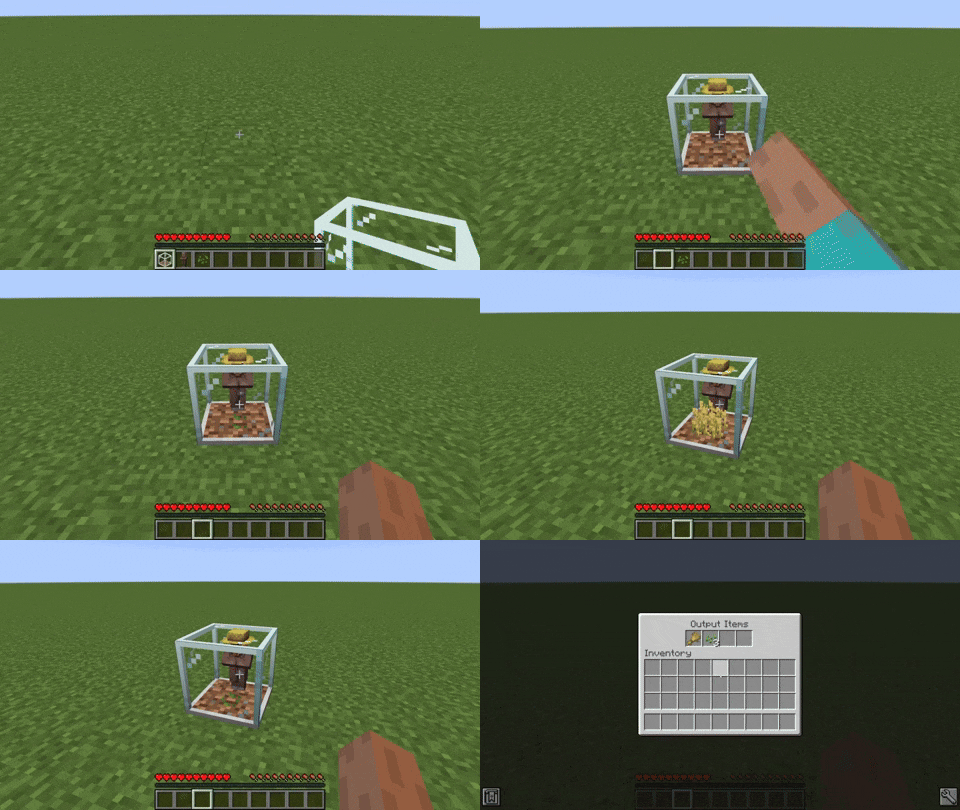
The Farmer Block
The farmer block contains a whole crop farm in a single block. This helps to reduce lag and save space.
The Breeder Block
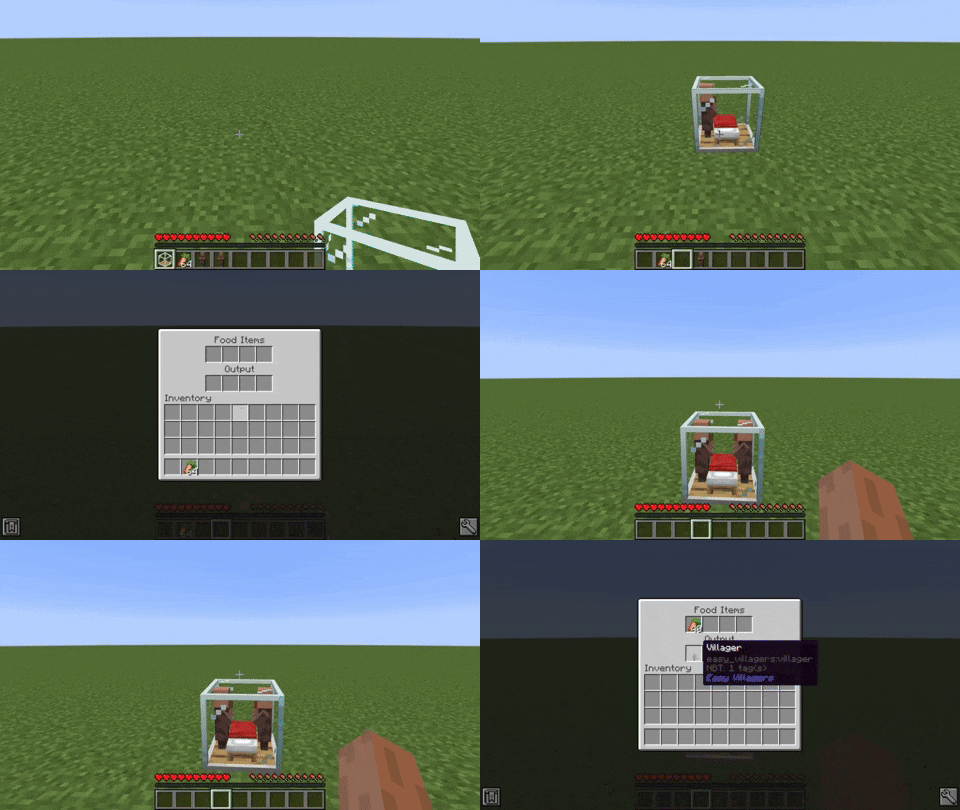
The breeder block produces baby villagers by putting in food. This also helps to reduce lag, save space and also a lot of frustration.
The Converter Block
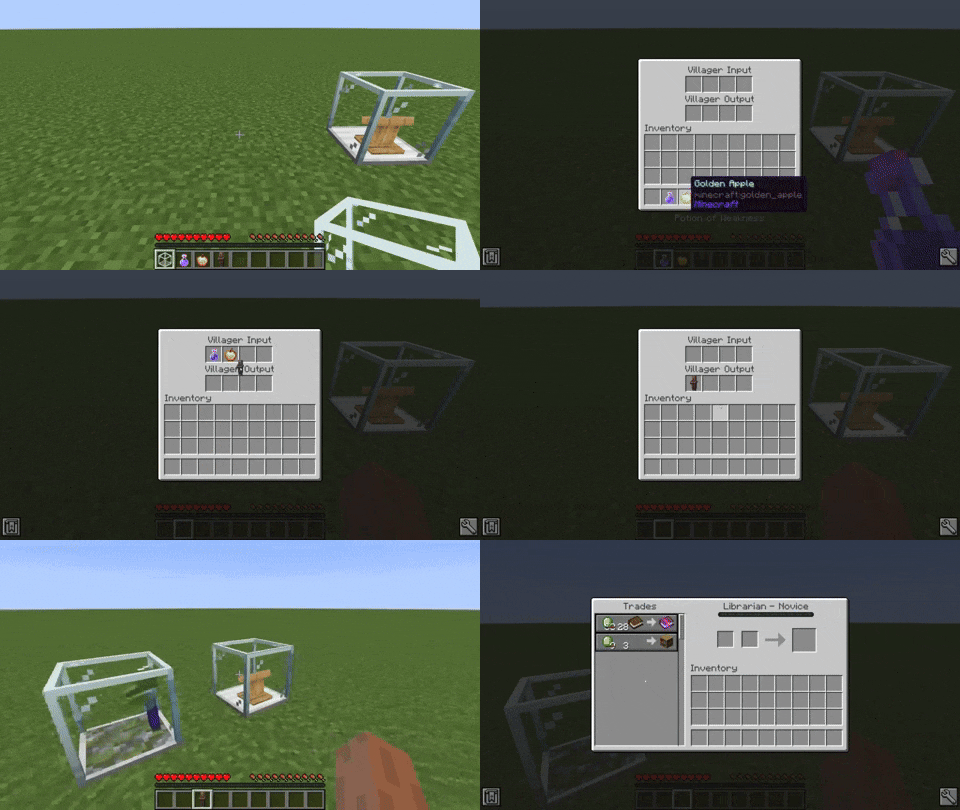
The converter block converts villagers to zombie villagers and cures them afterwards, enabling the player that placed the block better trades from the cured villager.
This block needs a golden apple, any type of potion of weakness and the villager to convert.
This process takes approximately five minutes.
The Iron Farm Block
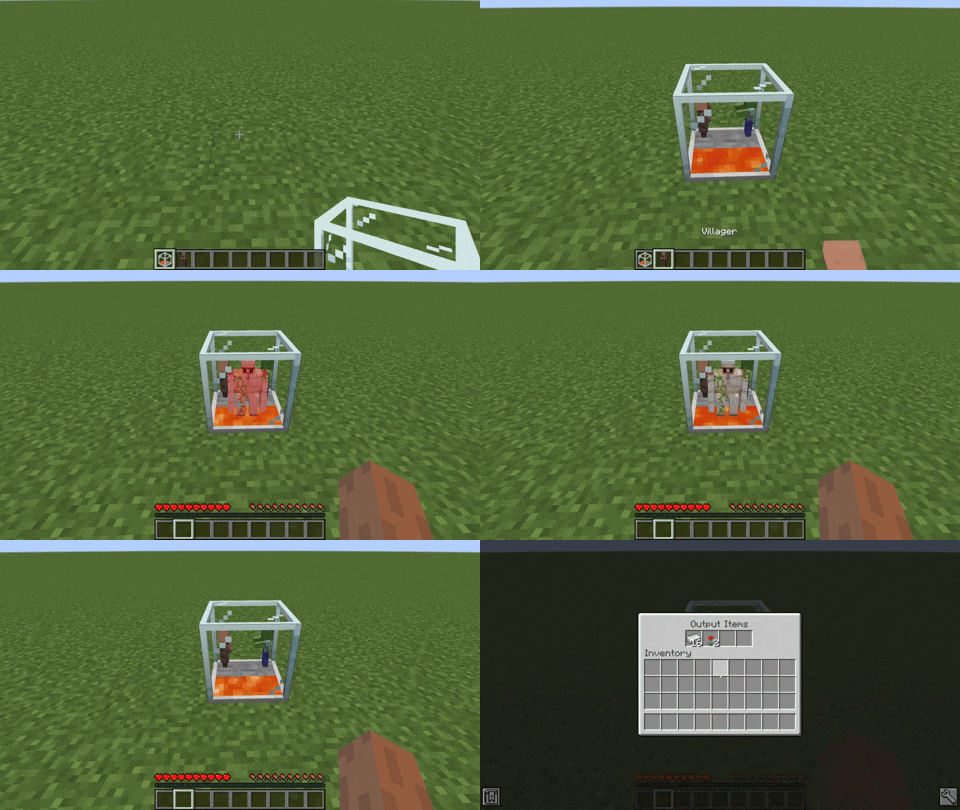
The iron farm block contains a complete iron farm in a single block.
It produces one iron golem every four minutes.
This averages about one iron ingot per minute.
The Incubator Block
The incubator block increases the growth rate of baby villagers.
The speed can be changed in the config.
The Inventory Viewer Block
The inventory viewer block is only available for Minecraft versions 1.20.4+ and currently only obtainable through creative mode.
It allows you to view and edit the villagers inventory and equipment like armor.
Trade Cycling
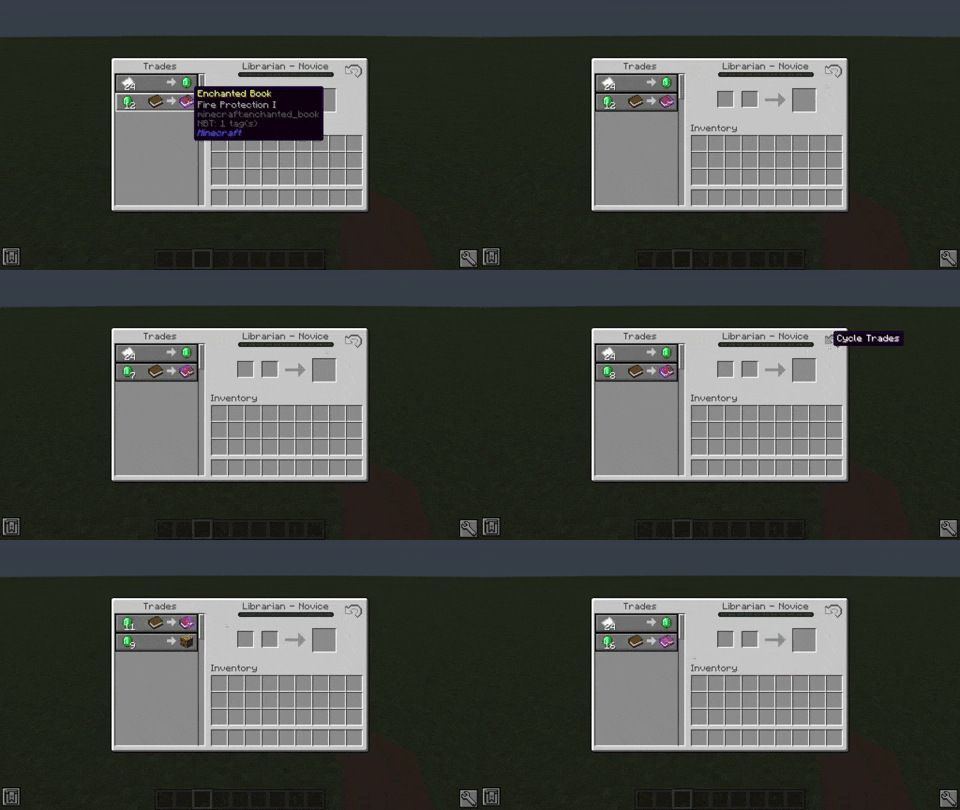
When looking for a good trade, you always have to remove the villagers workstation, in order to reset their trades.
The trade cycle button solves this problem. If a villager hasn't been traded before, you can just press it and the trades reset automatically.
Alternatively you can use the C key to cycle trades.
This also works for normal villagers.
You can take stuff out of these blocks, by sneaking and right-clicking the block with an empty hand.
Baby villagers are able to grow up inside of blocks, but the functionality of the blocks will not work until they are grown.
All blocks keep their stuff inside if they are broken.
Available Versions
How to Install Easy Villagers on Your Server
Order Server
Order a Minecraft Java server with at least 3 GB RAM (4 GB recommended).
Set forge Loader
In the panel under "Egg", select the forge loader and matching Minecraft version (26.3).
Install Mod
Open the mod browser in the dashboard and search for "Easy Villagers". Click "Install" – done! Alternatively, upload the .jar via SFTP to the /mods folder.
Compatibility
Mod Loaders
Minecraft Versions
26.3, 26.2, 26.1.2 (+26 more)
Server-side
✓ RequiredRecommended RAM
4 GB(min. 3 GB)Frequently Asked Questions
Easy Villagers server crashes on startup – what to do?
Most common cause: wrong forge version or insufficient RAM. Check the server log (latest.log) for "OutOfMemoryError" or "Mixin" errors. With Mado Hosting: ensure at least 3 GB RAM is allocated and the loader matches the mod version (26.3). You can switch loaders with one click in the panel.
Is Easy Villagers compatible with forge and neoforge?
Easy Villagers officially supports forge, neoforge for Minecraft 26.3, 26.2, 26.1.2. The Mado dashboard automatically detects incompatible loader combinations.
Server lagging with Easy Villagers – how to optimize performance?
Recommended RAM: 4 GB (per 8 players). Use /spark profiler to check if Easy Villagers consumes the most tick time. Common fixes: reduce server view-distance to 8-10, install "performant" or "starlight" as supplementary mods on Forge. With Mado Hosting, your server runs on NVMe SSDs with dedicated CPU cores for minimal latency.
Similar Mods




Rent Modded Server
Install Easy Villagers with just one click on your server.