Modrinth · Forge
Immersive Fixes on your Minecraft server
Immersive Fixes runs on Minecraft servers with Forge. Order your server, set the loader in the panel and install the mod with one click in the mod browser.
Addon for Immersive Engineering, backporting critical bug fixes and minor content to 1.20.1
- Downloads
- 480.1K
- Author
- melodiccougar7
- Loader
- Forge
- Minecraft
- 1.20.1
- Updated
- –
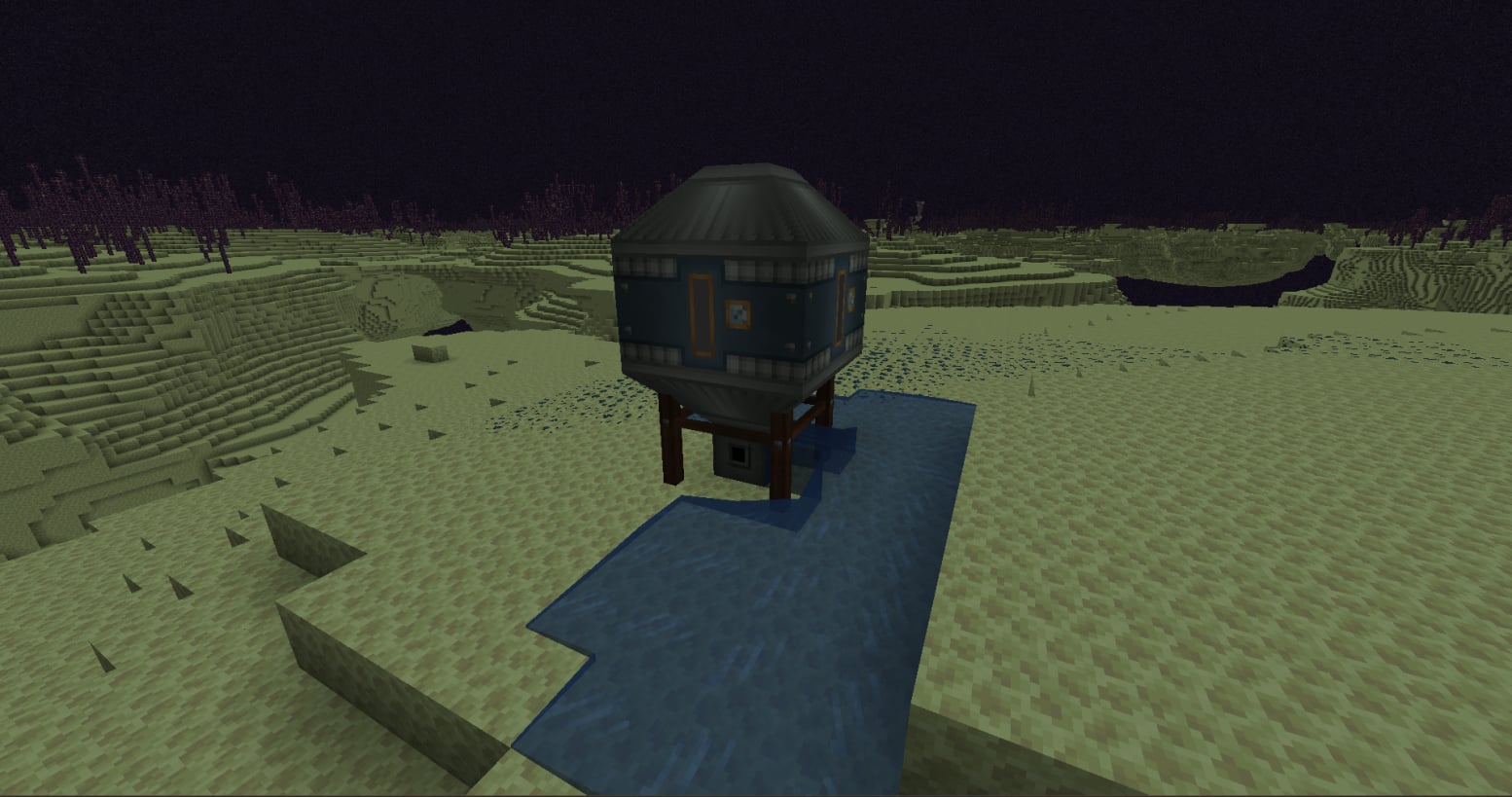
Screenshots
What Immersive Fixes looks like

Images: Immersive Fixes on Modrinth, published by the project team.
Setup
Install Immersive Fixes on your server
The server and players need the same loader and Minecraft version. Back up the world before adding or updating mods.
- 01
Configure
4 GB of RAM is preselected. You choose the term and add-ons and pay by credit card or PayPal.
- 02
Set the loader
In the panel, set the server software to Forge and choose the matching Minecraft version, for example 1.20.1.
- 03
Install the mod
Search the mod browser for “Immersive Fixes” and install the release for your loader. Alternatively, upload the .jar to the mods folder via SFTP. Required dependencies are listed on the project page.
- 04
Connect
Every player installs the same Immersive Fixes release locally and connects using the server address from the panel.
- On the server
- Required
- On the client
- Required
- Loader
- Forge
- Minecraft
- 1.20.1
- License
- Apache License 2.0
The panel
Install mods, find errors.
Real screenshots from the Mado panel. Both come with every Minecraft server.
Mod browser
Modrinth and CurseForge, right in the panel.
The browser filters by your Minecraft version. Install mods with one click, without uploading .jar files.

AI crash analysis
When a mod crashes, the analyzer reads the log.
Mods often fail on a wrong loader version, Java version or missing dependency. The analyzer names a likely cause and suggests a fix.

Releases
Published releases
Pick the file that matches your server’s loader and Minecraft version. The server and players need the same release.
Immersive Fixes · ModrinthOriginal description by the project author
Overview
A simple Immersive Engineering addon to backport critical bug fixes and minor content to 1.20.1.
Note that in some cases I am not the one who patched these issues, BluSunrize (and the IE team at large) is. I merely backport the fixes to 1.20.1 with permission, so the IE dev team can pursue their goal of focusing on new versions of Minecraft. Elsewhere, I and other contributors have written entirely new fixes that don't rely on IE's code. Do not be annoyed at Blu and co. for not implementing these fixes themselves, as back support is time consuming and difficult for a project of IE's scale.
Currently Supporting:
Fixes of reported IE problems:
Fix: issue #5906: Fluids no longer destroy multiblocks.
Fix: issue #6149: Arc Furnaces give the correct percentage of secondary outputs (was previously inverted).
Fix: issue #6305: Coke Oven Exploit
Fix: issues #4917, #5440, #5909, #5933, and #6203 about logic errors with the Diesel Generator. Diesel Generators now don't confuse water for fuel, don't run infinitely, properly consume the right amount of fuel, and more. Read these issues on IE's repo for detail (or check the issue on my repo to find hyperlinks to each of these issues).
Fix: issue #6205: ear defenders not working.
Other fixes:
Fixed dark triangle-shaped patches appearing on machines under normal lighting
Fixed parts of machine surfaces rendering inside-out or invisible from certain angles
Fixed machines showing outdated/stale textures after reloading resource packs via F3+T
Improved rendering performance: large machines no longer draw the same geometry up to 7 times over
Have some features or fixes you'd like to see in 1.20.1? Please let me know via the Issues page on the repository or my discord here.
Credits
Many thanks to Nerf Ashton for making this mod's icon! Thanks also to IFx's other contributor, tgstyle, for numerous client sided fixes and general polishing!
Licensing
Immersive Fixes' codebase should be considered ARR for any and all purposes unless I explicitly grant your project a waiver. I would, however, love to grant as many of those as possible. Additionally, contribution to Immersive Fixes is welcome and encouraged! Collaboration on creating fixes is also welcome. If you are looking for a waiver or looking to contribute or collaborate, please directly contact me through Discord, GitHub, or CurseForge. Please note that waivers will only be given out if you can demonstrate that they are the only reasonable remedy to the current problem you're facing.
Immersive Fixes server crashes on startup – what to do?
Common causes: the loader or Minecraft version does not match the mod file, a dependency is missing, or RAM is too low. Check the log (latest.log) for “OutOfMemoryError”, “Mixin” or missing mods. At Mado, the AI crash analysis reads the log and suggests a cause. You can change the loader and version in the panel.
Which loader does Immersive Fixes run on?
According to Modrinth, Immersive Fixes supports Forge for Minecraft 1.20.1.
How much RAM does a server with Immersive Fixes need?
As guidance, 3–4 GB for a server with this mod. This is an estimate, not a measured minimum. More mods, many players and long view distances need more. The spark profiler shows whether a mod is costing tick time.
Similar mods
Popular mods in the same category
 Server-ready

VeinMiner
by Miraculixx
Mine the whole vein on mining a single ore/block. Make the tedious mining experience to something satisfying and fun! FTB Ultimine alternative
 Server-ready

Geckolib
by Gecko
A 3D animation library for entities, blocks, items, armor, and more!
 Client only

VeinMiner Hotkey
by Miraculixx
Veinminer Addon - Use a hotkey to veinmine with a dynamic crosshair & block highlighting
 Server-ready

Fzzy Config
by fzzyhmstrs
Config API with automatic GUIs, powerful validation options, server-client sync, and more!
Ready for your server with Immersive Fixes?
4 GB of RAM from €8.00 per month. 35% off your first month with MADO35.