
Modrinth · Forge, NeoForge · Client mod
Just Enough Mekanism Multiblocks
Just Enough Mekanism Multiblocks is a client-side mod. Install it on your computer; the server does not need it.
Add JEI page for calculate mekanism multiblock cost
- Downloads
- 302.0K
- Author
- gisellevonbingen
- Loader
- Forge, NeoForge
- Minecraft
- 1.16.5 – 1.21.1
- Updated
- –
Screenshots
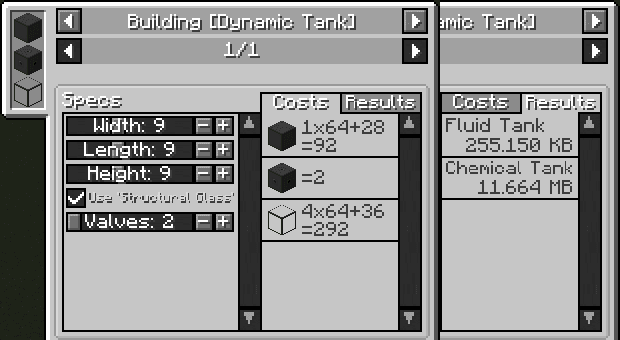
What Just Enough Mekanism Multiblocks looks like
 Dynamic Tank
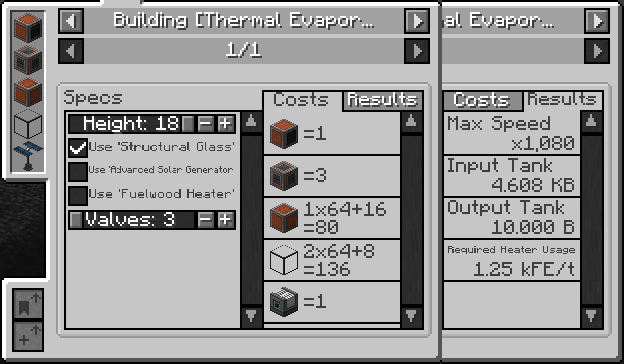 Thermal Evaporation Plant
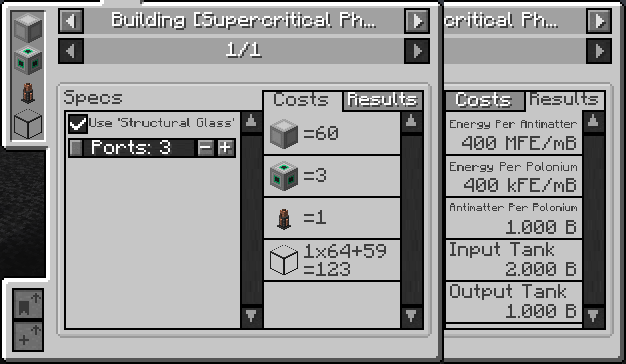 SPS
 Thermoelectric Boiler - Normal Mode
 Thermoelectric Boiler - Sodium Cooling Mode
Images: Just Enough Mekanism Multiblocks on Modrinth, published by the project team.
Setup
Install Just Enough Mekanism Multiblocks on your client
Client-side mods only run on your computer. More server RAM does not change their performance.
- 01
Install the loader locally
Install Forge or NeoForge for your Minecraft version in your launcher.
- 02
Download the file
Download the Just Enough Mekanism Multiblocks file for your loader and your exact Minecraft version, for example 1.21.1.
- 03
Add it to the mods folder
Put the .jar file in your local .minecraft/mods folder and remove older duplicates.
- 04
Launch
Launch Minecraft with the loader profile. Nothing needs to change on the server.
- On the server
- Not needed
- On the client
- Required
- Loader
- Forge, NeoForge
- Minecraft
- 1.21.1, 1.20.4, 1.20.1 +3 more
- License
- MIT License
Releases
Published releases
Pick the file that matches your server’s loader and Minecraft version. The server and players need the same release.
Just Enough Mekanism Multiblocks · ModrinthOriginal description by the project author
Summary
Add JEI page about Mekanism mod's multiblocks.
Can calculate construction cost and multiblock's ability.
Features
- Support JEI + button.
- Calculate fluid/gas tank capacity.
- Calculate 'Fission Reactor' temp and heating rate.
- Calculate 'Thermoelectric Boiler' sodium cooling rate.
How to use
How to find multiblock page
Find multiblock page on JEI all categoires.
Or press the JEI's 'Show Uses' key on multiblock's ingredient item.
(Default is 'U'.)
On Fission reactor advanced layout screen
Left click, drag: Place the Fuel Assembly on cell.
Right click, drag: Remove the Fuel Assembly on cell.
Wheel scroll: Adjust the height of the Fuel Assembly on cell.
Supported Multiblocks
Mekanism
- Dynamic Tank
- Thermal Evaporation Plant
- SPS
- Thermoelectric Boiler
- Induction Matrix
- Lasers and Ampliers
Mekanism Generator
- Industrial Turbine
- Fission Reactor
- Fusion Reactor
Better Fusion Reactor for Mekanism PLUS
- Fusion Reactor
Mekanism Extras
- Reinforced Induction Matrix
- Naquadah Reactor
Evolved Mekanism
- Antimatter Protomolecular Transmutator
- Induction Matrix element blocks
Mekanism Lasers
- Lasers
Does Just Enough Mekanism Multiblocks need to be installed on the Minecraft server?
No. Modrinth marks Just Enough Mekanism Multiblocks as unsupported on the server side. Install it only in your local mods folder. Your server can stay unchanged unless the project page lists an additional dependency.
Which version and loader does Just Enough Mekanism Multiblocks require?
Use a file for Forge, NeoForge and your exact Minecraft version. Supported versions include 1.21.1, 1.20.4, 1.20.1. Files for different loaders are not interchangeable.
Just Enough Mekanism Multiblocks is not working – what should I check?
First check the Minecraft version, loader version and required dependencies. Because the mod is client-side, more server RAM will not fix it.
Similar mods
Popular mods in the same category
 Server-ready

VeinMiner
by Miraculixx
Mine the whole vein on mining a single ore/block. Make the tedious mining experience to something satisfying and fun! FTB Ultimine alternative
 Client only

Euphoria Patches
by SpacEagle17
Euphoria Patches is an add-on for Complementary Shaders, extending it with more optional features and settings.
 Server-ready

Create
by simibubi
Aesthetic Technology that empowers the Player
 Server-ready

Nature's Compass
by Chaosyr
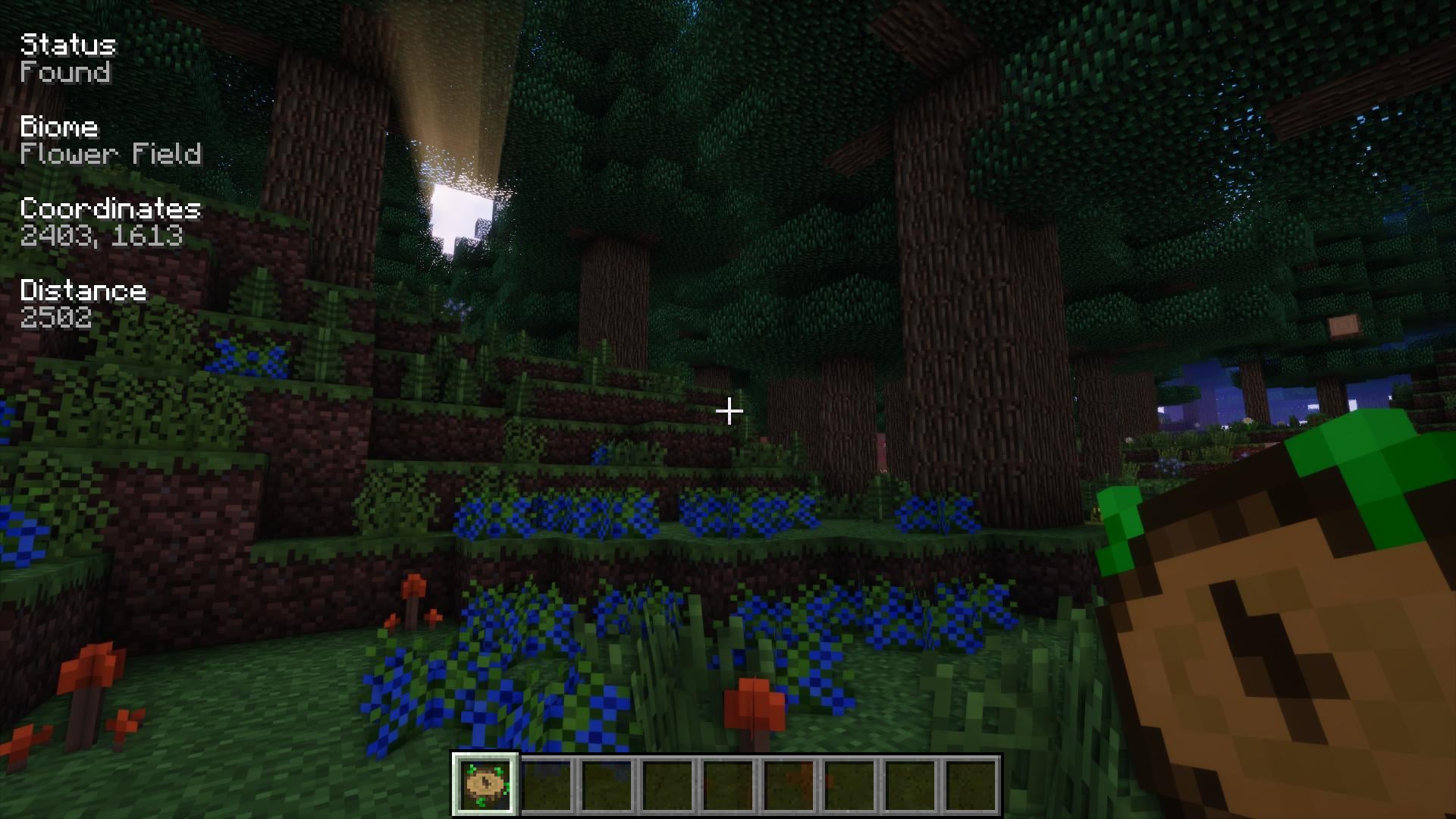
Allows you to locate biomes anywhere in the world.
Looking for mods for your own server?
The catalog lists mods that run on Minecraft servers.