
Loadstone - Chunk Loader
Turn vanilla Lodestones into reliable, persistent, tiered chunk loaders.
Screenshots


About this Mod


🧭 Loadstone – Chunk Loader (v3.0)
Tired of automation, machinery, or redstone contraptions stopping when you walk away?
Loadstone turns vanilla Lodestones into simple, reliable chunk loaders. By activating a Lodestone with a specific material, the targeted chunks remain continuously active so everything in range keeps running
✨ Features
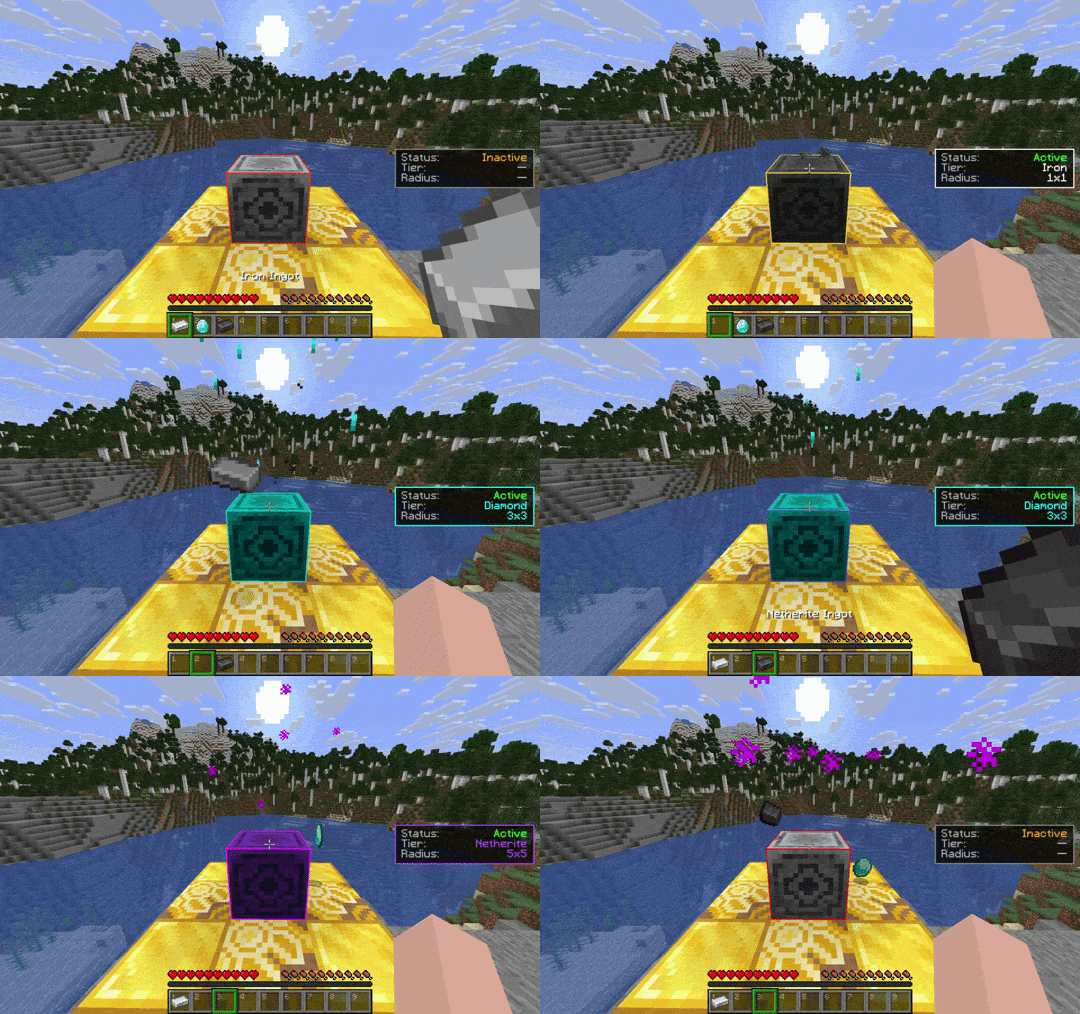
- Tiered Chunk Loading: Switch tiers anytime by using different materials.
- ⚒️ Iron → 1×1 chunk
- 💎 Diamond → 3×3 chunks
- 🔥 Netherite → 5×5 chunks
- Persistent Loader State: Loaders are saved securely to disk and manage chunk ticketing flawlessly across server restarts.
- Smart Material System: Items are consumed on activation and safely returned on deactivation or tier swap.
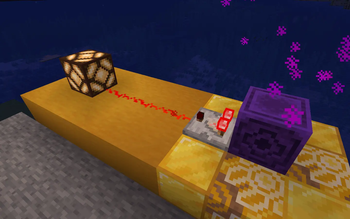
- Redstone Integration: Active loaders can be read by Comparators, making it easy to wire them into Redstone systems.
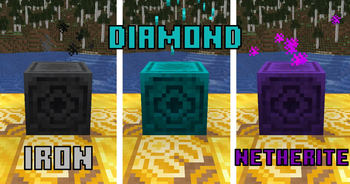
- Visual Feedback: Unique particle effects and color tints per tier.
- Real-Time HUD: Compact, configurable overlay showing loader status, tier, and chunk coverage.
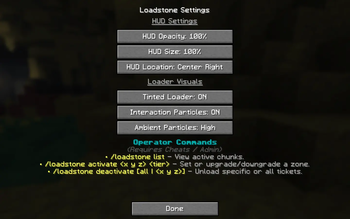
- Operator Commands: Powerful server administration tools to manage, audit, and force-toggle loaders instantly via commands.
🎮 How to Use & Commands
Survival Activation
- Place a Lodestone anywhere in your world.
- Hold the material for the tier:
- ⚒️ Iron Ingot → 1×1
- 💎 Diamond → 3×3
- 🔥 Netherite Ingot → 5×5
- Right-click the Lodestone to activate.
Deactivation / Change Tier
- Right-click an active Lodestone with an empty hand to deactivate — the activation item is safely dropped.
- Right-click with a different valid material to change tier seamlessly (the old material is returned).
Redstone Output
- Placing a Redstone Comparator facing away from a Lodestone will output a signal strength based on its running status and tier.
Admin / Operator Commands (Cheats On)
Server admins can manage active loaders globally using the following commands:
/loadstone list— View all active chunks globally with click-to-teleport shortcuts./loadstone activate <x y z> <tier>— Remotely activate or upgrade/downgrade a vanilla Lodestone block./loadstone deactivate <x y z>— Turn off a specific loader remotely./loadstone deactivate all— Clear every active loader ticket on the server instantly.
🖼️ Gallery
📌 Notes
- ⚠️ Performance: Loaders keep areas continuously active as long as the world is running. Use them responsibly to avoid performance lag.
- ⚠️ Loading Behavior: Loaders force chunks to stay active at the "entity processing" level. This keeps standard mechanics like automation, redstone, and entity processing running continuously. However, any gameplay mechanics that inherently require player proximity to function will not trigger.
- ⚠️ External Chunks: Lodestones only manage chunks they are explicitly attached to. Chunks already loaded by external means (vanilla
/forceload, server utilities) are not automatically owned. Activating a Lodestone inside those chunks overrides and attaches them to the Loadstone tracking map. - ⚠️ Resource Packs: Using a custom resource pack that modifies the vanilla Lodestone model may override or break the tier-based block tinting feature.
- ⚠️ Legacy Warning: The old
v1.0release is highly unstable and can cause serious issues, including performance lag and "ghost-loaded" chunks. It is strongly recommended to avoid using it. If you have previously used v1.0 in your worlds, refreshing your loaded chunks is recommended.
How to Install Loadstone - Chunk Loader on Your Server
Order Server
Order a Minecraft Java server with at least 3 GB RAM (4 GB recommended).
Set fabric Loader
In the panel under "Egg", select the fabric loader and matching Minecraft version (26.3).
Install Mod
Open the mod browser in the dashboard and search for "Loadstone - Chunk Loader". Click "Install" – done! Alternatively, upload the .jar via SFTP to the /mods folder.
Compatibility
Mod Loaders
Minecraft Versions
26.3, 26.2, 26.1.2 (+4 more)
Server-side
✓ RequiredRecommended RAM
4 GB(min. 3 GB)Frequently Asked Questions
Loadstone - Chunk Loader server crashes on startup – what to do?
Most common cause: wrong fabric version or insufficient RAM. Check the server log (latest.log) for "OutOfMemoryError" or "Mixin" errors. With Mado Hosting: ensure at least 3 GB RAM is allocated and the loader matches the mod version (26.3). You can switch loaders with one click in the panel.
Is Loadstone - Chunk Loader compatible with fabric?
Loadstone - Chunk Loader officially supports fabric for Minecraft 26.3, 26.2, 26.1.2. The Mado dashboard automatically detects incompatible loader combinations.
Server lagging with Loadstone - Chunk Loader – how to optimize performance?
Recommended RAM: 4 GB (per 8 players). Use /spark profiler to check if Loadstone - Chunk Loader consumes the most tick time. Common fixes: reduce server view-distance to 8-10, install "performant" or "starlight" as supplementary mods on Forge. With Mado Hosting, your server runs on NVMe SSDs with dedicated CPU cores for minimal latency.
Similar Mods






Rent Modded Server
Install Loadstone - Chunk Loader with just one click on your server.