
Modrinth · Fabric, Forge, NeoForge
Map Distance Fix on your Minecraft server
Map Distance Fix runs on Minecraft servers with Fabric or Forge or NeoForge. Order your server, set the loader in the panel and install the mod with one click in the mod browser.
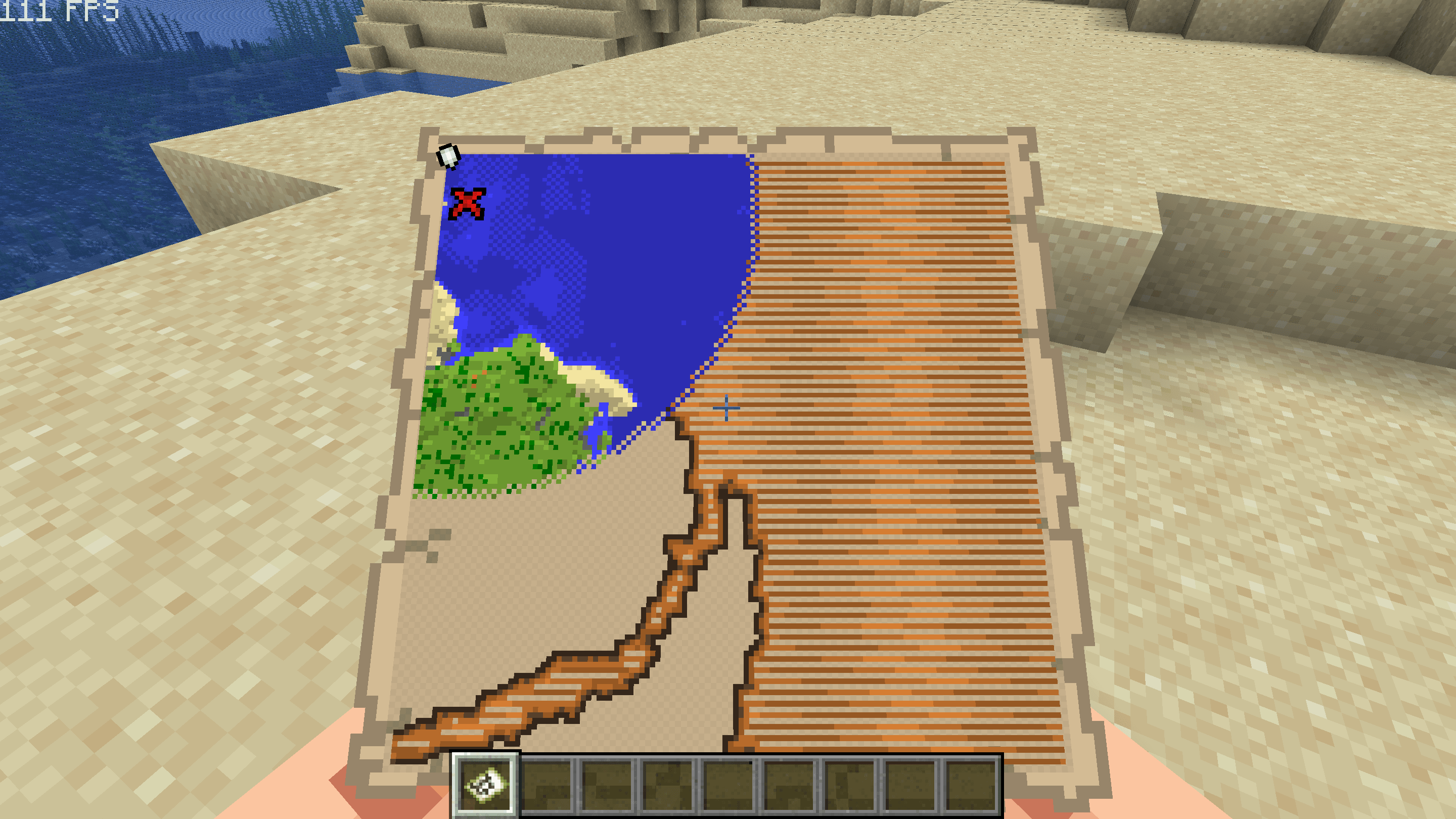
A simple mod that shows a player indicator instead of a white dot when outside map boundaries.
- Downloads
- 1.2M
- Author
- MrErenK
- Loader
- Fabric, Forge, NeoForge
- Minecraft
- 1.17 – 26.2
- Updated
- –
Screenshots
What Map Distance Fix looks like

Images: Map Distance Fix on Modrinth, published by the project team.
Setup
Install Map Distance Fix on your server
The server and players need the same loader and Minecraft version. Back up the world before adding or updating mods.
- 01
Configure
4 GB of RAM is preselected. You choose the term and add-ons and pay by credit card or PayPal.
- 02
Set the loader
In the panel, set the server software to Fabric or Forge or NeoForge and choose the matching Minecraft version, for example 26.2.
- 03
Install the mod
Search the mod browser for “Map Distance Fix” and install the release for your loader. Alternatively, upload the .jar to the mods folder via SFTP. Required dependencies are listed on the project page.
- 04
Connect
Every player installs the same Map Distance Fix release locally and connects using the server address from the panel.
- On the server
- Optional
- On the client
- Required
- Loader
- Fabric, Forge, NeoForge
- Minecraft
- 26.2, 26.1.2, 26.1.1 +30 more
- License
- MIT License
The panel
Install mods, find errors.
Real screenshots from the Mado panel. Both come with every Minecraft server.
Mod browser
Modrinth and CurseForge, right in the panel.
The browser filters by your Minecraft version. Install mods with one click, without uploading .jar files.

AI crash analysis
When a mod crashes, the analyzer reads the log.
Mods often fail on a wrong loader version, Java version or missing dependency. The analyzer names a likely cause and suggests a fix.

Releases
Published releases
Pick the file that matches your server’s loader and Minecraft version. The server and players need the same release.
Map Distance Fix · Modrinth- Map Distance Fix 1.0.8+mc1.20.5-1.21.8August 27, 2025Minecraft 1.20.5, 1.20.6, 1.21, 1.21.1, 1.21.2, 1.21.3, 1.21.4, 1.21.5, 1.21.6, 1.21.7, 1.21.8 · Fabric
- Map Distance Fix 1.0.6+mc1.20.5-1.21.8August 11, 2025Minecraft 1.20.5, 1.20.6, 1.21, 1.21.1, 1.21.2, 1.21.3, 1.21.4, 1.21.5, 1.21.6, 1.21.7, 1.21.8 · Fabric
- Map Distance Fix 1.0.3+mc1.21-1.21.7July 1, 2025Minecraft 1.21, 1.21.1, 1.21.2, 1.21.3, 1.21.4, 1.21.5, 1.21.6, 1.21.7 · Fabric
Original description by the project author
MapDistanceFix
A very simple Minecraft mod that fixes map player indicators to always show the player's position and direction, even when outside map boundaries, making it much easier to navigate treasure maps and other map items.
Thanks everyone for 1 million downloads!!
Why This Mod?
In vanilla Minecraft, when you're far from a map's boundaries, the player indicator either disappears entirely or shows as a generic "player_off_map" and "player_off_limits" decorations without directional information. This mod fixes that by:
- Converting off-map player decorations to regular player decorations
- Maintaining correct rotation to show which direction you're facing
- Ensuring the player is always visible for better navigation
Features
- Always Visible Player: Ensures the player icon is always visible on maps, even when far outside the map boundaries
- Correct Direction: Shows the player's actual facing direction instead of a generic off-map indicator
- Distance Display: Shows the distance from the player to the map center or to the nearest structure, helping you navigate to your destination
- Configurable: Customize distance display settings via a JSON config file or in-game GUI using cloth config
- In-Game Commands: Reload config and check status without restarting the game
- Server-Side Only: No client modifications required if the mod is installed on the server
Optional Dependencies
- Cloth Config - Enables in-game configuration GUI
- Mod Menu - Provides access to the config screen from the mod list
Both mods are optional. Without them, you can still configure the mod by editing the JSON config file directly or via in-game commands
Configuration
The mod creates a configuration file at config/mapdistancefix.json with the following options:
| Option | Default | Description |
|---|---|---|
showDistance |
true |
Enable or disable distance display |
showDistanceWhenOffMap |
true |
Show distance when the player is outside the map boundaries |
showDistanceInsideBoundaries |
false |
Show distance even when the player is inside the map boundaries |
showStructureDistances |
true |
Show the distance to the nearest structure in the map |
distanceFormat |
%dm |
Format string for distance (use %d for the distance value) |
useShortUnits |
true |
Use short format like "1.2k" for large distances |
shortUnitThreshold |
1000 |
Distance threshold (in blocks) for switching to short units |
In-Game Configuration
If you have Cloth Config and Mod Menu installed, you can access the configuration screen by:
- Opening the game menu
- Clicking "Mods" (added by Mod Menu)
- Finding "Map Distance Fix" in the list
- Clicking the configuration button
or if you don't have these mods, you can use commands:
Commands
/mapdistancefix config <config> set/reset/getor/mdf config <config> set/reset/get- Change configs in-game/mapdistancefix statusor/mdf status- Display current configuration settings/mapdistancefix reloador/mdf reload- Reload the configuration file if modified (no need to run if using /mdf config command)
Compatibility
- JAVA Compatibilty: Java 21 is required for Minecraft versions above 1.20.5, Java 17 is required for Minecraft versions above 1.19.3 till 1.20.1.
- Server Compatibility: Does not work on vanilla servers. But if the mod is installed on the server, its not required to install on the client.
- Other Mods: Should be compatible with most other mods that don't heavily modify maps.
Troubleshooting
Common Issues
Config screen not appearing
- Make sure you have both Cloth Config and Mod Menu (for fabric) installed
- Check that the versions are compatible with your Minecraft version
Distance text looks weird with shaders
- This is a known issue with some shader packs. The distance text background may appear transparent or glitchy.
- If this bothers you, disable the distance display by setting
showDistancetofalsein the config file or through the in-game config screen (if Cloth Config is installed).
Getting Help
If you encounter issues:
- Check the latest logs for error messages
- Verify that Fabric API is correctly installed
- Try with minimal mods to isolate conflicts
- Report issues on the GitHub Issues page
Contributing
Contributions are welcome! Here's how you can help:
Pull Requests
- Follow existing code style and conventions
- Add appropriate comments and documentation
- Test thoroughly before submitting
- Update README if adding new features
Bug Reports
- Use the GitHub Issues page
- Include Minecraft version, mod version, and log files
- Describe steps to reproduce the issue
License
This project is licensed under the MIT License.
Feel free to use this mod in your modpacks without asking for permission. But please do not redistribute the jar files anywhere else!
Acknowledgments
- mappings.dev for the huge help with finding proper functions
- Fabric Team for the excellent modding framework
- Minecraft Community for inspiration and feedback
- Contributors who help improve this mod
Made with ❤️ by MrErenK for the Minecraft community
For questions, suggestions, or support, feel free to open an issue on GitHub!
Have a question, modpack integration inquiry, version request or quick feedback? Reach out on Discord: @mrerenk
Map Distance Fix server crashes on startup – what to do?
Common causes: the loader or Minecraft version does not match the mod file, a dependency is missing, or RAM is too low. Check the log (latest.log) for “OutOfMemoryError”, “Mixin” or missing mods. At Mado, the AI crash analysis reads the log and suggests a cause. You can change the loader and version in the panel.
Which loader does Map Distance Fix run on?
According to Modrinth, Map Distance Fix supports Fabric, Forge, NeoForge for Minecraft 26.2, 26.1.2, 26.1.1. Forge and Fabric files are not interchangeable: pick one loader for the server and clients.
How much RAM does a server with Map Distance Fix need?
As guidance, 3–4 GB for a server with this mod. This is an estimate, not a measured minimum. More mods, many players and long view distances need more. The spark profiler shows whether a mod is costing tick time.
Similar mods
Popular mods in the same category
 Client only

Sodium Extra
by FlashyReese
A Sodium addon that adds features that shouldn't be in Sodium.
 Server-ready
VeinMiner
by Miraculixx
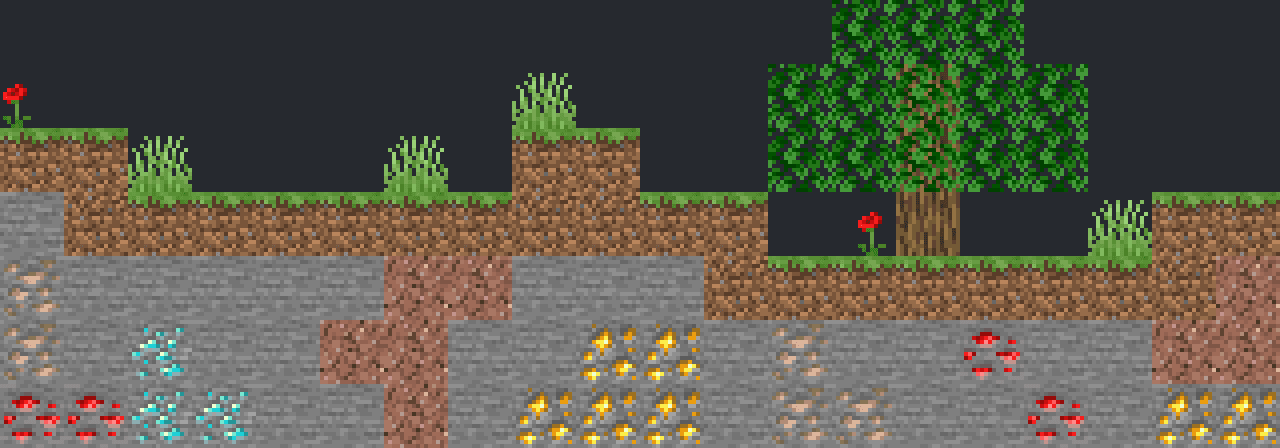
Mine the whole vein on mining a single ore/block. Make the tedious mining experience to something satisfying and fun! FTB Ultimine alternative
 Client only

Remove Reloading Screen
by dima_dencep
Makes resource packs load in the background, allowing you to do other things while waiting!
 Server-ready

Sinytra Connector
by Su5eD
Lets you play Fabric mods on NeoForge
Ready for your server with Map Distance Fix?
4 GB of RAM from €8.00 per month. 35% off your first month with MADO35.