Modrinth · Fabric, Forge, NeoForge, Quilt
Pool and Billiards on your Minecraft server
Pool and Billiards runs on Minecraft servers with Fabric or Forge or NeoForge or Quilt. Order your server, set the loader in the panel and install the mod with one click in the mod browser.
记得安装资源包!Remember to install the resource pack! One of the most advanced open-source pool and billiards games for Minecraft Java Edition, featuring realistic physics, snooker, eight-ball, nine-ball, multiplayer, and AI opponents.
- Downloads
- 13.3K
- Author
- YMS2001
- Loader
- Fabric, Forge, NeoForge, Quilt
- Minecraft
- 1.16 – 26.3
- Updated
- –
Screenshots
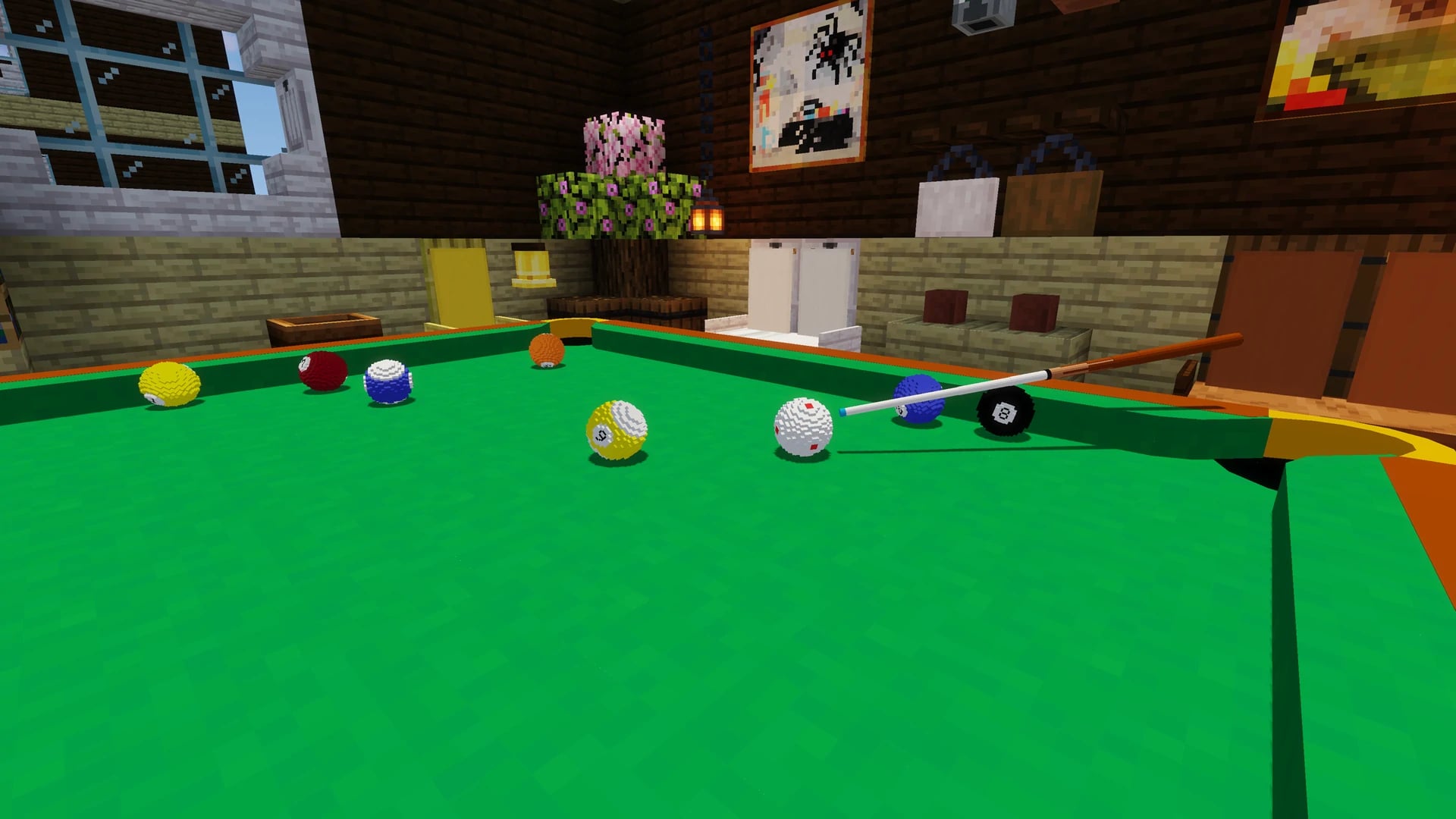
What Pool and Billiards looks like
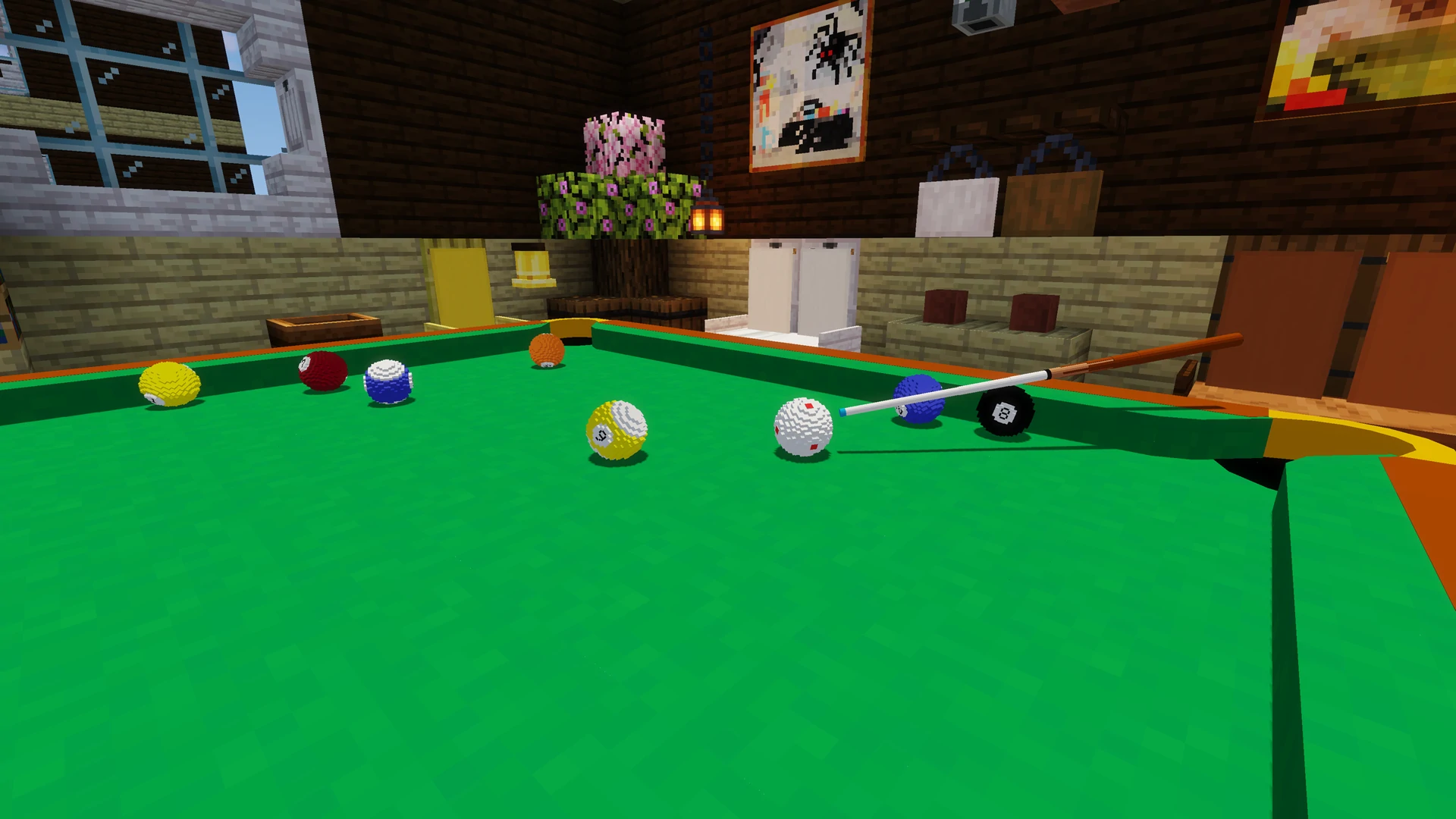
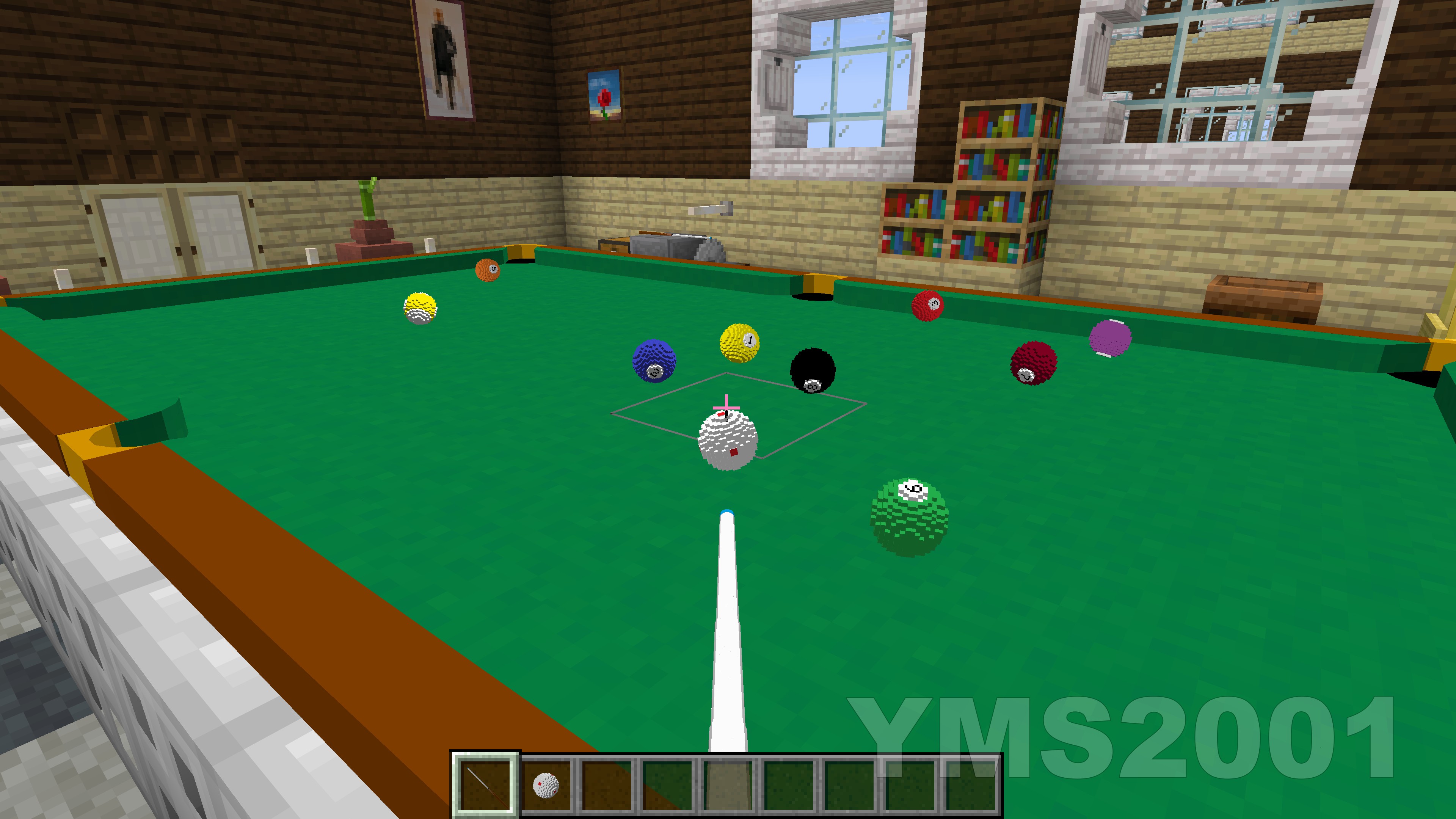
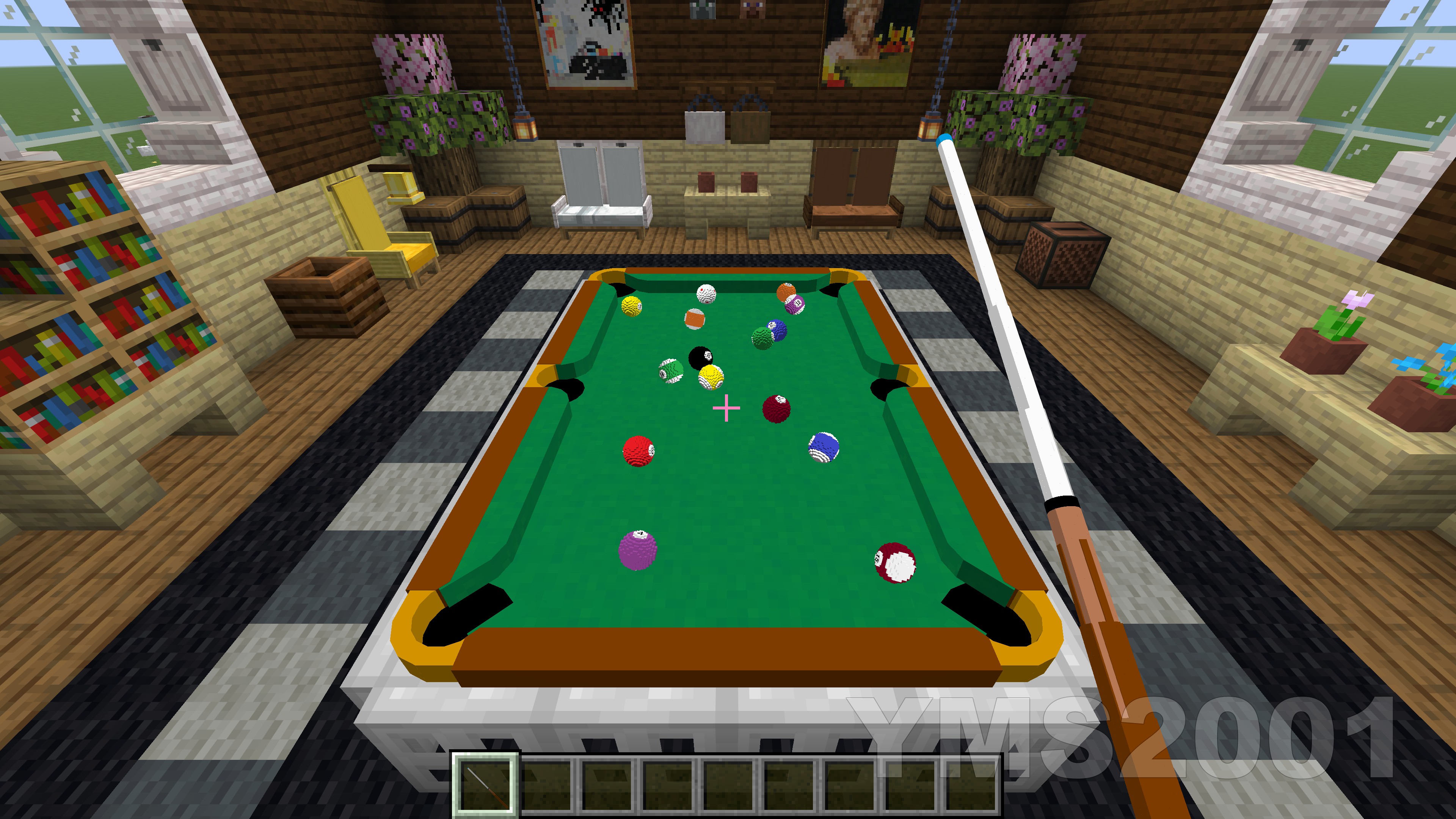
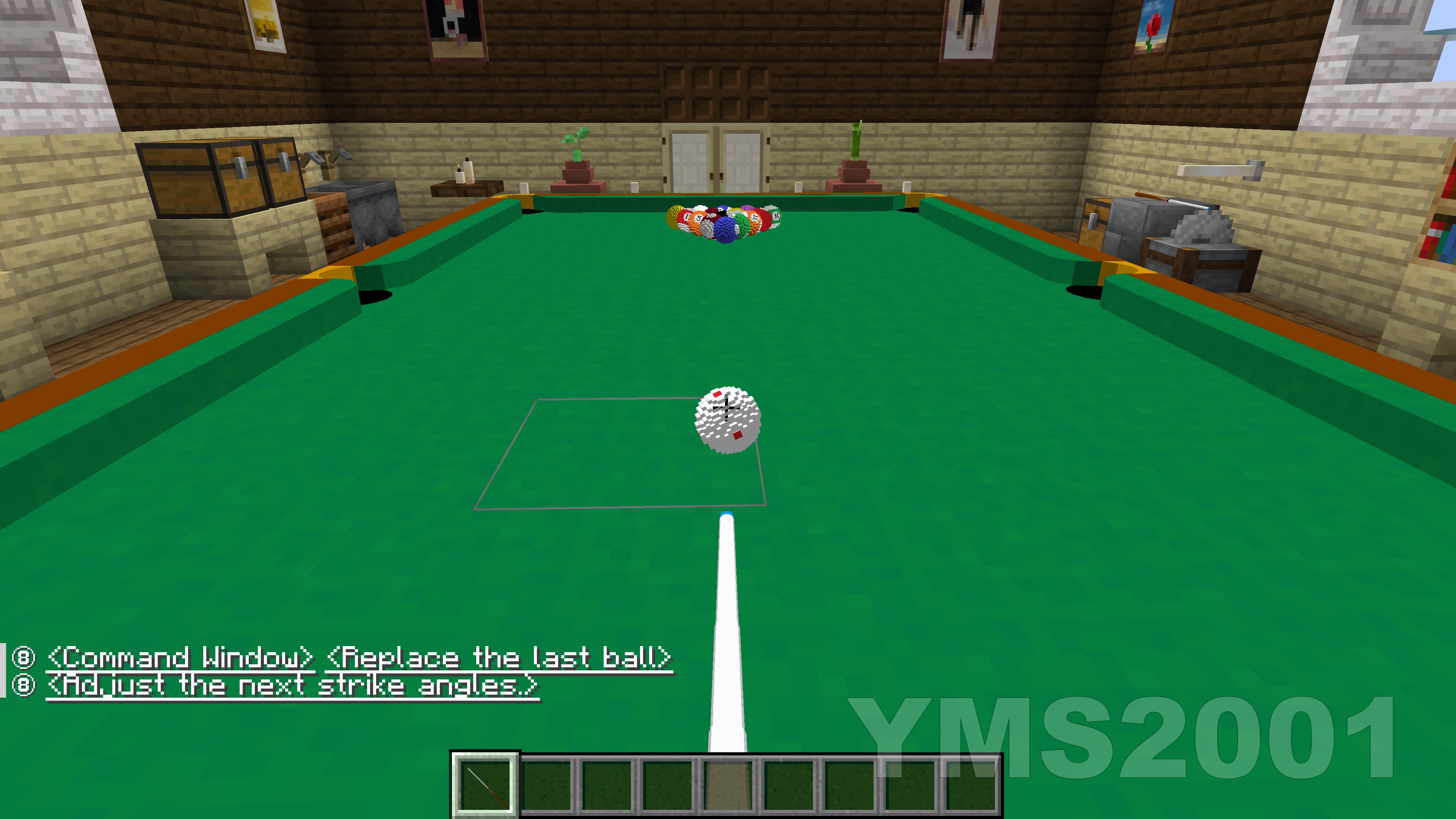
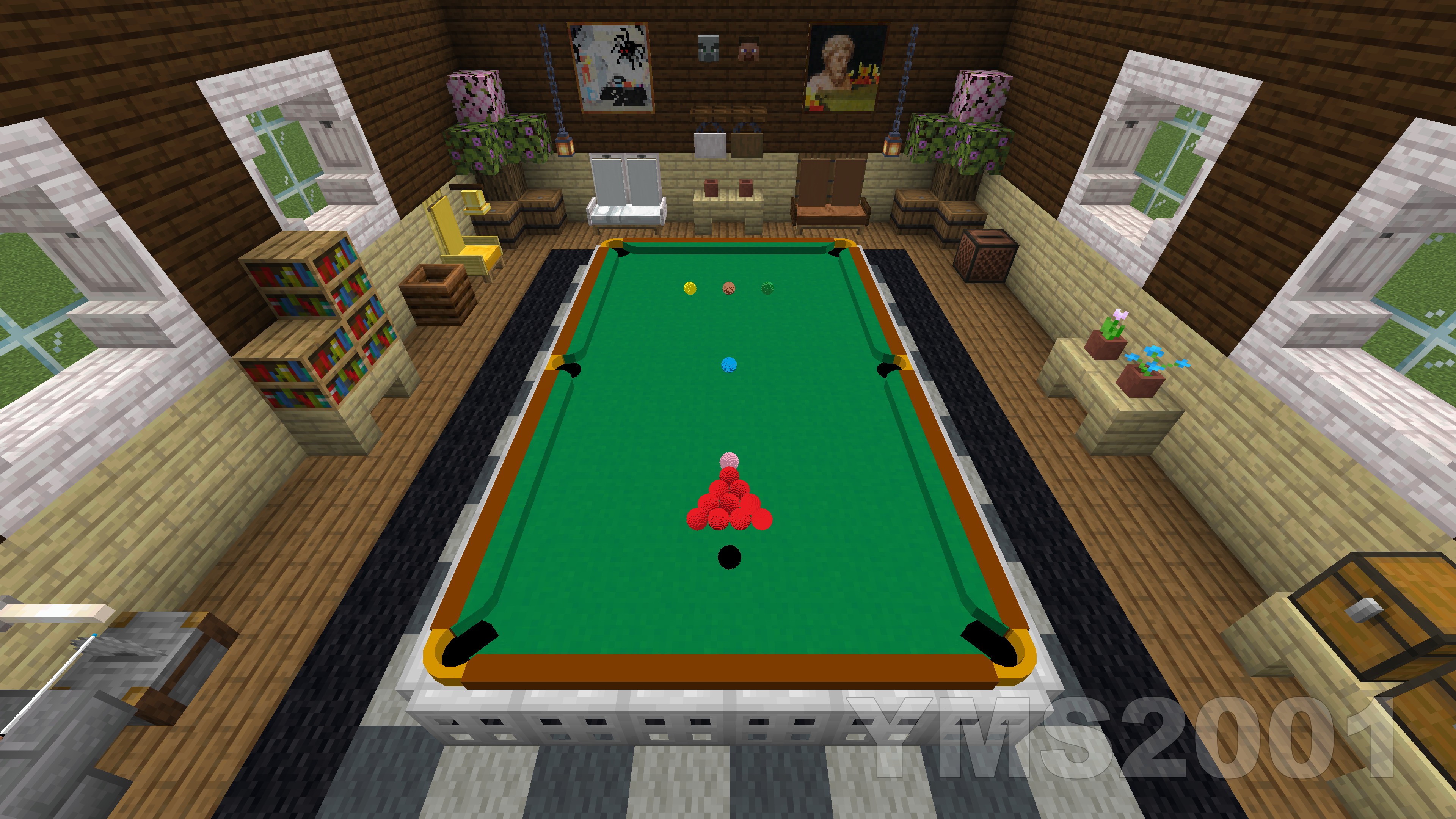
Images: Pool and Billiards on Modrinth, published by the project team.
Setup
Install Pool and Billiards on your server
The server and players need the same loader and Minecraft version. Back up the world before adding or updating mods.
- 01
Configure
4 GB of RAM is preselected. You choose the term and add-ons and pay by credit card or PayPal.
- 02
Set the loader
In the panel, set the server software to Fabric or Forge or NeoForge or Quilt and choose the matching Minecraft version, for example 26.3.
- 03
Install the mod
Search the mod browser for “Pool and Billiards” and install the release for your loader. Alternatively, upload the .jar to the mods folder via SFTP. Required dependencies are listed on the project page.
- 04
Connect
Pool and Billiards is optional on the client. Players connect using the server address from the panel.
- On the server
- Required
- On the client
- Optional
- Loader
- Fabric, Forge, NeoForge, Quilt
- Minecraft
- 26.3, 26.2, 26.1.2 +50 more
- License
- Mozilla Public License 2.0
The panel
Install mods, find errors.
Real screenshots from the Mado panel. Both come with every Minecraft server.
Mod browser
Modrinth and CurseForge, right in the panel.
The browser filters by your Minecraft version. Install mods with one click, without uploading .jar files.

AI crash analysis
When a mod crashes, the analyzer reads the log.
Mods often fail on a wrong loader version, Java version or missing dependency. The analyzer names a likely cause and suggests a fix.

Releases
Published releases
Pick the file that matches your server’s loader and Minecraft version. The server and players need the same release.
Pool and Billiards · Modrinth- v1.3.8-mc1.21plus for Minecraft 1.21 and future versionsNovember 17, 2026Minecraft 1.21, 1.21.1, 24w33a, 24w34a, 24w35a, 24w36a, 24w37a, 24w38a, 24w39a, 24w40a, 1.21.2-pre1, 1.21.2-pre2, 1.21.2, 1.21.3, 24w44a, 24w45a, 24w46a, 1.21.4, 1.21.5, 1.21.6, 1.21.7, 1.21.8, 1.21.9, 1.21.10, 1.21.11, 26.1.2, 26.1.1, 26.1, 26.2, 26.3 · Fabric, Forge, NeoForge, Quilt
- v1.3.8-mc1.16_1.20 for Minecraft versions 1.16 to 1.20November 17, 2026Minecraft 1.16.2, 1.16.3, 1.16.4, 1.16.5, 1.16, 1.16.1, 1.17, 1.20.6, 1.20.5, 1.20.4, 1.20.3, 1.20.2, 1.20.1, 1.20, 1.19.4, 1.19.3, 1.19.2, 1.19.1, 1.19, 1.18.2, 1.18.1, 1.18, 1.17.1 · Fabric, Forge, NeoForge, Quilt
- v1.3.8-mc1.21plus for Minecraft 1.21 and future versionsNovember 17, 2026Minecraft 1.21, 1.21.1, 24w33a, 24w34a, 24w35a, 24w36a, 24w37a, 24w38a, 24w39a, 24w40a, 1.21.2-pre1, 1.21.2-pre2, 1.21.2, 1.21.3, 24w44a, 24w45a, 24w46a, 1.21.4, 1.21.5, 1.21.6, 1.21.7, 1.21.8, 1.21.9, 1.21.10, 1.21.11, 26.1.2, 26.1.1, 26.1, 26.2, 26.3 · datapack
- v1.3.8-mc1.16_1.20 for Minecraft versions 1.16 to 1.20November 17, 2026Minecraft 1.16.2, 1.16.3, 1.16.4, 1.16.5, 1.16, 1.16.1, 1.17, 1.20.6, 1.20.5, 1.20.4, 1.20.3, 1.20.2, 1.20.1, 1.20, 1.19.4, 1.19.3, 1.19.2, 1.19.1, 1.19, 1.18.2, 1.18.1, 1.18, 1.17.1 · datapack
Original description by the project author
Pool and Billiards Datapack by YMS2001
It got a website for all info you need!
Showcase Videos
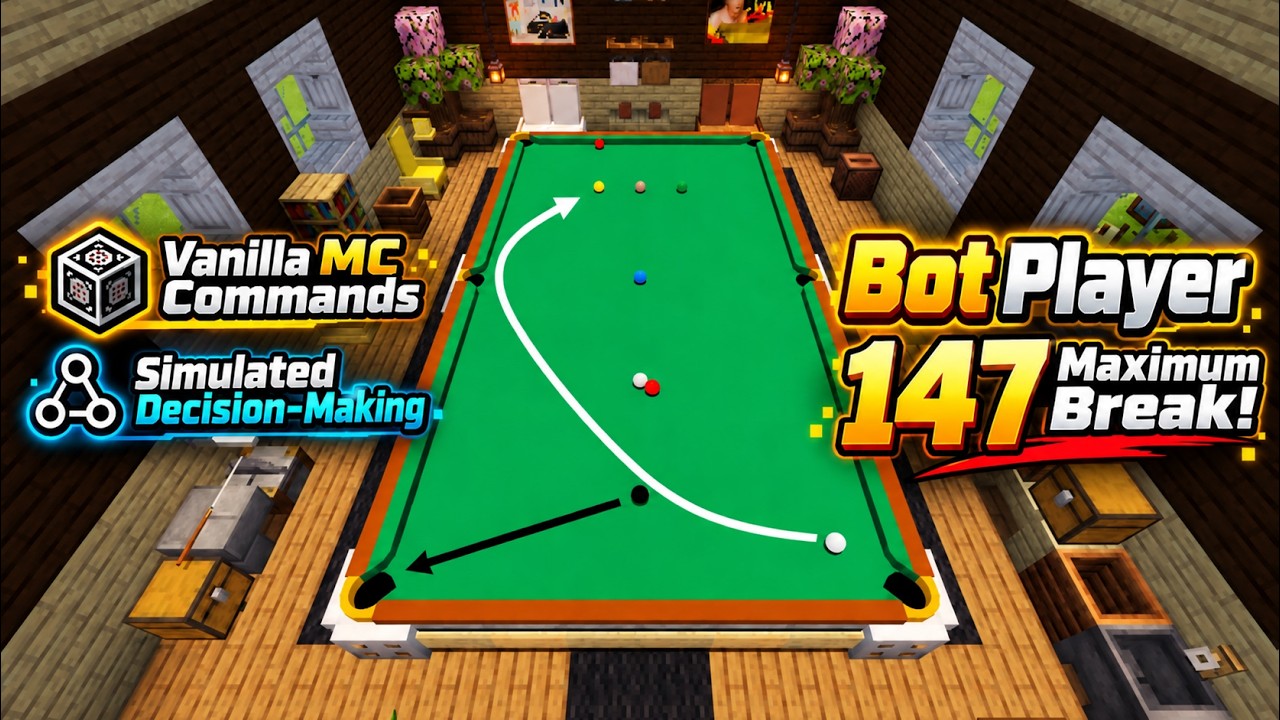
Snooker Bot Makes a 147 Maximum Break
Click the thumbnail below to watch on YouTube:
中文视频
▶ 点击观看:斯诺克电脑玩家打出147满分杆
▶ 2026斯诺克世锦赛决胜局复刻:吴宜泽单杆85分夺冠
About
This datapack is designed for Minecraft players who enjoy cue sports.
Here, pool broadly refers to cue sports including Snooker, 8-Ball, 9-Ball, and related variants.
The datapack supports single-player, play-with-bot, and two-player gameplay in Minecraft Java Edition 1.16+. It also fully supports players without OP permission or in survival mode.
Build pool tables of various colors and sizes in just a few clicks, and freely adjust ball sizes in Minecraft 1.21+.
Supported game modes:
- Snooker
- UK 8-Ball
- Generic 8-Ball
- 9-Ball
- Rule-free practice mode
Dependencies
This datapack depends on the following component:
- Required — Pool and Billiards Resource Pack
When installing from Modrinth, the compatible resource pack should be installed automatically.
Please use matching versions of the datapack and resource pack whenever possible. If an exact matching resource-pack version is not available, this means the datapack was updated without requiring a resource-pack update; in that case, use the closest earlier compatible resource-pack version.
Make sure the required resource pack is installed and enabled before use.
Detailed README (GitHub)
中文版使用说明(GitHub)
Summary of Recent Changes
近期改动总结
Mod Version
Starting from v1.2.0, the datapack is also available as a mod version.
The mod version automatically loads the datapack, so you do not need to place it into each world’s datapacks folder manually. The regular datapack version is still fully supported.
Installation
1. Download the following for the correct game version
- Pool Datapack
- Pool and Billiards Resource Pack (Please check that the resourcepack has a matching minor version to ensure compatibility, i.e., v1.3.x datapack should use v1.3.x resourcepack)
2. Locate your Minecraft directory
On Windows this is usually:
C:/Users/YourUserName/AppData/Roaming/.minecraft
3. Install the resource pack
Move Pool Resource Pack into:
.minecraft/resourcepacks
4. Install the datapacks
Open the world folder where you want to install the datapacks:
.minecraft/saves/<your world>/datapacks
Move the file into this folder:
- Pool Datapack
Each world requires its own copy of the datapacks.
Alternative mod version, available since v1.2.0
You can download the mod version and place it into .minecraft/mods
The mod version automatically loads the datapack, so you do not need to place it into each world's datapacks folder every time.
5. Start Minecraft and open the world
6. Enable the resource pack
Esc -> Options -> Resource Packs
Move Pool Resource Pack to the enabled side.
7. Run the following command
/reload
8. Enjoy
Here are a few helpful commands.
- Open command window directly without clicking any buttons in chat.
/function app:help/pool/commandwindow
or/trigger swPool__trigger set 1if without permission - Run the loading function, in case you want to troubleshoot / check missing settings and don't want to run
reload.
/function pool:classes/main/load - Terminate a game without using command window.
/function pool:classes/lobby/terminate_helper - Remove a table without using command window.
/function pool:classes/table/clear
Included Mechanics
This datapack includes the following systems:
- Simplified Newtonian physics simulation for pool balls
- Neural network-based rack simulation during the break
- Simplified match setup and game rules
- Chat-based GUI for convenient interaction; most actions are done with the mouse
- Support for English and 简体中文
For performance and clarity, the simulation omits some real-world effects such as friction between pockets and balls, cushion deformation, and other minor physical complexities.
Additional Information
Full documentation, installation and usage guides, and source code are available here:
https://github.com/MingshiYangUIUC/Pool-Minecraft-Squid-Workshop-Project
Compatibility Note
For Minecraft versions before 1.21, you may need to edit pack.mcmeta to remove the compatibility warning.
The datapack content is mostly identical across supported versions, so adjusting this single file is usually easier than maintaining multiple nearly identical copies.
Please refer to the Pack Format documentation and update pack.mcmeta according to your Minecraft version:
Pool and Billiards server crashes on startup – what to do?
Common causes: the loader or Minecraft version does not match the mod file, a dependency is missing, or RAM is too low. Check the log (latest.log) for “OutOfMemoryError”, “Mixin” or missing mods. At Mado, the AI crash analysis reads the log and suggests a cause. You can change the loader and version in the panel.
Which loader does Pool and Billiards run on?
According to Modrinth, Pool and Billiards supports Fabric, Forge, NeoForge, Quilt for Minecraft 26.3, 26.2, 26.1.2. Forge and Fabric files are not interchangeable: pick one loader for the server and clients.
How much RAM does a server with Pool and Billiards need?
As guidance, 3–4 GB for a server with this mod. This is an estimate, not a measured minimum. More mods, many players and long view distances need more. The spark profiler shows whether a mod is costing tick time.
Similar mods
Popular mods in the same category
 Client only

Iris Shaders
by coderbot
A modern shader pack loader for Minecraft intended to be compatible with existing OptiFine shader packs
 Client only

[ETF] Entity Texture Features
by Traben
Emissive, Random & Custom texture support for entities in resourcepacks just like Optifine but for Fabric
 Client only

[EMF] Entity Model Features
by Traben
EMF is an, OptiFine format, Custom Entity Model replacement mod available for Fabric and Forge.
 Client only

Not Enough Animations
by tr7zw
Bringing first-person animations to the third-person
Ready for your server with Pool and Billiards?
4 GB of RAM from €8.00 per month. 35% off your first month with MADO35.