
Modrinth · Forge
PortalMod on your Minecraft server
PortalMod runs on Minecraft servers with Forge. Order your server, set the loader in the panel and install the mod with one click in the mod browser.
Portal in Minecraft, reimagined.
- Downloads
- 40.5K
- Author
- LarsMans
- Loader
- Forge
- Minecraft
- 1.16.5
- Updated
- –
Screenshots
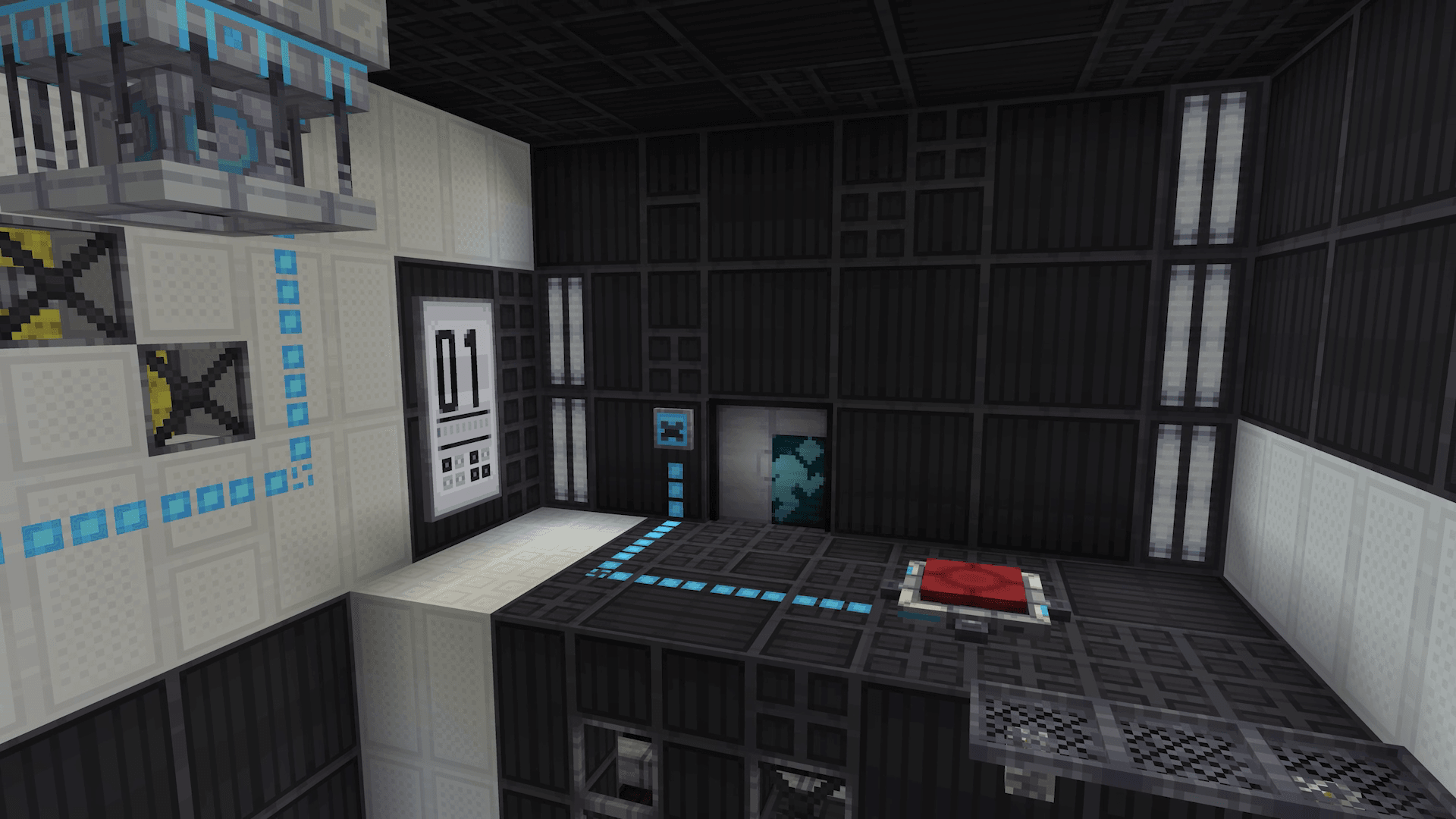
What PortalMod looks like


Images: PortalMod on Modrinth, published by the project team.
Setup
Install PortalMod on your server
The server and players need the same loader and Minecraft version. Back up the world before adding or updating mods.
- 01
Configure
4 GB of RAM is preselected. You choose the term and add-ons and pay by credit card or PayPal.
- 02
Set the loader
In the panel, set the server software to Forge and choose the matching Minecraft version, for example 1.16.5.
- 03
Install the mod
Search the mod browser for “PortalMod” and install the release for your loader. Alternatively, upload the .jar to the mods folder via SFTP. Required dependencies are listed on the project page.
- 04
Connect
Every player installs the same PortalMod release locally and connects using the server address from the panel.
- On the server
- Required
- On the client
- Required
- Loader
- Forge
- Minecraft
- 1.16.5
- License
- LicenseRef-All-Rights-Reserved
The panel
Install mods, find errors.
Real screenshots from the Mado panel. Both come with every Minecraft server.
Mod browser
Modrinth and CurseForge, right in the panel.
The browser filters by your Minecraft version. Install mods with one click, without uploading .jar files.

AI crash analysis
When a mod crashes, the analyzer reads the log.
Mods often fail on a wrong loader version, Java version or missing dependency. The analyzer names a likely cause and suggests a fix.

Releases
Published releases
Pick the file that matches your server’s loader and Minecraft version. The server and players need the same release.
PortalMod · ModrinthOriginal description by the project author


Welcome to PortalMod, a project aiming to reimagine the Portal experience in Minecraft.
Besides the Portal Gun, PortalMod adds a variety of features from the Portal franchise, redesigned to feel at home in Minecraft.
The mod is developed with full survival compatibility and multiplayer support in mind, for building and solving test chambers with friends. Cake included!


This mod adds a variety of test elements from the Portal games, allowing you to create your own test chambers.
We got Cubes and Cube Droppers as well as cool Buttons for revolutionary cube-and-button based testing. These buttons connect to Chamber Doors with Antlines, similar to redstone.
You can further enrich your chambers with Gels, Fizzlers, Aerial Faith Plates, Autoportals and more! Or add hazards like Turrets or Deadly Goo to remove unwanted test subjects after testing.

We also, of course, didn't forget to include some awesome decorative blocks. The white and black panels come in many variants, as well as a lot of additional variety in placement.
Decorate more with flickering Chamber Lights, configurable Chamber Signs, Platforms and Beams great for stairs, and some really nice types of Iron Frames for all kinds of structural builds.


Join our Discord server to share your creations, discuss all kinds of topics, participate in cool community events and get exclusive updates while we work on porting the mod to modern versions of Minecraft.
You can report issues or suggestions on the Github Issues page. We could really use some help on how we can improve the mod!


If you'd like to support the project, you can do so on our Donate page, or by boosting our Discord server!
Both of these will unlock a special Portal Gun skin in-game, visible to everyone! More info on Portal Gun skins here.
We are NOT affiliated, associated, authorized, endorsed by, or in any way officially connected with: Microsoft®, Mojang®, Valve®

PortalMod server crashes on startup – what to do?
Common causes: the loader or Minecraft version does not match the mod file, a dependency is missing, or RAM is too low. Check the log (latest.log) for “OutOfMemoryError”, “Mixin” or missing mods. At Mado, the AI crash analysis reads the log and suggests a cause. You can change the loader and version in the panel.
Which loader does PortalMod run on?
According to Modrinth, PortalMod supports Forge for Minecraft 1.16.5.
How much RAM does a server with PortalMod need?
As guidance, 3–4 GB for a server with this mod. This is an estimate, not a measured minimum. More mods, many players and long view distances need more. The spark profiler shows whether a mod is costing tick time.
Similar mods
Popular mods in the same category
 Server-ready

VeinMiner
by Miraculixx
Mine the whole vein on mining a single ore/block. Make the tedious mining experience to something satisfying and fun! FTB Ultimine alternative
 Server-ready

Geckolib
by Gecko
A 3D animation library for entities, blocks, items, armor, and more!
 Client only

VeinMiner Hotkey
by Miraculixx
Veinminer Addon - Use a hotkey to veinmine with a dynamic crosshair & block highlighting
 Server-ready

Fzzy Config
by fzzyhmstrs
Config API with automatic GUIs, powerful validation options, server-client sync, and more!
Ready for your server with PortalMod?
4 GB of RAM from €8.00 per month. 35% off your first month with MADO35.