
Speed FOV Limiter
Set limits for what speed and slowness do to your fov!
Screenshots
About this Mod
Speed FOV Limiter
Allows you to set limits on what the speed and slowness effect can do to your Fov.
I made this mod because I don't like the high FOV effects that a server sometimes gives you, maybe it is useful for someone else too.
Note that this mod is different than the vanilla FOV Effects option. The vanilla option allows you to scale down the effect of fov effects, meaning sprinting has less of an effect, but a high speed level will still distort your field of view more. This mod instead sets a hard limit for how much your fov can be distorted, and only targets the actual speed, slowness and optionally soul speed effects (only since 1.3.0).
If there is a bug or an incompatibility with another mod please let me know on github issues
Dependencies
- Yet Another Config Lib is required
- Modmenu is suggested
Showcase
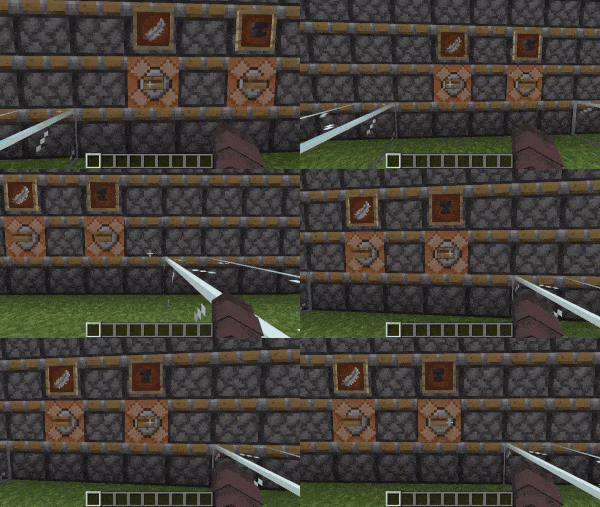
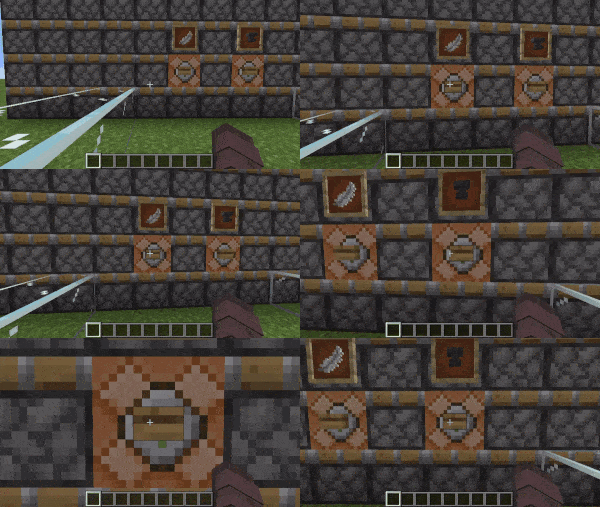
A FOV game setting of 90 was used
Mod Disabled
Mod Enabled
Maximum FOV-Multiplier set to 1.25
Minimum FOV-Multiplier set to 0.75
Settings

Available Versions
How to Install Speed FOV Limiter on Your Client
Install the Mod Loader Locally
Install fabric for your local Minecraft version.
Download the Matching File
Choose the Speed FOV Limiter file for fabric and Minecraft 26.3.
Install Mod
Place the .jar file in your local .minecraft/mods folder and restart Minecraft. No server-side installation is required.
Compatibility
Mod Loaders
Minecraft Versions
26.3, 26.2, 26.1.2 (+17 more)
Server-side
✗ UnsupportedRecommended RAM
4 GB(min. 3 GB)Frequently Asked Questions
Does Speed FOV Limiter need to be installed on the Minecraft server?
No. Modrinth marks Speed FOV Limiter as unsupported on the server side. Install it only in your local Minecraft mods folder. Your server can remain unchanged unless the mod page lists an additional dependency.
Which version and loader does Speed FOV Limiter require?
Use a file for fabric and your exact Minecraft version. Supported versions include 26.3, 26.2, 26.1.2. Files for different loaders are not interchangeable.
Speed FOV Limiter is not working – what should I check?
First check the Minecraft version, loader version and required dependencies. Put the .jar file in your local .minecraft/mods folder and remove older duplicates. Because this mod is client-side, adding server RAM will not fix it.
Similar Mods






Minecraft Server for Your Group
Speed FOV Limiter stays on your client. Host a compatible world for your group.