Modrinth · Fabric, Forge, NeoForge, Quilt · Client mod
Sprint Indicator
Sprint Indicator is a client-side mod. Install it on your computer; the server does not need it.
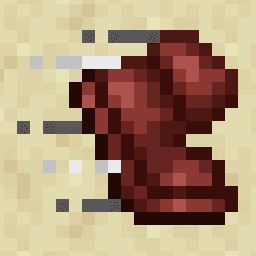
Simple UI element showing whether you're currently sprinting.
- Downloads
- 285.6K
- Author
- Roundaround
- Loader
- Fabric, Forge, NeoForge, Quilt
- Minecraft
- 1.19 – 26.3
- Updated
- –
Screenshots
What Sprint Indicator looks like
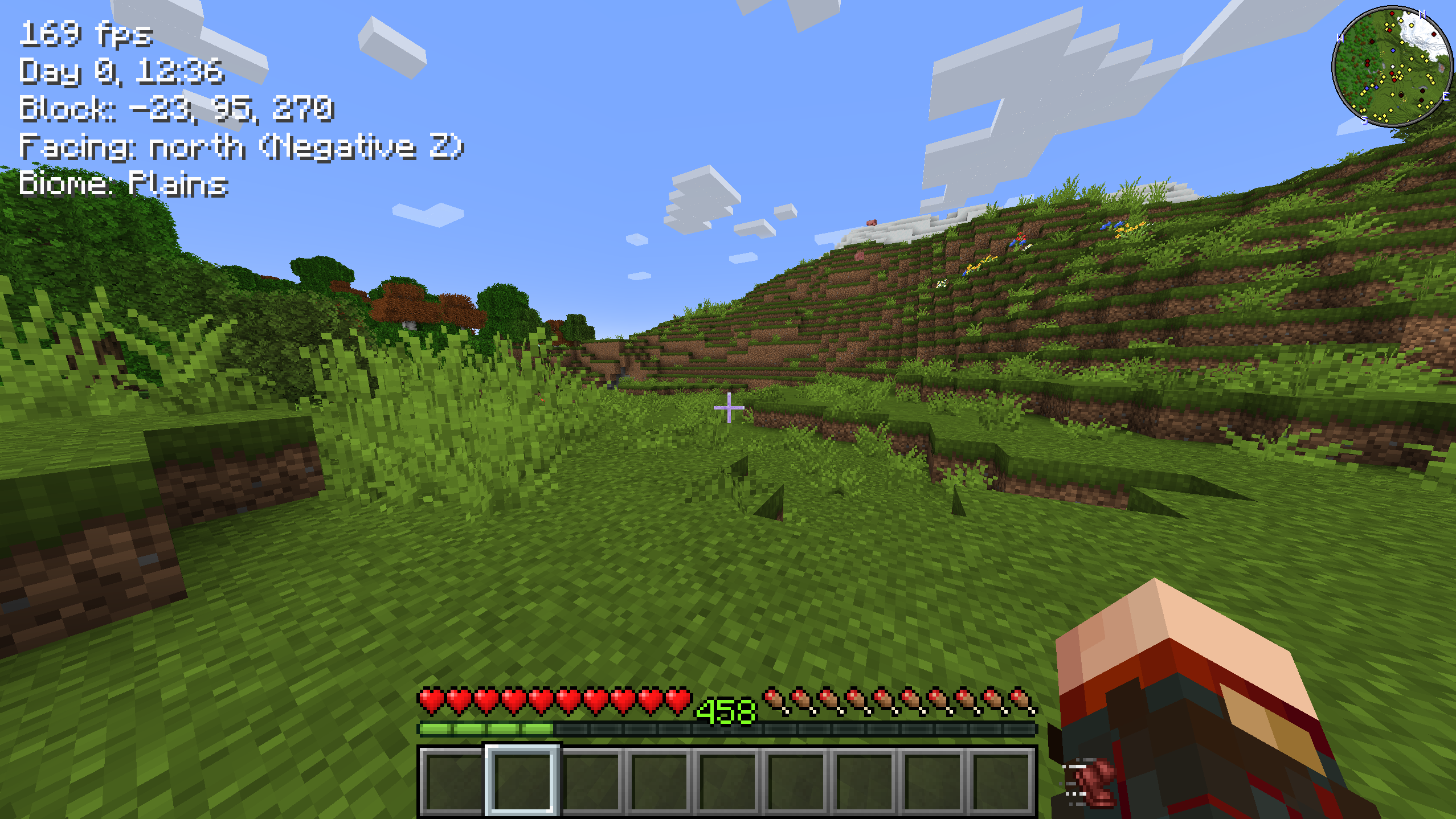
Images: Sprint Indicator on Modrinth, published by the project team.
Setup
Install Sprint Indicator on your client
Client-side mods only run on your computer. More server RAM does not change their performance.
- 01
Install the loader locally
Install Fabric or Forge or NeoForge or Quilt for your Minecraft version in your launcher.
- 02
Download the file
Download the Sprint Indicator file for your loader and your exact Minecraft version, for example 26.3.
- 03
Add it to the mods folder
Put the .jar file in your local .minecraft/mods folder and remove older duplicates.
- 04
Launch
Launch Minecraft with the loader profile. Nothing needs to change on the server.
- On the server
- Not needed
- On the client
- Required
- Loader
- Fabric, Forge, NeoForge, Quilt
- Minecraft
- 26.3, 26.2, 26.1.2 +26 more
- License
- MIT License
Releases
Published releases
Pick the file that matches your server’s loader and Minecraft version. The server and players need the same release.
Sprint Indicator · Modrinth- 2.1.0 for 26.3 ForgeSeptember 20, 2026Minecraft 26.3 · Forge
- 2.1.0 for 26.3 FabricSeptember 17, 2026Minecraft 26.3 · Fabric, Quilt
- 2.1.0 for 26.3 NeoForgeSeptember 17, 2026Minecraft 26.3 · NeoForge
- 2.1.0 for 26.2 FabricSeptember 17, 2026Minecraft 26.2 · Fabric, Quilt
- 2.1.0 for 26.2 NeoForgeSeptember 17, 2026Minecraft 26.2 · NeoForge
Original description by the project author

Simple UI element showing whether you're currently sprinting - and now whether you're crouching too. Sprinting uses the
built-in beacon speed-boost icon; crouching uses the built-in slowness icon.
If you play with the left-handed or hotbar attack indicator options, the mod adjusts the UI accordingly so that
everything fits together!

Configuration — sprintindicator.toml
Open the settings from ModMenu (Fabric) or the Config button on the mods list (NeoForge / Forge). The configuration
file is also directly editable from the sprintindicator.toml file in your config folder.
sprintEnabled: true|false - Whether to show an icon when sprinting.
sprintShowWhenActive: true|false - Whether to also show the sprint icon (dimmed) while the sprint key is held or
toggled on but you aren't sprinting.
crouchEnabled: true|false - Whether to show an icon when crouching.
offset: x,y - An x,y pixel offset for rendering the icons.
adjustAttackIndicator: true|false - Whether to shift the attack indicator to put the sprint/crouch icons closer to
the hotbar.
Made for the Minecraft streamer Linkzzey over on Twitch!
Links
Also on CurseForge · Source on GitHub · Report an issue

Does Sprint Indicator need to be installed on the Minecraft server?
No. Modrinth marks Sprint Indicator as unsupported on the server side. Install it only in your local mods folder. Your server can stay unchanged unless the project page lists an additional dependency.
Which version and loader does Sprint Indicator require?
Use a file for Fabric, Forge, NeoForge, Quilt and your exact Minecraft version. Supported versions include 26.3, 26.2, 26.1.2. Files for different loaders are not interchangeable.
Sprint Indicator is not working – what should I check?
First check the Minecraft version, loader version and required dependencies. Because the mod is client-side, more server RAM will not fix it.
Similar mods
Popular mods in the same category
 Client only

Iris Shaders
by coderbot
A modern shader pack loader for Minecraft intended to be compatible with existing OptiFine shader packs
 Client only

[ETF] Entity Texture Features
by Traben
Emissive, Random & Custom texture support for entities in resourcepacks just like Optifine but for Fabric
 Client only

[EMF] Entity Model Features
by Traben
EMF is an, OptiFine format, Custom Entity Model replacement mod available for Fabric and Forge.
 Client only

Not Enough Animations
by tr7zw
Bringing first-person animations to the third-person
Looking for mods for your own server?
The catalog lists mods that run on Minecraft servers.