Modrinth · Fabric, Forge, NeoForge
Stackable on your Minecraft server
Stackable runs on Minecraft servers with Fabric or Forge or NeoForge. Order your server, set the loader in the panel and install the mod with one click in the mod browser.
Stackable is a mod that increases all block stacking limits to any value less than 127 for Minecraft 1.20.4-1.19.2 and 2.147B for versions after 1.20.6
- Downloads
- 369.4K
- Author
- LinkachuGaming
- Loader
- Fabric, Forge, NeoForge
- Minecraft
- 1.19 – 26.3
- Updated
- –
Screenshots
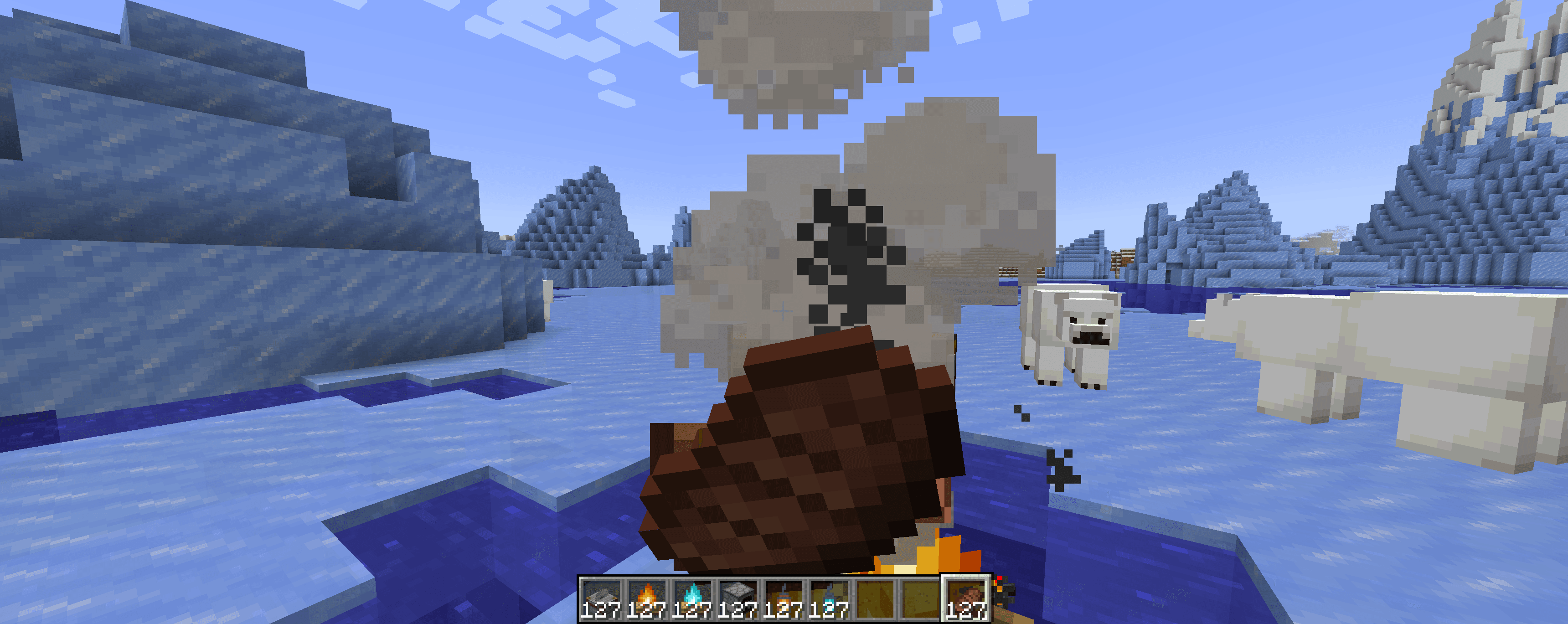
What Stackable looks like


Images: Stackable on Modrinth, published by the project team.
Setup
Install Stackable on your server
The server and players need the same loader and Minecraft version. Back up the world before adding or updating mods.
- 01
Configure
4 GB of RAM is preselected. You choose the term and add-ons and pay by credit card or PayPal.
- 02
Set the loader
In the panel, set the server software to Fabric or Forge or NeoForge and choose the matching Minecraft version, for example 26.3.
- 03
Install the mod
Search the mod browser for “Stackable” and install the release for your loader. Alternatively, upload the .jar to the mods folder via SFTP. Required dependencies are listed on the project page.
- 04
Connect
Every player installs the same Stackable release locally and connects using the server address from the panel.
- On the server
- Required
- On the client
- Required
- Loader
- Fabric, Forge, NeoForge
- Minecraft
- 26.3, 26.2, 26.1.2 +26 more
- License
- Creative Commons Zero v1.0 Universal
The panel
Install mods, find errors.
Real screenshots from the Mado panel. Both come with every Minecraft server.
Mod browser
Modrinth and CurseForge, right in the panel.
The browser filters by your Minecraft version. Install mods with one click, without uploading .jar files.

AI crash analysis
When a mod crashes, the analyzer reads the log.
Mods often fail on a wrong loader version, Java version or missing dependency. The analyzer names a likely cause and suggests a fix.

Releases
Published releases
Pick the file that matches your server’s loader and Minecraft version. The server and players need the same release.
Stackable · Modrinth- [LegacyForge] Stackable 26.3+2.1.1September 29, 2026Minecraft 26.3 · Forge
- [NeoForge] Stackable 26.3+2.1.1September 29, 2026Minecraft 26.3 · NeoForge
- [Fabric] Stackable 26.3+2.1.1September 29, 2026Minecraft 26.3 · Fabric
- [LegacyForge] Stackable 26.2+2.1.1June 18, 2026Minecraft 26.2 · Forge
- [NeoForge] Stackable 26.2+2.1.1June 18, 2026Minecraft 26.2 · NeoForge
Original description by the project author
Stackable
Stackable is a mod that increases all block stacking limits to any value less than 127 for Minecraft 1.19.2-1.20.4 and 2.147B in 1.20.6+.
Why 127?
Effectively, I'm lazy, but in reality, Minecraft stores all items with a single signed byte which for our purposes only can be between -128 to 127, since negative values are invalid that leaves a maximum stack size of 127. Moreover, this mod is intended to be compatible with other mods which may also use signed bytes to store items.
Why make this mod
I don't know, other mods already exist that allow for stack sizes above 127. This was more for experimentation with creating mixins and understanding Minecrafts code a little better.
Will you update to X?
Maybe.
Will you backport to X?
Eh, not really.
There's a bug here?
I might fix bugs that are Vanilla specific, but mod compatibility is gonna be kinda hard to do
Mod support?
This mod should be compatible with most other mods, I've tested this mod in all of Fabric Orion, and it generally works, some blocks will limit their storage size to 64 but shouldn't crash. Most of my mixins to the code surround editing the interface that all inventory mods should implement to begin with, so if they call the stack size from that interface they should receive the appropriate value.
Stackable server crashes on startup – what to do?
Common causes: the loader or Minecraft version does not match the mod file, a dependency is missing, or RAM is too low. Check the log (latest.log) for “OutOfMemoryError”, “Mixin” or missing mods. At Mado, the AI crash analysis reads the log and suggests a cause. You can change the loader and version in the panel.
Which loader does Stackable run on?
According to Modrinth, Stackable supports Fabric, Forge, NeoForge for Minecraft 26.3, 26.2, 26.1.2. Forge and Fabric files are not interchangeable: pick one loader for the server and clients.
How much RAM does a server with Stackable need?
As guidance, 3–4 GB for a server with this mod. This is an estimate, not a measured minimum. More mods, many players and long view distances need more. The spark profiler shows whether a mod is costing tick time.
Similar mods
Popular mods in the same category
 Client only

Sodium Extra
by FlashyReese
A Sodium addon that adds features that shouldn't be in Sodium.
 Server-ready

VeinMiner
by Miraculixx
Mine the whole vein on mining a single ore/block. Make the tedious mining experience to something satisfying and fun! FTB Ultimine alternative
 Client only

Remove Reloading Screen
by dima_dencep
Makes resource packs load in the background, allowing you to do other things while waiting!
 Server-ready

Sinytra Connector
by Su5eD
Lets you play Fabric mods on NeoForge
Ready for your server with Stackable?
4 GB of RAM from €8.00 per month. 35% off your first month with MADO35.