
Modrinth · NeoForge
The Block Box on your Minecraft server
The Block Box runs on Minecraft servers with NeoForge. Order your server, set the loader in the panel and install the mod with one click in the mod browser.
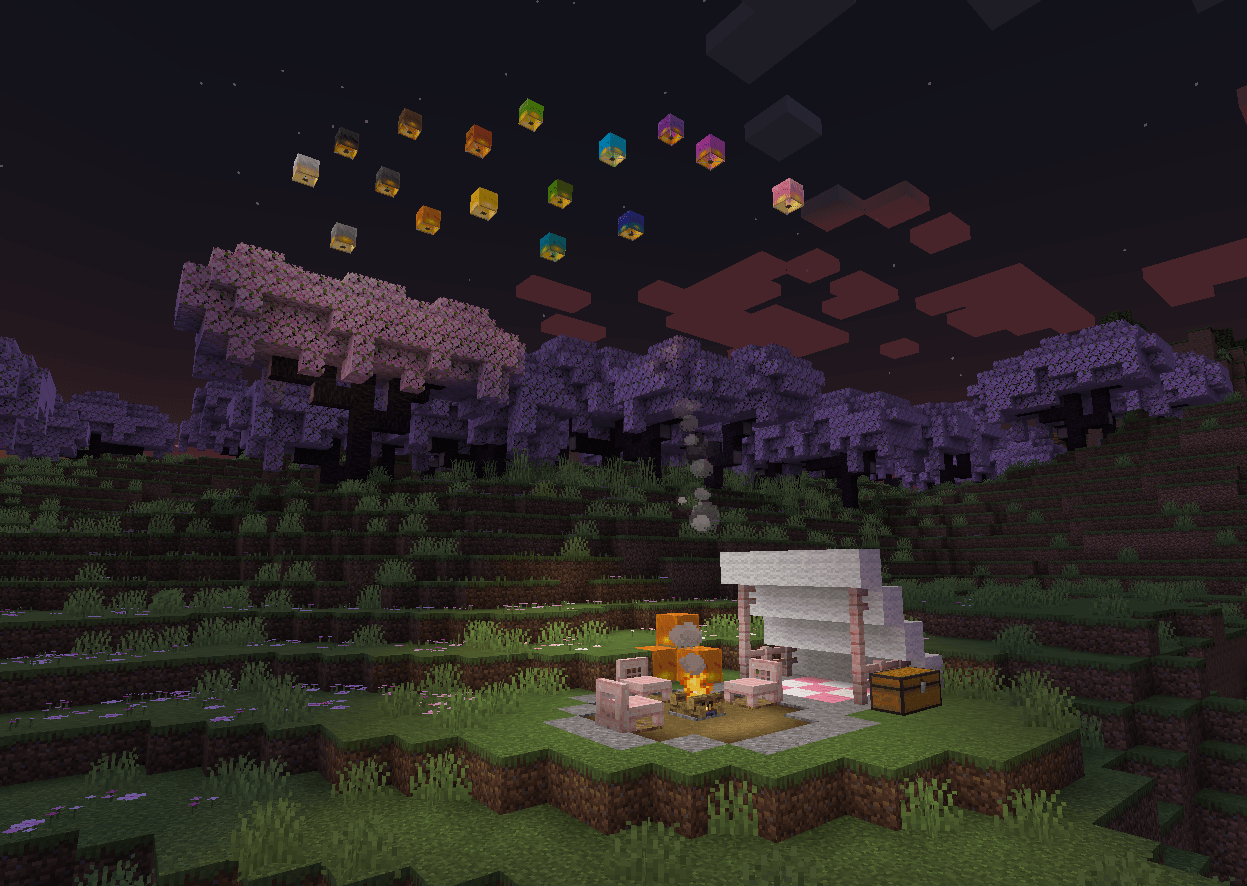
A collection of building blocks, furniture and decorations!
- Downloads
- 59.3K
- Author
- vectorwing
- Loader
- NeoForge
- Minecraft
- 1.21.1 – 26.1.2
- Updated
- –
Screenshots
What The Block Box looks like


Images: The Block Box on Modrinth, published by the project team.
Setup
Install The Block Box on your server
The server and players need the same loader and Minecraft version. Back up the world before adding or updating mods.
- 01
Configure
4 GB of RAM is preselected. You choose the term and add-ons and pay by credit card or PayPal.
- 02
Set the loader
In the panel, set the server software to NeoForge and choose the matching Minecraft version, for example 26.1.2.
- 03
Install the mod
Search the mod browser for “The Block Box” and install the release for your loader. Alternatively, upload the .jar to the mods folder via SFTP. Required dependencies are listed on the project page.
- 04
Connect
Every player installs the same The Block Box release locally and connects using the server address from the panel.
- On the server
- Required
- On the client
- Required
- Loader
- NeoForge
- Minecraft
- 26.1.2, 26.1.1, 26.1 +1 more
- License
- LicenseRef-Custom-License
The panel
Install mods, find errors.
Real screenshots from the Mado panel. Both come with every Minecraft server.
Mod browser
Modrinth and CurseForge, right in the panel.
The browser filters by your Minecraft version. Install mods with one click, without uploading .jar files.

AI crash analysis
When a mod crashes, the analyzer reads the log.
Mods often fail on a wrong loader version, Java version or missing dependency. The analyzer names a likely cause and suggests a fix.

Releases
Published releases
Pick the file that matches your server’s loader and Minecraft version. The server and players need the same release.
The Block Box · ModrinthOriginal description by the project author

The Block Box is exactly what the name says - a box full of blocks!
Here you'll find a variety of block sets, decorations, light sources and furniture. Ever wanted to build an opulent mansion with gold? How about an industrial complex with iron and copper? Or maybe you just want to sit down in a chair and watch the sky lanterns fly? This mod has got you covered!
The Block Box aims to extend the block palette of Minecraft wherever it makes sense, adding blocks for themes and use cases that aren't well-covered by existing blocks.
Also, the mod does not generate anything in your world - you can just drop it in at any time!
Take a look around and see if anything fits your next build!
Frequently Asked Questions
Q. Can I use this mod into my modpack?
A. Yes! Feel free to feature The Block Box in your modpack, and customize it as you see fit for the experience you're crafting. Just keep in mind:
Make sure to credit, and don't claim The Block Box as your own creation;
Always read the changelogs! Minor and major versions can sometimes have breaking changes, which will be explained there.
Q. Which versions of Minecraft will you support?
A. Currently, The Block Box is only available for Minecraft 1.21.1, but I might backport it to 1.20.1 once I have time. No promises!
Q. Do you have a Patreon, or similar means of supporting your work?
A. Not currently, but thanks for your consideration! Although I am currently unemployed, the money I earn from my projects is enough to sustain me in the meantime.
The Block Box server crashes on startup – what to do?
Common causes: the loader or Minecraft version does not match the mod file, a dependency is missing, or RAM is too low. Check the log (latest.log) for “OutOfMemoryError”, “Mixin” or missing mods. At Mado, the AI crash analysis reads the log and suggests a cause. You can change the loader and version in the panel.
Which loader does The Block Box run on?
According to Modrinth, The Block Box supports NeoForge for Minecraft 26.1.2, 26.1.1, 26.1.
How much RAM does a server with The Block Box need?
As guidance, 3–4 GB for a server with this mod. This is an estimate, not a measured minimum. More mods, many players and long view distances need more. The spark profiler shows whether a mod is costing tick time.
Similar mods
Popular mods in the same category
 Client only

Iris Shaders
by coderbot
A modern shader pack loader for Minecraft intended to be compatible with existing OptiFine shader packs
 Client only

[ETF] Entity Texture Features
by Traben
Emissive, Random & Custom texture support for entities in resourcepacks just like Optifine but for Fabric
 Client only

[EMF] Entity Model Features
by Traben
EMF is an, OptiFine format, Custom Entity Model replacement mod available for Fabric and Forge.
 Client only

Not Enough Animations
by tr7zw
Bringing first-person animations to the third-person
Ready for your server with The Block Box?
4 GB of RAM from €8.00 per month. 35% off your first month with MADO35.