
Theurgy
Theurgy is an open-source magic mod built around classical alchemy to replicate and transmute matter, and create magical artifacts.
Screenshots
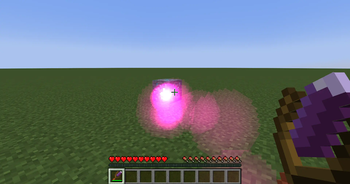
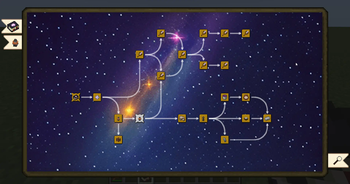
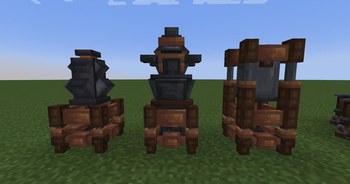
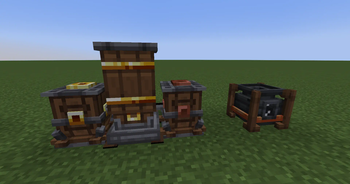
About this Mod
Theurgy
An Introduction to the Ancient Art of Alchemy
Theurgy is an open-source magic mod built around classical alchemy to replicate and transmute matter, and create magical artifacts.
Theurgy aims to introduce a new take on Alchemy in Minecraft. Deviating from the well-trodden path of the "4 Elements" - Air, Water, Fire, Earth - it is inspired by classical Alchemy and works with the elements of Sulfur, Salt and Mercury and their handling through a group of processes known as Spagyrics.
First and foremost Theurgy tries to create a balanced alchemy experience - not as overpowered as Equivalent Exchange, yet maybe somewhat more practicable than the legendary Thaumcraft.
In-Game documentation is provided by Modonomicon a mod for Thaumonomicon-Style in-game books.
First Steps
1. Craft a book with 2x sand to obtain The Hermetica, your guide book in all things alchemy.
2. Follow the steps outlined in the book on your journey to become a master alchemist.

Feedback, Bug reports or Questions?
Join our Discord!

Alternative link: https://discord.gg/trE4SHRXvb
Use in Modpacks
Packmaker Documentation: https://klikli-dev.github.io/theurgy/
Use in modpacks is allowed without restrictions, as long as you link back to this page.
If you create the modpack on curseforge a link will be automatically created in the files sections, you do not need to add a manual link.
Configuration, Recipes, Balancing
If you need help configuring the mod for your modpack, or need a specific feature for compatibility please join Discord and get in touch!
License
The source code for this mod is released under the MIT license.
View https://github.com/klikli-dev/theurgy/#licensing for more details.
Contributions and derivative works are welcome!
All the good-looking textures have been graciously provided by Discord User "An intruder#6969" (all programmer's art is on me!).
Special Thanks
To the forge team, without whom mods would be in the Stone Age.
Available Versions
How to Install Theurgy on Your Server
Order Server
Order a Minecraft Java server with at least 3 GB RAM (4 GB recommended).
Set forge Loader
In the panel under "Egg", select the forge loader and matching Minecraft version (26.3).
Install Mod
Open the mod browser in the dashboard and search for "Theurgy". Click "Install" – done! Alternatively, upload the .jar via SFTP to the /mods folder.
Compatibility
Mod Loaders
Minecraft Versions
26.3, 26.2, 26.1.2 (+13 more)
Server-side
✓ RequiredRecommended RAM
4 GB(min. 3 GB)Frequently Asked Questions
Theurgy server crashes on startup – what to do?
Most common cause: wrong forge version or insufficient RAM. Check the server log (latest.log) for "OutOfMemoryError" or "Mixin" errors. With Mado Hosting: ensure at least 3 GB RAM is allocated and the loader matches the mod version (26.3). You can switch loaders with one click in the panel.
Is Theurgy compatible with forge and neoforge?
Theurgy officially supports forge, neoforge for Minecraft 26.3, 26.2, 26.1.2. The Mado dashboard automatically detects incompatible loader combinations.
Server lagging with Theurgy – how to optimize performance?
Recommended RAM: 4 GB (per 8 players). Use /spark profiler to check if Theurgy consumes the most tick time. Common fixes: reduce server view-distance to 8-10, install "performant" or "starlight" as supplementary mods on Forge. With Mado Hosting, your server runs on NVMe SSDs with dedicated CPU cores for minimal latency.
Similar Mods






Rent Modded Server
Install Theurgy with just one click on your server.