
VulkanMod Reforged
Bring Vulkan to Minecraft now on neoforge! (Forge version, backports, other versions coming soon)
Screenshots
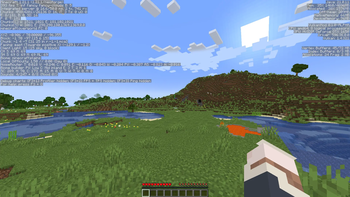
About this Mod
Vulkan is a Minecraft performance project that focuses on improving the game’s overall smoothness, stability, and responsiveness. It is designed to give players a cleaner and more optimized experience while keeping the normal Minecraft feel.
Developing and maintaining this project takes time and effort. If you enjoy Vulkan, consider supporting the project and sharing feedback to help improve future updates.
Installation
Requirements
- A supported Minecraft version
- A compatible mod loader
- A device capable of running the project properly
- Latest GPU drivers updates
Steps
- Download the latest Vulkan mod file.
- Move the file into your Minecraft
modsfolder. - Launch Minecraft with the correct mod loader profile.
Performance
Vulkan is built with optimization in mind. It aims to reduce lag, improve responsiveness, and make gameplay feel smoother across supported setups.
Compatibility
Mod compatibility is not guaranteed. Some mods may not work correctly with Vulkan, especially mods that change rendering, visuals, or core client behavior.
Before reporting an issue, make sure your Minecraft version, mod loader, and installed mods are supported.
Community
Need help, want to report a problem, or just want to talk with other users? Join VulkanMod Discord Server for support, updates, and community discussion.
Disclaimer
Vulkan is not an official XCollateral's product (the original VulkanMod creator), credits to him <3
Available Versions
How to Install VulkanMod Reforged on Your Client
Install the Mod Loader Locally
Install neoforge for your local Minecraft version.
Download the Matching File
Choose the VulkanMod Reforged file for neoforge and Minecraft 1.21.1.
Install Mod
Place the .jar file in your local .minecraft/mods folder and restart Minecraft. No server-side installation is required.
Compatibility
Mod Loaders
Minecraft Versions
1.21.1, 1.20.1
Server-side
✗ UnsupportedRecommended RAM
4 GB(min. 3 GB)Frequently Asked Questions
Does VulkanMod Reforged need to be installed on the Minecraft server?
No. Modrinth marks VulkanMod Reforged as unsupported on the server side. Install it only in your local Minecraft mods folder. Your server can remain unchanged unless the mod page lists an additional dependency.
Which version and loader does VulkanMod Reforged require?
Use a file for neoforge and your exact Minecraft version. Supported versions include 1.21.1, 1.20.1. Files for different loaders are not interchangeable.
VulkanMod Reforged is not working – what should I check?
First check the Minecraft version, loader version and required dependencies. Put the .jar file in your local .minecraft/mods folder and remove older duplicates. Because this mod is client-side, adding server RAM will not fix it.
Similar Mods


Minecraft Server for Your Group
VulkanMod Reforged stays on your client. Host a compatible world for your group.