
Modrinth · Forge, NeoForge
Alex's Mobs on your Minecraft server
Alex's Mobs runs on Minecraft servers with Forge or NeoForge. Order your server, set the loader in the panel and install the mod with one click in the mod browser.
85+ New mobs with stylistic quality above the default game.
- Downloads
- 15.8M
- Author
- AlexModGuy
- Loader
- Forge, NeoForge
- Minecraft
- 1.16.5 – 1.20.1
- Updated
- –
Screenshots
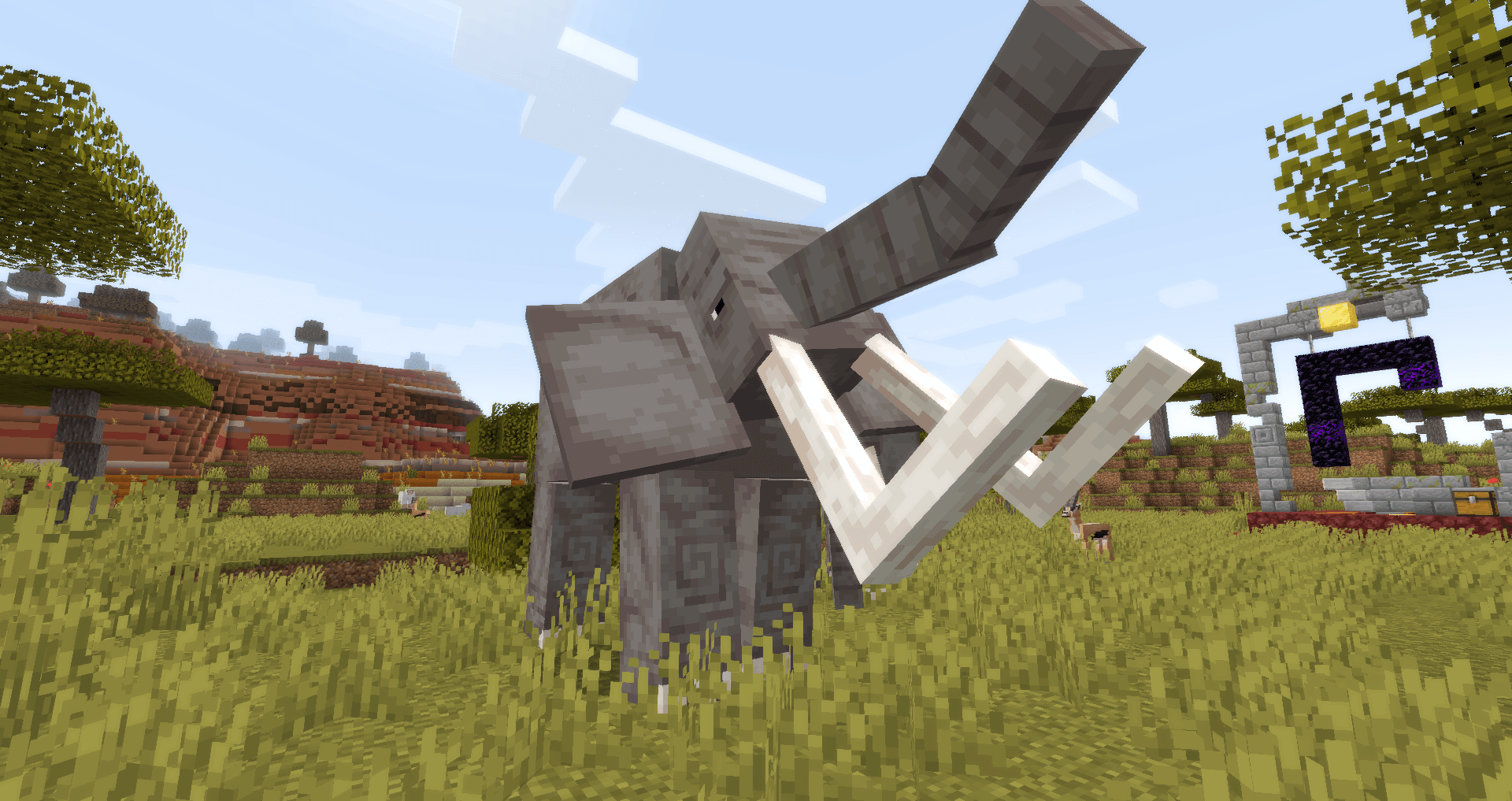
What Alex's Mobs looks like


Images: Alex's Mobs on Modrinth, published by the project team.
Setup
Install Alex's Mobs on your server
The server and players need the same loader and Minecraft version. Back up the world before adding or updating mods.
- 01
Configure
4 GB of RAM is preselected. You choose the term and add-ons and pay by credit card or PayPal.
- 02
Set the loader
In the panel, set the server software to Forge or NeoForge and choose the matching Minecraft version, for example 1.20.1.
- 03
Install the mod
Search the mod browser for “Alex's Mobs” and install the release for your loader. Alternatively, upload the .jar to the mods folder via SFTP. Required dependencies are listed on the project page.
- 04
Connect
Every player installs the same Alex's Mobs release locally and connects using the server address from the panel.
- On the server
- Required
- On the client
- Required
- Loader
- Forge, NeoForge
- Minecraft
- 1.20.1, 1.19.4, 1.19.2 +3 more
- License
- GNU General Public License v3.0 only
The panel
Install mods, find errors.
Real screenshots from the Mado panel. Both come with every Minecraft server.
Mod browser
Modrinth and CurseForge, right in the panel.
The browser filters by your Minecraft version. Install mods with one click, without uploading .jar files.

AI crash analysis
When a mod crashes, the analyzer reads the log.
Mods often fail on a wrong loader version, Java version or missing dependency. The analyzer names a likely cause and suggests a fix.

Releases
Published releases
Pick the file that matches your server’s loader and Minecraft version. The server and players need the same release.
Alex's Mobs · Modrinth- Alex's Mobs 1.22.9September 6, 2024Minecraft 1.20.1 · Forge, NeoForge
- Alex's Mobs 1.12.1November 4, 2023Minecraft 1.16.5 · Forge
- Alex's Mobs 1.18.6November 4, 2023Minecraft 1.18.2 · Forge
- Alex's Mobs 1.21.1November 4, 2023Minecraft 1.19, 1.19.2 · Forge
- Alex's Mobs 1.22.3November 4, 2023Minecraft 1.19.4 · Forge
Original description by the project author
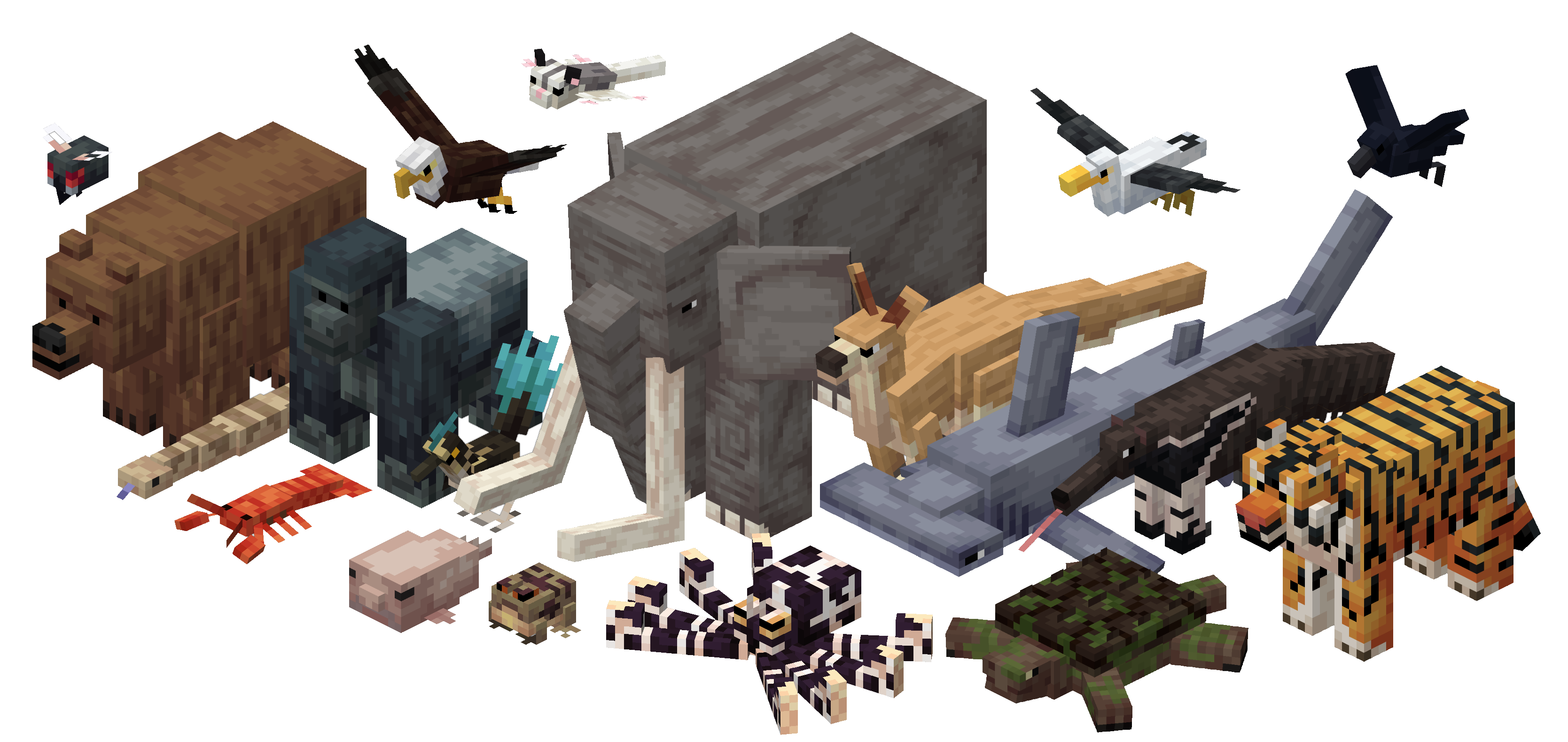
Alex's Mobs is a Forge mod that adds 89 new mobs to Minecraft. All of these mobs fall into either two categories: most of them are real world creatures, like Grizzly Bears, Roadrunners, Orcas, etc; but some of them are purely fictional, like the Endergade and Bone Serpent. All of these creatures fulfill a necessary purpose, and either have unique drops, mechanics or functions, as there are no purely aesthetic creatures. That said, they also help make some environments in the game feel more alive. The models, textures, animations and AI are all stylistically compatible with the vanilla game's latest additions.
The new mobs currently added are as follows (fantastical mobs in blue, real-world ones in black, boss mobs in red):
New Mobs...
In Release 1.0.0:
- Grizzly Bear
- Roadrunner
- Bone Serpent
- Gazelle
- Crocodile
- Fly
- Hummingbird
- Orca
- Sunbird
- Gorilla
- Crimson Mosquito
- Rattlesnake
- Endergrade
- Hammerhead Shark
- Lobster
- Komodo Dragon
- Capuchin Monkey
- Cave Centipede
In Release 1.1.0:
- Warped Toad
- Moose
In Release 1.2.0:
- Mimicube
- Raccoon
- Blobfish
In Release 1.3.0:
- Seal
- Cockroach
- Shoebill
In Release 1.4.0:
- Elephant
- Soul Vulture
In Release 1.5.0:
- Snow Leopard
- Spectre
- Crow
In Release 1.6.0:
- Alligator Snapping Turtle
- Mungus
- Mantis Shrimp
In Release 1.7.0 (Mighty Monsters Update):
- Guster
- Warped Mosco
- Straddler
- Stradpole
In Release 1.8.0 (Down Under Update):
- Emu
- Platypus
- Dropbear
- Tasmanian Devil
- Kangaroo
In Release 1.9.0 (Big and Small Update):
- Cachalot Whale
- Leafcutter Ant
- Enderiophage
In Release 1.10.0 (Ferocious Predators Update)
- Bald Eagle
- Tiger
- Tarantula Hawk
In Release 1.11.0
- Void Worm
- Frilled Shark
- Mimic Octopus
In Release 1.12.0
- Seagull
In Release 1.13.0 (Bygone Beasts Update)
- Froststalker
- Tusklin
- Laviathan
- Cosmaw
In Release 1.14.0 (Come to Brazil Update)
- Toucan
- Maned Wolf
- Anaconda
- Anteater
In Release 1.15.0 (Caves and Cliffs Update):
- Rocky Roller
- Flutter
- Gelada Monkey
In Release 1.16.0 (Atmospheric Update):
- Jerboa
- Terrapin
- Comb Jelly
- Cosmic Cod
In Release 1.17.0 (Fan Favorites Update):
- Bunfungus
- Bison
- Giant Squid
In Release 1.18.0 (Fishy Business Update):
- Devil's Hole Pupfish
- Catfish
- Flying Fish
- Skelewag
In Release 1.19.0 (Wilder Update):
- Rain Frog
- Potoo
- Mudskipper
- Rhinoceros
- Sugar Glider
In Release 1.20.0 (Very Scary Update):
- Farseer
- Skreecher
- Underminer
- Murmur
In Release 1.21.0 (Forest Friends Update):
- Skunk
- Banana Slug
- Blue Jay
In Release 1.22.0 (Freshwater Update):
- Caiman
- Triops
Many of these mobs have unique drops or items associated with them. Following the traditional vanilla rules, rare or endangered animals do not have drops that can be obtained only through death. Rather, most of them, like the Komodo Dragon and Hammerhead Shark, drop their items when performing a specific function. Many of these drops and items can be used to craft unique weapons, arrows, potions, and armors with special effects. In addition, most of the mobs added are not outright hostile, but can be provoked by distance or attacking, like vanilla polar bears and piglins are. However, most of the unique, fantastical mobs are hostile.
When joining a world with Alex's Mobs for the first time, the player will be given the Animal Dictionary. This is a very basic guide and documentation of each creature added by the mod, and should provide insight into uses for each of the mobs or their drops.
If lost somehow, this book can be recrafted with a vanilla book, a green dye and any item from the mod.


Alex's Mobs is intended to be used alongside other mods, including those that add new blocks, mobs, biomes and dimensions. It is extremely configurable, and all mob spawns can be specified by BiomeDictionary, biome registry names, dimension tags, and biome categories. This mod should play nice with biome adding mods, and should be a perfect fit for many modpacks, whether they be Vanilla-themed or extremely advanced.
Special Thanks to:
- Nebula240 and StickZilla (Spanish Translations)
- Mikeliro (PT-BR Translations)
- ChirenCQR (Chinese Translations)
- Robongio (Swedish Translations)
- Elloellie (German Translations)
- BardinTheDwarf (Russian Translations)
- Othuntgithub (Korean Translations)
Thank you for translating our mod! If you helped out translating the mod and isn't listed here, please contact Carro1001 on discord.
Check out LudoCrypt's other music here and here.
If you encounter any bugs with Alex's Mobs, please report them at the github, here.
Alex's Mobs server crashes on startup – what to do?
Common causes: the loader or Minecraft version does not match the mod file, a dependency is missing, or RAM is too low. Check the log (latest.log) for “OutOfMemoryError”, “Mixin” or missing mods. At Mado, the AI crash analysis reads the log and suggests a cause. You can change the loader and version in the panel.
Which loader does Alex's Mobs run on?
According to Modrinth, Alex's Mobs supports Forge, NeoForge for Minecraft 1.20.1, 1.19.4, 1.19.2.
How much RAM does a server with Alex's Mobs need?
As guidance, 3–4 GB for a server with this mod. This is an estimate, not a measured minimum. More mods, many players and long view distances need more. The spark profiler shows whether a mod is costing tick time.
Similar mods
Popular mods in the same category
 Server-ready

VeinMiner
by Miraculixx
Mine the whole vein on mining a single ore/block. Make the tedious mining experience to something satisfying and fun! FTB Ultimine alternative
 Client only

VeinMiner Hotkey
by Miraculixx
Veinminer Addon - Use a hotkey to veinmine with a dynamic crosshair & block highlighting
 Server-ready

Curios API
by TheIllusiveC4
A flexible and expandable accessory/equipment API for users and developers.
 Server-ready

[TaCZ] Timeless and Classics Zero
by craneblock6666
The most Immersive and Customizable modern FPS experience in Minecraft - A complete Remaster of the TaC gun mod by the original team.
Ready for your server with Alex's Mobs?
4 GB of RAM from €8.00 per month. 35% off your first month with MADO35.