
Biomancy
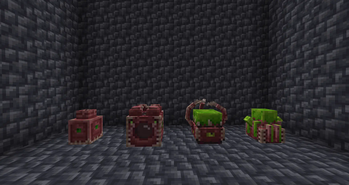
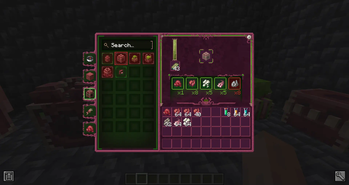
Biopunk inspired tech-magic mod that has a fleshy art theme....
Screenshots
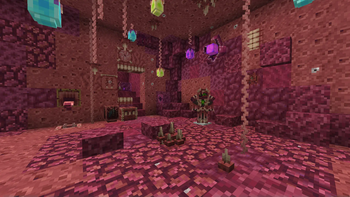
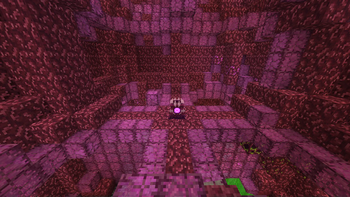
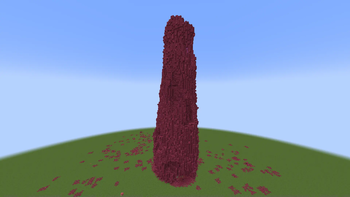
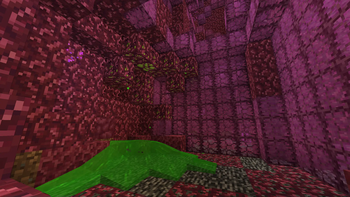
About this Mod

Biomancy



.svg?badge_style=for_the_badge)


Contributors
RhinoW, The Shroome, Shorepion, Kitteh6660, ZeoMaddox, ItsLumine, RuskieThe3rd, M4rc3ll0
Many thanks to the members of my discord server for their feedback and ideas.
Translators
SlimeSB, Quarkrus, Mexwell12, cabaneter
Sponsors
PonyPon, Tapeworm Tim, Spedic, Adam, June, Toom, da.shyguy, Zeca, pixel_mode
General Info
No Guide Book
The mod will not provide a guide book and most of its progression is described through advancements and tooltips.
Please note that at the moment the tooltips & advancements can be too obscure or badly written. This issue will be resolved during the development of the mod.
If you need help to get started you can watch this video.
I recommended the use of JEI to look up recipes.
Mod Integrations/Compatibility
- JEI
- Enchantment Descriptions
- Alex's Mobs
- Pehkui
- Flesh Door & Iris Door work on Create contraptions/trains
- Digester accepts any food
- Raw Meat from Farmer's Delight
Addons
FAQ
Will you port to 1.21?
soon(tm)
Will you port to older versions of minecraft?
no
What about a Fabric Version?
I will create a fabric version eventually.
Bugs & Crashes
Please report any issues to the Biomancy Issue Tracker on GitHub or the bug-and-crashes channel on Discord.
Videos
Available Versions
How to Install Biomancy on Your Server
Order Server
Order a Minecraft Java server with at least 3 GB RAM (4 GB recommended).
Set forge Loader
In the panel under "Egg", select the forge loader and matching Minecraft version (1.20.1).
Install Mod
Open the mod browser in the dashboard and search for "Biomancy". Click "Install" – done! Alternatively, upload the .jar via SFTP to the /mods folder.
Compatibility
Mod Loaders
Minecraft Versions
1.20.1, 1.19.2, 1.18.2 (+1 more)
Server-side
✓ RequiredRecommended RAM
4 GB(min. 3 GB)Frequently Asked Questions
Biomancy server crashes on startup – what to do?
Most common cause: wrong forge version or insufficient RAM. Check the server log (latest.log) for "OutOfMemoryError" or "Mixin" errors. With Mado Hosting: ensure at least 3 GB RAM is allocated and the loader matches the mod version (1.20.1). You can switch loaders with one click in the panel.
Is Biomancy compatible with forge?
Biomancy officially supports forge for Minecraft 1.20.1, 1.19.2, 1.18.2. The Mado dashboard automatically detects incompatible loader combinations.
Server lagging with Biomancy – how to optimize performance?
Recommended RAM: 4 GB (per 8 players). Use /spark profiler to check if Biomancy consumes the most tick time. Common fixes: reduce server view-distance to 8-10, install "performant" or "starlight" as supplementary mods on Forge. With Mado Hosting, your server runs on NVMe SSDs with dedicated CPU cores for minimal latency.
Similar Mods



![[TaCZ] Timeless and Classics Zero](https://cdn.modrinth.com/data/SzzJttH8/fd27766d2bb8390d284696b1dbd358f87e081439_96.webp)


Rent Modded Server
Install Biomancy with just one click on your server.