
Create Smart Bounds
Improves create mod's block entity renderbounds
Screenshots
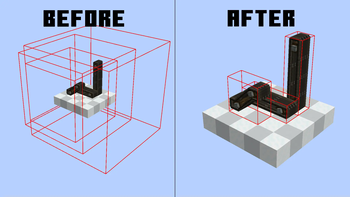
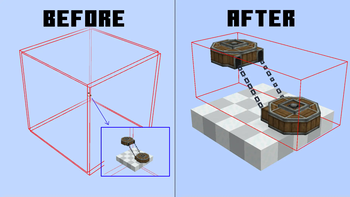
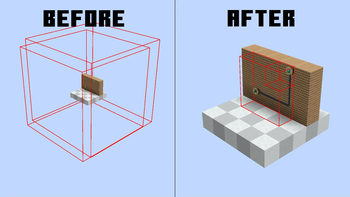
About this Mod
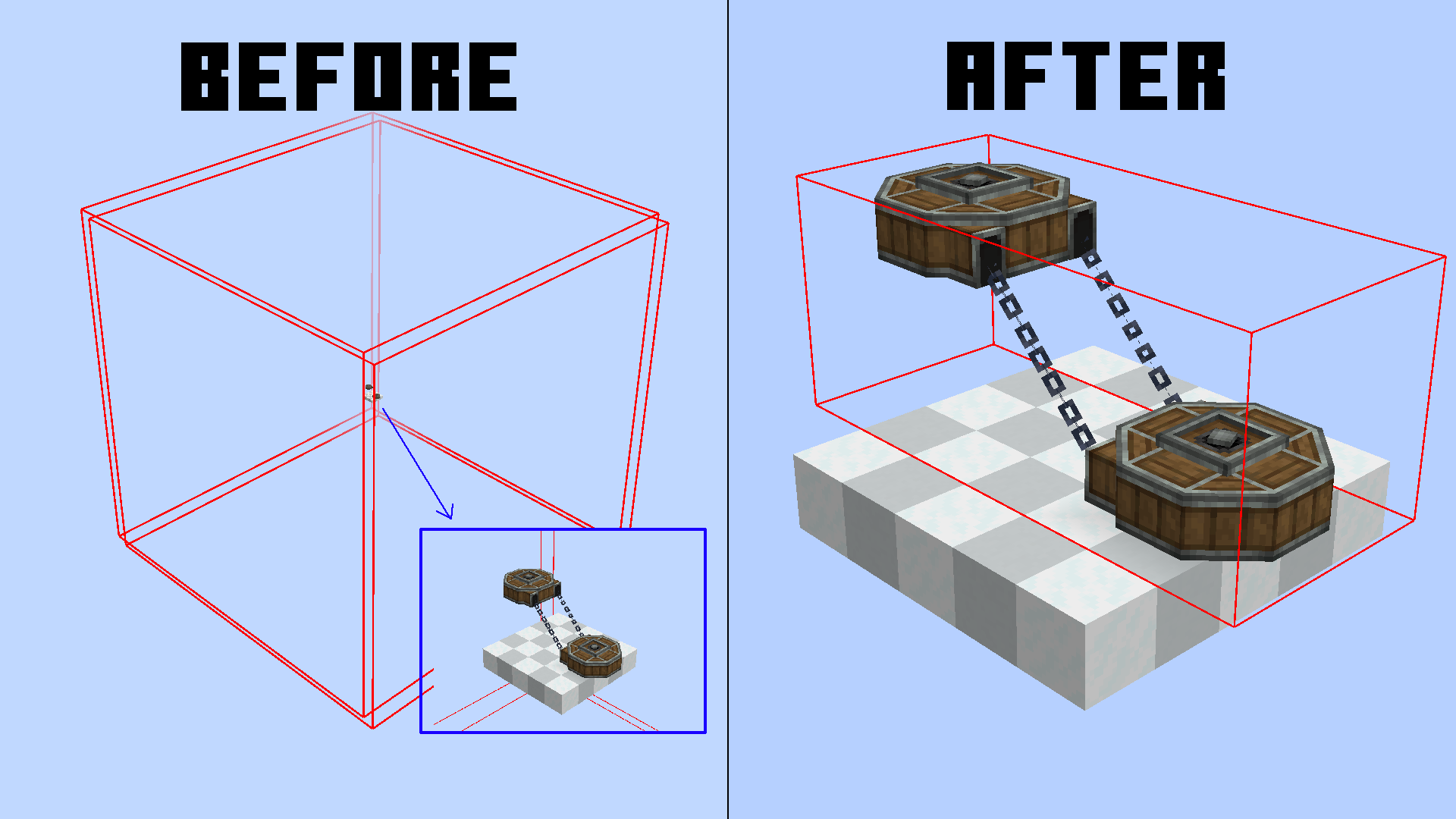
This mod aims to reduce enormous and nonsense render bounds for create block entities.
You can check neoforge block entities render bounds with this command /neoforge debug_blockentity_renderbounds true
It also reworks some block entities render bounds caching
It's a pretty small optimization, but in large contraptions and big machine areas, it can make the difference.
We currently support:
- Mechanical Arms
- Belts
- Chain Conveyors
- Factory Panels
- PSI & Deployers
- Rollers
- Frog Ports
What are render bounds?
Usually, to optimize performance, all blocks that are behind/outside your screen are not rendered to avoid useless computations.
In blocks, this bound is set to a 3x3 area, but in block entities, this is customizable.
The reason? Simple, render things that are bigger than a block. For example, Chain Conveyors need a larger render bounding box for chain connections.
The thing is, most times create goes by "better larger" and just inflates the whole area. This makes most of your block entities get rendered even though they are not even visible.
Render Bounds Caching
The bounding box is not generated every frame, since the block only needs to change his bounding box on some precise events.
This mod also optimizes this, removing useless bounding box reloading for some blocks (Belts) which before reloaded their bounding box EVERY GAME TICK (20 times per second).
Now they only update if the block is broken and replaced, reducing the lag.
Available Versions
How to Install Create Smart Bounds on Your Client
Install the Mod Loader Locally
Install neoforge for your local Minecraft version.
Download the Matching File
Choose the Create Smart Bounds file for neoforge and Minecraft 1.21.1.
Install Mod
Place the .jar file in your local .minecraft/mods folder and restart Minecraft. No server-side installation is required.
Compatibility
Mod Loaders
Minecraft Versions
1.21.1
Server-side
✗ UnsupportedRecommended RAM
6 GB(min. 4 GB)Frequently Asked Questions
Does Create Smart Bounds need to be installed on the Minecraft server?
No. Modrinth marks Create Smart Bounds as unsupported on the server side. Install it only in your local Minecraft mods folder. Your server can remain unchanged unless the mod page lists an additional dependency.
Which version and loader does Create Smart Bounds require?
Use a file for neoforge and your exact Minecraft version. Supported versions include 1.21.1. Files for different loaders are not interchangeable.
Create Smart Bounds is not working – what should I check?
First check the Minecraft version, loader version and required dependencies. Put the .jar file in your local .minecraft/mods folder and remove older duplicates. Because this mod is client-side, adding server RAM will not fix it.
Similar Mods






Minecraft Server for Your Group
Create Smart Bounds stays on your client. Host a compatible world for your group.