
Modrinth · Fabric, Forge, NeoForge, Quilt · Client mod
MC-Sync
MC-Sync is a client-side mod. Install it on your computer; the server does not need it.
Two-way chat between your Minecraft server and a Discord channel, plus server status, whitelist and alerts. No open port needed. Companion plugin for the Minecraft Sync Discord bot.
- Downloads
- 10.1K
- Author
- LeonBisai
- Loader
- Fabric, Forge, NeoForge, Quilt
- Minecraft
- 1.10 – 26.3
- Updated
- –
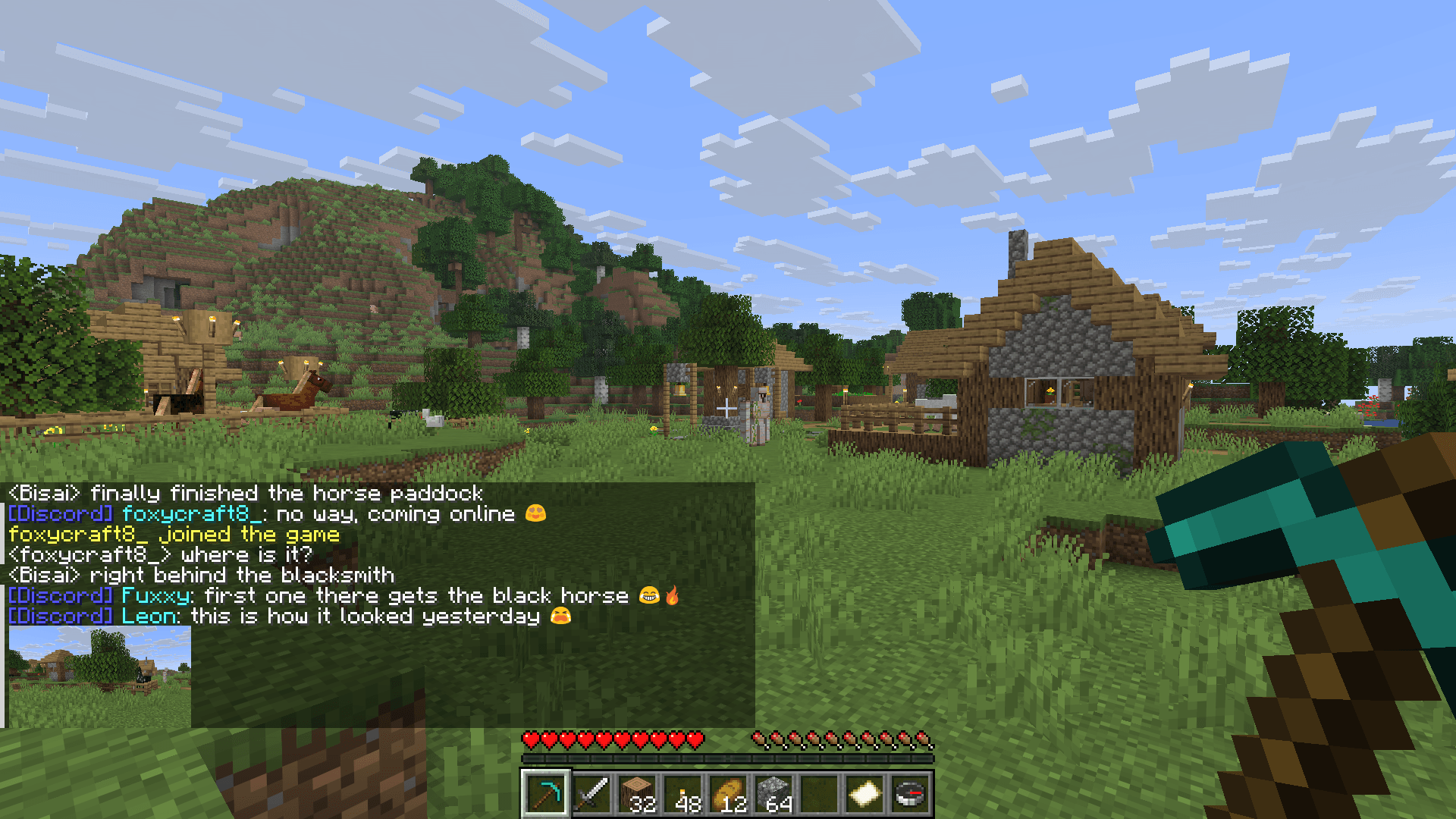
Screenshots
What MC-Sync looks like


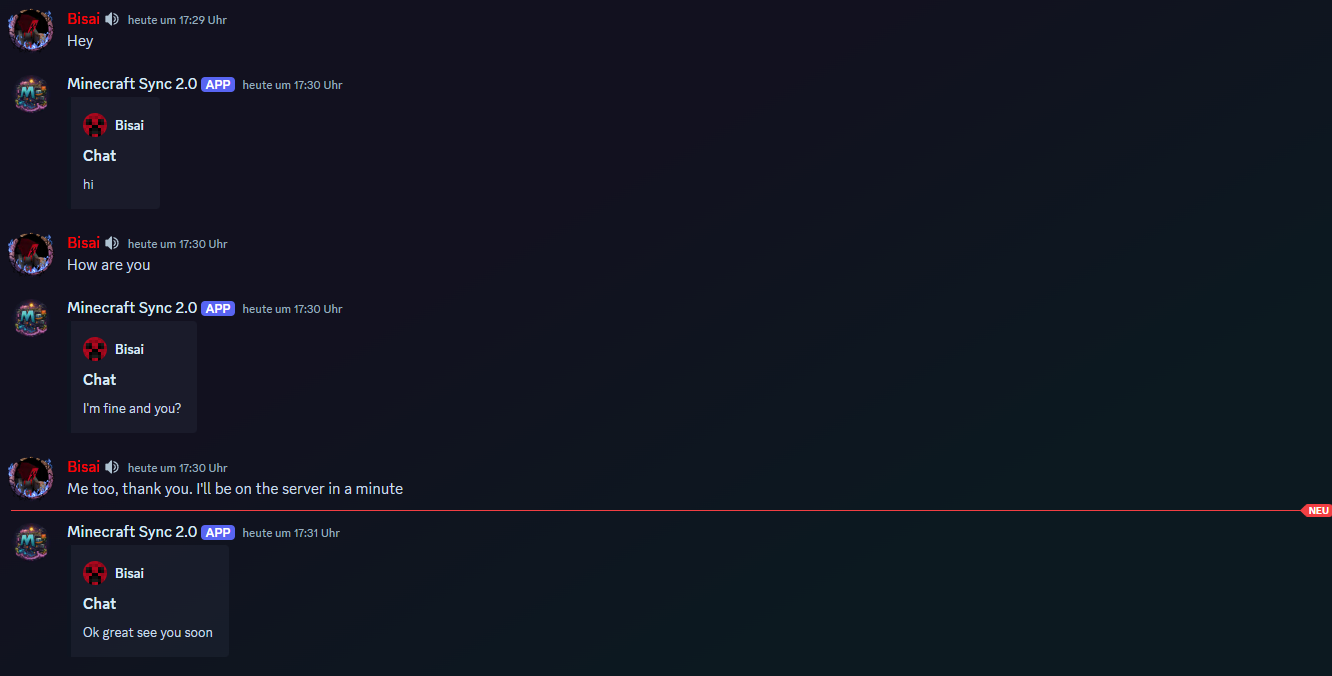
Images: MC-Sync on Modrinth, published by the project team.
Setup
Install MC-Sync on your client
Client-side mods only run on your computer. More server RAM does not change their performance.
- 01
Install the loader locally
Install Fabric or Forge or NeoForge or Quilt for your Minecraft version in your launcher.
- 02
Download the file
Download the MC-Sync file for your loader and your exact Minecraft version, for example 26.3.
- 03
Add it to the mods folder
Put the .jar file in your local .minecraft/mods folder and remove older duplicates.
- 04
Launch
Launch Minecraft with the loader profile. Nothing needs to change on the server.
- On the server
- Unknown
- On the client
- Unknown
- Loader
- Fabric, Forge, NeoForge, Quilt
- Minecraft
- 26.3, 26.2, 26.1.2 +64 more
- License
- LicenseRef-All-Rights-Reserved
Releases
Published releases
Pick the file that matches your server’s loader and Minecraft version. The server and players need the same release.
MC-Sync · Modrinth- MC-Sync 2.2.20 for spigot 1.8.8-1.9.3November 21, 2026Minecraft 1.8.8, 1.8.9, 1.9, 1.9.1, 1.9.2, 1.9.3 · spigot
- MC-Sync 2.2.20 for forge 1.8.8-1.9.3November 21, 2026Minecraft 1.8.8, 1.8.9, 1.9, 1.9.1, 1.9.2, 1.9.3 · Forge
- MC-Sync 2.2.20 for spigot 1.9.4-1.10.1November 21, 2026Minecraft 1.9.4, 1.10, 1.10.1 · spigot
- MC-Sync 2.2.20 for forge 1.9.4-1.10.1November 21, 2026Minecraft 1.9.4, 1.10, 1.10.1 · Forge
- MC-Sync 2.2.20 for spigot 1.10.2-1.11.1November 21, 2026Minecraft 1.10.2, 1.11, 1.11.1 · spigot
Original description by the project author
Description
This solution was specifically developed for the Minecraft Sync 2.0 Discord Bot.
Together, the bot and this integration allow you to seamlessly synchronize the Minecraft chat with a Discord chat.
This enables you to connect chats between both platforms in real time effortlessly!
Invite the bot via the following link: bot invite link
Support: support discord server
Website: https://mc-sync.eu
Email: [email protected]
Setup
After the first startup, the token is generated automatically.
If needed, it can be adjusted in the following file: config.yml.
Configuration
Obtain the Token
Invite the Discord bot to your server and execute /chat-sync add.
Copy the generated token!Install the Plugin/Mod
Upload the plugin or mod to your server and restart it.
Once the server is running, paste the token into theconfig.ymlfile and restart it again.
I hope this guide helps you set everything up smoothly.
If you have any questions, feel free to reach out anytime! 😊
Does MC-Sync need to be installed on the Minecraft server?
No. Modrinth marks MC-Sync as unsupported on the server side. Install it only in your local mods folder. Your server can stay unchanged unless the project page lists an additional dependency.
Which version and loader does MC-Sync require?
Use a file for Fabric, Forge, NeoForge, Quilt and your exact Minecraft version. Supported versions include 26.3, 26.2, 26.1.2. Files for different loaders are not interchangeable.
MC-Sync is not working – what should I check?
First check the Minecraft version, loader version and required dependencies. Because the mod is client-side, more server RAM will not fix it.
Similar mods
Popular mods in the same category
 Server-ready

VeinMiner
by Miraculixx
Mine the whole vein on mining a single ore/block. Make the tedious mining experience to something satisfying and fun! FTB Ultimine alternative
 Server-ready

Geckolib
by Gecko
A 3D animation library for entities, blocks, items, armor, and more!
 Client only

VeinMiner Hotkey
by Miraculixx
Veinminer Addon - Use a hotkey to veinmine with a dynamic crosshair & block highlighting
 Server-ready

Fzzy Config
by fzzyhmstrs
Config API with automatic GUIs, powerful validation options, server-client sync, and more!
Looking for mods for your own server?
The catalog lists mods that run on Minecraft servers.