
Hbm's Nuclear Tech Mod
Nukes, reactors, missiles, tech and more!
Screenshots
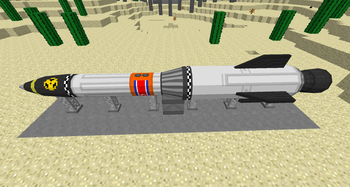
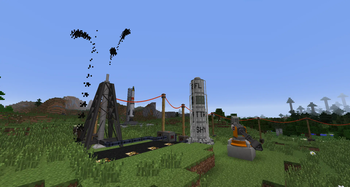
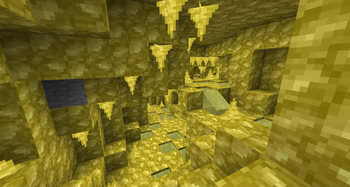
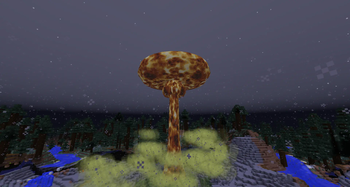
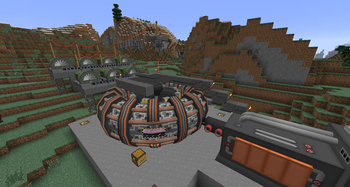
About this Mod
Hbm's Nuclear Tech Mod is, as the name implies, all about technology, atomic science and nuclear weapons. Features include, and are not limited to:
- A large tech tree, with progression spanning over many machines and different types of reactors
- Nuclear reactors such as the Chicago Pile, the infamous RBMK and fusion reactors (and more!)
- Nuclear bombs, missiles and artillery
- Turrets, traps and other defensive systems
- Processing machines for extracting ores, assembling parts and refining oil
- Abandoned structures and dungeons to explore
- Hazards such as radiation, flammable gasses and lung diseases
Installation
HBM's NTM does not have any special dependencies, so the installation procedure is the usual:
- Download the .jar file
- Install Forge modloader on your 1.7.10 minecraft profile
- Launch the game once (or manually create the mods folder)
- Navigate to .minecraft and drop the jar file into the mods folder
Compatibility
- Not Enough Items
- Recipe handling which is crucial for the mod to be used in survival. NEI is capable of showing almost all of NTM's recipes.
- OpenComputers
- OC compatibility has recently been added, allowing monitoring and control over some machines.
- Many tech mods
- NTM makes use of the Ore Dictionary - the universal system for making equivalent materials usable between mods.
- For potential incompatibilities or things to look out for, please consult the compatibility notice!
Available Versions
How to Install Hbm's Nuclear Tech Mod on Your Server
Order Server
Order a Minecraft Java server with at least 3 GB RAM (4 GB recommended).
Set forge Loader
In the panel under "Egg", select the forge loader and matching Minecraft version (1.7.10).
Install Mod
Open the mod browser in the dashboard and search for "Hbm's Nuclear Tech Mod". Click "Install" – done! Alternatively, upload the .jar via SFTP to the /mods folder.
Compatibility
Mod Loaders
Minecraft Versions
1.7.10
Server-side
✓ RequiredRecommended RAM
4 GB(min. 3 GB)Frequently Asked Questions
Hbm's Nuclear Tech Mod server crashes on startup – what to do?
Most common cause: wrong forge version or insufficient RAM. Check the server log (latest.log) for "OutOfMemoryError" or "Mixin" errors. With Mado Hosting: ensure at least 3 GB RAM is allocated and the loader matches the mod version (1.7.10). You can switch loaders with one click in the panel.
Is Hbm's Nuclear Tech Mod compatible with forge?
Hbm's Nuclear Tech Mod officially supports forge for Minecraft 1.7.10. The Mado dashboard automatically detects incompatible loader combinations.
Server lagging with Hbm's Nuclear Tech Mod – how to optimize performance?
Recommended RAM: 4 GB (per 8 players). Use /spark profiler to check if Hbm's Nuclear Tech Mod consumes the most tick time. Common fixes: reduce server view-distance to 8-10, install "performant" or "starlight" as supplementary mods on Forge. With Mado Hosting, your server runs on NVMe SSDs with dedicated CPU cores for minimal latency.
Similar Mods



![[TaCZ] Timeless and Classics Zero](https://cdn.modrinth.com/data/SzzJttH8/fd27766d2bb8390d284696b1dbd358f87e081439_96.webp)


Rent Modded Server
Install Hbm's Nuclear Tech Mod with just one click on your server.