
Photonics: A raytracing engine
A ray-traced voxel engine with a focus on performance and crisp shadows
Screenshots
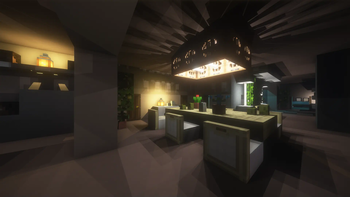
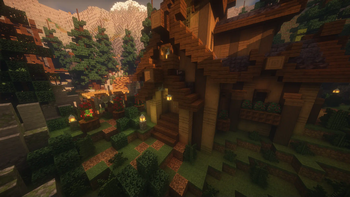
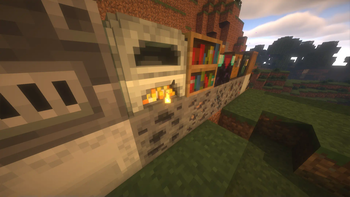
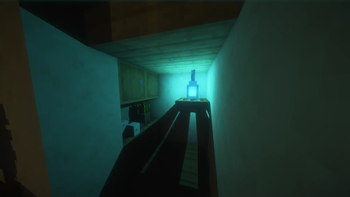
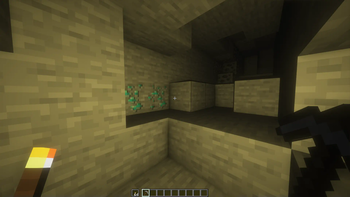
About this Mod
Photonics: A Raytracing Mod
An Iris extension that adds voxel based raytracing to Minecraft.
With a focus on performance, Photonics is able to deliver performance comparable to that of hardware raytracing.
Shaders that support Photonics:
- Euphoria Patches (requires 1.9.0+ and Photonics v0.3.4+)
- Photon (requires latest from Github & Photonics v0.3.4+)
- Eclipse (requires latest version from Github & Photonics v0.3.4)
- Shrimple (requires latest from GIthub & Photonics v0.3.4+)
Support patched in by the photonics mod:
- BSL (Photonics v0.3.0+ requires 10.1+, v0.2.9 or below requires 8.2.9)
Features
By using it's custom voxel raytracing, Photonics adds many visually stunning effects:
Soft Shadows
Every block casts beautiful soft shadows from block lights!
Global Illumination
Tired of how dull the world is in shadow? Worry not! Photonics adds accurate Global Illumination to shadows.
3D Blocks
Using its voxel raytracing, Photonics can render 16x16x16 block models directly!
Custom Models can also be implemented using MagicaVoxel.
Colored Glass Lighting
Photonics can tint the color of light that passes through glass, casting colored shadows over objects.
Up to 20 lights per chunk
By default, traces 20 lights per chunk, with shader settings allowing you to increase that number to 100!
Notice
- Photonics doesn't utilise Hardware Raytracing, and because Minecraft is built on OpenGL, building in Hardware Raytracing is unfortunately not possible
- This mod is still in Alpha, bugs and compatibility issues are to be expected
- Any mod that modifies Minecraft Rendering/Chunk loading will affect compatibility
- MacOS is not supported!
Development
Updates on the Development can be seen on its Discord server: Photonics Official
Available Versions
How to Install Photonics: A raytracing engine on Your Client
Install the Mod Loader Locally
Install fabric for your local Minecraft version.
Download the Matching File
Choose the Photonics: A raytracing engine file for fabric and Minecraft 1.21.11.
Install Mod
Place the .jar file in your local .minecraft/mods folder and restart Minecraft. No server-side installation is required.
Compatibility
Mod Loaders
Minecraft Versions
1.21.11, 1.21.10, 1.21.8 (+5 more)
Server-side
✗ UnsupportedRecommended RAM
4 GB(min. 3 GB)Frequently Asked Questions
Does Photonics: A raytracing engine need to be installed on the Minecraft server?
No. Modrinth marks Photonics: A raytracing engine as unsupported on the server side. Install it only in your local Minecraft mods folder. Your server can remain unchanged unless the mod page lists an additional dependency.
Which version and loader does Photonics: A raytracing engine require?
Use a file for fabric and your exact Minecraft version. Supported versions include 1.21.11, 1.21.10, 1.21.8. Files for different loaders are not interchangeable.
Photonics: A raytracing engine is not working – what should I check?
First check the Minecraft version, loader version and required dependencies. Put the .jar file in your local .minecraft/mods folder and remove older duplicates. Because this mod is client-side, adding server RAM will not fix it.
Similar Mods




Minecraft Server for Your Group
Photonics: A raytracing engine stays on your client. Host a compatible world for your group.