Scannable-Unofficial
This is an unofficial version of the Scannable mod (originally authored by Sangar) for version 1.21.x
Screenshots
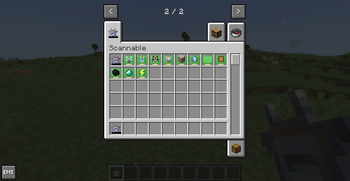
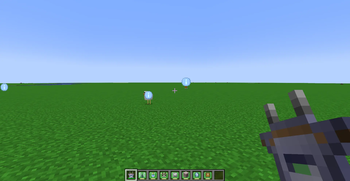
About this Mod
Scannable-Unofficial
A handheld scanner mod with swappable modules for Minecraft NeoForge 1.21.x.
Features
- Modular Scanner System — Install different modules to scan for specific targets
- Energy-Based Operation — Configurable whether scanning consumes energy; includes a Charger Module to self-generate power
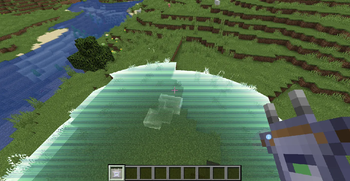
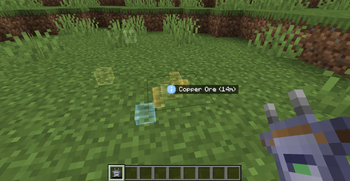
- Visual Feedback — 3D overlay highlighting, progress indicator, scan-wave effect, and sound effects
- JEI & EMI Integration — Configure modules by dragging ingredients from JEI/EMI panels
- Extensive Configuration — Customize energy costs, scan ranges, ignored blocks, and colors
Module Types
| Module | Function |
|---|---|
| Range Module | Increases scan radius by 50% |
| Block Module | Detects specific blocks (configurable by right-clicking) |
| Entity Module | Detects specific entity types (configurable by right-clicking) |
| Item Module | Scans containers for specific items (configurable by right-clicking) |
| Fluid Module | Detects fluid blocks (water, lava) |
| Friendly Entity Module | Detects animals, villagers, and other friendly entities |
| Hostile Entity Module | Detects monsters and hostile entities |
| Common Ores Module | Detects coal, iron, copper, gold, lapis, redstone |
| Rare Ores Module | Detects diamond, emerald, netherite, quartz, and more |
| Charger Module | Generates energy over time when installed in the scanner |
| Blank Module | Crafting component for other modules |
Credits
- Original Scannable mod by Florian "Sangar" Nücke
- NeoForge team for the modding platform
- All contributors and testers
Available Versions
How to Install Scannable-Unofficial on Your Server
Order Server
Order a Minecraft Java server with at least 3 GB RAM (4 GB recommended).
Set neoforge Loader
In the panel under "Egg", select the neoforge loader and matching Minecraft version (26.1.2).
Install Mod
Open the mod browser in the dashboard and search for "Scannable-Unofficial". Click "Install" – done! Alternatively, upload the .jar via SFTP to the /mods folder.
Compatibility
Mod Loaders
Minecraft Versions
26.1.2, 1.21.4, 1.21.3 (+2 more)
Server-side
✓ RequiredRecommended RAM
4 GB(min. 3 GB)Frequently Asked Questions
Scannable-Unofficial server crashes on startup – what to do?
Most common cause: wrong neoforge version or insufficient RAM. Check the server log (latest.log) for "OutOfMemoryError" or "Mixin" errors. With Mado Hosting: ensure at least 3 GB RAM is allocated and the loader matches the mod version (26.1.2). You can switch loaders with one click in the panel.
Is Scannable-Unofficial compatible with neoforge?
Scannable-Unofficial officially supports neoforge for Minecraft 26.1.2, 1.21.4, 1.21.3. The Mado dashboard automatically detects incompatible loader combinations.
Server lagging with Scannable-Unofficial – how to optimize performance?
Recommended RAM: 4 GB (per 8 players). Use /spark profiler to check if Scannable-Unofficial consumes the most tick time. Common fixes: reduce server view-distance to 8-10, install "performant" or "starlight" as supplementary mods on Forge. With Mado Hosting, your server runs on NVMe SSDs with dedicated CPU cores for minimal latency.
Similar Mods



![[TaCZ] Timeless and Classics Zero](https://cdn.modrinth.com/data/SzzJttH8/fd27766d2bb8390d284696b1dbd358f87e081439_96.webp)


Rent Modded Server
Install Scannable-Unofficial with just one click on your server.